
1. Introduction
Thank you for choosing the Reobiux 3K 6 MP Outdoor Wi-Fi Camera. This manual provides detailed instructions for the installation, operation, and maintenance of your new security camera. Please read this manual thoroughly before use and keep it for future reference.
Package Contents:
- 1 x Reobiux 3K 6 MP Outdoor Wi-Fi Camera
- 1 x User Manual
- 1 x Installation Screw Kit
- 1 x 3m Power Cable
2. Safety Information
To ensure safe and proper operation, please observe the following precautions:
- Ensure the power supply voltage matches the camera's requirements (12 Volts DC).
- Do not expose the camera to extreme temperatures or humidity beyond its operating range.
- Avoid direct exposure to strong sunlight for extended periods, which may affect image quality.
- Do not attempt to disassemble or modify the camera. This will void the warranty.
- Keep the camera and its accessories out of reach of children.
- Ensure the installation surface is strong enough to support the camera's weight.
- While the camera is IP66 waterproof, avoid submerging it in water.
3. Product Overview
The Reobiux 3K 6 MP Outdoor Wi-Fi Camera features a unique dual-lens design, providing comprehensive surveillance with both a fixed and a rotating lens. This allows for a 360° field of view, eliminating blind spots.

Image: The Reobiux 3K 6 MP Outdoor Wi-Fi Camera, showcasing its sleek black design and dual antenna setup, alongside a smartphone displaying its dual-screen monitoring capability.
Key Features:
- Dual Lens & Dual Screen: Equipped with a fixed lens and a rotating lens for a 360° field of view and intuitive monitoring.
- 3K (3MP + 3MP) Resolution: Delivers clear and sharp images, superior to 1080p cameras.
- Color Night Vision: Offers infrared, color, and alarm night vision modes for clear visuals even in low light.
- Auto Tracking & Flexible Alarms: Automatically tracks human movement and provides customizable detection zones and alarm intervals.
- High-Definition Two-Way Audio: Built-in microphone and speaker for clear communication.
- Alexa Compatibility: View real-time footage via Alexa-enabled devices.
- Quick Bluetooth Connection: Simplifies the initial setup process.
- IP66 Waterproof: Designed to withstand various outdoor weather conditions.

Image: The camera mounted on a wall, illustrating its PTZ (Pan-Tilt-Zoom) control capabilities with a fixed upper lens and a rotating lower lens, allowing for a 355° pan and 90° tilt to eliminate blind spots.
4. Setup
4.1 Installation
- Choose a Location: Select a suitable outdoor location with a clear view of the area you wish to monitor. Ensure it is within range of your 2.4GHz Wi-Fi network.
- Mount the Camera: Use the provided installation screw kit to securely mount the camera to a wall or other stable surface. The camera supports wall mounting.
- Connect Power: Connect the 3m power cable to the camera and plug it into a power outlet.
4.2 App Download & Connection
- Download the iCSee App: Search for "iCSee" in your smartphone's app store (available on App Store and Google Play) and download it.
- Register/Log In: Open the iCSee app and create a new account or log in if you already have one.
- Add Device: Tap the "+" icon in the app to add a new device.
- Quick Connection (Bluetooth): Enable Bluetooth on your smartphone. The camera is equipped with a Bluetooth system for quick pairing. Follow the in-app instructions to connect the camera via Bluetooth.
- Wi-Fi Configuration: Once connected via Bluetooth, the app will guide you to configure the camera's Wi-Fi connection. Ensure you connect to a 2.4GHz Wi-Fi network (5GHz is not supported).
- Complete Setup: Follow any remaining prompts in the app to finalize the setup, including naming your camera.
5. Operating
5.1 Live View & Playback
Open the iCSee app and select your camera to view the live feed. The dual-screen interface allows you to monitor different angles simultaneously. You can also access recorded footage from the playback section.

Image: A child and a dog playing in a yard, with an inset showing a magnified, clear image of the dog's face, demonstrating the camera's 3K FHD resolution which is much clearer than 1080p cameras.
5.2 PTZ Control
Use the controls within the iCSee app to remotely pan (355°) and tilt (90°) the rotating lens, allowing you to adjust the camera's viewing angle as needed.
5.3 Night Vision Modes
The camera offers three night vision modes:
- Infrared Mode: Provides clear black and white images in complete darkness.
- Color Mode: Utilizes white lights to provide full-color images at night.
- Alarm Mode: Activates white lights upon motion detection for color recording and deterrence.

Image: A split image showing a house at night, with one side depicting Infrared Night Vision (black and white) and the other side depicting Color Night Vision, highlighting the camera's ability to capture clear images in different night modes.
5.4 Motion Detection & Alarms
The camera features advanced motion detection with auto-tracking. When human movement is detected, the camera will automatically follow the subject. You can customize detection zones, alarm intervals, and sensitivity levels (low/medium/high) in the app to minimize false alarms. The camera can also trigger sound and light alarms.

Image: A person with a flashlight approaching a house at night, with the camera mounted above, emitting light and sound. A smartphone screen shows a real-time push notification for human detection, illustrating the camera's alarm capabilities.
5.5 Two-Way Audio
Utilize the built-in microphone and speaker for two-way communication. This allows you to speak to visitors or deter intruders directly through the camera via the iCSee app.

Image: A delivery person at a front door, with a speech bubble indicating communication with the camera. Below, a smartphone screen shows the iCSee app interface with audio controls, demonstrating the two-way audio feature.
5.6 Multi-User Access & Alexa Compatibility
You can create multiple family accounts within the iCSee app to share access to the camera with family and friends. The camera is also compatible with Alexa; simply use voice commands to view live footage on compatible devices.
6. Maintenance
To ensure optimal performance and longevity of your Reobiux camera:
- Cleaning: Gently wipe the camera lens and body with a soft, dry cloth. Do not use harsh chemicals or abrasive cleaners.
- Environmental Conditions: While IP66 waterproof, avoid prolonged exposure to extreme weather conditions if possible. Ensure proper drainage around the installation area.
- Firmware Updates: Regularly check the iCSee app for firmware updates to ensure your camera has the latest features and security enhancements.
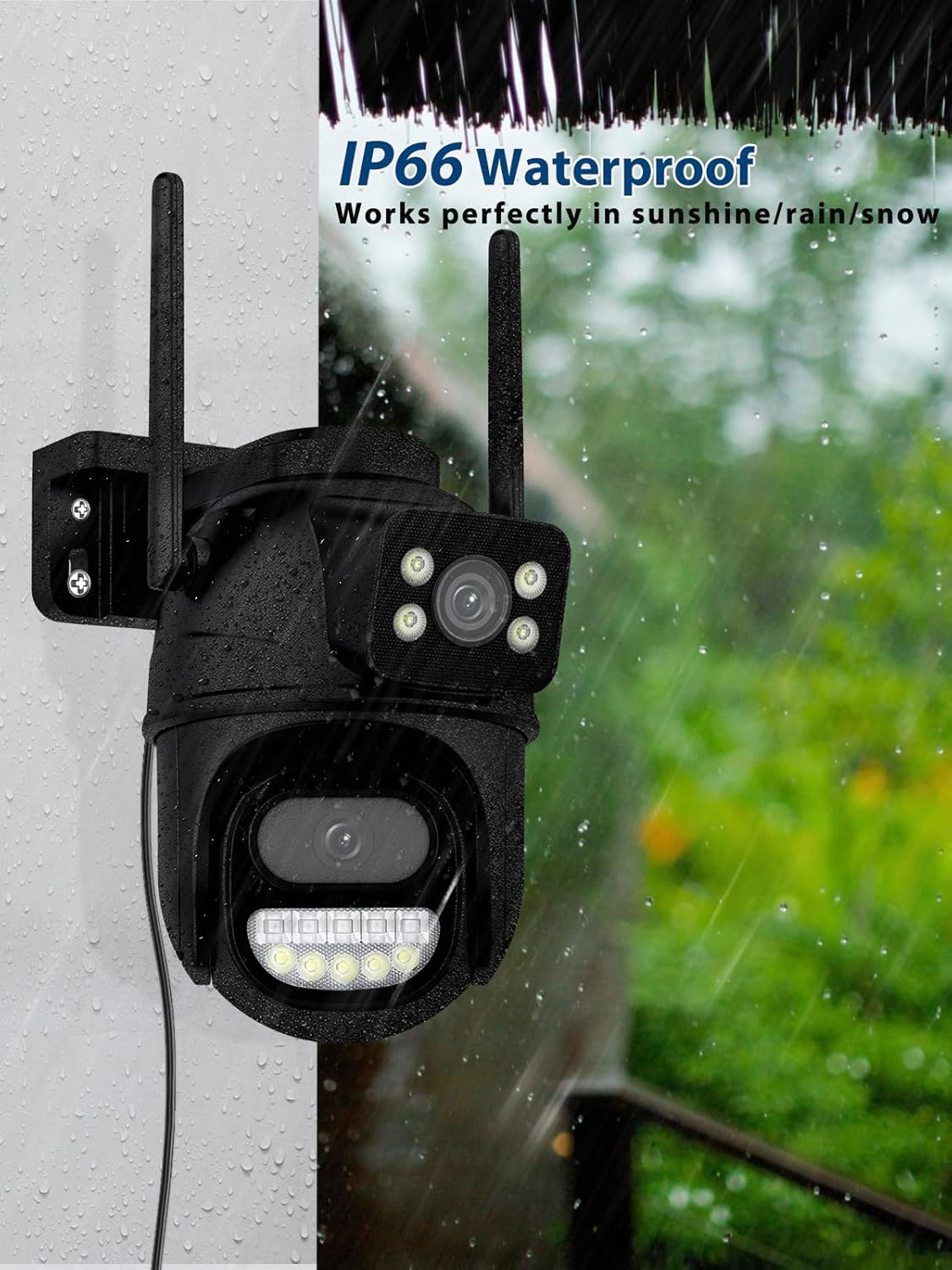
Image: The camera mounted outdoors, with water droplets on its surface, illustrating its IP66 waterproof rating and ability to function perfectly in sunshine, rain, or snow.
7. Troubleshooting
If you encounter issues with your camera, refer to the following common problems and solutions:
| Problem | Possible Cause | Solution |
|---|---|---|
| Camera offline/Cannot connect to Wi-Fi | Incorrect Wi-Fi password; Camera too far from router; 5GHz Wi-Fi network used. | Verify Wi-Fi password; Move camera closer to router or use a Wi-Fi extender; Ensure you are connecting to a 2.4GHz network. |
| Poor image quality | Dirty lens; Insufficient lighting; Network bandwidth issues. | Clean the lens; Ensure adequate lighting or enable appropriate night vision mode; Check your internet speed. |
| Frequent false alarms | Motion detection sensitivity too high; Objects like trees or insects triggering detection. | Adjust motion detection sensitivity to a lower level; Define specific detection zones to exclude irrelevant areas. |
| Two-way audio not working | Microphone/speaker muted in app; Network issues. | Check audio settings in the iCSee app; Ensure stable network connection. |
8. Specifications
| Feature | Detail |
|---|---|
| Model Number | REO-EU-A33H |
| Resolution | 3K (2.5K video recording resolution, 3MP + 3MP lenses) |
| Connectivity Technology | Wi-Fi (2.4GHz only), Bluetooth |
| PTZ Angle | Pan 355°, Tilt 90° |
| Night Vision Range | 30 Meters |
| Water Resistance Level | IP66 (Waterproof) |
| Power Source | Corded Electric (12 Volts DC, 5 Watts) |
| Dimensions (L x W x H) | 15 x 12 x 9.5 cm |
| Weight | 550 grams |
| Material | Plastic |
| Mounting Type | Wall Mount |
| Compatible Devices | Computer, Digital Video Recorder, Laptop, Tablet, Smartphone |
| Recommended Use | Door, Garden, Farm, Garage |
9. Warranty and Support
Reobiux is committed to providing high-quality security products. For warranty information and technical support, please refer to the contact details provided on the product packaging or the official Reobiux website. Please retain your proof of purchase for warranty claims.
For further assistance, you may also contact Reobiux customer service through the iCSee app's support section.