
Tcwhniev A
Tcwhniev Mini Jet Blower Model A User Manual
Comprehensive instructions for safe and efficient use.
1. Introduction
Thank you for choosing the Tcwhniev Mini Jet Blower Model A. This powerful, handheld, cordless air blower is designed for various applications, from dust removal to quick drying tasks. Featuring a high-speed brushless motor and a 3000mAh rechargeable battery, it offers strong airflow and portability. Please read this manual thoroughly before operation to ensure safe and optimal performance.
2. Safety Instructions
- Always keep the blower away from water and moisture.
- Do not operate the blower near flammable liquids or gases.
- Keep hands, hair, and loose clothing away from the air inlet and outlet during operation.
- Do not point the blower directly at people or animals.
- Use only the provided charging cable and a compatible power adapter.
- Do not attempt to disassemble or modify the blower.
- Store the blower in a dry, cool place, out of reach of children.
- If the blower is damaged or malfunctions, discontinue use immediately and contact support.
3. Package Contents
Verify that all items are present in the package:
- 1 × Tcwhniev Mini Jet Blower
- 1 × USB Type-C Charging Cable
- 1 × Instruction Manual (this document)
4. Product Features
- High-Performance Motor: Equipped with a brushless motor and CNC metal turbine for powerful airflow up to 130,000 RPM.
- Cordless Operation: Built-in 3000mAh rechargeable battery for portable use.
- Fast Charging: Type-C charging interface supports 20W fast charging.
- Three Speed Settings: Adjustable wind strength for various tasks.
- Efficient Heat Dissipation: Four shark gills design to prevent overheating during extended use.
- Compact and Handheld: Ergonomic design for comfortable one-hand operation.

Image: The Tcwhniev Mini Jet Blower highlighting its key features: 52 meters/second wind speed, 130,000 RPM powerful blower, 3000mAh large capacity battery, super strong wind force, excellent battery life, silent operation, and three-speed regulation.
5. Setup
- Unpack: Carefully remove all components from the packaging.
- Initial Charge: Before first use, fully charge the blower. Connect the Type-C charging cable to the blower's charging port and the other end to a compatible USB power adapter (not included). The blue indicator light will flash during charging and remain solid blue when fully charged.
- Inspect: Check the blower for any visible damage. Do not use if damaged.
6. Operating Instructions
- Power On/Off: Press and hold the power button (usually located on the handle) to turn the blower on or off.
- Adjusting Wind Speed:
- Press the power button once for the first gear (strong wind).
- Press again for the second gear (hurricane).
- Press a third time for the third gear (super hurricane).
- Press a fourth time to cycle back to the first gear or turn off (depending on model behavior, typically cycles or turns off after highest speed).
- Usage: Direct the nozzle towards the area requiring airflow. Maintain a safe distance from delicate objects.

Image: Illustration of the Tcwhniev Mini Jet Blower's three wind speed settings: First Gear, Second Gear, and Third Gear, showing increasing airflow intensity.

Image: The Tcwhniev Mini Jet Blower being used for multiple scenarios, including camera dust blowing, combustion-supporting for grilling, blow-drying pets, and equipment dust blowing for keyboards.
7. Charging
The Tcwhniev Mini Jet Blower is equipped with a built-in 3000mAh lithium battery. To charge:
- Connect the provided Type-C charging cable to the charging port on the blower.
- Connect the other end of the cable to a USB power source (e.g., wall adapter, computer USB port).
- Indicator Light:
- Blue light flashes: Charging in progress.
- Blue light is always on: Charging complete.
- A full charge takes approximately 2.5 hours.
- Battery life on the first gear is approximately 4 hours.
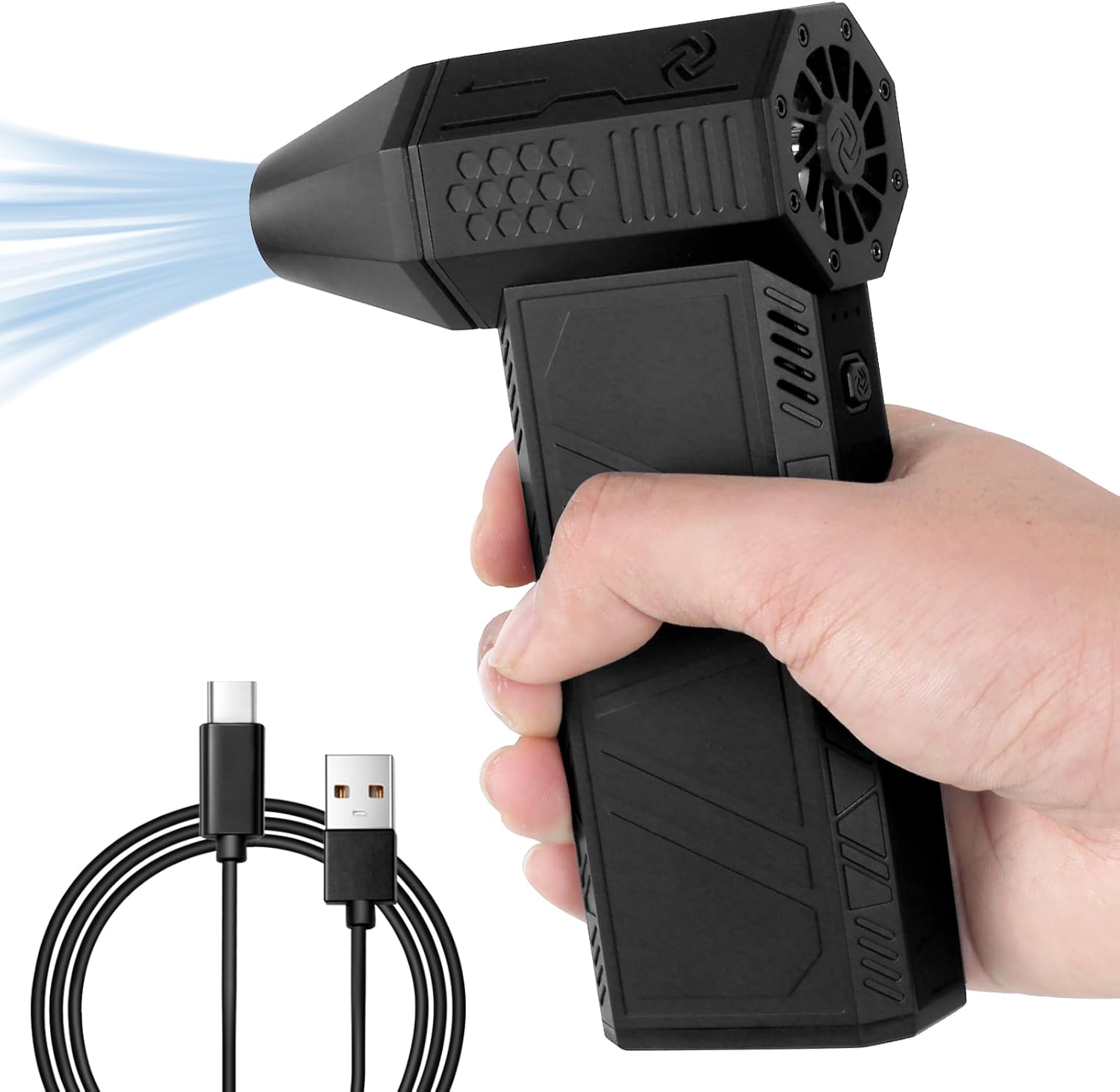
Image: The Tcwhniev Mini Jet Blower shown alongside its USB Type-C charging cable, illustrating the charging interface.
8. Maintenance
- Cleaning: Ensure the blower is turned off and unplugged before cleaning. Use a soft, dry cloth to wipe the exterior. Do not use harsh chemicals or abrasive cleaners.
- Air Inlet/Outlet: Periodically check the air inlet and outlet for any obstructions (dust, debris) and gently clear them if necessary.
- Storage: When not in use for extended periods, store the blower in a cool, dry place. It is recommended to charge the battery to about 50% before long-term storage to preserve battery health.
9. Troubleshooting
| Problem | Possible Cause | Solution |
|---|---|---|
| Blower does not turn on. | Battery is depleted. | Charge the blower fully. |
| Weak airflow. | Low battery or obstructed air inlet/outlet. | Charge the battery. Check and clear any obstructions from the air inlet/outlet. |
| Blower stops unexpectedly. | Overheating or low battery. | Allow the blower to cool down. Charge the battery. Ensure air vents are not blocked. |
| Charging indicator light not working. | Faulty cable or power adapter. | Try a different Type-C cable and USB power adapter. |
10. Specifications
| Feature | Detail |
|---|---|
| Product Name | Turbo Fan |
| Model Number | A |
| Brand | Tcwhniev |
| Material | Plastic Shell + Metal |
| Dimensions (L×W×H) | 143 × 93 × 39 mm (5.6 × 3.7 × 1.5 inches) |
| Power Source | Lithium Battery |
| Battery Capacity | 3000mAh |
| Rated Voltage Range | AC single-phase and DC above 50 V and below 250 V (Operating: 6-8.4 V) |
| Charging Interface | Type-C |
| Motor Type | Brushless Motor |
| Noise Level | 45-50 dB |
| Wind Speed Gears | 3 |
| Battery Life (1st gear) | Approx. 4 hours |
| Charging Time | Approx. 2.5 hours |

Image: A diagram illustrating the compact dimensions of the Tcwhniev Mini Jet Blower, showing its length (14.3cm/5.62inch), width (9.3cm/3.66inch), and thickness (3.9cm/1.53inch), emphasizing its portability.
11. Warranty and Support
For warranty information or technical support, please refer to the contact details provided with your purchase or visit the official Tcwhniev website. Keep your purchase receipt as proof of purchase.
Ask a question about this manual
Ask about setup, troubleshooting, compatibility, parts, safety, or missing instructions. Manuals+ will review the question and use this page’s manual context to help answer it.