1. Introduction
Thank you for choosing the ZANCHIE YH720 Wireless Headphones. This product is designed to provide a high-quality audio experience for TV watching and other audio sources, offering both RF (Radio Frequency) and Bluetooth connectivity. The included transmitter doubles as a headset stand and features RGB lighting. Please read this manual carefully before use to ensure proper operation and to maximize your listening experience.
2. Package Contents
Please check the package for the following items:
- ZANCHIE YH720 Wireless Headphones
- RF Transmitter / Headset Stand with RGB Lighting
- Optical Audio Cable
- 3.5mm Audio Cable
- RCA Audio Cable
- USB-C Charging Cable
- User Manual (this document)
3. Product Overview
3.1 Headphones
The ZANCHIE YH720 headphones are over-ear design with soft earmuffs for comfort. They feature an adjustable headband and controls for power, volume, and mode selection.
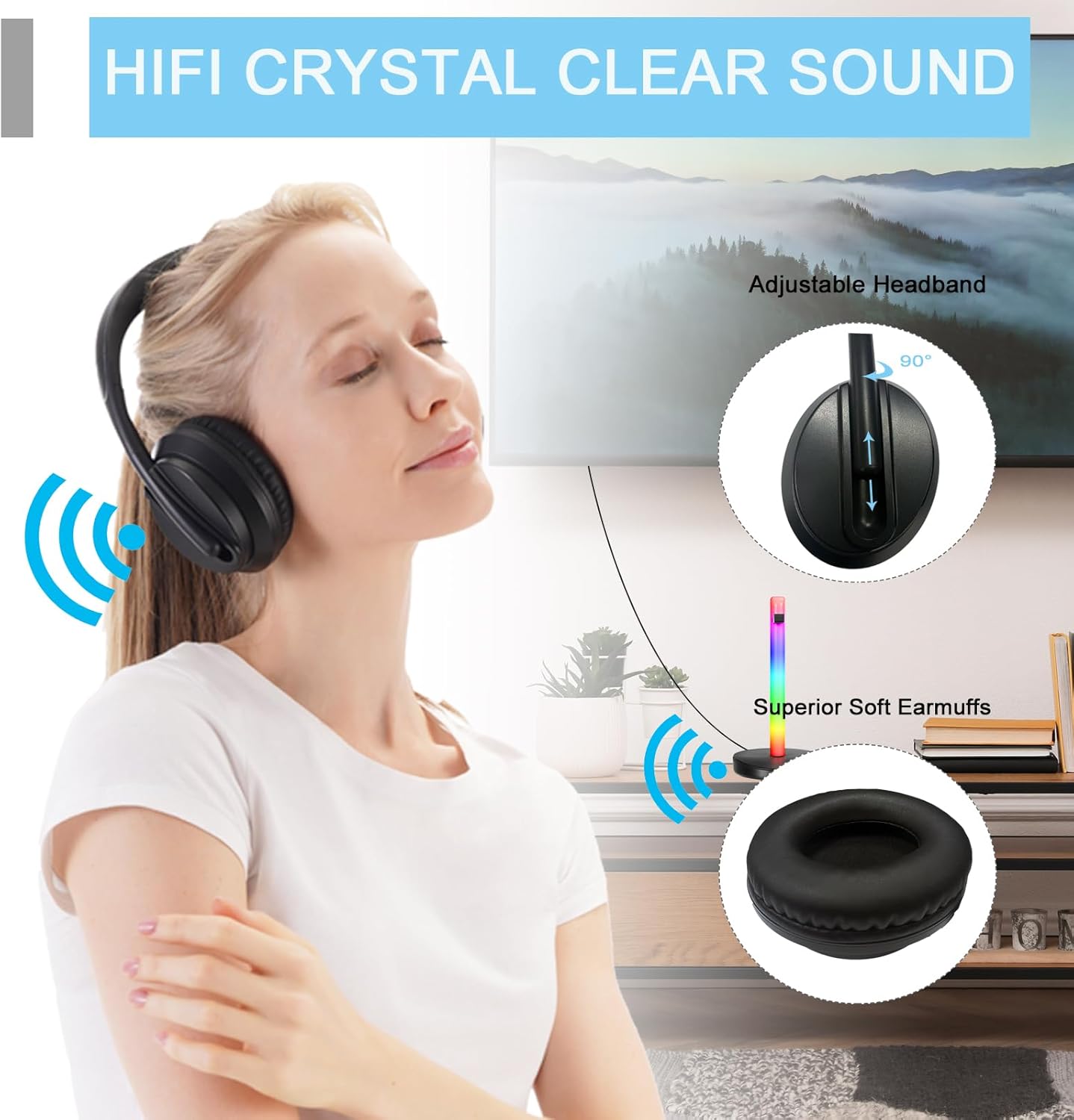
Image: ZANCHIE YH720 Wireless Headphones showing adjustable headband and soft earmuffs.
3.2 RF Transmitter / Headset Stand
The transmitter base serves as a charging station and a stand for your headphones. It features multiple audio input options (Optical, 3.5mm, RCA) and USB ports for charging other devices. The central pillar illuminates with customizable RGB lighting.

Image: ZANCHIE YH720 Wireless Headphones resting on the RGB illuminated transmitter stand.

Image: Rear view of the ZANCHIE transmitter base, highlighting the optical input and output ports.
4. Setup
4.1 Connecting the Transmitter to Your Audio Source
The transmitter supports multiple audio input methods. Choose the one compatible with your TV or audio device.

Image: Connection diagram illustrating how to connect the ZANCHIE transmitter to a TV using optical, 3.5mm, or RCA audio cables.
- Optical Audio Connection (Recommended for Digital Audio):
- Connect one end of the optical cable to the 'Optical Audio Out' port on your TV.
- Connect the other end to the 'Optical In' port on the ZANCHIE transmitter.
- On your TV's audio settings, ensure the audio output is set to 'PCM' or 'Stereo'. The transmitter does not decode Dolby Digital or DTS.
- 3.5mm Audio Connection (Analog Audio):
- Connect one end of the 3.5mm audio cable to the headphone jack or 'Audio Out' port on your TV/audio device.
- Connect the other end to the '3.5mm Audio In' port on the ZANCHIE transmitter.
- RCA Audio Connection (Analog Audio):
- Connect the red and white RCA plugs to the corresponding 'Audio Out' ports on your TV/audio device.
- Connect the other end of the RCA cable to the 'RCA Audio In' ports on the ZANCHIE transmitter.
After connecting, power on the transmitter using the provided power adapter.
4.2 Charging the Headphones
Before first use, fully charge the headphones. Place the headphones on the transmitter stand. The stand has charging pins that align with the headphones. Alternatively, you can use a USB-C cable to charge the headphones directly.
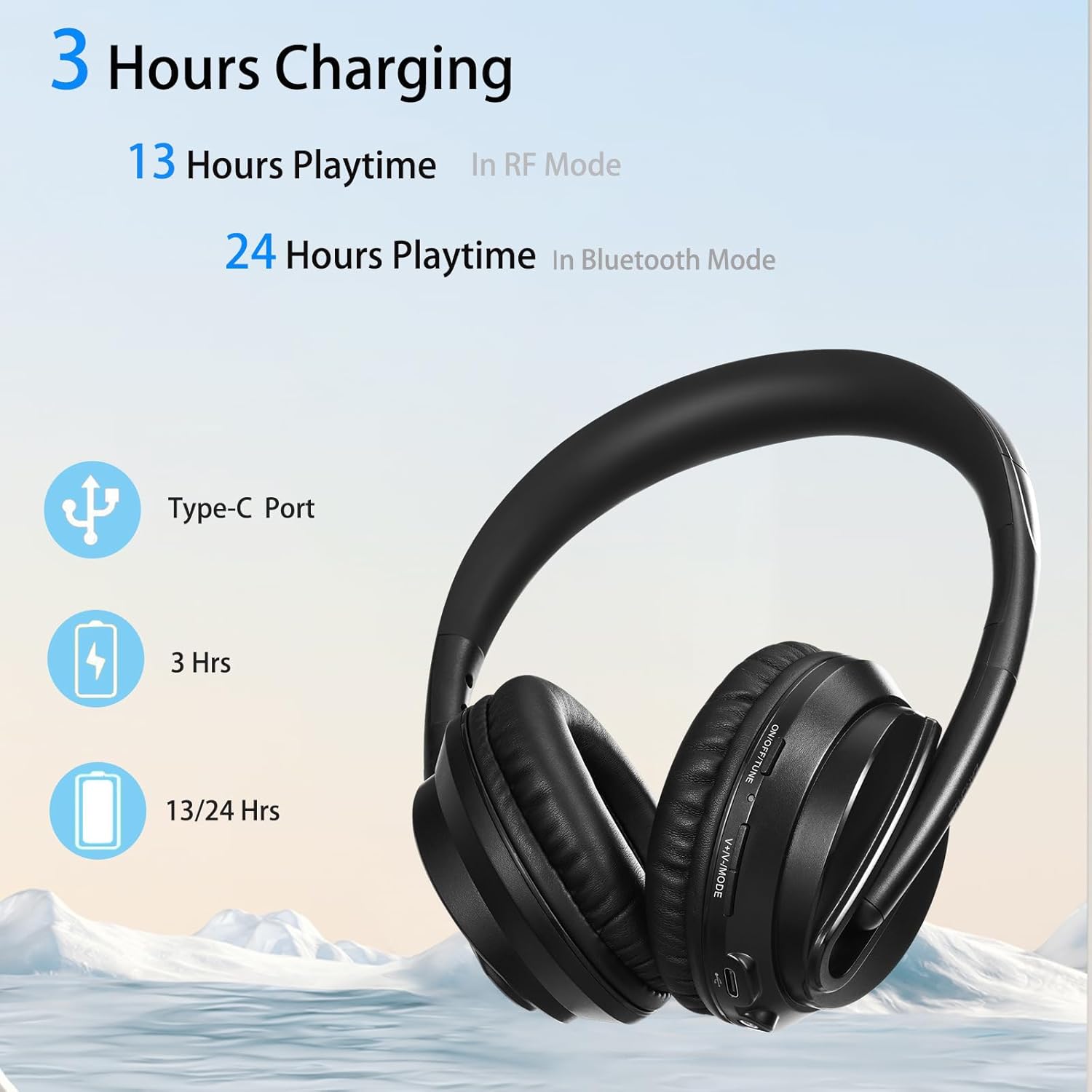
Image: Charging details for ZANCHIE headphones, indicating 3 hours charging time for 13 hours in RF mode or 24 hours in Bluetooth mode.
The transmitter stand also features USB ports that can be used to charge other devices, such as smartphones.

Image: The ZANCHIE transmitter stand demonstrating its capability to charge two smartphones simultaneously.
5. Operating Instructions
5.1 Powering On/Off
Press and hold the Power button on the headphones for approximately 3 seconds to turn them on or off.
5.2 RF Mode (for TV Watching)
When the headphones are powered on and within range of the powered transmitter, they will automatically connect in RF mode. This mode offers a wide range (up to 330ft/100m) and no audio delay, ideal for TV watching.

Image: A woman wearing ZANCHIE headphones while cooking, illustrating the 330ft wireless range from the TV and transmitter.

Image: Illustration of multiple ZANCHIE headphones simultaneously receiving audio from one transmitter.
5.3 Bluetooth Mode
To use Bluetooth mode, ensure the headphones are not connected to the RF transmitter. Press the 'M' (Mode) button on the headphones to switch to Bluetooth pairing mode. The LED indicator will flash, indicating it's ready to pair.
- Enable Bluetooth on your device (smartphone, tablet, computer, etc.).
- Search for 'YH720' in the list of available devices.
- Select 'YH720' to pair. Once paired, the LED indicator will stop flashing.

Image: ZANCHIE headphones demonstrating Bluetooth connectivity with various devices such as laptops, tablets, and smartphones.
5.4 Volume Control
Use the volume +/- buttons on the headphones to adjust the audio level.
5.5 RGB Lighting Control (Transmitter Stand)
The transmitter stand features multiple RGB lighting modes. Use the dedicated button on the stand to cycle through different colors and effects.

Image: The ZANCHIE headset stand showcasing its 5 RGB lighting modes, including various colors like blue, green, red, purple, yellow, cyan, and white.
6. Maintenance
- Clean the headphones and transmitter stand with a soft, dry cloth. Do not use abrasive cleaners or solvents.
- Avoid exposing the device to extreme temperatures, humidity, or direct sunlight.
- Store the headphones on the stand when not in use to keep them charged and organized.
- The earmuffs are designed for comfort and can be replaced if necessary.

Image: Close-up view of a ZANCHIE headphone earpad, highlighting its soft material.
7. Troubleshooting
| Problem | Possible Cause | Solution |
|---|---|---|
| No sound from headphones (RF mode) | Transmitter not powered on; incorrect audio input selected; TV audio output settings incorrect; headphones not in RF mode or out of range. | Ensure transmitter is powered. Check audio cable connections. Verify TV audio output is set to PCM (for optical) or analog. Ensure headphones are powered on and within 330ft of the transmitter. |
| No sound from headphones (Bluetooth mode) | Headphones not paired; Bluetooth disabled on device; headphones out of range. | Ensure headphones are in Bluetooth pairing mode. Re-pair with your device. Check device's Bluetooth settings. Ensure headphones are within standard Bluetooth range (approx. 30ft). |
| Headphones not charging | Headphones not properly seated on stand; charging cable not connected; faulty cable/port. | Ensure headphones are correctly placed on the stand. Check USB-C cable connection to headphones or stand. Try a different USB-C cable or charging port. |
| Audio delay/latency | Using Bluetooth mode with a non-low-latency codec; RF signal interference. | For TV watching, use RF mode for zero audio delay. If using Bluetooth, ensure both your device and headphones support a low-latency codec (if applicable). Minimize interference sources for RF mode. |
8. Specifications
| Feature | Specification |
|---|---|
| Model Name | YH720 |
| Connectivity Technology | Wireless (RF & Bluetooth) |
| Wireless Communication Technology | Bluetooth, RF |
| Ear Placement | Over Ear |
| Noise Control | Sound Isolation |
| Frequency Response | 15000 Hz |
| Frequency Range | 60-15000 Hz |
| Impedance | 32 Ohm |
| Headphones Jack | 3.5 mm Jack (for wired connection) |
| Compatible Devices | Televisions, Audio Devices |
| Charging Time | 5 Hours (Note: Product image states 3 hours for 13/24 hrs playtime) |
| Battery Life | 12 Hours (RF Mode), 24 Hours (Bluetooth Mode) |
| Wireless Range (RF) | Up to 330ft (100m) |
| Item Weight | 0.79 Kilograms (1.74 pounds) |
| Color | Black |
9. Warranty and Support
ZANCHIE products are designed for reliability and performance. For warranty information, technical support, or any questions regarding your ZANCHIE YH720 Wireless Headphones, please refer to the contact information provided with your purchase or visit the official ZANCHIE website. Please retain your proof of purchase for warranty claims.