
INNOVATIVE LIFE PYS-PEI-E01000
INNOVATIVE LIFE 1000W Portable Power Station User Manual
Model: PYS-PEI-E01000
1. Introduction
Thank you for choosing the INNOVATIVE LIFE 1000W Portable Power Station. This device is a versatile and reliable power solution designed to provide electricity for various applications, including home backup, RV trips, outdoor adventures, camping, and emergency situations. Equipped with a high-capacity 1075Wh lithium-ion battery and multiple output ports, it ensures you have power whenever and wherever you need it. This manual provides essential information for safe operation, setup, maintenance, and troubleshooting.
2. Important Safety Instructions
Please read and understand all safety instructions before operating this power station. Failure to follow these instructions may result in electric shock, fire, or serious injury.
- Do not disassemble, repair, or modify the unit. Incorrect reassembly may cause fire or electric shock.
- Do not expose the unit to fire or extreme temperatures (above 60°C/140°F).
- Do not use or store the unit in high humidity environments or near water.
- Keep the unit away from children and pets.
- Ensure proper ventilation during use to prevent overheating. Do not block ventilation openings.
- Use only recommended accessories and charging cables.
- If the unit emits smoke, strange odors, or unusual noise, stop using it immediately and contact customer support.
- Dispose of the unit according to local regulations for lithium-ion batteries.
3. What's Included in Your Package
Upon opening your package, please verify that all the following items are present and in good condition:
- 1000W Portable Power Station x 1
- AC Adapter x 1
- Car Charger Cable x 1
- Instruction Manual x 1
4. Product Overview
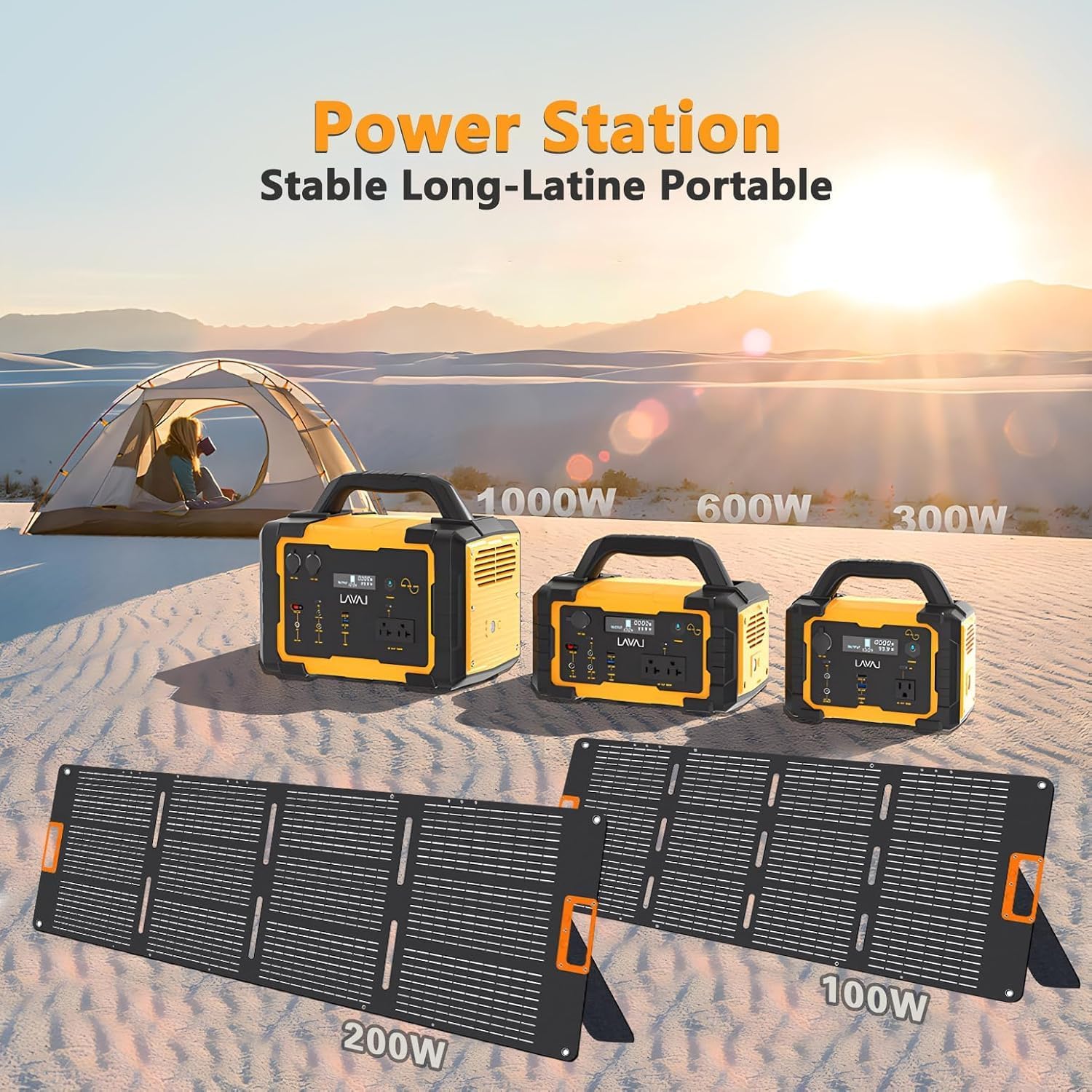
The INNOVATIVE LIFE 1000W Portable Power Station is designed for maximum utility and safety. It features a robust build and a comprehensive set of input/output ports to meet diverse power needs.

4.1. Versatile Output Ports
The power station is equipped with 10 versatile output ports, allowing you to power multiple devices simultaneously:
- 2 x AC 1000W Outlets
- 1 x PD 60W USB-C Port
- 1 x QC 18W Fast Charge Port (USB-A)
- 1 x USB-A Port (5V/2.4A)
- 2 x 12V/10A DC Outputs
- 2 x Car Ports

4.2. Secure BMS Battery System
The power station incorporates a safe Lithium-ion Battery Management System (BMS) and high-efficiency energy conversion circuitry. This system provides multiple protections for safe and stable operation:
- Overcharging Protection
- Over-discharging Protection
- High and Low Temperature Protection
- Multi-stage Overcurrent Protection
- Short-circuit Protection
- Pure Sine Wave Output
- MPPT Controller for efficient solar charging

5. Setup and Initial Charging
Before first use, it is recommended to fully charge your power station. This ensures optimal battery performance and longevity.
5.1. Initial Charge
Connect the provided AC adapter to the DC input port on the power station and plug it into a standard wall outlet. The LED display will show the charging status and battery percentage. A full charge typically takes 6-7 hours via AC wall outlet.
6. Operating the Power Station
The INNOVATIVE LIFE 1000W Portable Power Station is designed for ease of use. Follow these steps to operate your device:
6.1. Powering On/Off
Press and hold the main power button for a few seconds to turn the unit on or off. The LED display will illuminate, showing battery level, output wattage, and remaining runtime.
6.2. Connecting Devices
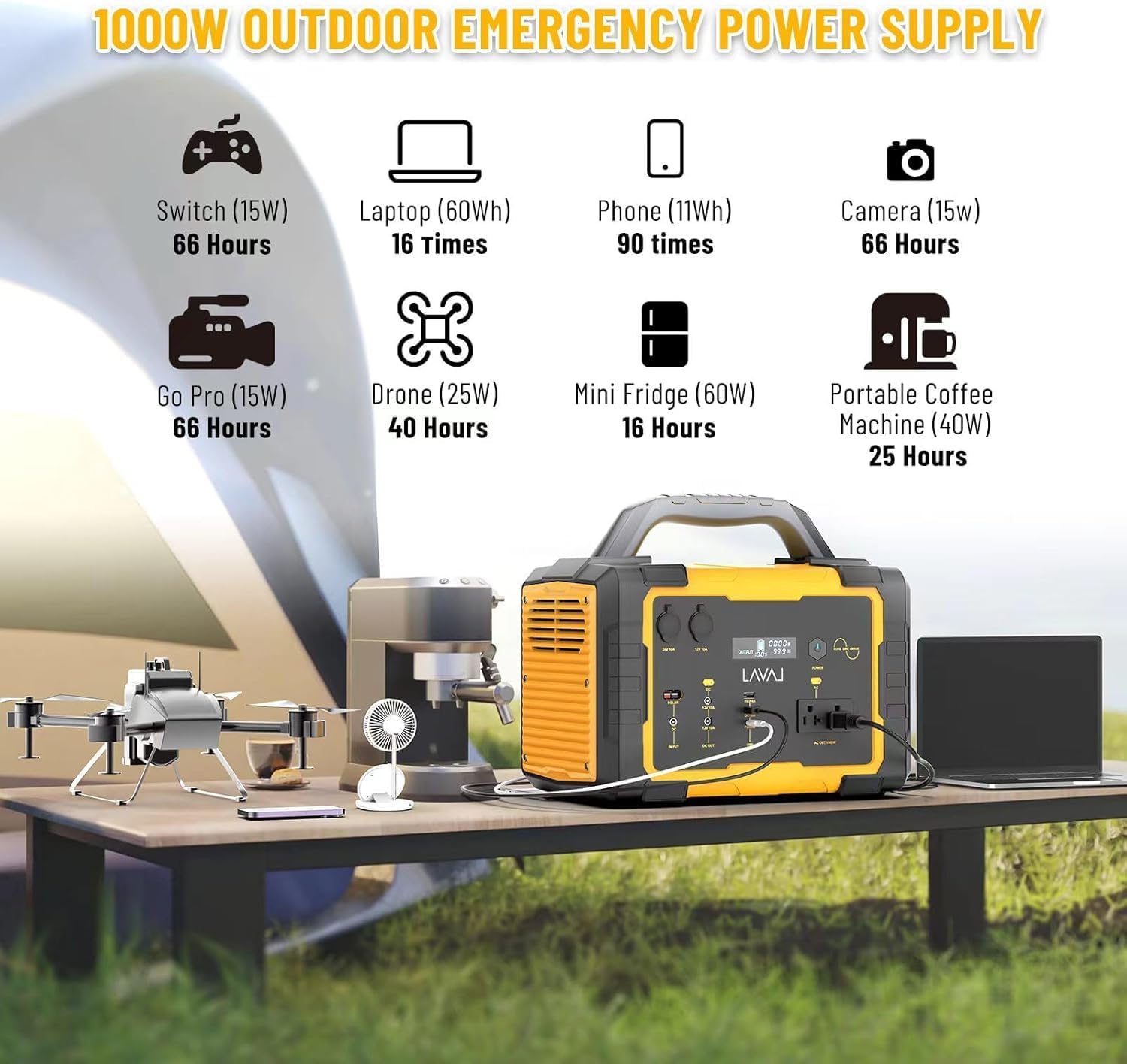
Identify the appropriate output port for your device (AC, DC, USB-A, USB-C, or Car Port). Plug your device's cable into the corresponding port. Ensure the device's power consumption does not exceed the power station's maximum output for that port or total output (1000W AC).
6.3. Using the LED Light
The power station includes a built-in LED high-brightness light for illumination. Press the light button to cycle through different modes: steady, strobe, and SOS. Press again to turn off.
6.4. Operational Video Guide
Watch this official video from INNOVATIVE LIFE for a visual guide on operating the portable power station, demonstrating its features and various applications.
7. Charging Methods
Your INNOVATIVE LIFE 1000W Portable Power Station offers three convenient charging options:
- AC Wall Outlet: Use the provided AC adapter to charge the power station from a standard wall outlet. This method typically takes about 6-7 hours for a full charge.
- Car Charger: Recharge your power station using the included car charger cable by plugging it into your vehicle's 12V car outlet. This method typically takes about 9-10 hours.
- Solar Panel (Sold Separately): For green energy charging, connect compatible solar panels (not included) to the DC input port. The integrated MPPT charging system optimizes solar input, speeding up battery charging. This method typically takes about 5-6 hours depending on solar intensity.

8. Maintenance
Proper maintenance ensures the longevity and optimal performance of your power station.
- Storage: Store the power station in a cool, dry place, away from direct sunlight and extreme temperatures. For long-term storage, charge the unit to about 50-80% every 3-6 months to preserve battery health.
- Cleaning: Use a soft, dry cloth to clean the exterior of the unit. Do not use abrasive cleaners or solvents.
- Ventilation: Ensure the ventilation vents are clear of dust and debris to prevent overheating.
- Battery Care: Avoid fully discharging the battery frequently, as this can reduce its lifespan.
9. Troubleshooting
If you encounter issues with your power station, refer to the following common problems and solutions:
| Problem | Possible Cause | Solution |
|---|---|---|
| Unit does not turn on | Battery is completely discharged. | Charge the power station using the AC adapter for at least 30 minutes. |
| Devices are not charging | Output port not activated or device power consumption too high. | Ensure the specific output (AC/DC/USB) is turned on. Check if the device's wattage exceeds the port's limit or the total 1000W limit. |
| Slow charging via solar panel | Insufficient sunlight or incompatible solar panel. | Ensure the solar panel is in direct sunlight and clean. Verify the solar panel specifications (voltage/wattage) are compatible. |
| Overload warning on display | Connected devices exceed the power station's output capacity. | Disconnect some devices to reduce the load. Restart the power station. |
If the problem persists after attempting these solutions, please contact INNOVATIVE LIFE customer support for further assistance.
10. Specifications
Detailed technical specifications for the INNOVATIVE LIFE 1000W Portable Power Station:
| Feature | Detail |
|---|---|
| Brand | INNOVATIVE LIFE |
| Model Number | PYS-PEI-E01000 |
| Battery Capacity | 1075Wh (Lithium-ion) |
| AC Output | 120V/1000W (Pure Sine Wave) |
| DC Output | 2 x 12V/10A |
| USB-C Output | 1 x PD 60W |
| USB-A Output | 1 x QC 18W, 1 x 5V/2.4A |
| Car Port Output | 2 x Car Ports |
| Charging Input | AC Adapter, Car Charger, Solar Panel (MPPT) |
| Item Weight | 31.2 Pounds |
| Product Dimensions | 14.8"L x 9.21"W x 12.83"H |
| Color | Yellow |
11. Warranty and Support
INNOVATIVE LIFE stands behind the quality of its products. This power station comes with a standard manufacturer's warranty. For specific warranty terms, registration, or technical support, please refer to the warranty card included in your package or visit the official INNOVATIVE LIFE website.
For any inquiries or assistance, you may also contact INNOVATIVE LIFE customer service directly.
Related Documents - PYS-PEI-E01000
 |
Ficha Técnica Cerámico Gres Marmi Grey | Foncer Ficha técnica completa del Cerámico Gres Marmi Grey de Foncer. Incluye especificaciones técnicas detalladas, recomendaciones de uso y aplicación, instrucciones de instalación, guías de cuidado y mantenimiento, y póliza de garantía. Ideal para uso residencial y comercial. |
 |
Jackery Explorer 500 Portable Power Station User Manual User manual for the Jackery Explorer 500 portable power station, covering specifications, features, charging, safety, FAQs, and warranty for outdoor and emergency use. |
 |
BLUETTI AC500+B300S User Manual: Building a Partial Home Backup System Comprehensive user manual for setting up a partial home backup power system using BLUETTI AC500 and B300S battery packs. Covers 120V and 240V configurations, accessories, and installation guidance. |
 |
How to Build a Partial Home Backup System with BLUETTI EP500Pro A comprehensive user manual detailing the process of building a partial home backup system using the BLUETTI EP500Pro. It covers setup for both 120V and 240V systems, lists necessary accessories, and provides step-by-step installation guidance, including wiring diagrams and configuration instructions. |
 |
BLUETTI AC70P Portable Power Station User Manual: Features, Safety, and Operation Guide Discover the BLUETTI AC70P Portable Power Station with this comprehensive user manual. Learn about its 1000W output, 864Wh LiFePO4 battery, Turbo Charging, safety guidelines, operational procedures, and troubleshooting tips for reliable off-grid power. |
 |
GRECELL T-1000 Portable Power Station User Manual Comprehensive user manual for the GRECELL T-1000 portable power station, detailing features, specifications, charging methods, safety instructions, and troubleshooting. |
Ask a question about this manual
Ask about setup, troubleshooting, compatibility, parts, safety, or missing instructions. Manuals+ will review the question and use this page’s manual context to help answer it.