
INNOVATIVE LIFE PYS-PEI-E00600
INNOVATIVE LIFE 600W Portable Power Station User Manual
Model: PYS-PEI-E00600
Brand: INNOVATIVE LIFE
Introduction
This manual provides essential information for the safe and efficient operation of your INNOVATIVE LIFE 600W Portable Power Station. This device is a versatile 647Wh backup lithium battery with a 120V/600W AC outlet, designed for home, RV, outdoor, camping, and emergency use. Please read this manual thoroughly before using the product and retain it for future reference.
What's Included
Your package should contain the following items:
- 600W Portable Power Station x 1
- AC Adapter x 1
- Car Charger Cable x 1
- Instruction Manual x 1

Image: Contents of the product package.
Product Overview and Features
The INNOVATIVE LIFE 600W Portable Power Station is designed for reliability and versatility. It features a robust lithium-ion battery and multiple output options to power a wide range of devices.
Key Features:
- Safe & Steady Power: Built-in 647Wh high-efficiency lithium-ion battery with a safe Lithium-ion Battery Management System (BMS). Includes protections for overcharging, over-discharging, high/low temperatures, multi-stage overcurrent, and short-circuiting. Encased in a high-strength aluminum alloy body shell.
- Extensive Power Configuration: Equipped with 2 AC 600W outlets, 1 PD 60W USB-C port, 1 QC 18W fast charge port, 1 USB-A port, 2 12V/10A DC outputs, 1 DC input, and 1 car port. Can recharge itself and charge up to 8 devices simultaneously. Features a built-in LED high-brightness light and LED display.
- Green Energy Integration: Integrated solar-powered MPPT charging system, compatible with solar panels (sold separately). This optimizes charging speed from solar input.
- Multiple Charging Methods: Offers 3 charging options: wall outlet with AC adapter, car outlet with car charger, or solar panel.

Image: The 600W Portable Power Station.

Image: Detailed view of the versatile output ports.

Image: Secure BMS Battery System and safety features.

Image: Examples of devices and their estimated run times.
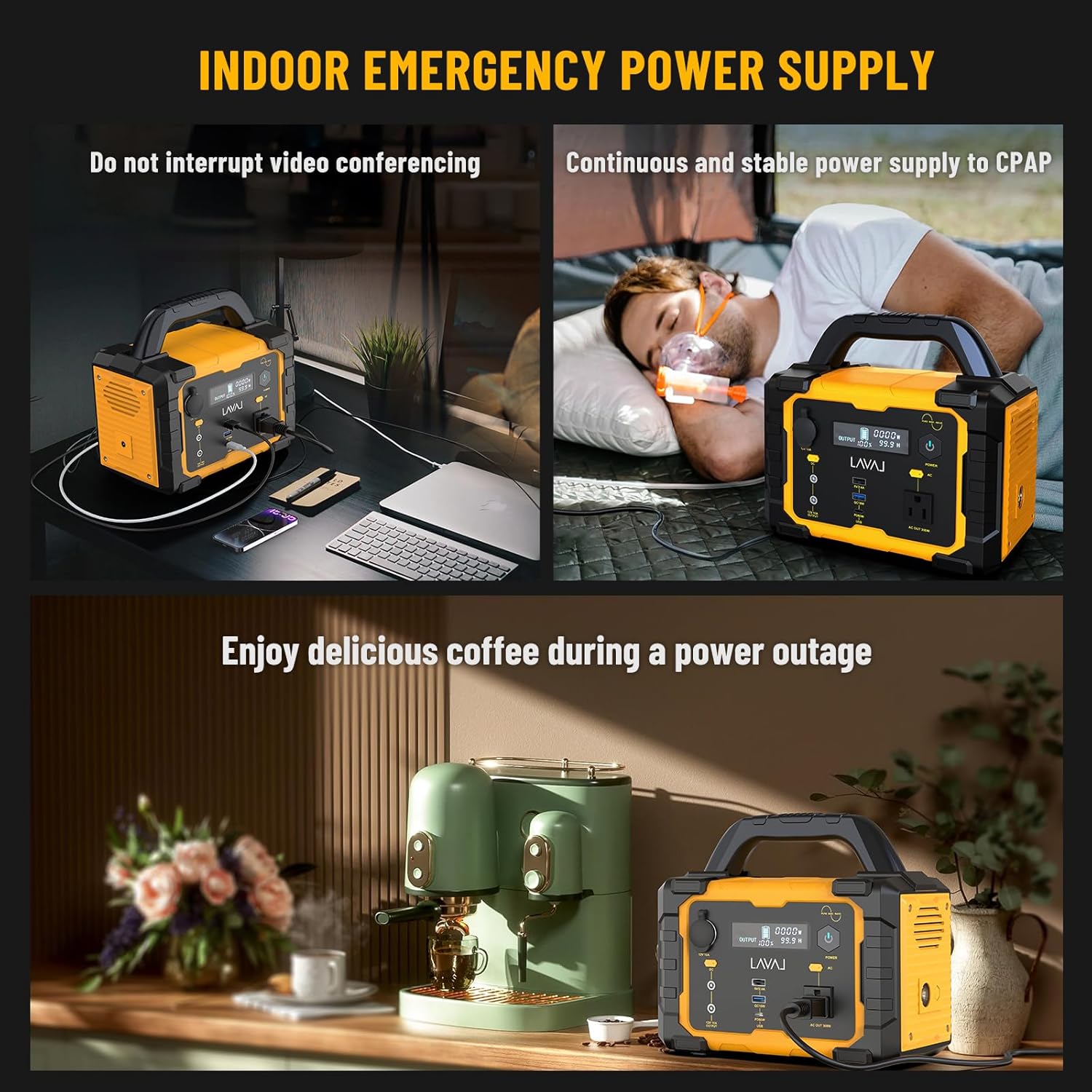
Image: Indoor emergency power supply applications.
Product Video Overview
Video: An overview of the portable power station, demonstrating its features and various use cases for home and outdoor environments.
Setup
Before first use, it is recommended to fully charge the power station. Ensure the unit is placed on a stable, flat surface in a well-ventilated area.
- Unpack all components from the box.
- Connect the AC adapter to the DC input port on the power station and plug the adapter into a standard wall outlet.
- The LED display will indicate charging status. Charge until the battery indicator shows 100%.
- Alternatively, use the car charger cable or a compatible solar panel for charging.
Operating Instructions
The power station is designed for ease of use. Follow these steps to operate your device:
Turning On/Off:
- To turn on the unit, press and hold the main power button until the display illuminates.
- To turn off the unit, press and hold the main power button until the display turns off.
Using AC Outlets:
- Press the AC power button to activate the AC outlets. The AC indicator on the display will light up.
- Plug your AC-powered devices into the 120V/600W AC outlets.
- Ensure the total power consumption of your devices does not exceed 600W.
- Press the AC power button again to turn off the AC outlets when not in use.
Using DC/USB Ports:
- The DC and USB ports are typically active when the unit is powered on.
- Connect your USB-C, USB-A, or 12V DC devices to the corresponding ports.
- The QC 18W fast charge port and PD 60W USB-C port provide rapid charging for compatible devices.
Using the LED Light:
- Press the LED light button to turn on the built-in high-brightness LED light.
- Press again to cycle through different lighting modes (if available) or to turn off.
Charging Methods
Your power station offers flexible charging options to suit various situations:
- Wall Outlet (AC Adapter):
Connect the provided AC adapter to the DC input port and plug it into a standard wall outlet. This method typically takes about 7-8 hours for a full charge.
- Car Charger:
Use the included car charger cable to charge the power station from your vehicle's 12V car outlet. This is ideal for charging on the go and takes approximately 8-9 hours.
- Solar Panel (Not Included):
The power station features an integrated MPPT charging system, allowing it to be charged by compatible solar panels (sold separately). Connect the solar panel to the DC input port. Charging time varies based on solar intensity and panel wattage, typically 3-4 hours under optimal sunlight.

Image: Three primary charging methods for the power station.
Maintenance
Proper maintenance ensures the longevity and optimal performance of your power station:
- Storage: Store the power station in a cool, dry place away from direct sunlight and extreme temperatures. For long-term storage, charge the unit to about 50-80% every 3-6 months to preserve battery health.
- Cleaning: Use a soft, dry cloth to clean the exterior of the unit. Do not use abrasive cleaners or solvents. Keep vents clear of dust and debris.
- Battery Care: Avoid fully discharging the battery frequently. It is best to recharge the unit before it drops below 20% capacity.
- Ventilation: Ensure adequate ventilation during use and charging to prevent overheating. Do not block the ventilation openings.
Troubleshooting
If you encounter issues with your power station, refer to the following common problems and solutions:
| Problem | Possible Cause | Solution |
|---|---|---|
| Unit does not turn on. | Battery is completely discharged; power button not pressed correctly. | Charge the unit using the AC adapter. Press and hold the power button for 3-5 seconds. |
| AC output not working. | AC output not enabled; device power exceeds 600W; unit is overheated. | Press the AC power button. Check device wattage. Allow unit to cool down in a well-ventilated area. |
| USB/DC output not working. | Unit is off; device is not compatible or cable is faulty. | Ensure the unit is on. Try a different device or cable. |
| Unit not charging. | Charger not connected properly; charger is faulty; extreme temperature. | Check all cable connections. Try a different charging method. Ensure ambient temperature is within operating range. |
If the problem persists after attempting these solutions, please contact customer support.
Specifications
| Feature | Detail |
|---|---|
| Brand | INNOVATIVE LIFE |
| Model Name | 600W Portable Power Station |
| Item Model Number | PYS-PEI-E00600 |
| Battery Capacity | 647Wh Lithium Battery |
| AC Output | 120V/600W (Pure Sine Wave) |
| Peak Wattage | 1200 Watts |
| USB-C Output | 1 x PD 60W |
| USB-A Output | 1 x QC 18W, 1 x 5V/2.4A |
| DC Output | 2 x 12V/10A |
| Car Port Output | 1 x 12V/10A |
| Charging Input | DC Input (AC Adapter, Car Charger, Solar Panel) |
| Item Weight | 10 Pounds (approx. 4.5 kg) |
| Product Dimensions | 12.72"L x 7.52"W x 9.53"H |
| Color | Yellow |
| Special Feature | Portable, LED Light, BMS Protection |
Warranty and Support
INNOVATIVE LIFE stands behind the quality of its products. This power station comes with a standard manufacturer's warranty covering defects in materials and workmanship under normal use. For specific warranty terms, registration, or to obtain technical support, please refer to the warranty card included in your package or visit the official INNOVATIVE LIFE website. Please have your model number and purchase date ready when contacting support.
For further assistance, you may also refer to the seller's contact information on the platform where you purchased the product.
Related Documents - PYS-PEI-E00600
 |
Mophie 15W Charging Stand User Manual and Safety Guide User manual and safety instructions for the Mophie 15W Charging Stand, including setup, usage, warranty, and compliance information. |
 |
mophie 15W Wireless Charging Stand Quick Start Guide Quick start guide and safety instructions for the mophie 15W wireless charging stand. Includes warranty details, technical specifications, and compliance information. |
 |
Mophie Wireless Charging Stand+ User Manual User manual for the Mophie Wireless Charging Stand+, providing setup instructions, safety warnings, and technical specifications for wireless charging. |
 |
Nimble Valet 3-in-1 Wireless Charger - User Manual and Safety Instructions Comprehensive guide for the Nimble Valet 3-in-1 Wireless Charger (Model: NB-WP-3N1VLT), covering setup, charging instructions, important safety precautions, compliance information, and technical specifications. |
 |
Anko Luggage Tag Tracker (Model JLR-81609) User Manual and Setup Guide Comprehensive user manual for the Anko Luggage Tag Tracker (Model JLR-81609). Learn how to set up, use, manage, and troubleshoot your smart tag with Apple's Find My app. Includes specifications, safety information, warranty, and compliance details. |
 |
RVTWS Bluetooth Earbuds User Manual and Specifications Detailed user manual and specifications for PYS High-Tech Co., LTD RVTWS Bluetooth earbuds, covering setup, operation, controls, charging, and regulatory information. |
Ask a question about this manual
Ask about setup, troubleshooting, compatibility, parts, safety, or missing instructions. Manuals+ will review the question and use this page’s manual context to help answer it.