Introduction
This manual provides detailed instructions for the operation and maintenance of your Quansheng UV-K5 Dual Band Two-Way Radio. Please read this manual thoroughly before using the device to ensure proper function and safety.
The Quansheng UV-K5 is a versatile communication device featuring dual-band capabilities, USB-C charging, and a built-in NOAA weather receiver. It is designed for reliable communication in various indoor and outdoor environments.
What's in the Box
Verify that all items are present in the package:
- Portable Radio (UV-K5)
- 1600mAh Li-ion Battery
- Standard Antenna
- Charger
- USB-C Cable
- Belt Clip
- Hand Strap
- User Manual
- 18.89-inch Tactical Antenna
Product Overview
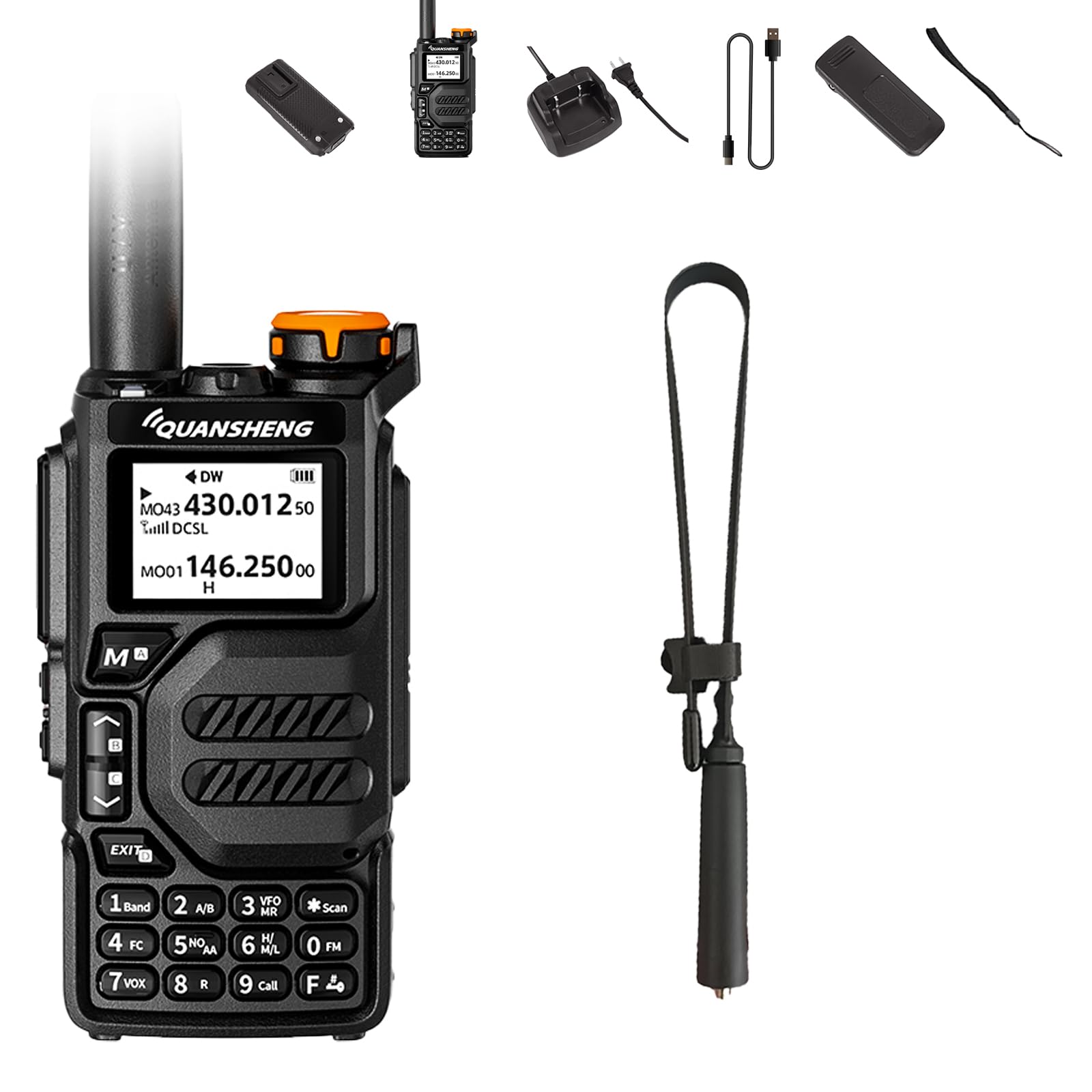
Figure 1: General view of the Quansheng UV-K5 radio highlighting its main features.

Figure 2: Quansheng UV-K5 Radio with labeled components including Antenna, Flashlight, Switch/Volume Key, PTT, Emergency Alarm/Flashlight Key, Headset Tangent Jack, Menu/Confirm, Up Key, Down Key, Back Key, and Type-C Jack.

Figure 3: Dimensions of the Quansheng UV-K5 radio. The radio measures approximately 11.02 inches in height (with antenna), 2.36 inches in width, and 1.3 inches in depth.
Setup
1. Battery Installation and Charging
The UV-K5 radio uses a 1600mAh Li-ion battery. Ensure the battery is fully charged before first use.
- Align the battery with the back of the radio and slide it into place until it clicks securely.
- To charge, connect the provided USB-C cable to the Type-C charging port on the side of the radio (refer to Figure 2).
- Connect the other end of the USB-C cable to the charger or a compatible USB power source (e.g., PC USB port, power bank, car charger).
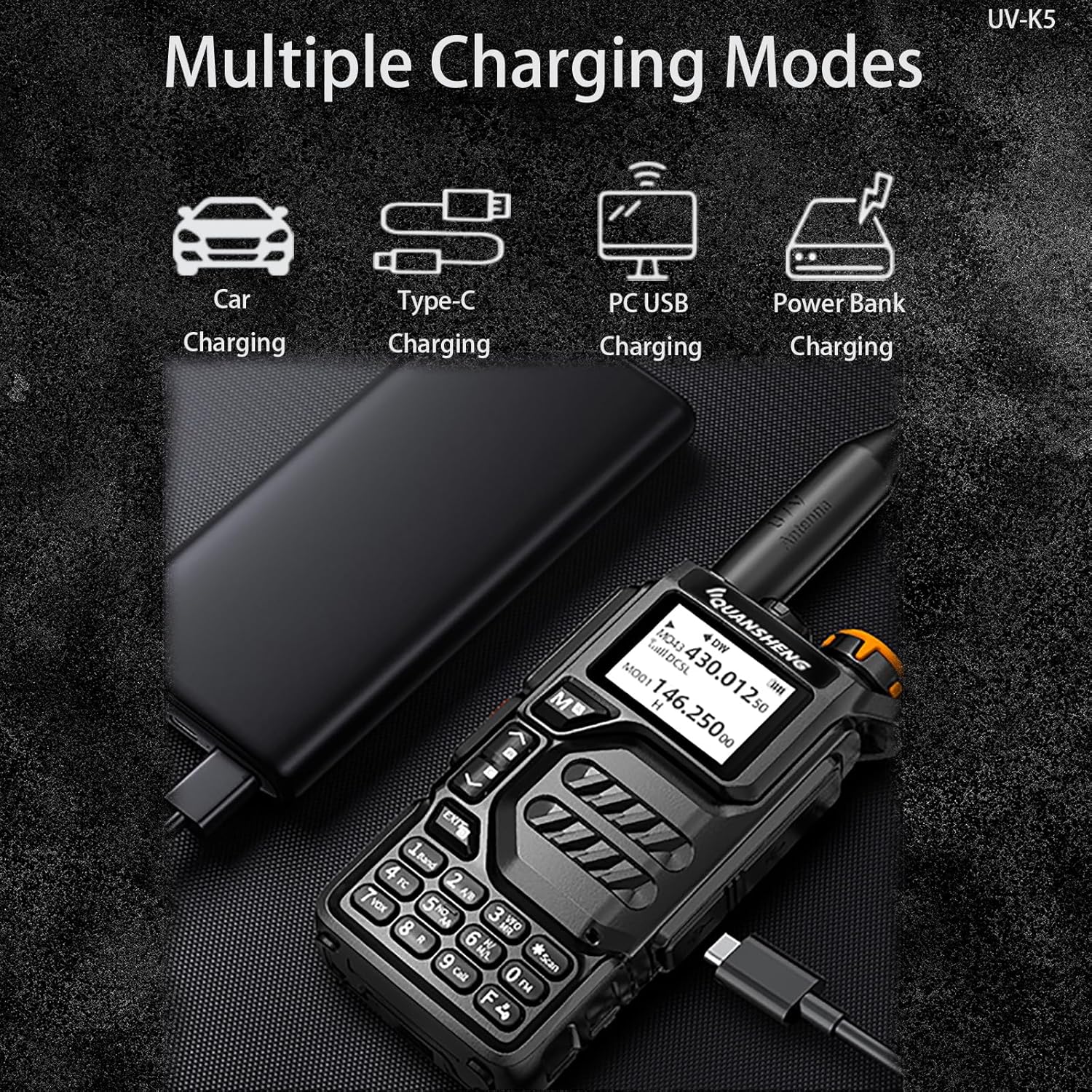
Figure 4: The UV-K5 radio supports multiple charging modes, including USB-C, PC USB, power bank, and car charging.
2. Antenna Attachment
Screw the desired antenna (standard or tactical) onto the antenna connector at the top of the radio until it is finger-tight. Do not overtighten.

Figure 5: The 18.89-inch tactical antenna is foldable for portability and designed to enhance range.
Operating Instructions
1. Power On/Off and Volume Adjustment
- To power on, rotate the Switch/Volume Key clockwise.
- To power off, rotate the Switch/Volume Key counter-clockwise until it clicks.
- Adjust the volume by rotating the Switch/Volume Key.
2. Channel Selection and Frequency Copy
- Use the Up and Down keys to navigate through channels or frequencies.
- The radio supports Multi-Scan Technology for efficient channel scanning.
- Utilize the One Key Copy Frequency feature for quick replication of frequencies. Refer to the detailed manual section on frequency copying for specific steps.
3. Transmitting and Receiving
- To transmit, press and hold the Push-To-Talk (PTT) button on the side of the radio. Speak clearly into the microphone.
- Release the PTT button to receive.
4. NOAA Weather Receiver
The UV-K5 includes a built-in 10-channel NOAA weather receiver to provide real-time weather updates.

Figure 6: The radio can receive NOAA weather warnings, providing crucial information for outdoor activities.
- Access NOAA weather channels through the menu system. Consult the full manual for specific menu navigation.
- Stay informed about changing weather conditions, especially during outdoor activities or emergencies.
5. DTMF and Scrambler Features
- DTMF: Use Dual-Tone Multi-Frequency (DTMF) for precise dialing and control functions.
- 10-Group Scrambler: Activate the 10-group scrambler feature for enhanced communication privacy.
- Refer to the advanced settings section of the full manual for configuration details.
Maintenance
- Cleaning: Clean the radio's exterior with a soft, damp cloth. Do not use harsh chemicals or solvents.
- Battery Care: Store the battery in a cool, dry place when not in use. Avoid fully discharging the battery for extended periods.
- Antenna: Ensure the antenna is securely attached. Do not operate the radio without an antenna.
- Storage: When storing the radio for long periods, remove the battery.
Troubleshooting
| Problem | Possible Cause | Solution |
|---|---|---|
| Radio does not power on. | Battery is low or not installed correctly. | Charge the battery or re-install it. |
| Cannot transmit or receive. | Incorrect channel/frequency, antenna not attached, or out of range. | Verify channel settings, ensure antenna is attached, move closer to other radios. |
| Poor audio quality. | Low battery, interference, or volume too low/high. | Charge battery, move away from interference sources, adjust volume. |
| NOAA weather alerts not received. | Not on a NOAA channel or out of range of a NOAA broadcast. | Select a NOAA channel, ensure you are in an area with NOAA coverage. |
Specifications
| Feature | Detail |
|---|---|
| Model Number | UV-K5 |
| Brand | SHIQUN |
| Item Weight | 1.26 pounds |
| Product Dimensions | 1.3 x 2.36 x 11.02 inches (with antenna) |
| Battery Type | 1 Lithium Ion battery (1600mAh, included) |
| Number of Channels | 200 |
| Frequency Range | 144-148MHz, 420-450MHz |
| Talking Range Maximum | 3.1 Miles (approximate, varies by terrain) |
| Voltage | 7.4 Volts |
| Special Features | DTMF, Full Band, USB-C Charging, Weather Alert (NOAA), Wireless Frequency Copy |
| Water Resistance Level | Not Water Resistant |
Warranty Information
A 1-year warranty is provided exclusively through "Shiqun Electronics Co., Ltd". Please retain your proof of purchase for warranty claims.
Support
For technical assistance, troubleshooting beyond this manual, or warranty inquiries, please contact Shiqun Electronics Co., Ltd. customer support. Refer to the product packaging or the seller's information for contact details.


