
1. Safety Information
Please read and understand all safety instructions before assembly and use. Failure to follow these instructions may result in injury or damage to the product.
- Exercise caution around sharp edges during assembly.
- Assemble the desk strictly according to the provided instructions to prevent injury.
- Do not overload the desk beyond its specified weight limit.
- Ensure all connections for power outlets and LED lights are secure and correctly installed to avoid electrical hazards.
2. Product Overview
The Cyclysio Small Corner Desk with Hutch is designed for efficient space utilization, featuring multiple storage shelves, integrated LED lighting, power outlets, and a keyboard tray. This desk is suitable for various uses including gaming, home office, and general workstation needs.
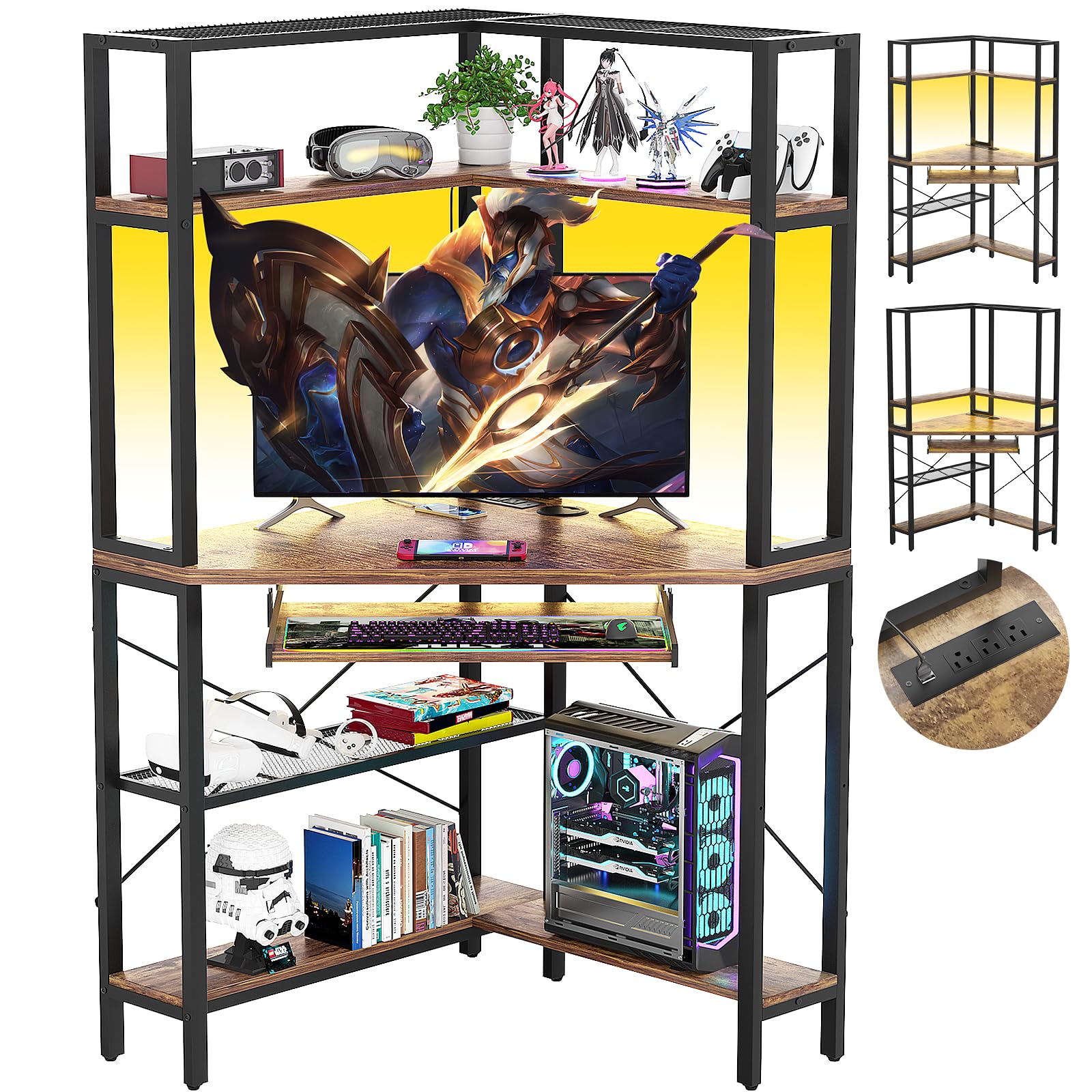
Image: Overall dimensions of the Cyclysio Small Corner Desk with Hutch. The desk measures 29.5 inches deep, 41.3 inches wide, and 59 inches high, providing a compact yet functional workspace.
3. Setup and Assembly
Before beginning assembly, ensure all parts are present and undamaged. Refer to the included assembly manual for detailed, step-by-step instructions and part identification. It is recommended to assemble the desk on a soft, clean surface to prevent scratches.
3.1. Unpacking and Part Identification
- Carefully unpack all components from the packaging.
- Verify all parts against the parts list provided in your assembly manual. Contact customer support immediately if any parts are missing or damaged.
- Separate hardware by type to streamline the assembly process.
3.2. General Assembly Steps (Refer to your specific manual for detailed diagrams)
- Assemble the main frame structure using the metal supports and connecting hardware.
- Attach the wooden desktop panels to the frame.
- Install the keyboard tray slides and then the keyboard tray itself.
- Mount the hutch frame and shelves. Note that the second shelf is adjustable.
- Install the power outlet unit into the designated slot on the desktop.
- Attach the LED light strip to the underside of the hutch shelves as directed.
- Secure all remaining shelves and crossbars.
- Attach the adjustable foot pads to the bottom of the desk legs.

Image: Close-up views of key desk features including the pull-out keyboard tray, the dedicated computer host shelf, the cable management hole for organizing wires, and adjustable foot pads for stability on uneven floors.


Images: Detailed views of the keyboard tray, computer host shelf, cable management hole, and adjustable foot pads, highlighting their design and function.
4. Operating Instructions
4.1. LED Lighting System
The integrated LED light strip can be controlled via a dedicated application on your smartphone. This allows for customization of colors, brightness, and various lighting modes.
- Power On/Off: Use the app to turn the LED lights on or off.
- Color Selection: Choose from a wide spectrum of RGB colors.
- Brightness Adjustment: Adjust the intensity of the light.
- Modes: Explore modes such as timing, microphone synchronization (lights react to sound), and music synchronization.
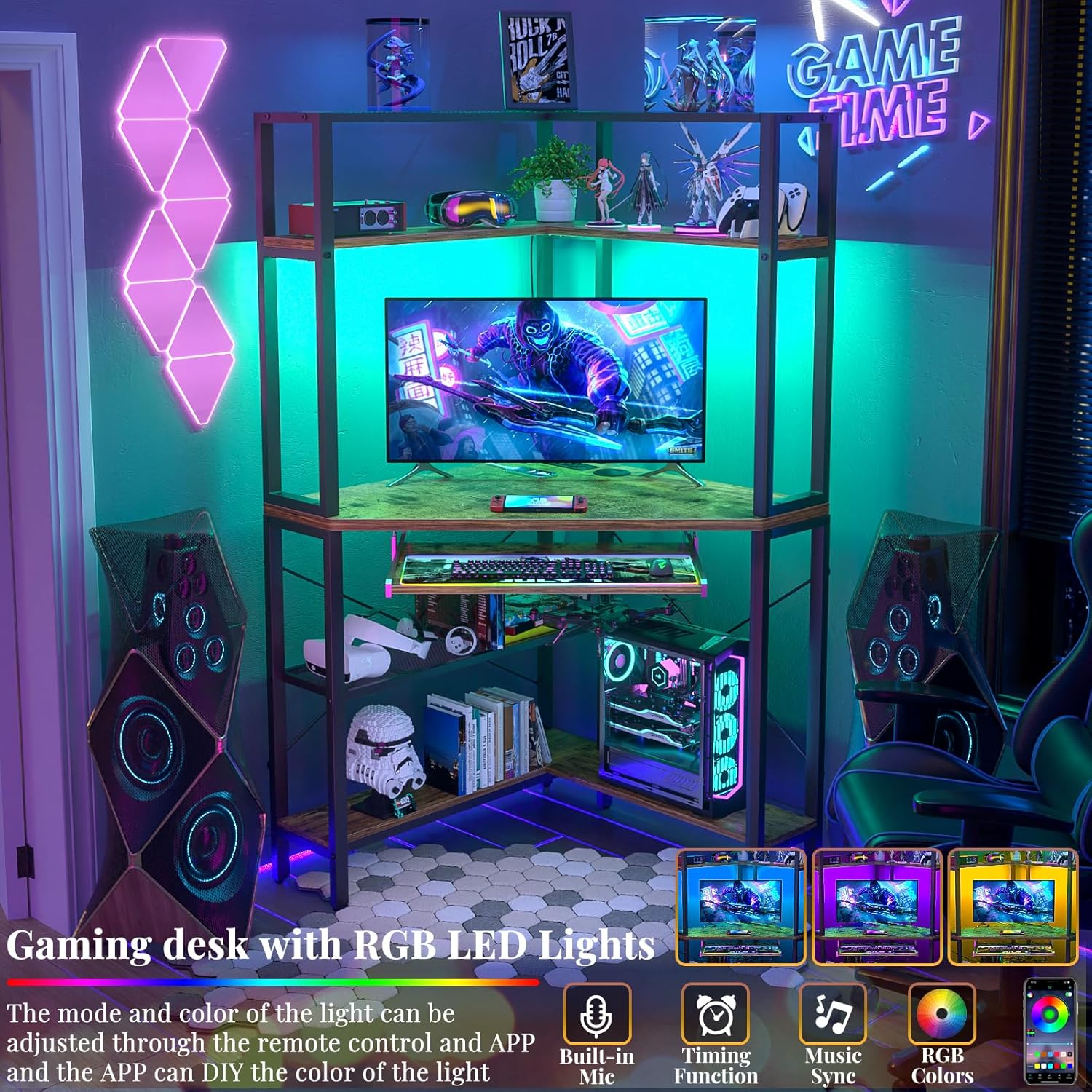
Image: The corner desk set up for gaming, showcasing the customizable RGB LED lighting system. The lights can be controlled via an app to change colors and activate various modes like music sync.
4.2. Power Outlets and USB Ports
The desk includes a built-in power strip with 3 AC outlets and 2 USB ports for convenient charging and powering of electronic devices.
- Connect the desk's power cord to a standard wall outlet.
- Use the AC outlets for devices requiring standard power.
- Use the USB ports (5V/2A) for charging smartphones, tablets, and other USB-powered devices.

Image: The corner desk in a home setting, highlighting the integrated power strip with 3 AC outlets and 2 USB ports, along with a 6.56ft power cord for easy access to power.
4.3. Adjustable Shelves
The second shelves of the corner office desk can be adjusted to two different heights. This allows for flexible storage configurations or use as a monitor stand.
- To adjust, carefully remove the shelf and reposition it to the desired height using the available mounting points.
- Ensure the shelf is securely seated in its new position before placing items on it.

Image: Comparison showing the adjustable shelves configured for high storage on the left and as a computer monitor stand on the right, demonstrating versatility.
4.4. Keyboard Tray
The pull-out keyboard tray provides an ergonomic space for your keyboard and mouse, helping to reduce wrist and shoulder strain.
- Gently pull the tray outwards to extend it for use.
- Push the tray inwards to retract it when not in use, saving desktop space.
5. Maintenance
Proper maintenance ensures the longevity and appearance of your desk.
- Cleaning: Wipe the desk surfaces with a dry cloth. Avoid abrasive cleaners or harsh chemicals that may damage the finish.
- Hardware: Periodically check all screws and fasteners to ensure they are tight. Retighten if necessary to maintain stability.
- Electrical Components: Ensure the power cord and LED light connections are free from damage and properly seated.
6. Troubleshooting
| Problem | Possible Cause | Solution |
|---|---|---|
| Desk is wobbly or unstable. | Loose fasteners; uneven floor; incorrect assembly. |
|
| LED lights are not working. | Power connection issue; app malfunction; damaged LED strip. |
|
| Power outlets/USB ports are not working. | Desk's power cord unplugged; circuit breaker tripped; faulty outlet unit. |
|
| Keyboard tray does not slide smoothly. | Obstruction in slides; dirty slides; misaligned installation. |
|
7. Specifications
| Feature | Detail |
|---|---|
| Brand | Cyclysio |
| Model | B0CSX956CS |
| Shape | Triangular (Corner Desk) |
| Product Dimensions (D x W x H) | 29.5" x 41.3" x 59" |
| Color | Brown |
| Style | Desk with shelves and hutch |
| Base Material | Metal |
| Top Material Type | Engineered Wood |
| Special Features | Adjustable shelves, Built-In USB Outlet, Compact design, Monitor Stand functionality, LED Lights, Keyboard Tray, Cable Hole |
| Power Outlets | 3 AC Outlets (120V/12A) |
| USB Ports | 2 USB Ports (5V/2A) |
| Power Cord Length | 6.56 FT |
| Number of Shelves | 7 (including hutch shelves) |
| Product Care Instructions | Wipe with Dry Cloth |
8. Product Video Guide
Watch this video for a visual overview of the Cyclysio Small Corner Desk with Hutch, which may include assembly tips or feature demonstrations.
Video: A comprehensive video demonstrating the features and potentially the assembly process of the Cyclysio Small Corner Desk with Hutch. (Duration: 2:57)
9. Warranty and Support
Cyclysio is committed to providing quality products and excellent customer service. If you encounter any issues with your Cyclysio Small Corner Desk with Hutch, including difficulties during assembly or receiving a damaged item, please do not hesitate to contact our support team.
Our customer service representatives are available to assist you and aim to resolve any problems within 24 hours.
For support, please visit the Cyclysio Store on Amazon or refer to the contact information provided in your product packaging.
