
AmAir M95160-WMN6TP
Instruction Manual
SMD M95160-WMN6TP ST95160 SOP-8 Integrated Circuit
1. Introduction
This manual provides essential information for the proper handling, installation, and operation of the AmAir SMD M95160-WMN6TP ST95160 SOP-8 integrated circuit. Please read this manual thoroughly before using the product to ensure optimal performance and longevity.
2. Product Overview
The M95160-WMN6TP ST95160 is a high-quality Surface Mount Device (SMD) integrated circuit, typically used in various electronic applications. It comes in an SOP-8 package, designed for efficient space utilization on printed circuit boards (PCBs).
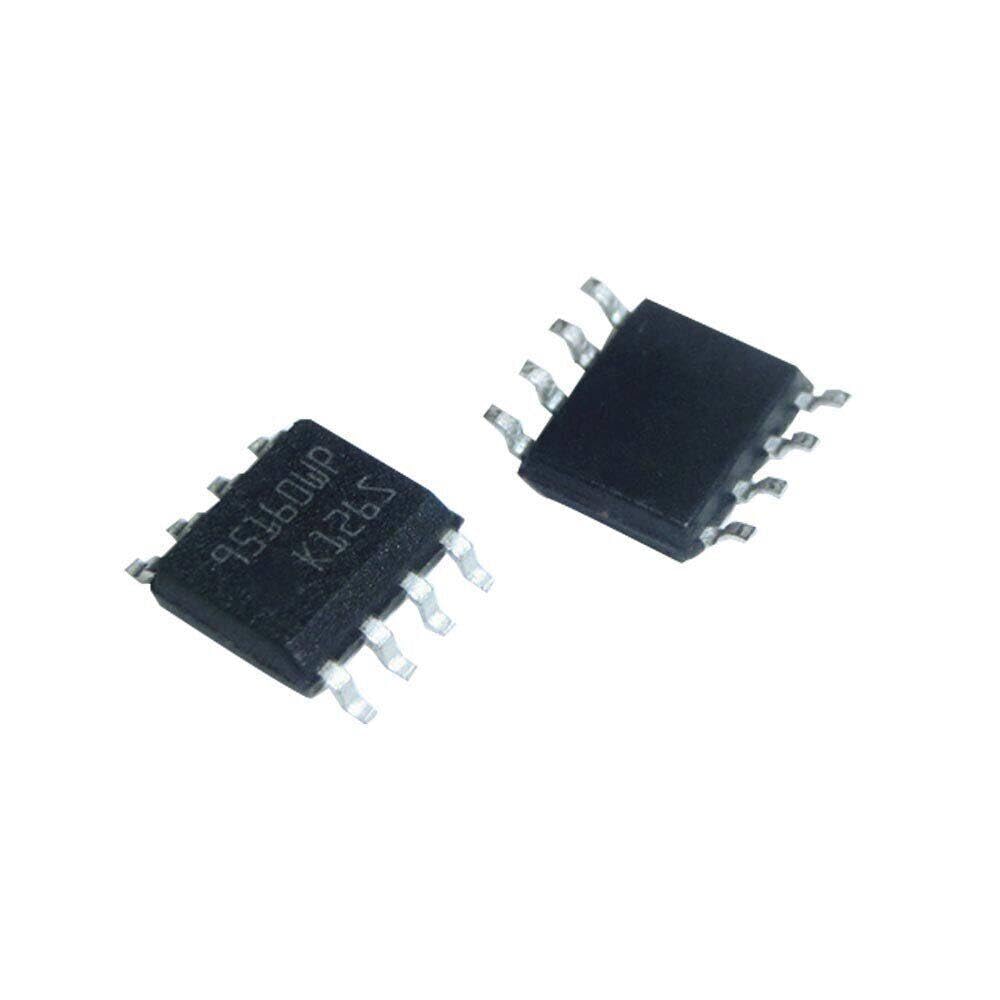
Figure 2.1: AmAir M95160-WMN6TP ST95160 SOP-8 Integrated Circuits. These are small, black rectangular components with eight metal pins extending from the sides, designed for surface mounting on electronic circuit boards.
2.1 Package Contents
- M95160-WMN6TP SOP-8 Integrated Circuits (10 pieces)
3. Setup and Installation
Proper installation is crucial for the functionality and longevity of the integrated circuit. This component is designed for surface mount technology (SMT) assembly.
3.1 Handling Precautions
- Always handle the ICs in an Electrostatic Discharge (ESD) safe environment. Use anti-static mats, wrist straps, and grounded tools.
- Avoid touching the pins directly to prevent contamination or damage.
- Store unused ICs in their original anti-static packaging.
3.2 Soldering Instructions
- Ensure the PCB pads are clean and free of oxidation.
- Use appropriate solder paste and reflow profiles for SOP-8 packages. Consult IPC standards for recommended profiles.
- For manual soldering, use a fine-tip soldering iron with temperature control. Apply minimal heat for the shortest duration necessary to form a good solder joint.
- Verify correct component orientation before soldering. The pin 1 indicator (usually a dot or notch on the package) should align with the corresponding mark on the PCB.
4. Operating Instructions
Once properly installed, the M95160-WMN6TP ST95160 operates as part of a larger electronic circuit. Its specific function depends on the circuit design it is integrated into.
4.1 Power Supply Requirements
- Refer to the component's datasheet for precise voltage and current requirements.
- Ensure the power supply is stable and within the specified operating range to prevent damage.
4.2 Pin Configuration and Functionality
The SOP-8 package typically has 8 pins. The exact function of each pin (e.g., VCC, GND, data input/output, clock) is detailed in the official datasheet for the M95160-WMN6TP ST95160. Always consult the manufacturer's datasheet for detailed electrical characteristics and timing diagrams.
5. Maintenance
Integrated circuits like the M95160-WMN6TP ST95160 are generally maintenance-free once properly installed. However, certain practices can help ensure their long-term reliability.
- Environmental Control: Operate the circuit within specified temperature and humidity ranges.
- Cleanliness: Keep the surrounding area of the component clean and free from dust or debris.
- Inspection: Periodically inspect solder joints for any signs of cracking or corrosion, especially in high-vibration or harsh environments.
- Avoid Overstress: Do not exceed the maximum ratings for voltage, current, or temperature as specified in the datasheet.
6. Troubleshooting
If the circuit incorporating the M95160-WMN6TP ST95160 does not function as expected, consider the following general troubleshooting steps:
- Power Supply: Verify that the power supply voltage is correct and stable at the IC's VCC pin.
- Connections: Check all solder joints and traces for continuity and proper connection. Ensure no short circuits exist between pins or to ground.
- Orientation: Confirm the IC is installed with the correct orientation (pin 1 alignment).
- External Components: If the IC relies on external passive components (resistors, capacitors), verify their values and functionality.
- Signal Integrity: Use an oscilloscope or logic analyzer to check input and output signals if applicable.
- Heat: Check for excessive heat from the component, which could indicate a short circuit or overcurrent condition.
For detailed troubleshooting, refer to the specific application circuit diagram and the component's official datasheet.
7. Specifications
| Attribute | Value |
|---|---|
| Model Number | M95160-WMN6TP ST95160 |
| Package Type | SOP-8 |
| Brand | AmAir |
| ASIN | B0CSWSVL3X |
| Product Dimensions | 0.39 x 0.39 x 0.39 inches |
| Item Weight | 0.04 ounces |
| Manufacturer | AmAir |
| Date First Available | January 20, 2024 |
8. Warranty and Support
AmAir products are manufactured to high-quality standards. For specific warranty information, please refer to the terms and conditions provided at the point of purchase or contact your distributor.
8.1 Customer Support
For technical assistance or inquiries regarding the M95160-WMN6TP ST95160, please contact AmAir customer support through the vendor from whom you purchased the product. Provide your product model number and purchase details for efficient service.
Ask a question about this manual
Ask about setup, troubleshooting, compatibility, parts, safety, or missing instructions. Manuals+ will review the question and use this page’s manual context to help answer it.