
1. Important Safety Instructions
Always follow basic safety precautions when using this electric router to reduce the risk of fire, electric shock, and personal injury.
- Read all instructions: Familiarize yourself with the tool's operation and safety guidelines before use.
- Wear appropriate safety gear: Always use eye protection, hearing protection, and a dust mask.
- Secure the workpiece: Ensure the material being routed is firmly clamped to prevent movement during operation.
- Keep work area clean: Cluttered areas and benches invite accidents.
- Avoid accidental starting: Ensure the switch is in the off position before plugging in the tool.
- Do not overreach: Maintain proper footing and balance at all times.
- Disconnect power: Unplug the router from the power source before making any adjustments, changing accessories, or storing the tool.
- Use the right tool: Do not force a small tool or attachment to do the job of a heavy-duty tool.
- Inspect for damage: Before each use, check for damaged parts and ensure all guards are in place and functioning correctly.
2. Package Contents
Carefully unpack the box and ensure all items are present and undamaged. If any items are missing or damaged, contact your retailer.
- Generic RT160028 Electric Wood Router (1600W, 12mm)
- Aluminum Guide Fence
- Carbon Brushes (1 set)
- Collet (12mm)
- Wrenches for bit changes
- Dust collection adapter (if included)
- Instruction Manual
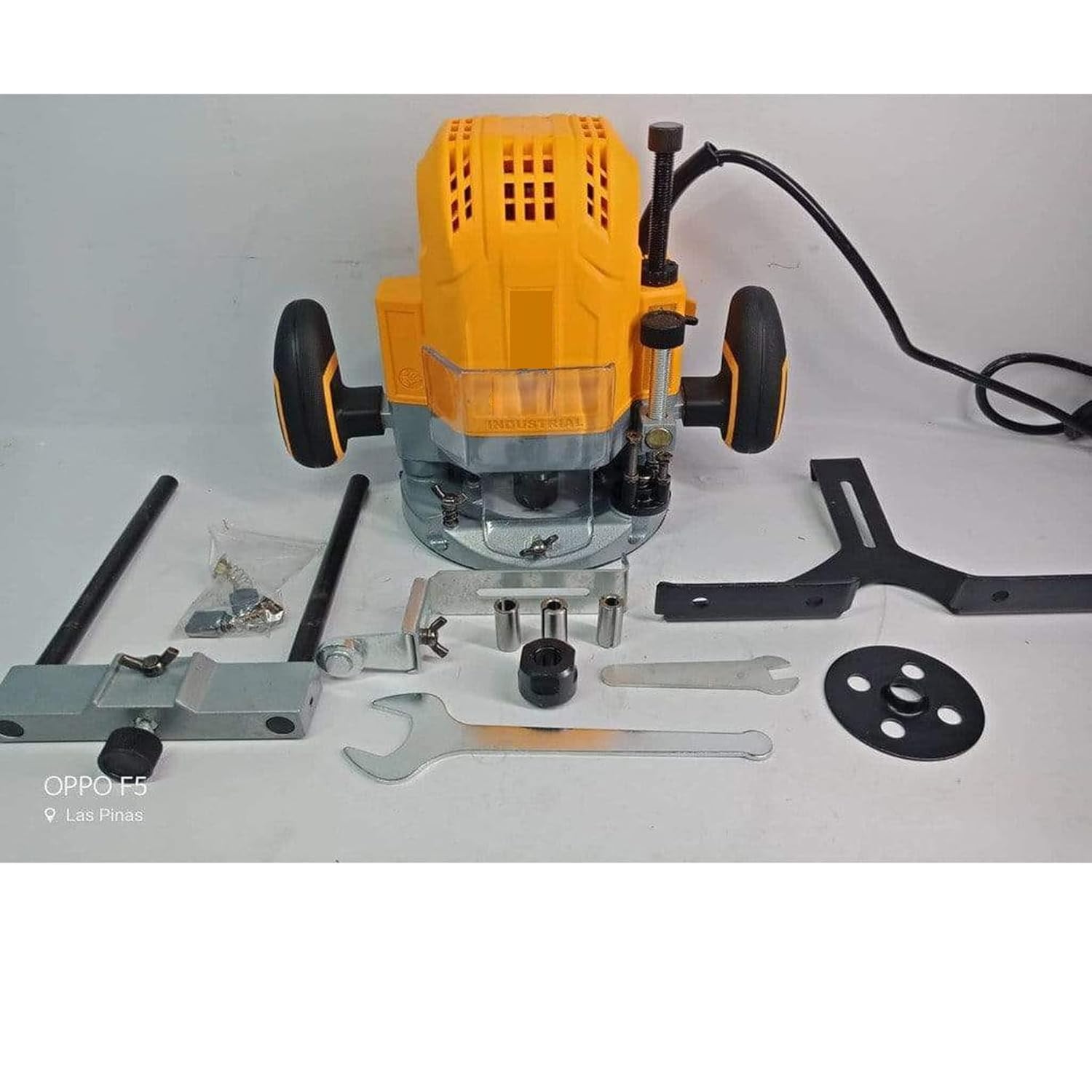
Image: The Generic RT160028 Electric Wood Router with its complete set of accessories, including the aluminum guide fence, wrenches, and carbon brushes.
3. Product Overview
The Generic RT160028 is a powerful 1600W electric wood router designed for various woodworking tasks. It features a 12mm collet size, variable speed control, and a depth adjustment mechanism for precise routing. The ergonomic design and compatibility with dust collection systems enhance user comfort and maintain a cleaner workspace.
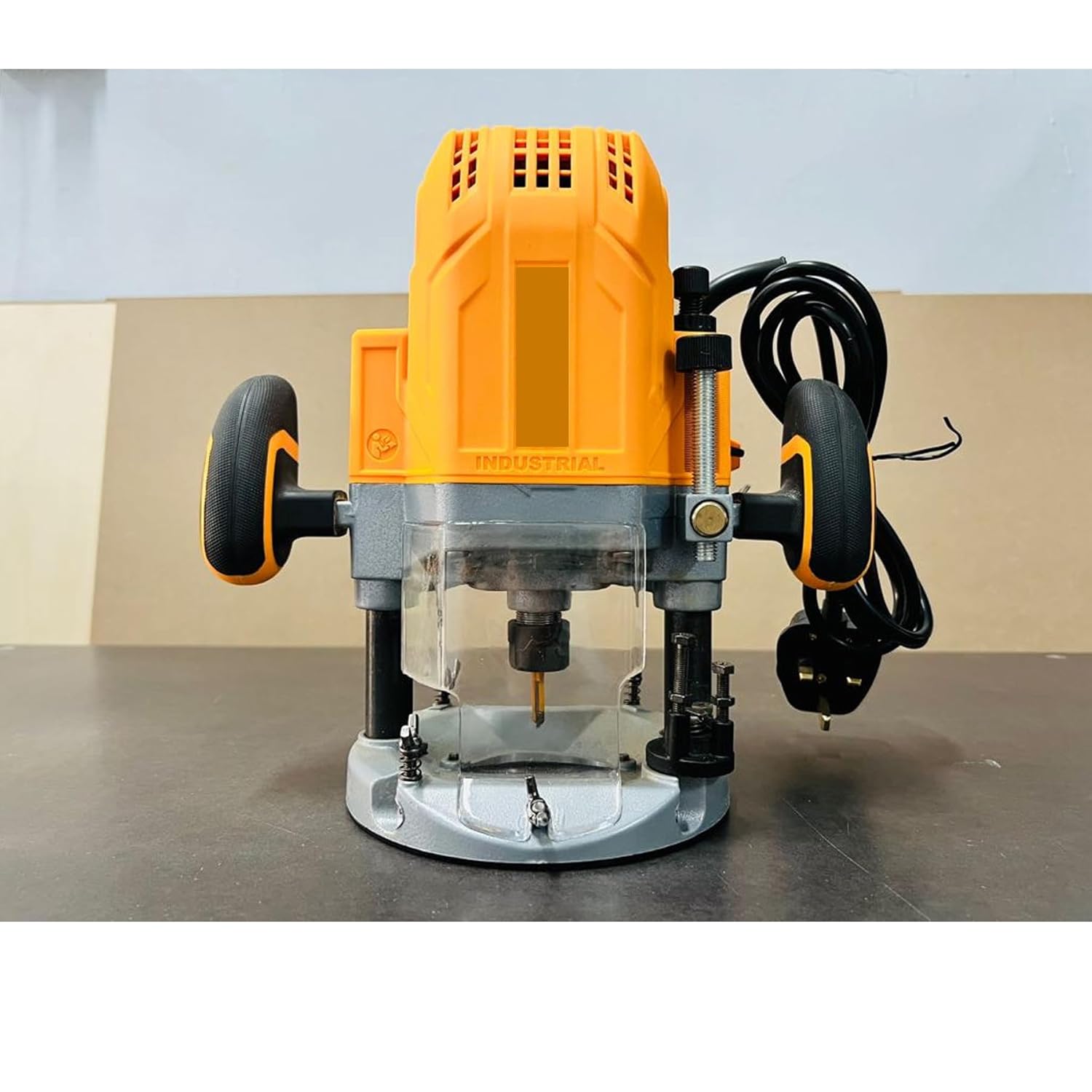
Image: Front view of the Generic RT160028 Electric Wood Router, showing the plunge base, collet, and handles.
4. Setup
4.1 Attaching Router Bits
- Ensure the router is unplugged from the power source.
- Loosen the collet nut using the provided wrenches.
- Insert the shank of the router bit into the collet, ensuring it is inserted at least two-thirds of the way. Do not bottom out the bit.
- Tighten the collet nut firmly with the wrenches.
4.2 Adjusting Depth
- Place the router on the workpiece.
- Release the plunge lock lever.
- Lower the router until the bit touches the workpiece surface.
- Lock the plunge lever.
- Adjust the depth stop mechanism to the desired cutting depth.
- Perform a test cut on scrap material to verify the depth.
4.3 Connecting Dust Collection
For a cleaner work environment and improved visibility, connect a dust extraction system to the router's dust port (if applicable). Ensure the connection is secure.

Image: Rear view of the Generic RT160028 Electric Wood Router, highlighting the power cord connection and ergonomic handles for control during setup and operation.
5. Operating Instructions
5.1 Powering On/Off
- To turn on the router, press the power switch to the 'ON' position.
- To turn off the router, press the power switch to the 'OFF' position.
- Always ensure the router is off before plugging or unplugging it.
5.2 Variable Speed Control
The router features variable speed control, allowing you to adjust the rotational speed based on the material and router bit. Use lower speeds for larger diameter bits, harder materials, or when more control is needed. Higher speeds are suitable for smaller bits and softer materials.
- Rotate the speed control dial to select the desired RPM.
- Refer to the bit manufacturer's recommendations for optimal speed settings.
5.3 Routing Techniques
- Direction of Cut: Always feed the router against the rotation of the bit to maintain control and prevent kickback.
- Shallow Passes: For deeper cuts, make multiple shallow passes instead of one deep pass to reduce strain on the tool and improve cut quality.
- Maintain Control: Hold the router firmly with both hands.
- Use Guide Fence: For straight cuts, attach and adjust the aluminum guide fence.
6. Maintenance
Regular maintenance ensures the longevity and optimal performance of your router.
6.1 Cleaning
- Disconnect the router from the power supply before cleaning.
- Use a soft brush or compressed air to remove dust and debris from the motor vents and collet area.
- Wipe down the exterior with a clean, damp cloth. Do not use harsh chemicals or solvents.
6.2 Carbon Brush Replacement
The carbon brushes are wear items and will need replacement over time. Worn brushes can lead to reduced power or intermittent operation.
- Ensure the router is unplugged.
- Locate the brush caps on the motor housing.
- Unscrew the brush caps and carefully remove the old carbon brushes.
- Insert the new carbon brushes, ensuring they are oriented correctly.
- Securely screw the brush caps back into place.
6.3 Storage
Store the router in a clean, dry place, away from moisture and direct sunlight. Keep it out of reach of children.
7. Troubleshooting
Refer to this section for common issues and their solutions.
| Problem | Possible Cause | Solution |
|---|---|---|
| Router does not start | No power supply; Faulty switch; Worn carbon brushes | Check power connection; Test switch; Replace carbon brushes |
| Excessive sparking from motor | Worn carbon brushes; Dirty commutator | Replace carbon brushes; Clean commutator (professional service recommended) |
| Poor cut quality / Burning wood | Dull router bit; Incorrect speed setting; Too deep a cut | Replace or sharpen bit; Adjust speed; Make shallower passes |
| Router vibrates excessively | Loose bit; Damaged bit; Bent shaft | Ensure bit is tight; Replace damaged bit; Seek professional repair |
8. Specifications
Detailed technical specifications for the Generic RT160028 Electric Wood Router.
| Feature | Specification |
|---|---|
| Model Number | RT160028 |
| Brand | Generic |
| Power Rating | 1600 Watts |
| Collet Size | 12mm |
| Maximum Rotational Speed | 22,000 RPM |
| Power Source | Corded Electric |
| Base Type | Plunge |
| Material | Aluminium |
| Product Dimensions (W x H) | 28W x 38H Centimeters |
9. Warranty and Support
For warranty information, technical support, or service inquiries, please refer to the documentation provided at the time of purchase or contact your retailer. Keep your proof of purchase for warranty claims.


