
1. Introduction
Thank you for choosing the ESSISH KWS-CH302 Digital Temperature Controller. This multi-purpose thermoregulator is designed for precise temperature control in various applications, including refrigeration, defrosting, and general temperature management. It features an intelligent control system with a clear digital display and user-friendly interface. Please read this manual thoroughly before installation and operation to ensure proper use and optimal performance.
2. Safety Information
- Electrical Safety: Ensure the power supply voltage (AC110/220V) matches the device's requirements. All wiring should be performed by a qualified electrician to prevent electric shock or damage.
- Installation: Install the device in a dry, well-ventilated area, away from direct sunlight, high temperatures, and corrosive gases.
- Maintenance: Disconnect power before performing any maintenance or cleaning. Do not attempt to repair the device yourself; contact qualified personnel.
- Usage: Do not expose the device to water or excessive humidity. Keep out of reach of children.
3. Product Overview
The KWS-CH302 is a compact digital temperature controller featuring a bright LED display and intuitive button controls. It integrates multiple functions for comprehensive temperature management.
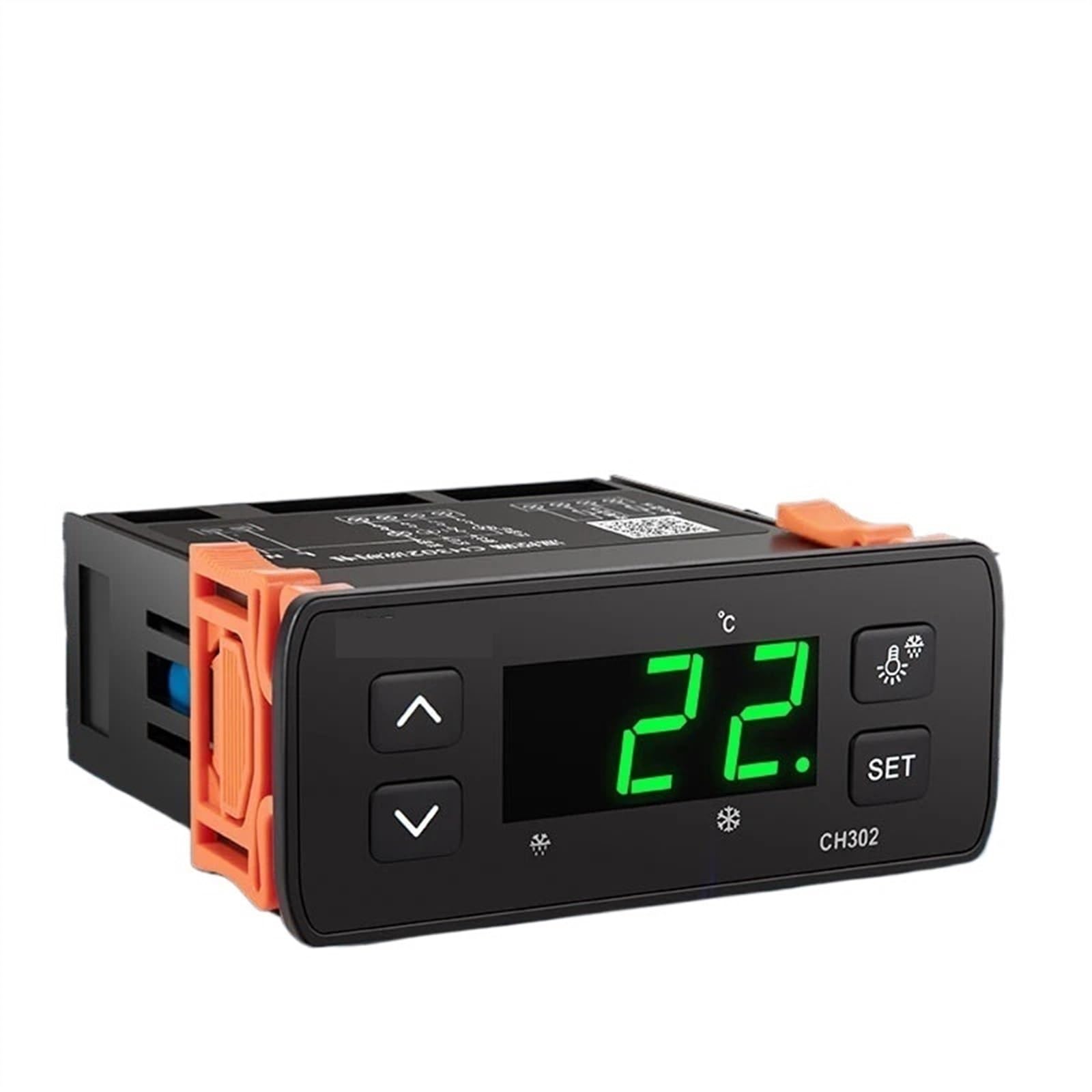
Figure 1: Front view of the KWS-CH302 Digital Temperature Controller.
Key Features:
- AI intelligent control for stable performance.
- Digital display for clear temperature readings.
- Multi-functional: Defrosting, Refrigerate, Freezing, Lamp control, Air blower.
- Wide temperature setting and display range.
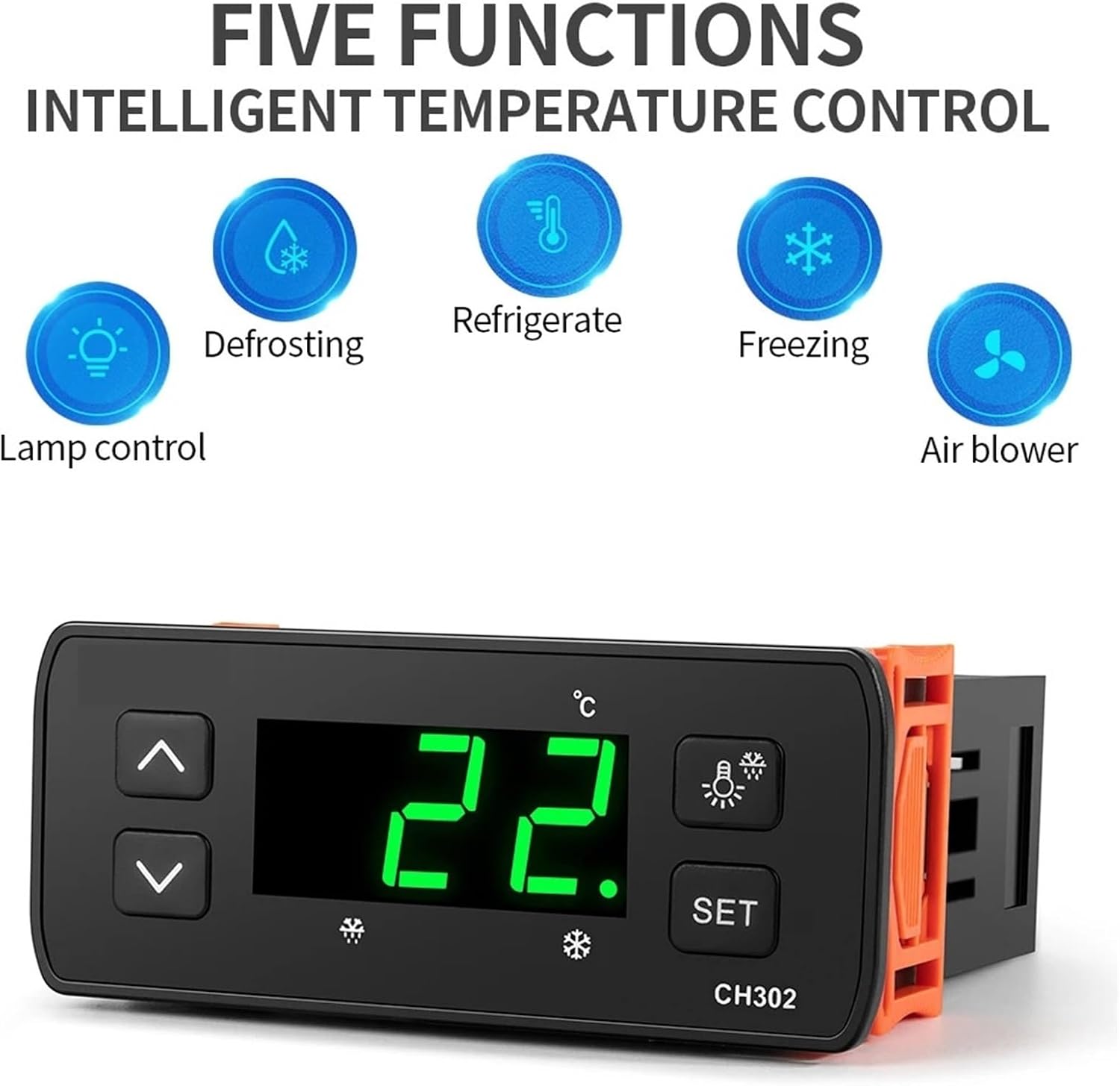
Figure 2: Visual representation of the five intelligent functions: Lamp control, Defrosting, Refrigerate, Freezing, and Air blower.
4. Specifications
| Parameter | Value |
|---|---|
| Power Supply Voltage | AC110/220V 60/50HZ |
| Temperature Display Range | -50°C to 100°C |
| Temperature Setting Range | -30°C to 100°C |
| Working Humidity Range | 5-90% RH |
| Temperature Resolution | 0.5°C |
| Opening Size | 71 x 28 mm |
| Overall Dimensions | 83 x 75.8 x 35 mm |
| Item Weight | 50 Grams |
| Control Type | Button Control |
| Backlight | Yes |
5. Setup and Installation
5.1 Mounting
The KWS-CH302 is designed for panel mounting. Ensure the opening size in your panel is 71 x 28 mm. The overall dimensions of the device are 83 x 75.8 x 35 mm.

Figure 3: Dimensions of the KWS-CH302 controller for mounting.
5.2 Wiring
The device comes with two wiring harnesses. Refer to the wiring diagram printed on the side of the unit or included in the packaging for correct connections. Ensure all connections are secure and insulated. Incorrect wiring can damage the device or cause electrical hazards.
- Power Input: Connect the AC110/220V power supply to the designated terminals.
- Sensor Input: Connect the temperature sensor to its respective terminals.
- Output Relays: Connect the controlled loads (e.g., compressor, heater, fan, lamp) to the appropriate relay output terminals.
Always verify the wiring diagram for your specific unit before making any connections.
6. Operating Instructions
6.1 Power On/Off
Once wired correctly, apply power to the unit. The digital display will illuminate, showing the current temperature.
6.2 Setting Temperature
- Press the SET button once. The display will show the current set temperature.
- Use the Up (⌃) and Down (⌄) arrow buttons to adjust the desired temperature.
- Press the SET button again to confirm and save the new temperature setting. If no button is pressed for a few seconds, the device will automatically save the setting and return to displaying the current temperature.
6.3 Function Modes
The KWS-CH302 supports various intelligent control functions. Specific settings for defrosting cycles, refrigeration modes, freezing, lamp control, and air blower operation are typically accessed through advanced parameter settings. Refer to the detailed parameter menu in the full product documentation for configuration of these modes.
- Refrigerate/Freezing: Controls cooling equipment to maintain a set low temperature.
- Defrosting: Manages defrost cycles to prevent ice buildup in refrigeration units.
- Lamp Control: Controls an auxiliary light source.
- Air Blower: Manages fan operation for air circulation.
7. Maintenance
7.1 Cleaning
To clean the device, first disconnect it from the power supply. Use a soft, dry cloth to wipe the display and casing. Do not use abrasive cleaners, solvents, or immerse the device in water.
7.2 Sensor Care
Ensure the temperature sensor is kept clean and free from obstructions. Do not bend or damage the sensor cable.
8. Troubleshooting
| Problem | Possible Cause | Solution |
|---|---|---|
| Display is blank | No power supply or incorrect wiring. | Check power connections and ensure voltage is correct. Verify wiring according to the diagram. |
| Temperature reading is inaccurate | Sensor faulty or improperly placed. | Check sensor connection. Ensure sensor is in the correct environment and not damaged. Replace if necessary. |
| Controller not responding to settings | Buttons stuck or internal fault. | Ensure buttons are not physically stuck. Power cycle the device. If issue persists, contact support. |
| Output relay not activating | Incorrect temperature setting or faulty relay. | Verify set temperature and differential. Check wiring to the load. |
9. Warranty and Support
For warranty information and technical support, please refer to the documentation provided at the time of purchase or contact your seller directly. Keep your purchase receipt as proof of purchase.