
1. Product Overview
The Inefala AHD 1080P 4-Pin Backup Camera is designed to provide a clear and wide-angle view for enhanced safety when reversing. It features high-definition resolution, excellent night vision, and robust waterproof construction, making it suitable for various vehicle types.

Image 1.1: Inefala AHD 1080P 4-Pin Backup Camera and included cable.
- Clear Resolution & Night Vision: 1920*1080 resolution, 160° viewing angle, and low illumination level (0.01Lux) for clear images day and night.
- HD 1080P Image: Provides PAL/NTSC signal output for 1080P display (screen must support PAL/NTSC).
- 15m Extension Cable: Suitable for most DC 7-32V vehicles including Cars, Pickup Trucks, SUVs, Vans, and RVs.
- IP69 Waterproof: Designed to withstand various weather conditions, offering heat dissipation, corrosion resistance, and oxidation resistance.
2. Compatibility Notes
Before installation, please confirm the following compatibility requirements for your device:
- Your device must be a Portable Car Radio. This product is only compatible with Portable Car Radios.
- Your device must support DC12V voltage.
- Your device must be compatible with the PAL television system.
- Your device must support AHD rearview cameras. Some Portable Car Radios may not be compatible with AHD cameras.
- Your device should support rearview mirror image adjustment functionality.

Image 2.1: Examples of compatible portable car radio stereo screens.
3. What's in the Box
Verify that all components are present:
- 1 x 4-Pin Backup Camera
- 1 x 15M Camera Extension Cable
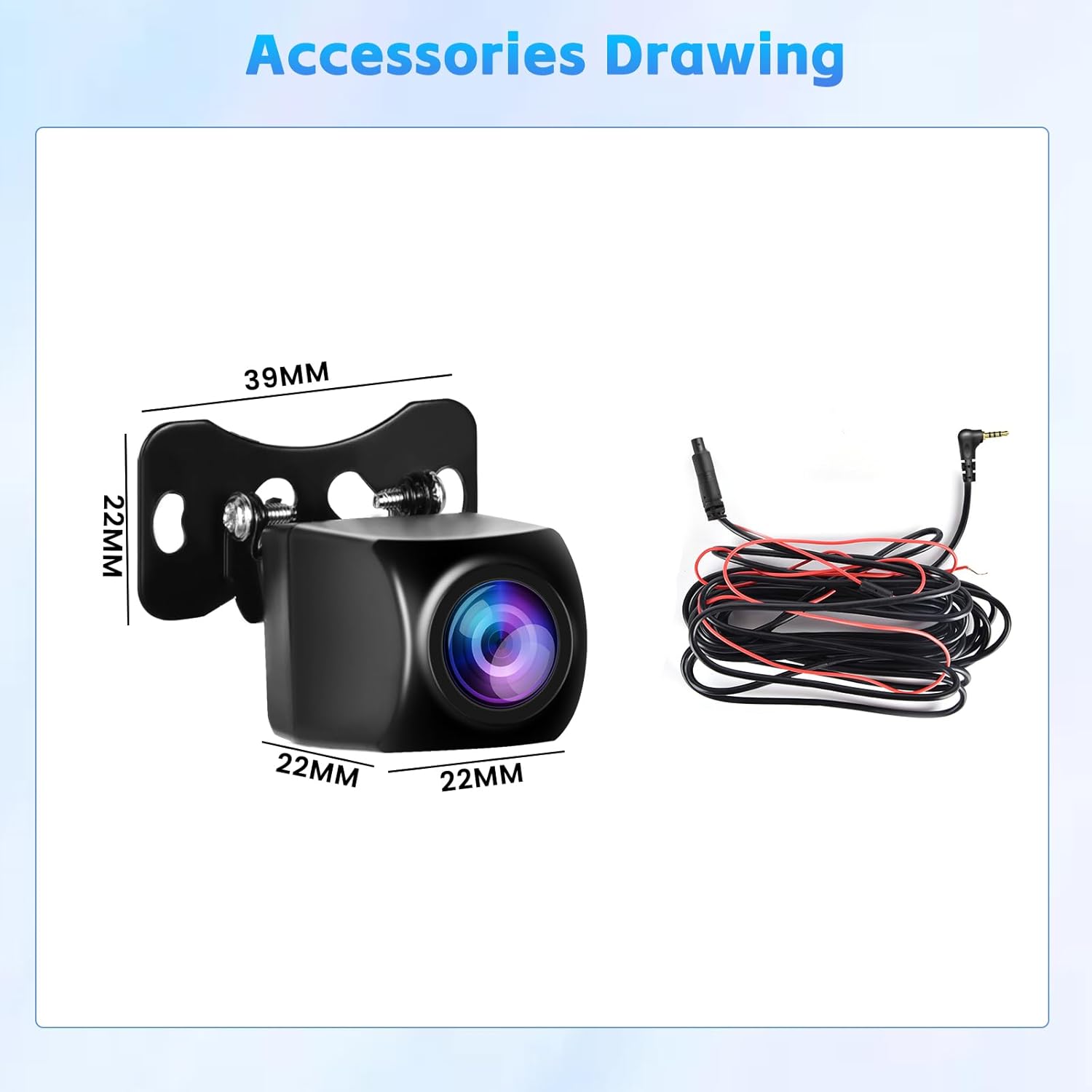
Image 3.1: Included accessories: 4-Pin Backup Camera and 15M Camera Extension Cable.
4. Installation
4.1 Wiring Diagram
Follow the diagram below for proper connection. The camera connects to your portable car radio/CarPlay screen via the 4-pin 2.5mm jack. The red wire from the camera cable should be connected to the positive terminal of your vehicle's reversing lamp (12V) to enable automatic display when reversing.

Image 4.1: Wiring diagram for connecting the backup camera.
4.2 Image Format Switching (1080P/720P)
The camera defaults to HD 1080P. If your monitor defaults to 720P or displays a black and white screen, you may need to switch the image format. To do this, power off your device and then cut the white wire on the camera cable. This will switch the output to 720P. Reconnecting the white wire will restore 1080P format. If you are unsure which format your device supports, try cutting/connecting the white wire to see which works best.
Video 4.2.1: Demonstrates switching between 1080P and 720P formats by cutting/reconnecting the white wire.
Video 4.2.2: Shows compatibility testing with various screens and format adjustments.
4.3 Mirror Image Switching
The camera provides a default original image. If you need to switch to a mirror image (e.g., for front view camera use), you can do so by cutting the green wire on the camera cable. Note: Always power off your device before cutting or reconnecting any wires to prevent damage.
Video 4.3.1: Demonstrates the installation process of an AHD camera, including wiring considerations.
4.4 Physical Installation
Mount the camera securely at the rear of your vehicle, typically near the license plate. Ensure the camera has a clear, unobstructed view. Route the 15-meter extension cable from the camera to your portable car radio/CarPlay screen, ensuring it is tucked away safely to avoid interference or damage.

Image 4.4.1: The camera provides a realistic 160° wide-angle view with no image distortion.
5. Operation
Once installed and correctly configured, the camera will automatically display the rearview image on your portable car radio/CarPlay screen when you engage reverse gear. The 160° wide-angle lens provides a broad perspective, and the excellent night vision ensures visibility in low-light conditions.
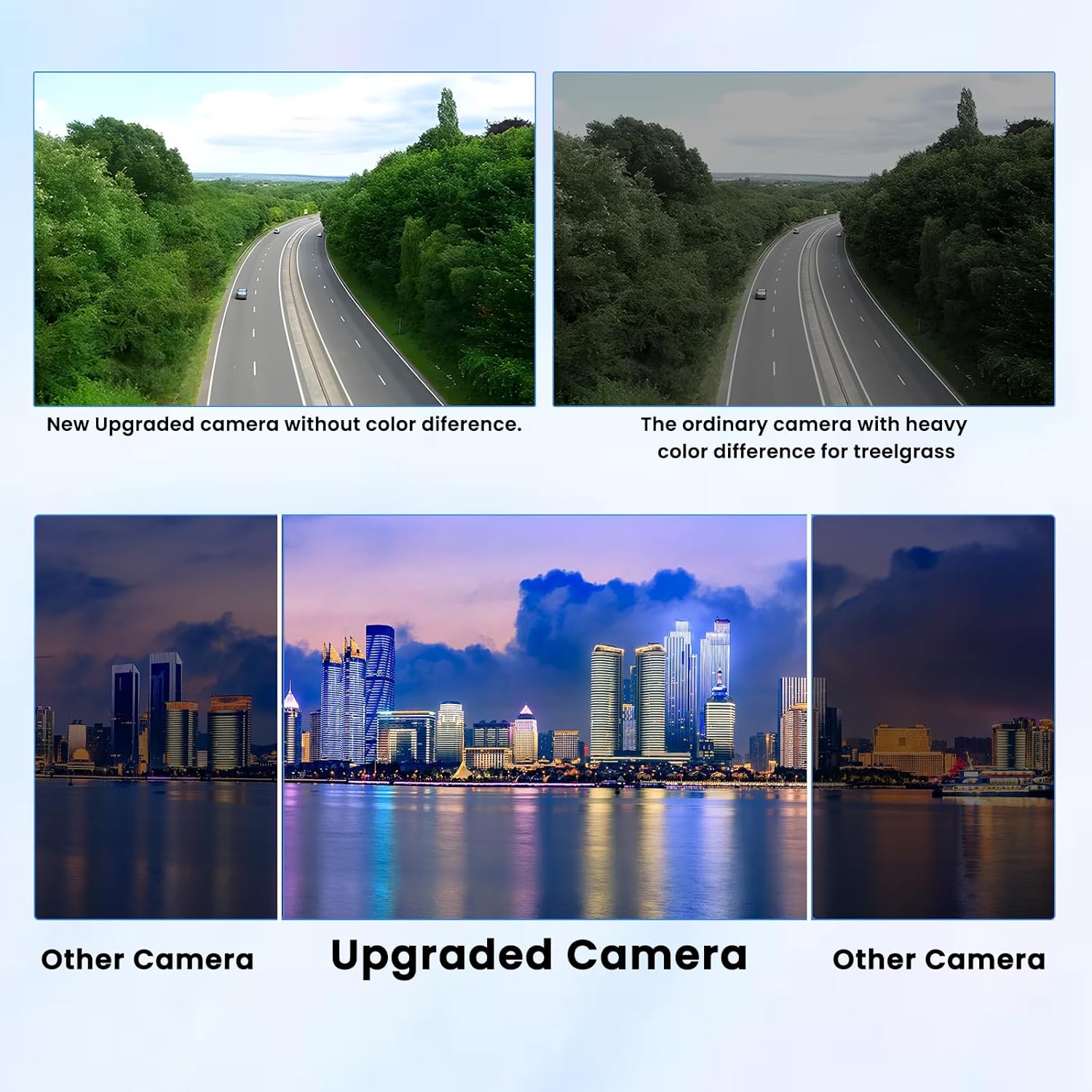
Image 5.1: Comparison highlighting the improved night vision of the upgraded camera.
6. Troubleshooting
- Black and White Image / No Signal: This often indicates an incompatible image format (1080P vs. 720P) between the camera and your display. Refer to Section 4.2 on how to switch the image format by cutting/reconnecting the white wire. Ensure your device supports the PAL television system.
- Incorrect Image Orientation (e.g., mirrored when it shouldn't be): This can be adjusted by cutting or reconnecting the green wire on the camera cable. Refer to Section 4.3.
- No Image Display:
- Check all cable connections to ensure they are secure.
- Verify that the camera is receiving power (red wire connected to 12V reverse light).
- Confirm your portable car radio/CarPlay screen is set to the correct input source.
- Ensure your device supports AHD cameras and the PAL system.
7. Specifications
| Feature | Specification |
|---|---|
| Product Dimensions | 4.72 x 1.57 x 1.37 inches |
| Item Weight | 10.9 ounces |
| Item Model Number | Y3187G4-60US |
| Connectivity Technologies | USB (for display connection) |
| Special Features | Automatic Incident Detection, Loop Recording, Night Vision |
| Display Technology | LCD (compatible with) |
| Other Display Features | Wireless (compatible with wireless displays) |
| Color | Black |
| Compatible Devices | Monitor, Portable Car Radio, Carplay Screen, Dash Cam |
| Installation Type | Surface Mount |
| Voltage | 12 Volts |
| Optical Sensor Technology | CMOS |
| Lens Type | Wide Angle |
| Real Angle of View | 160 Degrees |
| Connector Type | 4-Pin 2.5mm jack |
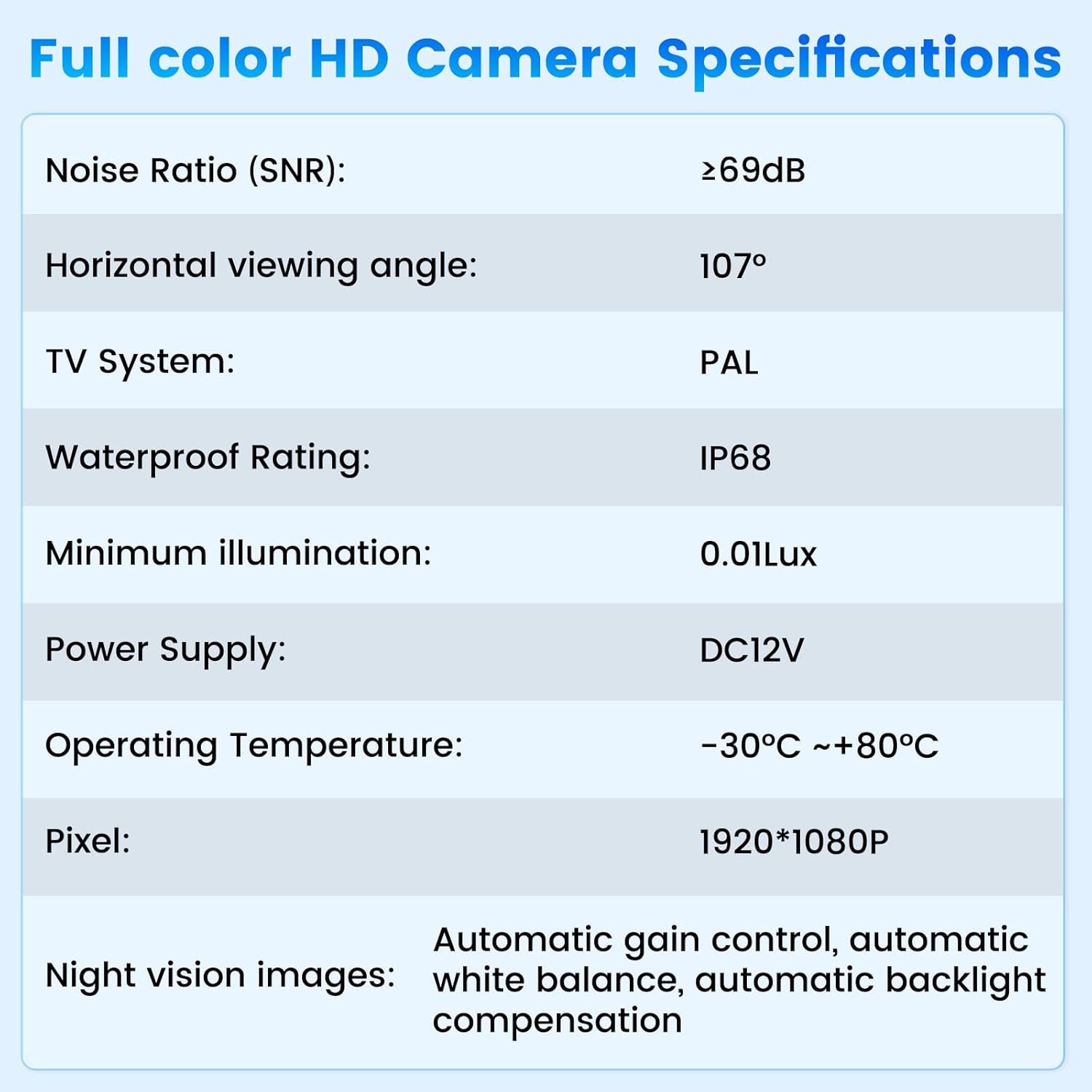
Image 7.1: Detailed specifications of the camera.
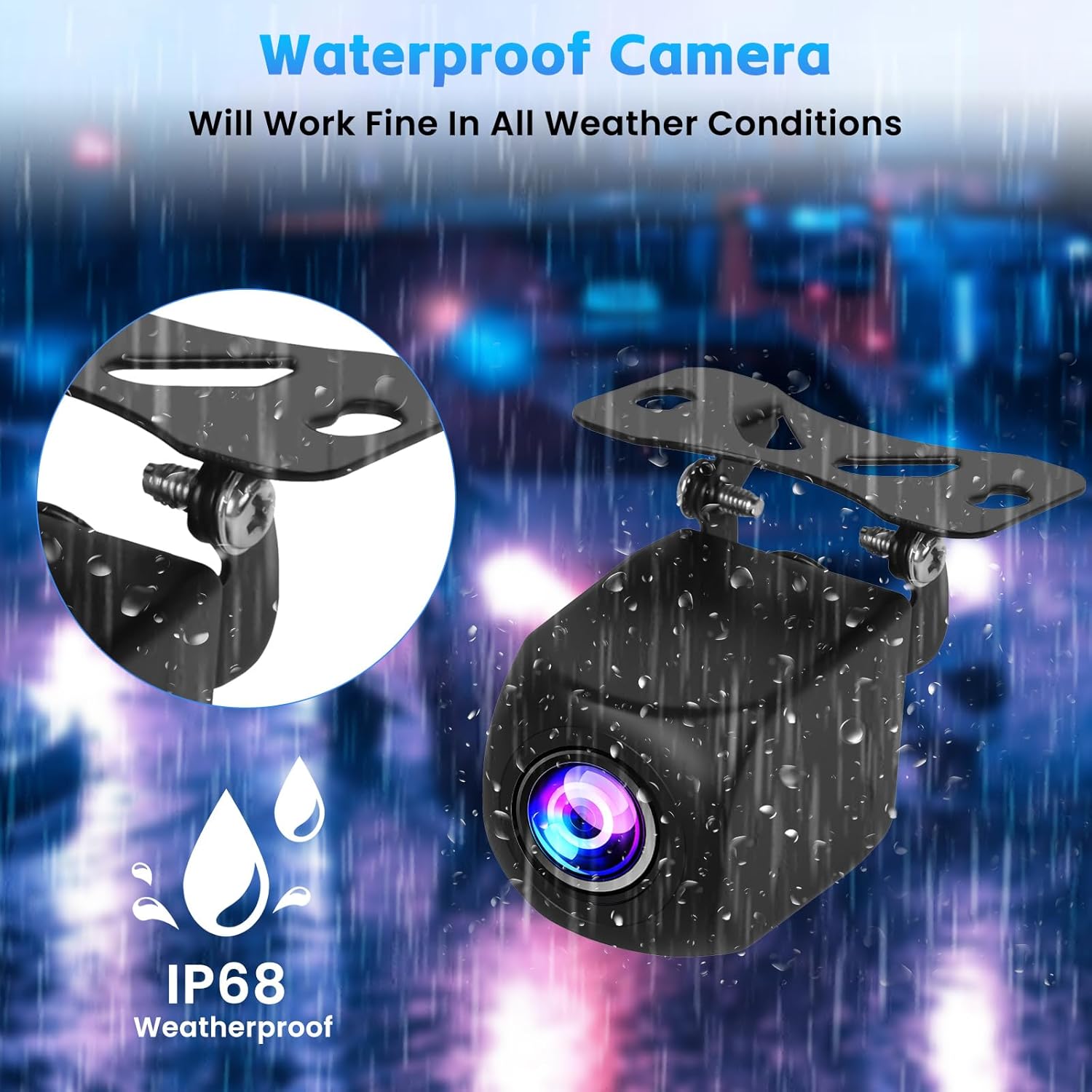
Image 7.2: The camera features IP68 weatherproofing for reliable operation in all conditions.
8. Warranty & Support
Inefala provides the following support for your product:
- 24 Months Quality Assurance: We are responsible for handling all quality issues within 24 months from the date of purchase.
- 30 Days Free Return: For returns and replacements.
- Online Reply Within 24 Hours: For technical support and inquiries.
For any questions or support, please contact us directly at inefalatech@163.com.

Image 8.1: Contact information for 24/7 technical support.