
Septekon B30
Septekon 2K Wireless Outdoor Solar Security Camera (Model B30) User Manual
Model: B30
1. Introduction
This manual provides comprehensive instructions for the installation, operation, and maintenance of your Septekon 2K Wireless Outdoor Solar Security Camera, Model B30. Please read this manual thoroughly before using the product to ensure correct usage and optimal performance.
1.1 Package Contents
- Septekon 2K Wireless Outdoor Security Camera (Model B30)
- Solar Panel
- Mounting Bracket and Screws
- USB Charging Cable
- User Manual
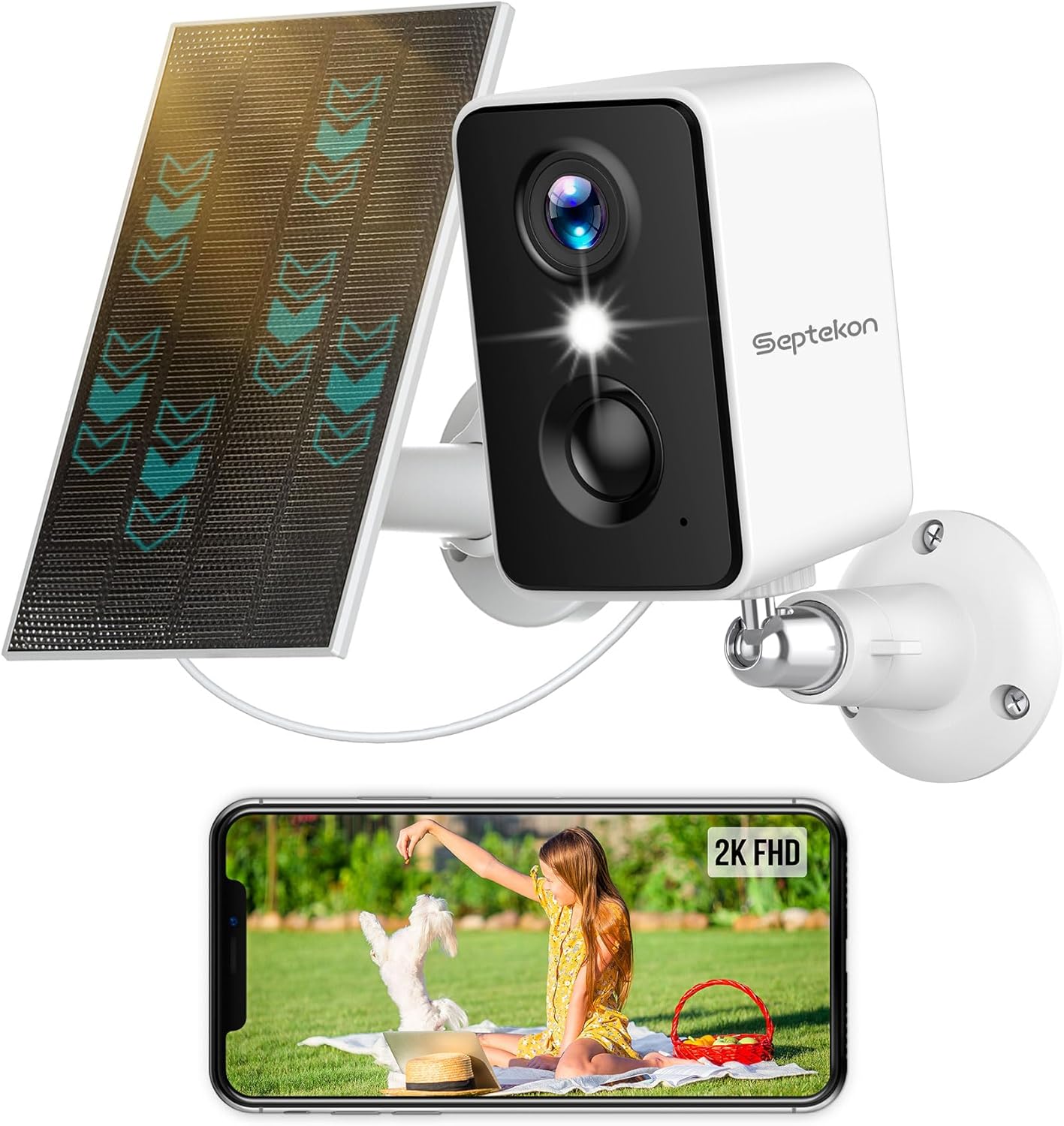
Image 1.1: Septekon 2K Wireless Outdoor Solar Security Camera with its accompanying solar panel and a smartphone showing the live video feed.
2. Product Overview
The Septekon Model B30 is a 2K (3MP) wireless outdoor security camera designed for home surveillance. It features a built-in 5200 mAh battery, solar panel charging capability, two spotlights, six IR lights for color night vision, PIR motion detection with siren, and two-way audio communication. The camera is IP66 rated for outdoor use.
2.1 Key Features
- 2K (3MP) Video Resolution: Provides clear and detailed video footage.
- 100% Wireless Operation: Battery-powered with solar charging for flexible placement.
- Color Night Vision: Achieved through two integrated floodlights and IR lights.
- AI-Powered PIR Motion Detection: Distinguishes between people, pets, packages, and vehicles, reducing false alarms.
- Integrated Siren and Spotlights: Deters intruders upon detection.
- Two-Way Audio: Allows for real-time communication via the camera.
- IP66 Weatherproof Rating: Ensures durability in various outdoor conditions.
- Secure Storage Options: Supports encrypted cloud storage and local Micro SD card storage (up to 128GB, not included).
- Multi-User Sharing: Allows multiple authorized users to access the camera feed.

Image 2.1: Overview of the Septekon 2K Wireless Camera's primary features.
3. Setup
3.1 Initial Charging
Before first use, fully charge the camera's built-in 5200 mAh battery using the provided USB cable and a 5V/2A power adapter (not included). A full charge ensures optimal performance and allows the solar panel to maintain the charge effectively.
3.2 App Installation and Account Creation
- Download the companion app from the App Store (iOS) or Google Play Store (Android). Search for 'Septekon' or refer to the QR code in the quick start guide.
- Open the app and follow the on-screen instructions to create a new account.

Image 3.1: App download options and compatibility with various platforms.
3.3 Camera Pairing/Connection
- Power on the camera.
- In the app, select 'Add Device' and follow the prompts to connect the camera to your 2.4GHz Wi-Fi network.
- Ensure the camera is within range of your Wi-Fi router during the pairing process.
3.4 Mounting Instructions
Choose a mounting location that provides a clear view of the area you wish to monitor and ensures the solar panel receives adequate direct sunlight throughout the day.
- Camera Placement: Mount the camera at a height of 7-10 feet (2-3 meters) for optimal motion detection range.
- Solar Panel Placement: Position the solar panel in an area that receives maximum direct sunlight. The panel can be mounted separately from the camera using its own bracket and connected via the provided cable.
- Use the included mounting bracket and screws to securely attach the camera and solar panel to a wall or other stable surface.

Image 3.2: Proper mounting of the camera and solar panel for continuous power.
4. Operating Instructions
4.1 Live View
Open the app and select your camera from the device list to access the live video feed. You can view the area in real-time.
4.2 Two-Way Audio
While in live view, tap the microphone icon in the app to speak through the camera's speaker. Tap the speaker icon to listen to audio from the camera's microphone. This feature allows for communication with visitors or deterrence of unwanted guests.

Image 4.1: Demonstrating two-way audio communication with a delivery person.
4.3 Motion Detection & Alerts
The camera utilizes PIR (Passive Infrared) motion detection combined with AI recognition to identify specific objects. When motion is detected, the camera can:
- Send instant notifications to your smartphone.
- Activate the built-in spotlights.
- Trigger an audible siren.
Adjust motion sensitivity and detection zones within the app settings to minimize false alarms.

Image 4.2: Multiple alarm responses to detected motion.
4.3.1 AI Recognition
The camera's AI capabilities allow it to differentiate between people, pets, packages, and cars, providing more specific alerts.

Image 4.3: Examples of AI-powered object recognition.
4.4 Night Vision
The camera offers both infrared (black and white) and color night vision modes. The two integrated spotlights enable full-color video recording even in low-light conditions.

Image 4.4: Comparison of infrared and color night vision modes.
4.5 Recording and Playback
Recorded events are stored and can be accessed via the app. You can review, download, and share video clips from the timeline.

Image 4.5: App interface for reviewing recorded video footage.
4.6 Storage Options
The camera supports two storage methods:
- Encrypted Cloud Storage: Securely store recordings in the cloud.
- Micro SD Card Storage: Supports up to 128GB Micro SD card (not included) for local storage.

Image 4.6: Cloud and Micro SD card storage options.
4.7 Multi-User Sharing
You can share access to your camera's live feed and recordings with family members or trusted individuals through the app. Each user will need their own account.

Image 4.7: Multiple camera views accessible via the app.
5. Maintenance
5.1 Battery Care and Solar Charging
The solar panel is designed to provide continuous power to the camera's battery. Ensure the solar panel is kept clean and free from obstructions (e.g., leaves, dirt) to maximize sunlight absorption. Periodically check the battery level in the app.

Image 5.1: Solar panel ensuring continuous power and protection.
5.2 Cleaning
Wipe the camera lens and solar panel with a soft, damp cloth as needed to remove dust and debris. Do not use harsh chemicals or abrasive materials.
5.3 Firmware Updates
Regularly check the app for available firmware updates. Updates often include performance improvements, new features, and security enhancements. Follow the in-app instructions to perform updates.
6. Troubleshooting
- Camera not connecting to Wi-Fi: Ensure the camera is within range of a 2.4GHz Wi-Fi network. Verify the Wi-Fi password. Restart the camera and your router.
- Poor video quality: Check your Wi-Fi signal strength. Ensure the camera lens is clean.
- Motion detection not working or too many false alarms: Adjust the motion sensitivity and detection zones in the app. Ensure the PIR sensor is not obstructed.
- Battery not charging: Ensure the solar panel is clean and receiving direct sunlight. Check the connection cable between the camera and the solar panel. If necessary, charge the camera directly via USB.
- Two-way audio issues: Check your device's microphone and speaker permissions for the app. Ensure network connectivity is stable.
7. Specifications
| Feature | Specification |
|---|---|
| Model Number | B30 |
| Video Resolution | 2K (3MP) |
| Power Source | Solar Powered, Battery Powered |
| Battery Capacity | 5200 mAh Lithium Polymer |
| Connectivity | Wi-Fi (2.4GHz) |
| Weatherproof Rating | IP66 |
| Night Vision Range | Up to 33 feet (10 meters) |
| Viewing Angle | 270 Degrees |
| Storage Options | Cloud Storage, Micro SD Card (up to 128GB) |
| Dimensions (Camera) | 5 x 5 x 5 inches |
| Item Weight | 1.28 pounds (0.58 Kilograms) |
| Compatible Devices | MAC, Amazon Alexa |
8. Warranty and Support
Septekon products typically come with a manufacturer's warranty. Please refer to your purchase documentation or contact Septekon customer support for specific warranty details and duration.
8.1 Customer Support
For technical assistance, troubleshooting, or warranty inquiries, please contact Septekon customer support through the official website or the contact information provided with your product packaging.
Ask a question about this manual
Ask about setup, troubleshooting, compatibility, parts, safety, or missing instructions. Manuals+ will review the question and use this page’s manual context to help answer it.