
1. Product Overview
The LICHI Wireless Temperature and Humidity Sensor (Model 802C) is designed to provide accurate outdoor temperature and humidity readings to your compatible LICHI LC802 or LC803 wireless thermometer main unit. This compact, black sensor utilizes thermistor technology for high accuracy measurements.
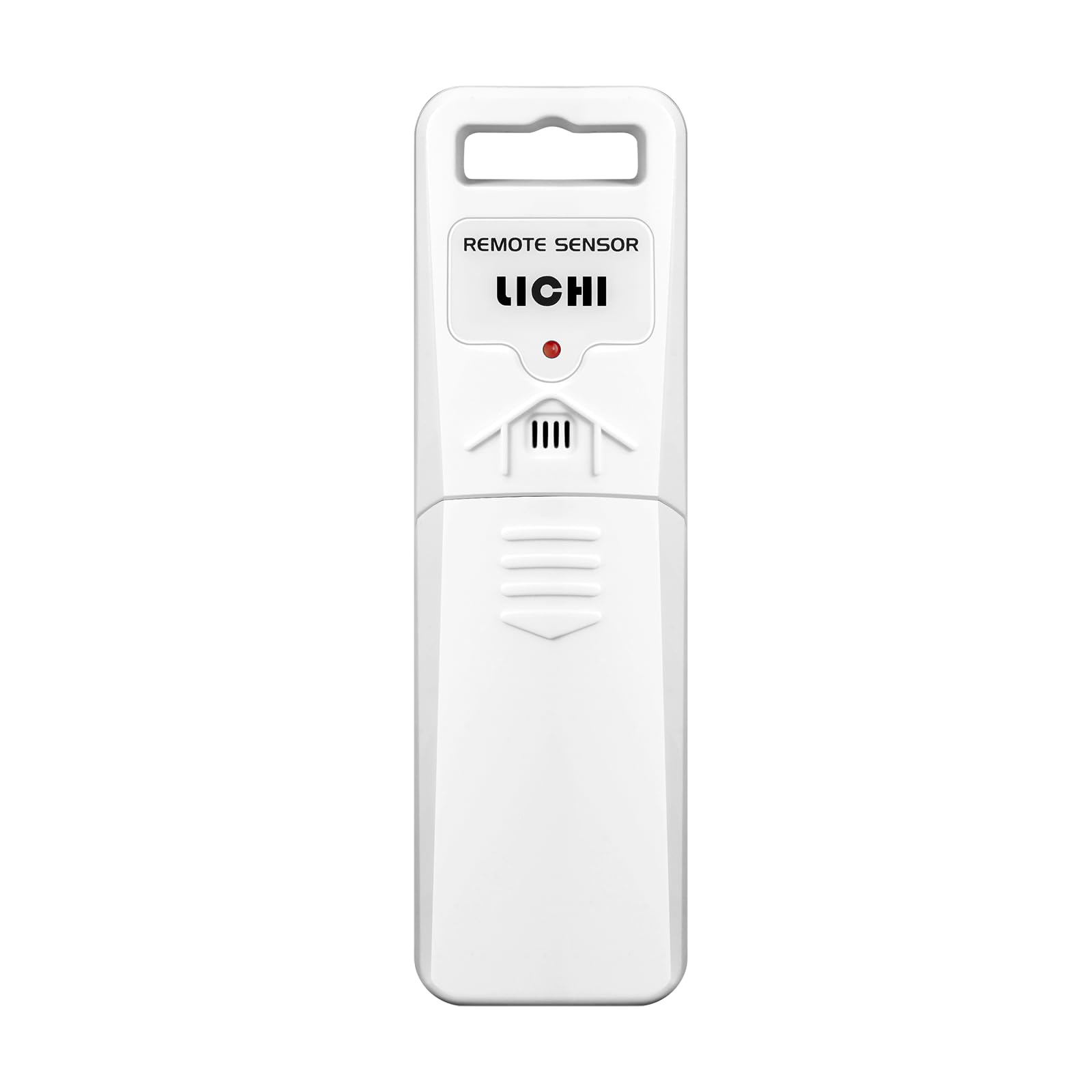
Figure 1: LICHI Wireless Temperature and Humidity Sensor (Model 802C). This image shows the compact, rectangular black sensor with a small display or indicator light, designed for outdoor use.
Package Contents:
- 1 x LICHI Wireless Temperature and Humidity Sensor (Model 802C)
Note: 2 AA batteries are required for operation and are not included.
2. Setup Instructions
2.1 Battery Installation
- Locate the battery compartment cover on the back of the sensor.
- Slide or unclip the cover to open the compartment.
- Insert two (2) new AA batteries, ensuring correct polarity (+ and -).
- Replace the battery compartment cover securely.
- The sensor should power on automatically, indicated by a flashing light or brief display activity (if applicable).
2.2 Pairing with Main Unit (LC802/LC803)
After installing batteries, the sensor will attempt to transmit data to your LICHI LC802 or LC803 main thermometer unit. Ensure your main unit is powered on and within range.
- Refer to your LC802 or LC803 main unit's instruction manual for specific pairing procedures. Typically, this involves a "SYNC" or "SEARCH" button on the main unit to detect new sensors.
- Once paired, the main unit will display the temperature and humidity readings from the 802C sensor.
2.3 Sensor Placement
Optimal placement is crucial for accurate readings and sensor longevity:
- Location: Choose a shaded area outdoors, away from direct sunlight, heat sources (e.g., vents, walls that absorb heat), and moisture. Direct sunlight can cause artificially high temperature readings.
- Mounting: Mount the sensor vertically to allow for proper drainage if it gets wet. Use the integrated mounting hole or bracket (if included) to secure it to a wall or post.
- Range: Place the sensor within the effective wireless transmission range of your main unit. Obstacles like thick walls or metal structures can reduce this range.
- Ventilation: Ensure adequate airflow around the sensor for accurate humidity readings.
3. Operation
Once successfully paired and placed, the LICHI 802C sensor will continuously monitor outdoor temperature and humidity. It transmits this data wirelessly to your compatible LICHI LC802 or LC803 main unit at regular intervals.
- The main unit will display the current temperature and humidity readings.
- Some main units may offer historical data or trend indicators. Refer to your main unit's manual for these advanced features.
- The sensor operates automatically after battery installation and pairing. No further user interaction is typically required for basic operation.
4. Maintenance
4.1 Battery Replacement
When the main unit indicates a low battery for the outdoor sensor, or if readings become intermittent, it's time to replace the batteries.
- Open the battery compartment as described in Section 2.1.
- Remove the old AA batteries.
- Insert two (2) new AA batteries, observing correct polarity.
- Close the battery compartment securely.
- The sensor should automatically re-establish connection with the main unit. If not, follow the pairing steps in Section 2.2.
Note: Dispose of used batteries responsibly according to local regulations.
4.2 Cleaning
Periodically clean the exterior of the sensor to prevent dust and debris buildup, which can affect performance.
- Use a soft, damp cloth to wipe the sensor's surface.
- Do not use abrasive cleaners or solvents.
- Ensure no moisture enters the battery compartment or sensor openings.
4.3 Environmental Protection
While designed for outdoor use, extreme weather conditions can impact the sensor's lifespan. Consider bringing the sensor indoors during severe storms, heavy snow, or prolonged periods of extreme temperatures outside its operating range.
5. Troubleshooting
| Problem | Possible Cause | Solution |
|---|---|---|
| No readings on main unit / Intermittent readings |
|
|
| Inaccurate temperature/humidity readings |
|
|
| Short battery life |
|
|
6. Specifications
| Model Number | 802C |
| Brand | LICHI |
| Compatibility | LICHI LC802 / LC803 Wireless Thermometers |
| Power Source | 2 x AA Batteries (not included) |
| Special Feature | High Accuracy |
| Connectivity Technology | Wireless (RF) |
| Color | Black |
| Included Components | Outdoor sensor |
| Temperature Accuracy | ±0.5 °C |
| Sensor Technology | Thermistor |
| Upper Temperature Rating | 122 Degrees Fahrenheit (50 °C) |
| Item Weight | 0.06 Kilograms (approx. 2.08 ounces) |
| Package Dimensions | 5.71 x 2.01 x 1.38 inches |
7. Warranty and Support
For warranty information and customer support, please refer to the documentation included with your main LICHI LC802 or LC803 thermometer unit, or visit the official LICHI website. You may also contact the seller directly for assistance.
Please have your product model number (802C) and purchase details ready when contacting support.