1. Introduction
Welcome to the user manual for your new Cygnett Reserve Fast Charging Power Bank, 20,000 mAh (Model: CY4767PBCHE). This manual provides essential information on how to set up, operate, maintain, and troubleshoot your power bank to ensure optimal performance and longevity. Please read this manual thoroughly before using the product.
2. Product Overview
The Cygnett Reserve Fast Charging Power Bank is designed to provide portable and rapid charging for your mobile devices. With a 20,000 mAh capacity and 30W fast charging capabilities, it can quickly recharge smartphones, tablets, and other USB-powered gadgets. It features multiple charging ports, including two USB-C and one USB-A, allowing for simultaneous charging of up to three devices. The integrated digital display provides real-time battery status.

Figure 2.1: Front view of the Cygnett Reserve Power Bank, showcasing its sleek design and the digital battery percentage display.
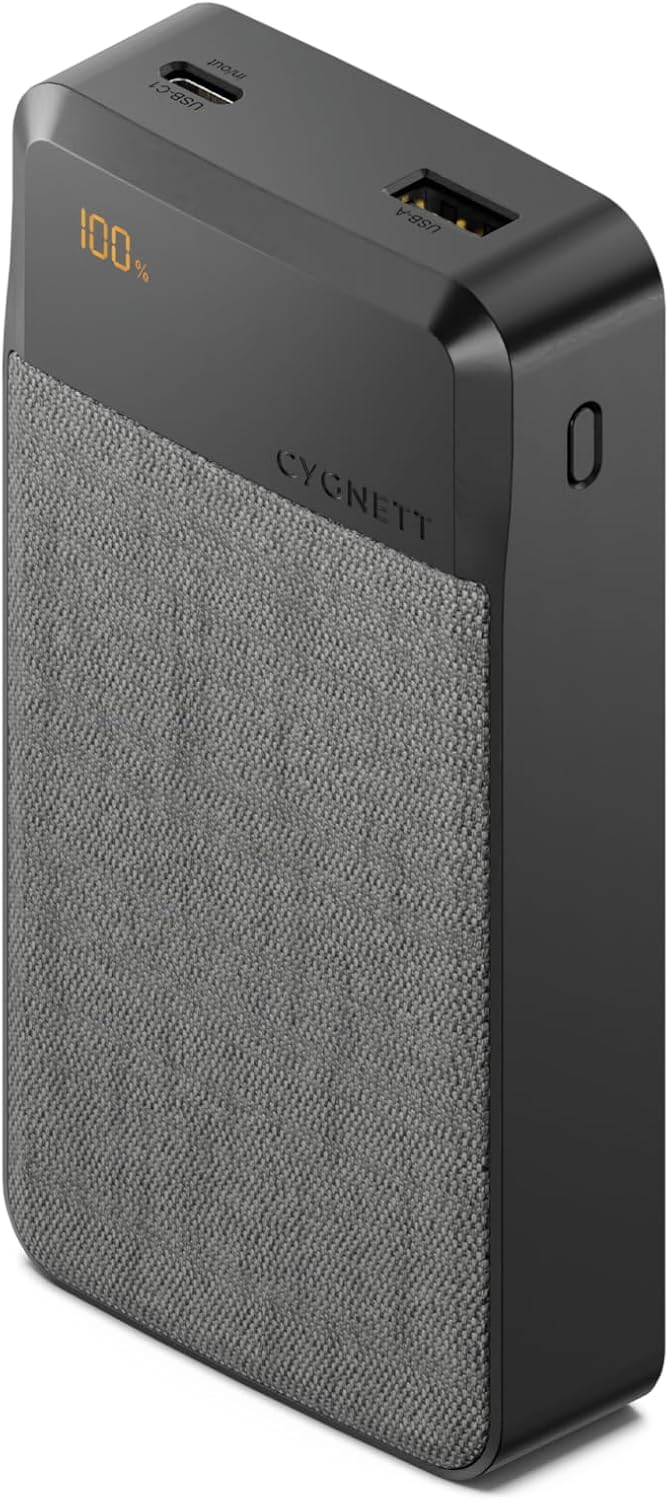
Figure 2.2: Angled view of the power bank, highlighting the top panel with USB-A and USB-C ports, and the digital display.

Figure 2.3: Top-down perspective of the power bank, clearly showing the layout of the USB-A, USB-C1 (in/out), and USB-C2 (out) ports, along with the digital battery indicator.

Figure 2.4: Detailed close-up of the USB-A and USB-C1 (in/out) ports, illustrating their design and labeling.
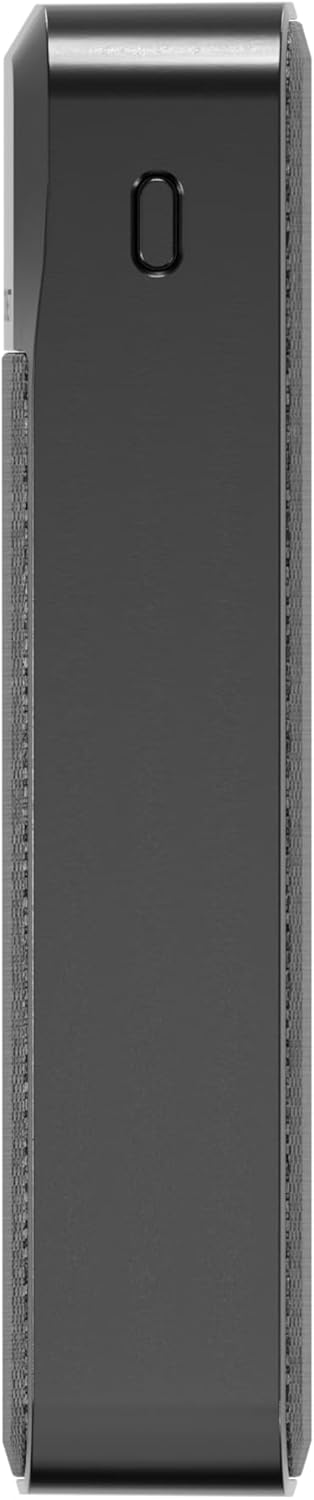
Figure 2.5: Side profile of the power bank, showcasing its compact form factor and textured finish.
3. Setup
3.1 Initial Charging
Before first use, it is recommended to fully charge your Cygnett Reserve Power Bank. Use a compatible USB-C cable and a wall adapter (not included) to connect the power bank's USB-C1 (in/out) port to a power source. The digital display will show the charging progress, indicating 100% when fully charged.
3.2 Checking Battery Level
To check the current battery level of the power bank, simply press the power button located on the side. The digital display will illuminate and show the remaining percentage.
4. Operating Instructions
4.1 Charging Your Devices
The Cygnett Reserve Power Bank offers versatile charging options:
- USB-C Ports (USB-C1 and USB-C2): For fast charging compatible devices, connect your device using a USB-C to USB-C cable to either USB-C1 (in/out) or USB-C2 (out) port. These ports support Power Delivery (PD) for rapid charging.
- USB-A Port: For devices that use a standard USB-A connection, use a USB-A to your device's charging cable and connect it to the USB-A port.
The power bank will automatically begin charging your device once connected. You can charge multiple devices simultaneously using all three ports, with a combined output of 30W.
4.2 Fast Charging Capabilities
The 30W Power Delivery (PD) via the USB-C ports allows for significantly faster charging of compatible devices. For example, you can charge an iPhone 12 from 0-50% in approximately 30 minutes when using a USB-C to Lightning cable (not included) and the USB-C port.
5. Maintenance
5.1 Cleaning
To clean your power bank, gently wipe the exterior with a soft, dry, lint-free cloth. Do not use abrasive cleaners, solvents, or harsh chemicals. Avoid getting moisture into the ports.
5.2 Storage
Store the power bank in a cool, dry place away from direct sunlight, extreme temperatures, and humidity. If storing for extended periods, it is advisable to charge the power bank to approximately 50-70% every three months to maintain battery health.
5.3 Battery Care
To maximize the lifespan of the power bank's battery:
- Avoid fully discharging the power bank frequently.
- Do not expose the power bank to extreme heat or cold.
- Use only certified and compatible charging cables and adapters.
6. Troubleshooting
| Problem | Possible Cause | Solution |
|---|---|---|
| Power bank not charging. | Cable or adapter issue; power source problem; power bank fault. | Ensure the charging cable and adapter are working correctly. Try a different wall outlet. Check if the USB-C1 port is clean and free of debris. |
| Device not charging from power bank. | Low power bank battery; incompatible cable; device issue; loose connection. | Charge the power bank fully. Use the original or a certified charging cable for your device. Ensure the cable is securely connected to both the power bank and your device. Try a different port on the power bank. |
| Slow charging. | Non-fast charging cable/adapter; device not supporting fast charge; multiple devices charging. | Ensure you are using a fast-charging compatible cable and that your device supports fast charging. Charging multiple devices simultaneously may reduce individual charging speeds. |
| Digital display not working. | Power button not pressed; internal fault. | Press the power button firmly. If the issue persists after charging the power bank, contact customer support. |
7. Specifications
| Feature | Detail |
|---|---|
| Model Number | CY4767PBCHE |
| Capacity | 20,000 mAh |
| Product Dimensions (L x W x H) | 10 x 5 x 3 cm |
| Item Weight | 100 g |
| Colour | Grey |
| Special Features | Digital Display, Fast Charging |
| Compatible Devices | Smartphone, Tablet, etc. |
| Compatible Phone Models | iPhone, Android, etc. (e.g., Apple iPhone 15 Plus) |
| Input/Output Ports | 2x USB-C (one in/out, one out), 1x USB-A (out) |
| Max Output Power | 30W (Power Delivery) |
8. Warranty and Support
For information regarding warranty coverage, terms, and conditions, please refer to the official Cygnett website or the warranty card included with your product. For technical support or further assistance, please visit the Cygnett support page or contact their customer service directly.
You can find more information and contact details on the official Cygnett website: www.cygnett.com