
Introduction
Thank you for choosing the Wenoker PRO Magnetic Mini Exercise Bike. This manual provides essential information for the safe and effective use, setup, operation, and maintenance of your new exercise equipment. Please read this manual thoroughly before first use and keep it for future reference.
Important Safety Information
- Consult your physician before starting any exercise program.
- Use the device on a stable, level surface.
- Ensure all parts are securely assembled before each use.
- Keep children and pets away from the device during operation.
- Do not exceed the maximum user weight of 160 kg.
- Stop exercising immediately if you feel pain, dizziness, or shortness of breath.
Product Overview
The Wenoker PRO Magnetic Mini Exercise Bike is a compact and versatile fitness device designed for both arm and leg training. It features a magnetic braking system for smooth and quiet operation, an LCD display to track your workout progress, and 8 adjustable resistance levels to customize your exercise intensity.
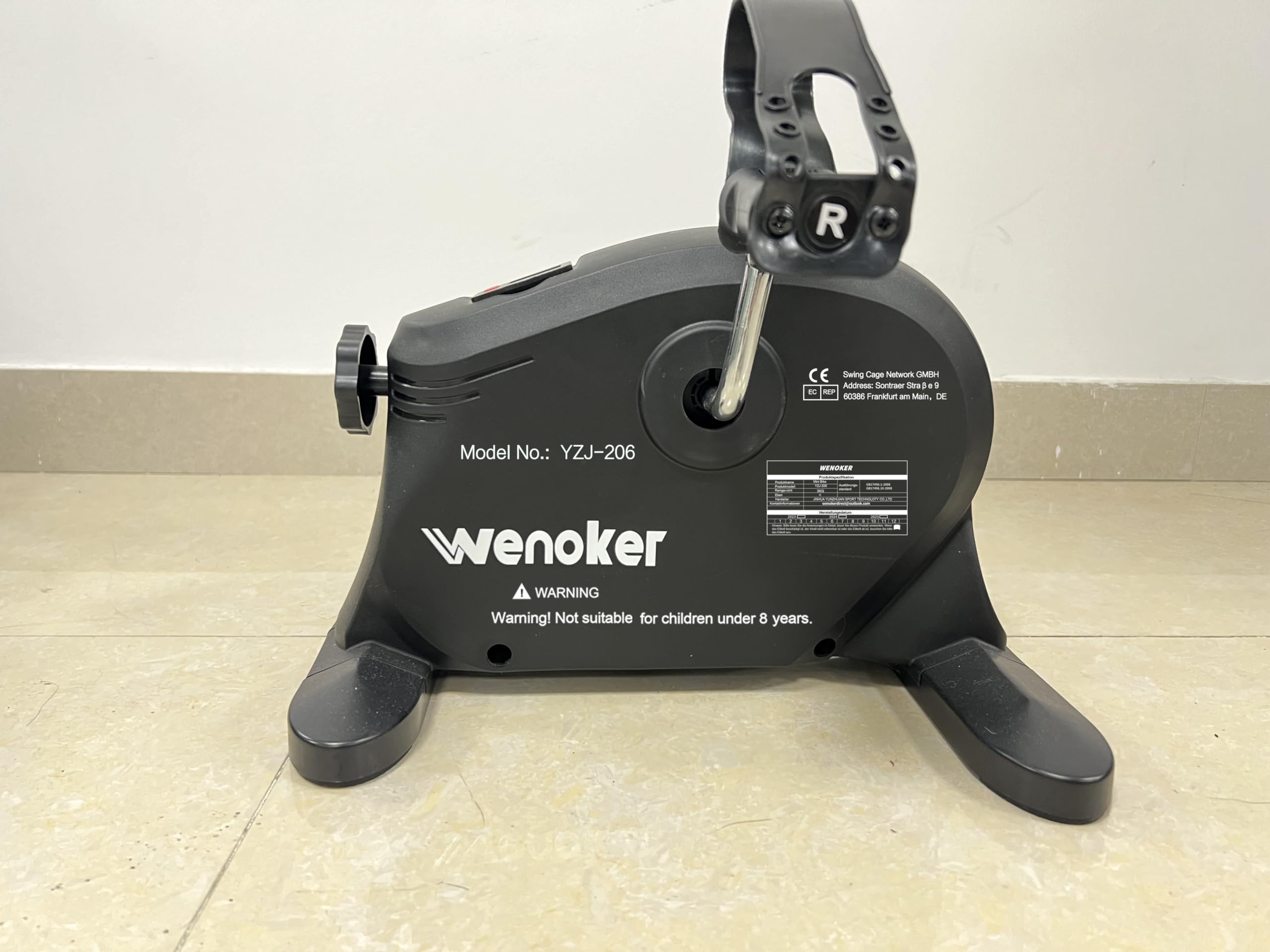
Figure 1: Wenoker PRO Magnetic Mini Exercise Bike. This image displays the overall structure of the mini exercise bike, highlighting its compact size, pedals, and the integrated LCD screen.
Key Features:
- Effective Arm and Leg Training: Designed to activate blood circulation and mobilize joints, aiding in weight management and joint health.
- Comfortable Seated Training: Allows for exercise while seated on a sofa or at a table, ideal for individuals with mobility restrictions or the elderly.
- 8 Resistance Levels: Customize your workout intensity with a flexible magnetic resistance system.
- LCD Display: Tracks essential workout metrics such as speed, elapsed time, distance, RPM, and calories burned.
- Controlled Safety: Engineered for stability with an anti-slip fixation band, supporting users up to 160 kg.
Setup
- Unpacking: Carefully remove all components from the packaging. Ensure all parts listed in the packing list (not provided in this manual, refer to product packaging) are present.
- Placement: Place the mini exercise bike on a flat, stable surface. Ensure there is enough space around the device for safe operation.
- Stabilization: Utilize the provided anti-slip fixation band to secure the leg trainer, ensuring 100% stability during use.
- Pedal Attachment (if required): If pedals are not pre-attached, screw them firmly into the crank arms. Note that the left pedal typically screws counter-clockwise and the right pedal clockwise.
- Battery Installation (for LCD): Open the battery compartment on the LCD display and insert the required batteries (type usually specified on the compartment cover).
Operating Instructions
Using for Leg Training:
- Sit comfortably in a chair or on a sofa.
- Place the mini exercise bike on the floor in front of you.
- Place your feet onto the pedals, ensuring they are securely positioned.
- Begin pedaling in a smooth, controlled motion.
Using for Arm Training:
- Place the mini exercise bike on a stable table or desk.
- Sit comfortably in front of the device.
- Place your hands onto the pedals, gripping them firmly.
- Begin rotating the pedals with your arms in a smooth, controlled motion.
Adjusting Resistance:
The Wenoker PRO features 8 levels of magnetic resistance. Locate the resistance knob, usually positioned at the front or top of the unit. Turn the knob clockwise to increase resistance and counter-clockwise to decrease resistance. Adjust to a level that provides a challenging yet comfortable workout.
Using the LCD Display:
The integrated LCD display automatically activates when you begin exercising. It cycles through various metrics or can be set to display a specific one. Press the mode button (if available) to switch between displays.
- SPEED: Displays your current pedaling speed.
- TIME: Shows the duration of your current workout session.
- DISTANCE: Indicates the estimated distance covered during your workout.
- RPM: Revolutions Per Minute, showing your pedaling cadence.
- CALORIES: Estimates the calories burned during your exercise.
To reset the display, typically press and hold the mode button for a few seconds, or remove and reinsert the batteries.
Maintenance
Cleaning:
- Wipe down the device with a soft, damp cloth after each use to remove sweat and dust.
- Do not use abrasive cleaners or solvents, as these may damage the finish or electronic components.
- Ensure no moisture enters the LCD display or battery compartment.
Storage:
- Store the mini exercise bike in a cool, dry place, away from direct sunlight and extreme temperatures.
- If storing for an extended period, it is recommended to remove the batteries from the LCD display to prevent leakage.
Troubleshooting
| Problem | Possible Cause | Solution |
|---|---|---|
| LCD display not working | Dead batteries; Incorrect battery installation; Loose connection. | Replace batteries; Ensure batteries are inserted correctly; Check for loose wires to the display. |
| Pedals feel loose or wobbly | Pedals not tightened sufficiently; Worn bearings. | Tighten pedals firmly (remember left pedal is reverse thread); Contact customer support if bearings are suspected to be worn. |
| Resistance not changing | Resistance mechanism issue; Knob not properly engaged. | Ensure the resistance knob is fully engaged and turning. If the issue persists, contact customer support. |
| Device slides during use | Not using anti-slip band; Unstable surface. | Use the provided anti-slip fixation band; Place on a non-slip mat or carpet; Ensure surface is level. |
Specifications
- Model Number: Yzj-512b
- Brand: Wenoker
- Color: Green
- Material: Polypropylene
- Resistance Mechanism: Magnetic
- Number of Resistance Levels: 8
- Maximum User Weight: 160 Kilograms
- Product Dimensions (L x W x H): 30 x 30 x 22 cm
- Product Weight: 9.5 Kilograms
- UPC: 768531943202
Warranty and Support
Wenoker products come with a 2-year customer service guarantee. If you encounter any issues with your Wenoker PRO Magnetic Mini Exercise Bike, please contact our customer support team. We are committed to assisting you and resolving any problems within 24 hours.
For support, please refer to the contact information provided on your product packaging or the official Wenoker website.