
1. Introduction
The CORSAIR iCUE Link RX120 120mm PWM Fans are designed to deliver superior airflow and static pressure for optimal system cooling. Featuring a groundbreaking design and Liquid Crystal Polymer construction, these fans offer exceptional durability and performance. The integrated iCUE LINK technology simplifies connectivity, allowing multiple fans to be linked together with a single cable to the iCUE LINK System Hub. This manual provides essential information for the setup, operation, and maintenance of your CORSAIR iCUE Link RX120 fans.

Figure 1.1: CORSAIR iCUE Link RX120 120mm PWM Fans (Triple Pack).
2. Key Features
- PWM Controlled Speeds via iCUE LINK: Set precise fan speeds up to 2,100 RPM while providing up to 74.2 CFM airflow to your system.
- High Static Pressure: With 4.38mm-H2O of static pressure, the RX Series is great for pushing air through obstructions such as high-density radiators.
- LINK Your Fans Together: The included iCUE LINK bridge connectors can connect your fans directly to each other, creating a seamless bank of fans all connected to the iCUE LINK System Hub with just a single cable.
- Premium Liquid Crystal Polymer Construction: Incredibly strong and durable, reinforced with glass fiber, resulting in excellent rigidity, reduced blade vibration, and increased performance.
- CORSAIR AirGuide Technology: Anti-vortex vanes direct airflow at your hottest components for concentrated cooling, pushing air in the direction you need when mounted to a radiator or heatsink.
- Magnetic Dome Bearing: Ensures high longevity and low noise thanks to reduced friction, alongside Zero RPM mode for virtual silence at low loads.
3. Setup Guide
3.1 Package Contents
- CORSAIR iCUE Link RX120 120mm PWM Fans (3x)
- iCUE Link System Hub
- Mounting Screws
- iCUE Link Cables
3.2 Installation Steps
- Prepare Your System: Ensure your computer is powered off and unplugged from the wall outlet. Open your PC case to access the fan mounting locations.
- Mount the Fans: Secure the RX120 fans to your desired locations (e.g., case fan mounts, radiator) using the provided mounting screws. Ensure proper airflow direction for optimal cooling.
- Connect with iCUE LINK: Use the iCUE LINK bridge connectors to daisy-chain multiple fans together. Connect the first fan in the chain to the iCUE LINK System Hub using a single iCUE Link cable. The System Hub will then connect to your motherboard via USB and to your power supply.
- Cable Management: The iCUE LINK system is designed for minimal cable clutter. Route the single iCUE Link cable neatly within your case.
- Close Case and Power On: Once all connections are secure and cables are managed, close your PC case and reconnect the power.

Figure 3.1: iCUE Link System Hub connection for simplified wiring.
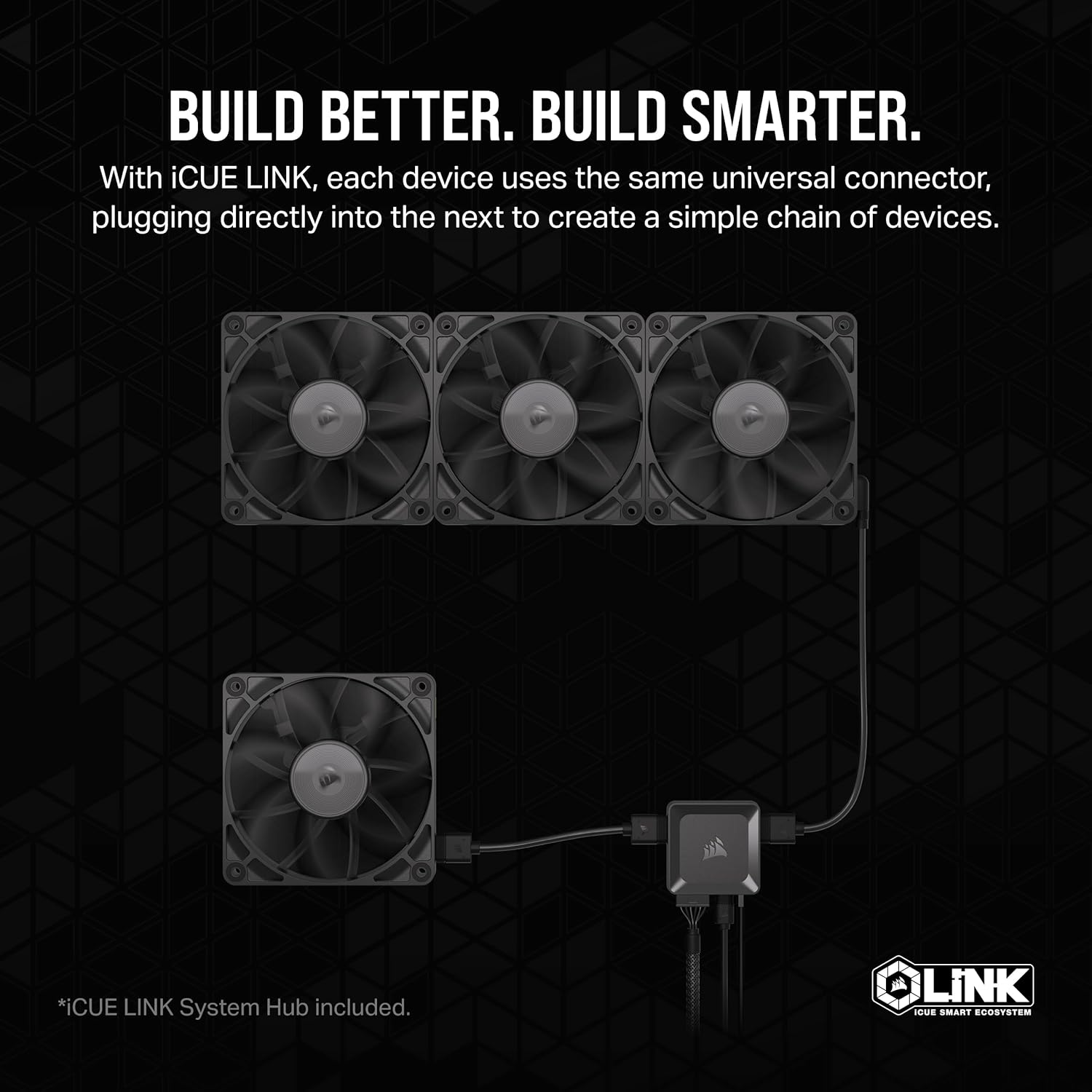
Figure 3.2: Daisy-chaining multiple iCUE Link devices.
4. Operation
The CORSAIR iCUE Link RX120 fans are controlled via the CORSAIR iCUE software, which allows for comprehensive customization and monitoring.
4.1 iCUE Software Control
- Download iCUE: If not already installed, download the latest version of CORSAIR iCUE software from the official CORSAIR website.
- Fan Speed Control: Within iCUE, you can set precise PWM fan speeds up to 2,100 RPM. Create custom fan curves based on system temperatures or choose from predefined modes like Silent, Balanced, or Extreme.
- Zero RPM Mode: For quiet operation under low loads, enable Zero RPM mode in iCUE. This stops the fans completely until a certain temperature threshold is reached.
- AirGuide Technology: The fan's anti-vortex vanes are designed to focus airflow, which is particularly effective when mounted to radiators or heatsinks for concentrated cooling.

Figure 4.1: Fan features including AirGuide Technology and Zero RPM mode.
4.2 Product Overview Video
Video 4.1: Official CORSAIR RX Fans Video Trailer. This video provides a visual overview of the fan's design and features.
5. Maintenance
Regular maintenance ensures the longevity and optimal performance of your CORSAIR iCUE Link RX120 fans.
- Dust Cleaning: Periodically power off your PC and use compressed air or a soft brush to gently remove dust accumulation from the fan blades and housing. Dust can impede airflow and increase noise levels.
- Bearing Inspection: While the Magnetic Dome Bearing is designed for high longevity, listen for any unusual noises during operation. If persistent, consult troubleshooting or support.
- Cable Check: Ensure all iCUE Link cables are securely connected and not pinched or damaged.

Figure 5.1: The RX120 fans are part of the broader iCUE Link Ecosystem, requiring integrated system maintenance.
6. Troubleshooting
If you encounter issues with your CORSAIR iCUE Link RX120 fans, refer to the following common troubleshooting steps:
| Problem | Possible Cause | Solution |
|---|---|---|
| Fans not spinning or no power. | Loose cable connection, iCUE Link Hub issue, insufficient power. | Check all iCUE Link cable connections to fans and hub. Ensure iCUE Link Hub is properly connected to motherboard USB and PSU. Verify PSU is providing adequate power. |
| Fans are excessively noisy. | High RPM settings, dust accumulation, bearing issue. | Adjust fan speed settings in iCUE software. Clean fan blades and housing. If noise persists, contact CORSAIR support. |
| Fans not detected in iCUE software. | Incorrect iCUE Link connection, outdated iCUE software, driver issue. | Ensure all iCUE Link connections are correct and secure. Update iCUE software to the latest version. Reinstall iCUE software if necessary. |
| Poor cooling performance. | Incorrect fan orientation, dust buildup, low fan speed. | Verify fans are oriented correctly for desired airflow (intake/exhaust). Clean fans and radiator/heatsink. Increase fan speeds in iCUE. |
7. Technical Specifications
| Specification | Value |
|---|---|
| Product Dimensions | 4.72 x 4.72 x 0.98 inches; 1.1 Pounds |
| Item Model Number | CO-9051010-WW |
| Manufacturer | Corsair |
| Power Connector Type | 4-Pin |
| Voltage | 12 Volts (DC) |
| Cooling Method | Fan |
| Compatible Devices | Desktop |
| Noise Level | 36 dB |
| Material | fiber (Liquid Crystal Polymer) |
| Maximum Rotational Speed | 2100 RPM |
| Air Flow Capacity | 74.2 Cubic Feet Per Minute |
| UPC | 840006680840 |
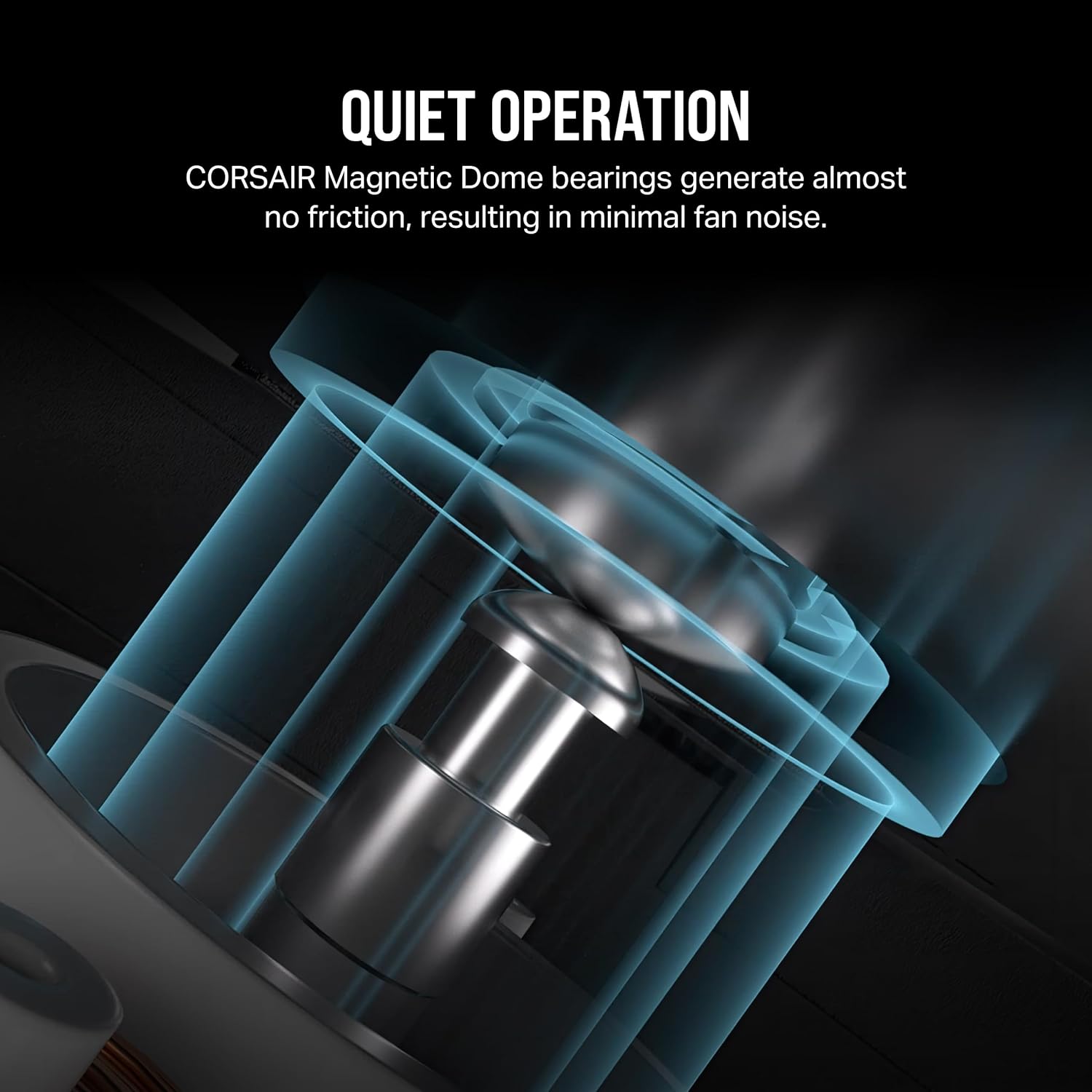
Figure 7.1: Magnetic Dome Bearing for quiet and durable operation.

Figure 7.2: Premium Liquid Crystal Polymer Construction for enhanced durability.
8. Warranty and Support
CORSAIR products are backed by a manufacturer's warranty. For detailed warranty information, technical support, or service inquiries, please visit the official CORSAIR support website or refer to the warranty card included with your product.
Online Support: www.corsair.com/support