
1. Product Overview
The Gosasa 1968 Digital Sport Watch is a multifunctional timepiece designed for active individuals. It features dual time display, date, chronograph (stopwatch), alarm, countdown timer, and an LED backlight. The watch is built with a durable resin case and strap, and a stainless steel back, offering 50 meters of water resistance.
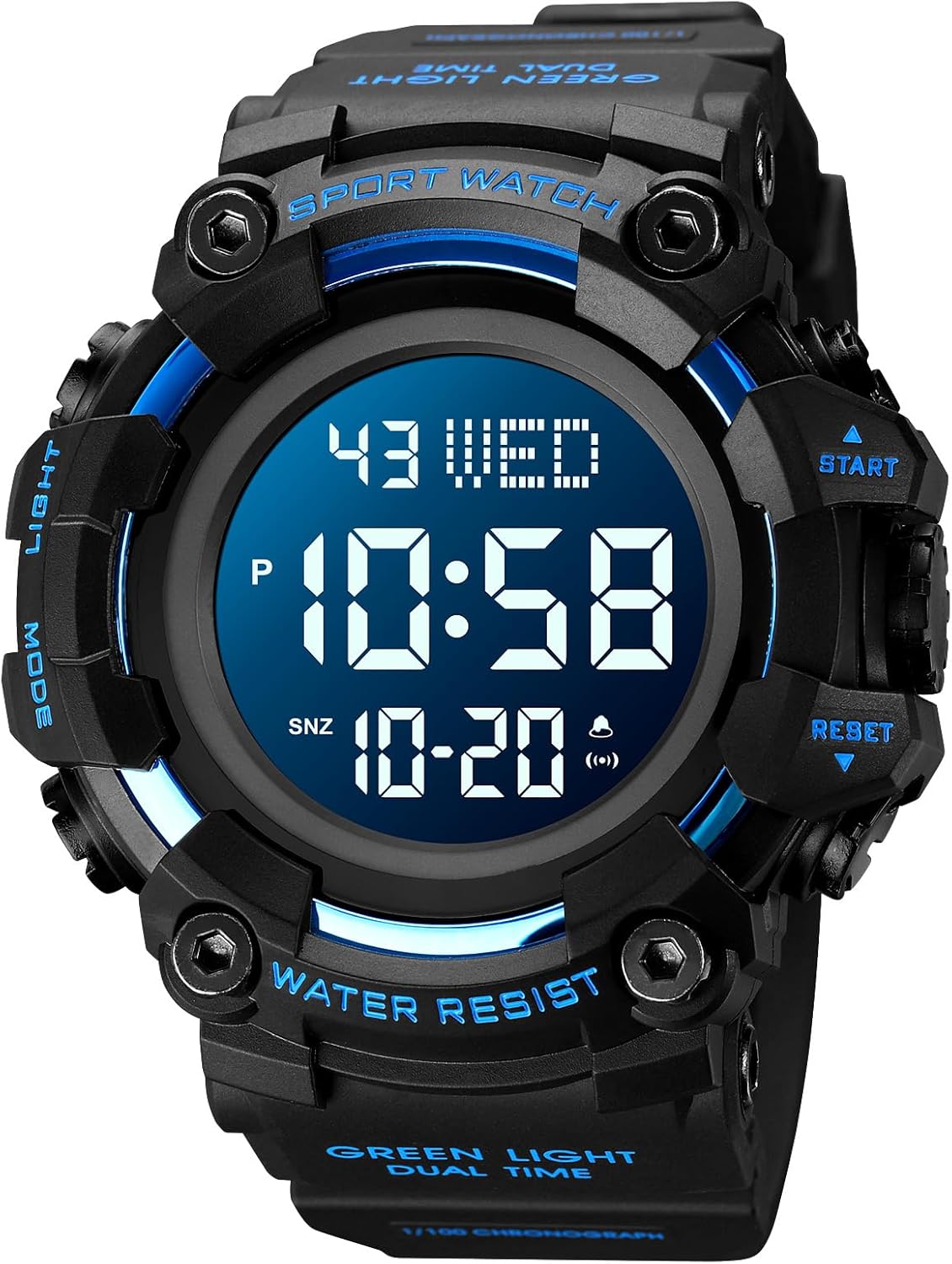
Image 1.1: Gosasa 1968 Digital Sport Watch (E Blue variant).
Key Features:
- Dual Time Display
- Stopwatch (Chronograph)
- Countdown Timer
- Alarm Function
- Date and Week Display
- LED Backlight
- 50M Water Resistance
- 12/24 Hour Format

Image 1.2: Overview of the watch's functions.
Watch Components:

Image 1.3: Labeled diagram of watch buttons and display elements.
- LIGHT Button: Activates the LED backlight.
- MODE Button: Cycles through different modes (Time, Stopwatch, Alarm, Countdown).
- START/STOP Button: Used to start/stop functions in Stopwatch and Countdown modes, and adjust settings.
- RESET Button: Used to reset functions in Stopwatch and Countdown modes, and adjust settings.
2. Initial Setup
2.1 Setting Time and Date:
- In normal time display mode, press the MODE button three times to enter time setting mode. The seconds digits will flash.
- Press the RESET button to cycle through the setting items: seconds → hour → minute → month → date → week.
- Use the START/STOP button to adjust the flashing digit.
- To switch between 12-hour and 24-hour format, press the MODE button while the hour digits are flashing.
- Once all settings are correct, press the MODE button again to exit setting mode.
3. Operating Modes
3.1 Stopwatch Function:
- From normal time display, press the MODE button once to enter stopwatch mode. The display will show '00:00:00'.
- Press the START/STOP button to start the stopwatch.
- Press the START/STOP button again to pause the stopwatch.
- Press the RESET button to reset the stopwatch to '00:00:00'.
- To return to normal time display, press the MODE button.
3.2 Alarm Function:
- From normal time display, press the MODE button twice to enter alarm setting mode. The hour digits will flash.
- Press the START/STOP button to adjust the hour.
- Press the RESET button to select the minute digits, then use START/STOP to adjust.
- Press the MODE button to exit alarm setting mode.
- To activate/deactivate the alarm, press the START/STOP and RESET buttons simultaneously in normal time display mode. An alarm icon will appear/disappear.
3.3 Countdown Timer:
- From normal time display, press the MODE button four times to enter countdown timer mode.
- Press the RESET button to select the hour, minute, or second digits to set.
- Use the START/STOP button to adjust the selected digit.
- Press the START/STOP button to start the countdown.
- Press the START/STOP button again to pause the countdown.
- Press the RESET button to reset the countdown to the set time.
- Press the MODE button to exit countdown mode.
3.4 LED Backlight:
Press the LIGHT button (top left) to illuminate the display for a few seconds, allowing visibility in low-light conditions.
4. Water Resistance
This watch is rated for 50 meters (5ATM) water resistance. This means it is suitable for everyday use, showering, and swimming in shallow water. It is not suitable for diving or snorkeling.
Important: Do not press any buttons while the watch is submerged in water, as this can compromise the water resistance and cause damage.

Image 4.1: The watch demonstrating its water resistance.
5. Maintenance
- Cleaning: Wipe the watch regularly with a soft, dry cloth. For stubborn dirt, use a slightly damp cloth and mild soap, then rinse and dry thoroughly.
- Avoid Chemicals: Do not expose the watch to strong chemicals, solvents, or detergents, as these can damage the case, strap, or seals.
- Temperature Extremes: Avoid exposing the watch to extreme temperatures (hot or cold) for prolonged periods, as this can affect battery life and accuracy.
- Battery Replacement: When the display dims or functions become erratic, the battery may need replacement. It is recommended to have the battery replaced by a qualified watch technician to ensure water resistance is maintained.
6. Troubleshooting
| Problem | Possible Cause | Solution |
|---|---|---|
| Display is blank or dim. | Low battery. | Replace the battery. |
| Time is inaccurate. | Incorrect time setting or low battery. | Reset the time according to Section 2.1. If problem persists, replace battery. |
| Buttons are unresponsive. | Watch may be in a locked mode or internal issue. | Try pressing the MODE button to cycle through modes. If unresponsive, contact support. |
| Water inside the watch. | Water resistance compromised (e.g., buttons pressed underwater, seal damage). | Immediately take the watch to a professional for inspection and repair. Do not attempt to dry it yourself. |
7. Specifications

Image 7.1: Detailed product parameters and dimensions.
- Model Number: 1968
- Display Type: Digital
- Movement: Quartz
- Case Material: Acrylonitrile Butadiene Styrene (ABS) / Polyurethane (PU)
- Band Material: Thermoplastic Polyurethane (TPU)
- Crystal Material: Resin
- Water Resistance Depth: 50 Meters (5ATM)
- Case Diameter: 56 mm
- Case Thickness: 20 mm
- Band Width: 22 mm
- Item Weight: 0.1 Kilograms (approximately 3.53 ounces)
8. Product Video
Video 8.1: Official product video demonstrating the square multifunctional digital watch display and features.
9. Warranty and Support
This product comes with an extended warranty. For specific warranty details, claims, or technical support, please refer to the warranty card included with your purchase or contact the seller directly through the platform where the watch was purchased. Please provide your purchase details and model number (1968) for efficient assistance.