
1. Product Overview
The AVIOT TE-Q3 are compact active noise cancelling true wireless earbuds designed for an immersive audio experience. They feature advanced noise cancelling technology, Bluetooth 5.3 connectivity, and a durable, lightweight design. The charging case is among the smallest in its class, offering portability and extended battery life.

Image: AVIOT TE-Q3 Wireless Earbuds and their compact charging case.
Key Features:
- Advanced Active Noise Cancelling: Equipped with a new processor to effectively reduce a wide range of ambient noise.
- Powerful and Realistic Sound: Features a refined 10mm dynamic driver and an improved front chamber design for balanced audio.
- Bluetooth 5.3 Connectivity: Ensures stable and efficient wireless connection with a range of up to 10 meters.
- Multipoint Connection: Allows seamless switching between two connected devices.
- Built-in Microphone: For clear communication during calls.
- IPX4 Waterproof Rating: Provides protection against splashes and light rain.
- Long Battery Life: Up to 11.5 hours on earbuds alone, and up to 42 hours with the charging case.
- Fast Charging: 10 minutes of charging provides 60 minutes of playback.
- Compact and Lightweight Design: Single earbud weighs only 4.2g, with a small, portable charging case.
2. What's in the Box
Please check that all items are present:
- AVIOT TE-Q3 Wireless Earbuds
- Charging Case
- USB Type-C Charging Cable
- Silicone Ear Tips (XS, S, M, L sizes; M size pre-installed)
- User Manual

Image: Diagram showing the earbuds, charging case, USB Type-C cable, various ear tip sizes, and the user manual included in the package.
3. Setup
3.1 Charging the Earbuds and Case
Before first use, fully charge the earbuds and charging case. Connect the provided USB Type-C cable to the charging port on the case and a power source. The indicator light on the case will show charging status. A full charge provides up to 42 hours of total playtime with the case, and the earbuds themselves offer up to 11.5 hours on a single charge. A quick 10-minute charge can provide up to 60 minutes of playback.
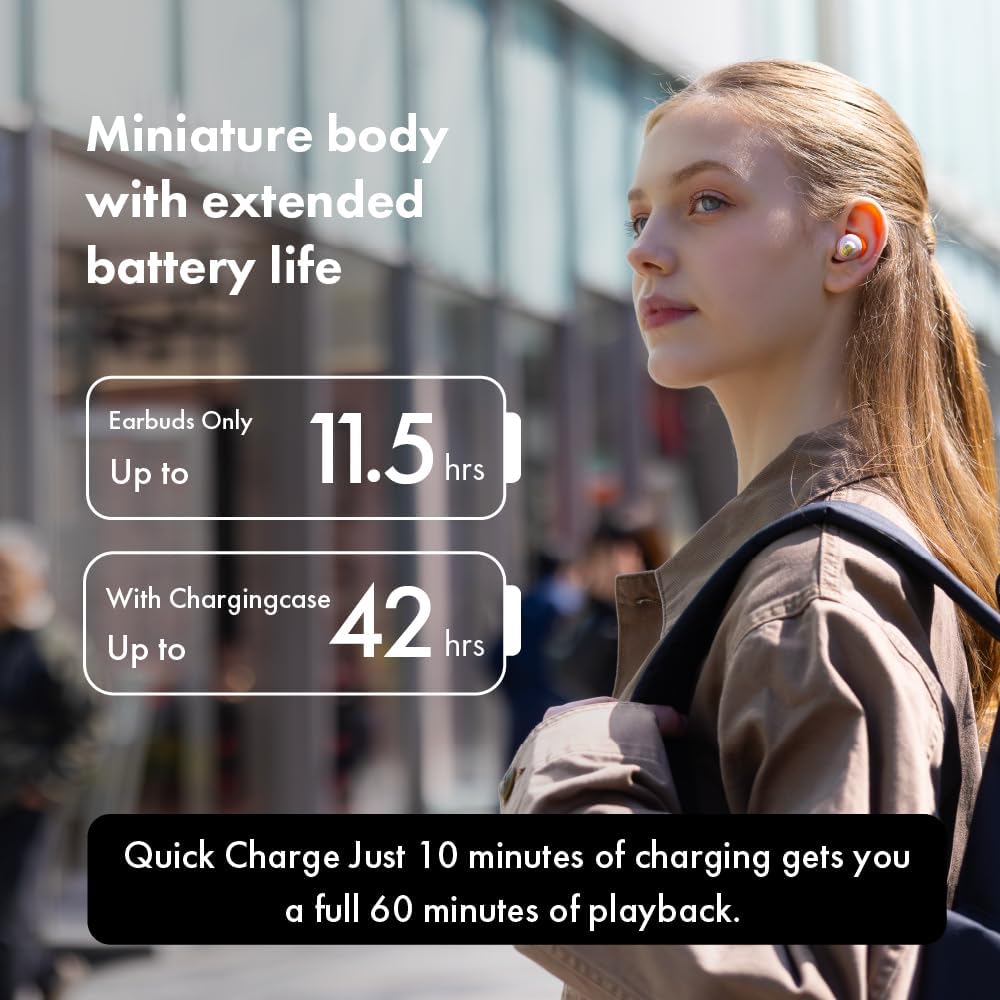
Image: A woman wearing the earbuds, illustrating the extended battery life of up to 11.5 hours for earbuds and 42 hours with the charging case.
3.2 Pairing with a Device
- Open the charging case. The earbuds will automatically enter pairing mode, indicated by flashing lights.
- On your device (smartphone, tablet, etc.), enable Bluetooth.
- Search for "AVIOT TE-Q3" in the list of available Bluetooth devices and select it to connect.
- Once connected, a voice prompt will confirm successful pairing.
3.3 Multipoint Connection
The AVIOT TE-Q3 supports multipoint connection, allowing you to connect to two devices simultaneously. To use this feature:
- Pair the earbuds with your first device as described above.
- Disconnect the earbuds from the first device's Bluetooth settings (do not unpair).
- Pair the earbuds with your second device.
- Reconnect the earbuds to the first device from its Bluetooth settings. The earbuds should now be connected to both devices, allowing for seamless audio switching.
3.4 Selecting Ear Tips
For optimal sound quality and comfort, choose the ear tips that best fit your ears. The TE-Q3 comes with medical-grade silicone ear tips in XS, S, M, and L sizes. Experiment with different sizes to find a secure and comfortable seal.

Image: A woman comfortably wearing the AVIOT TE-Q3 earbuds, emphasizing the low-sensitivity silicone ear tips designed for a comfortable, zero-pressure experience.
4. Operating Instructions
4.1 Touch Controls
The AVIOT TE-Q3 earbuds feature intuitive touch controls for managing playback, calls, and noise control modes. Refer to the detailed instructions in the included user manual for specific tap patterns for functions such as play/pause, skip track, answer/end call, and activating voice assistant.
4.2 Active Noise Cancelling (ANC) Mode
Activate Active Noise Cancelling mode to minimize ambient distractions and immerse yourself in your audio. This mode is ideal for noisy environments like commutes or offices.

Image: A woman wearing the earbuds, with an overlay of a CPU chip, illustrating the advanced processing for a newly upgraded, noise-free listening environment.
4.3 Transparency Mode
Transparency mode allows you to hear your surroundings while still enjoying your audio. This is useful for situations where you need to be aware of your environment, such as walking in a city or listening for announcements.

Image: A woman wearing the earbuds, with text indicating 'Transparency mode' and its function to intelligently capture and enhance environmental sounds for clarity.
4.4 Making and Receiving Calls
The built-in microphone allows for hands-free calling. Use the touch controls to answer, end, or reject calls.
5. Maintenance
5.1 Cleaning
Regularly clean your earbuds and charging case to maintain optimal performance and hygiene. Use a soft, dry, lint-free cloth. For ear tips, remove them from the earbuds and gently wipe with a damp cloth, then dry thoroughly before reattaching.
5.2 Storage
When not in use, store the earbuds in their charging case to protect them from dust, damage, and to keep them charged. Store the case in a cool, dry place away from direct sunlight and extreme temperatures.
5.3 Water Resistance
The earbuds have an IPX4 waterproof rating, meaning they are resistant to splashing water from any direction. They are not designed for submersion in water. Avoid exposing them to heavy rain or showering.

Image: A display of AVIOT TE-Q3 charging cases in different colors, highlighting their miniature body and precision-engineered details for an elegant experience.
6. Troubleshooting
6.1 No Sound or Intermittent Connection
- Ensure earbuds are charged.
- Check Bluetooth connection on your device. Try turning Bluetooth off and on again.
- Move closer to your device to ensure you are within the 10-meter Bluetooth range.
- Reset the earbuds (refer to the full user manual for specific reset instructions).
6.2 Earbuds Not Charging
- Ensure the charging cable is securely connected to both the case and the power source.
- Check if the charging contacts on the earbuds and inside the case are clean and free of debris.
- Try a different USB Type-C cable or power adapter.
6.3 Touch Controls Not Responding
- Ensure your fingers are clean and dry.
- Restart the earbuds by placing them in the case and closing it, then reopening.
7. Specifications
| Model Name | TE-Q3 |
| Brand | AVIOT |
| Connectivity Technology | Wireless (Bluetooth 5.3) |
| Bluetooth Version | 5.3 |
| Bluetooth Range | 10 Meters |
| Noise Control | Active Noise Cancellation |
| Audio Driver Type | Dynamic Driver (10mm) |
| Battery Life (Earbuds) | Up to 11.5 Hours (21 Hours from spec, but 11.5 from feature bullet is more specific to earbuds only) |
| Battery Life (with Case) | Up to 42 Hours |
| Fast Charging | 10 minutes charge for 60 minutes playback |
| Control Method | Touch |
| Microphone | Included |
| Multipoint Pairing | Yes |
| Water Resistance Level | IPX4 Waterproof |
| Ear Placement | In Ear |
| Material | Silicone (ear tips) |
| Item Weight (Earbud) | 4.2g (from image) |

Image: The lightweight design of the AVIOT TE-Q3 earbuds and case, with a single earbud weighing 4.2g, allowing for unrestricted listening.
8. Official Product Video Guide
Video: Official product video demonstrating the features and design of the AVIOT TE-Q3 Wireless Noise Cancelling Earbuds.
9. Warranty and Support
For warranty information and customer support, please refer to the warranty card included in your product packaging or visit the official AVIOT website. You may also contact the seller directly for assistance with product-related inquiries.