
1. Introduction
This manual provides essential instructions for the safe assembly, operation, and maintenance of your Agilestic 55 x 24 Inches Height Adjustable Electric Standing Desk. Please read this manual thoroughly before use and retain it for future reference.

Image 1.1: Agilestic 55 x 24 Inches Electric Standing Desk in a workspace setup.
2. Safety Information
- Ensure all components are securely fastened before use.
- Do not exceed the maximum weight capacity of 154 lbs (69.85 kg).
- Keep children and pets away from the desk during height adjustments.
- Avoid placing liquids directly on the control panel or near electrical components.
- The desk is equipped with anti-collision technology. Do not obstruct the desk's movement during adjustment.
- Disconnect power before cleaning or maintenance.
3. Setup and Assembly
The Agilestic standing desk package includes detailed graphical installation instructions. An installation video is also available on the product interface for visual guidance.
3.1 Unpacking and Component Check
Carefully unpack all components and verify against the parts list provided in your assembly guide. Report any missing or damaged parts immediately.
3.2 Assembly Steps
- Assemble the desk frame according to the provided instructions, ensuring all screws are tightened.
- Attach the desktop surface to the assembled frame.
- Install the control panel and connect all necessary cables. Utilize the cable management tray to organize wires.
- Attach the fabric drawers to the designated slots on the top shelf.
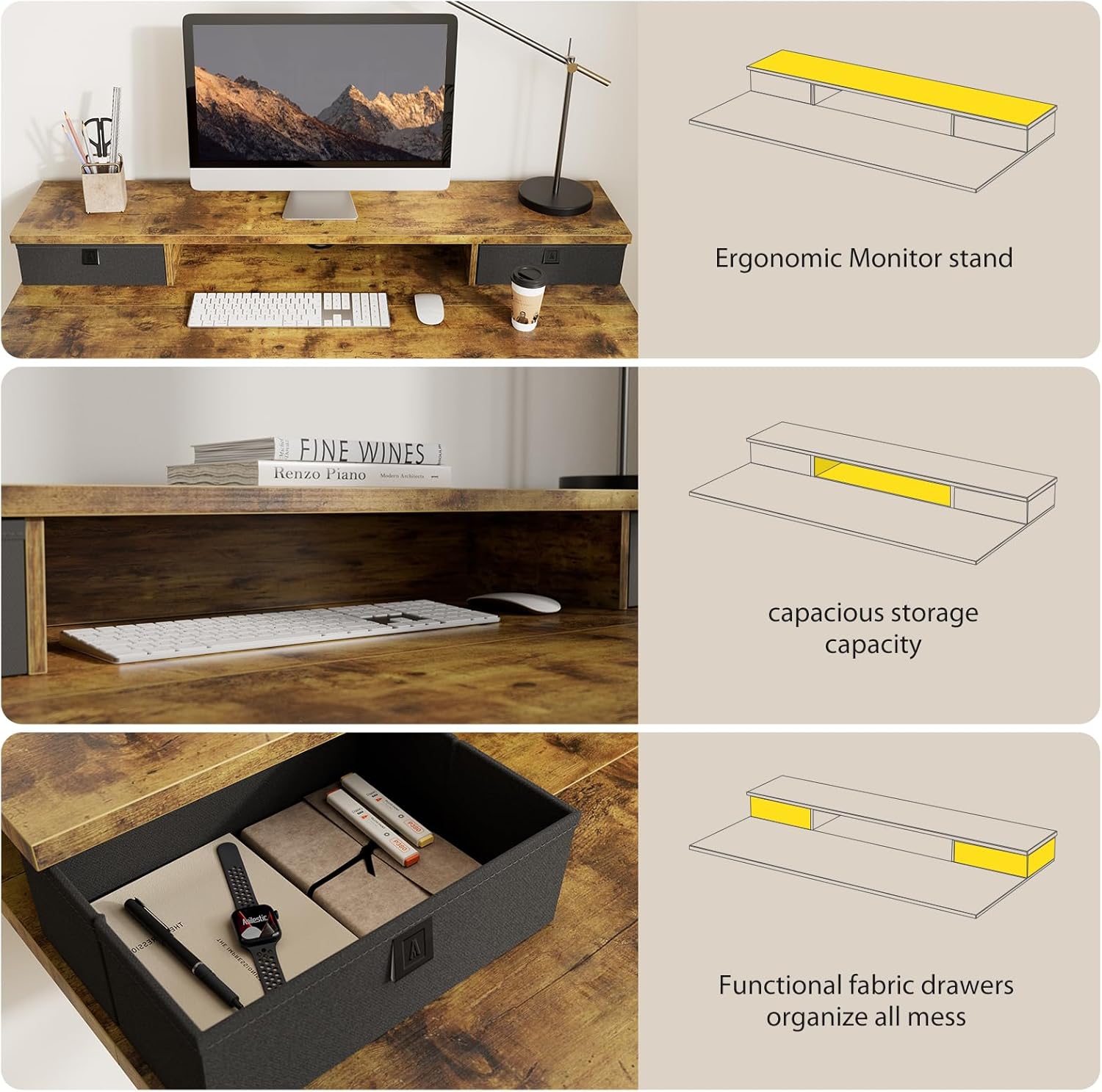
Image 3.1: Detail of the desk's integrated monitor stand and fabric drawers for storage.
4. Operating Instructions
Your Agilestic standing desk features an intelligent lifting system for smooth height adjustments.
4.1 Height Adjustment
- Up/Down Buttons: Press the Up or Down buttons on the control panel to adjust the desk height. The current height is displayed on the LED screen.
- The desk can be adjusted between 28.3 inches (minimum) and 45.7 inches (maximum).
- The motor operates with low noise, under 55 dB, during adjustment.
4.2 Memory Presets
The control panel includes memory keys to save and recall your preferred sitting and standing heights.
- Adjust the desk to your desired height using the Up/Down buttons.
- Press and hold one of the memory buttons (e.g., 1 or 2) until the display flashes or beeps, indicating the height has been saved.
- To recall a saved height, simply press the corresponding memory button. The desk will automatically move to the programmed position.
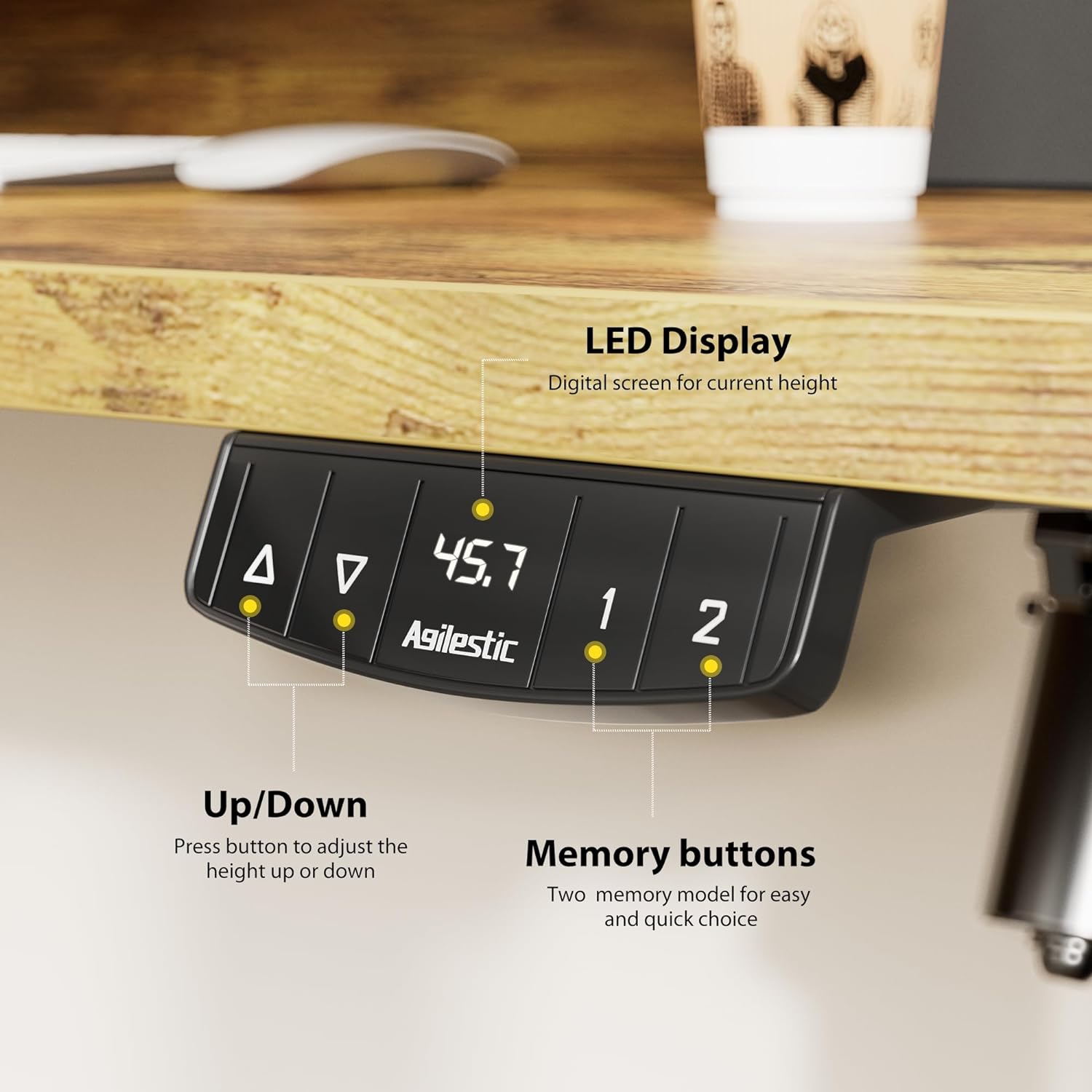
Image 4.1: The desk's control panel showing Up/Down buttons, LED display, and memory buttons.
4.3 Anti-Collision Technology
The desk is equipped with an auto-sensing anti-collision system. If the desk encounters an obstruction during height adjustment, it will stop and reverse slightly to prevent damage. Ensure the area around the desk is clear before and during operation.

Image 4.2: Visual representation of the anti-collision system in action.
5. Maintenance
- Regularly inspect all fasteners and tighten if necessary.
- Clean the desk surface with a soft, damp cloth. Avoid abrasive cleaners.
- Keep the motor and electrical components free from dust and moisture.
- Ensure the power cord is not pinched or damaged.
6. Troubleshooting
6.1 Desk Not Adjusting Height
- Check Power: Ensure the desk is properly plugged into a functional power outlet.
- Cable Connections: Verify all cables between the control panel and the motor are securely connected.
- Overload: Ensure the desk's weight capacity (154 lbs) is not exceeded. Remove items if necessary.
- Anti-Collision Trigger: Check for any obstructions under or around the desk that might have triggered the anti-collision system. Remove obstructions and try again.
6.2 Uneven Height Adjustment
- Recalibration: Refer to the full instruction manual for specific recalibration steps if the desk becomes uneven. This typically involves lowering the desk to its lowest point and holding the down button for a few seconds.
6.3 Unusual Noises
- Minor motor noise (under 55 dB) is normal. If loud or grinding noises occur, discontinue use and contact support.
7. Specifications
| Feature | Specification |
|---|---|
| Brand | Agilestic |
| Model | 55 x 24 Inches Height Adjustable Electric Standing Desk |
| Product Dimensions (D x W x H) | 55"D x 24"W x 30"H (at lowest point) |
| Color | Rustic Brown |
| Minimum Height | 28.3 Inches |
| Maximum Height | 45.7 Inches |
| Maximum Weight Recommendation | 154 lbs |
| Number of Drawers | 2 |
| Base Material | Metal |
| Top Material Type | Wood (FSC Certified) |
| Special Features | Intelligent Lifting System, Anti-Collision Technology, Cable Management Tray, Memory Presets |
| Required Assembly | Yes |

Image 7.1: Desk dimensions and height adjustment range.
8. Warranty and Support
The Agilestic 55 x 24 Inches Height Adjustable Electric Standing Desk comes with a Limited Warranty. For specific warranty terms and conditions, please refer to the documentation included with your product or contact Agilestic customer service.
If you require technical assistance or have questions regarding your product, please contact the Agilestic technical support team. They are committed to replying within 24 hours.
For further information, you may visit the official Agilestic store: Agilestic Store on Amazon.