
1. Introduction
This manual provides instructions for the ZORSOME Protective Tablet Case designed for the TCL NXTPAPER 11 (models 9166G, 9466X, 2023 edition). This case is engineered to offer robust protection and enhanced usability for your tablet.
Key features include:
- Durable EVA Material: Constructed from eco-friendly, non-toxic EVA foam, providing shock absorption and a lightweight design suitable for children.
- Comprehensive Protection: Offers extra shock-absorbing, skid-proof, and anti-scratch protection. Flexible rubber covers the back, frame, and extends over the screen to prevent damage.
- Integrated Handle: A non-slip handle grip is designed for easy carrying by small hands, also suitable for adults.
- Foldable Kickstand: Features two integrated kickstands on the back for hands-free horizontal viewing or typing positions.
- Precise Fit: Ensures easy access to all ports, buttons, and cameras without needing to remove the case.
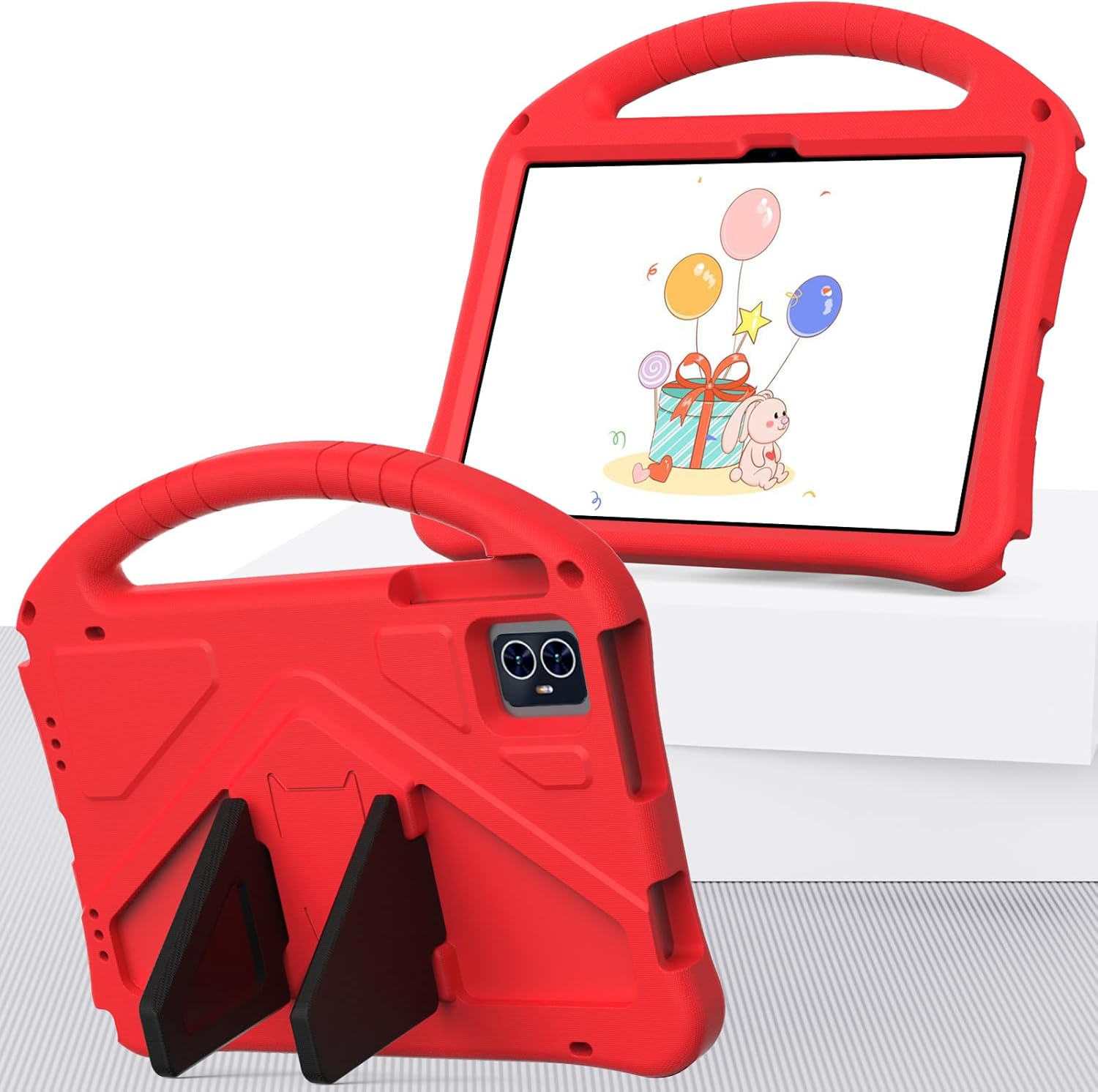
Image 1.1: Front and back view of the ZORSOME Tablet Case with a tablet inserted, showcasing its design and handle.
2. Setup and Installation
Follow these steps to properly install your TCL NXTPAPER 11 tablet into the ZORSOME Protective Case:
- Prepare the Tablet: Ensure your TCL NXTPAPER 11 tablet is clean and free of debris.
- Insert the Tablet: Gently align your tablet with the case. Start by inserting one of the longer edges of the tablet into the corresponding side of the case.
- Secure the Tablet: Carefully press the remaining edges of the tablet into the case until it is fully seated. The flexible EVA material will conform around the tablet, providing a snug fit.
- Verify Fit: Check that all ports, buttons, and camera cutouts align correctly with your tablet's features. The case is designed to allow full access without obstruction.

Image 2.1: Detailed view of the ZORSOME Tablet Case, illustrating the front and back design for proper tablet insertion.
3. Operating Instructions
The ZORSOME Tablet Case enhances the usability of your TCL NXTPAPER 11 with its integrated handle and kickstand features.
3.1 Using the Handle
The ergonomic handle is located at the top of the case. Simply grasp the handle to securely carry your tablet. Its non-slip design ensures a firm grip for both children and adults.
3.2 Utilizing the Kickstand
The case features two foldable kickstands on the back. To deploy the kickstand:
- Locate the two triangular kickstand elements on the back of the case.
- Gently pull out each kickstand until it locks into an upright position.
- Place the tablet on a flat surface to enjoy hands-free viewing in landscape orientation.
- To retract, push the kickstands back into their recessed positions until they are flush with the case.

Image 3.1: The ZORSOME Tablet Case with its kickstand extended, demonstrating a stable viewing angle.

Image 3.2: A user demonstrating the tablet case's kickstand functionality on a desk.
4. Maintenance
To ensure the longevity and cleanliness of your ZORSOME Tablet Case, follow these maintenance guidelines:
- Cleaning: Wipe the case with a soft, damp cloth. For stubborn dirt, a mild soap solution can be used. Avoid harsh chemicals or abrasive cleaners, as these may damage the EVA material.
- Drying: Allow the case to air dry completely before reinserting the tablet. Do not expose to direct sunlight or high heat for prolonged periods.
- Storage: When not in use, store the case in a cool, dry place away from direct sunlight.
5. Troubleshooting
If you encounter any issues with your ZORSOME Tablet Case, consider the following:
- Tablet Not Fitting Properly: Ensure that the case is specifically designed for the TCL NXTPAPER 11 (models 9166G, 9466X, 2023 edition). Verify that the tablet is inserted correctly and fully seated within the case.
- Access to Ports/Buttons Obstructed: Double-check that the tablet is aligned properly within the case. If the tablet is not fully seated, it may cause misalignment.
- Kickstand Instability: Ensure the kickstands are fully extended and locked into position on a flat, stable surface.
6. Specifications
| Feature | Description |
|---|---|
| Brand | ZORSOME |
| Compatible Devices | TCL NXTPAPER 11 (Models 9166G, 9466X, 2023) |
| Material | Eco-friendly, Non-toxic EVA Foam |
| Form Factor | Bumper Case |
| Shell Type | Full Protective |
| Special Features | Integrated Handle, Foldable Kickstand, Shockproof, Anti-scratch |
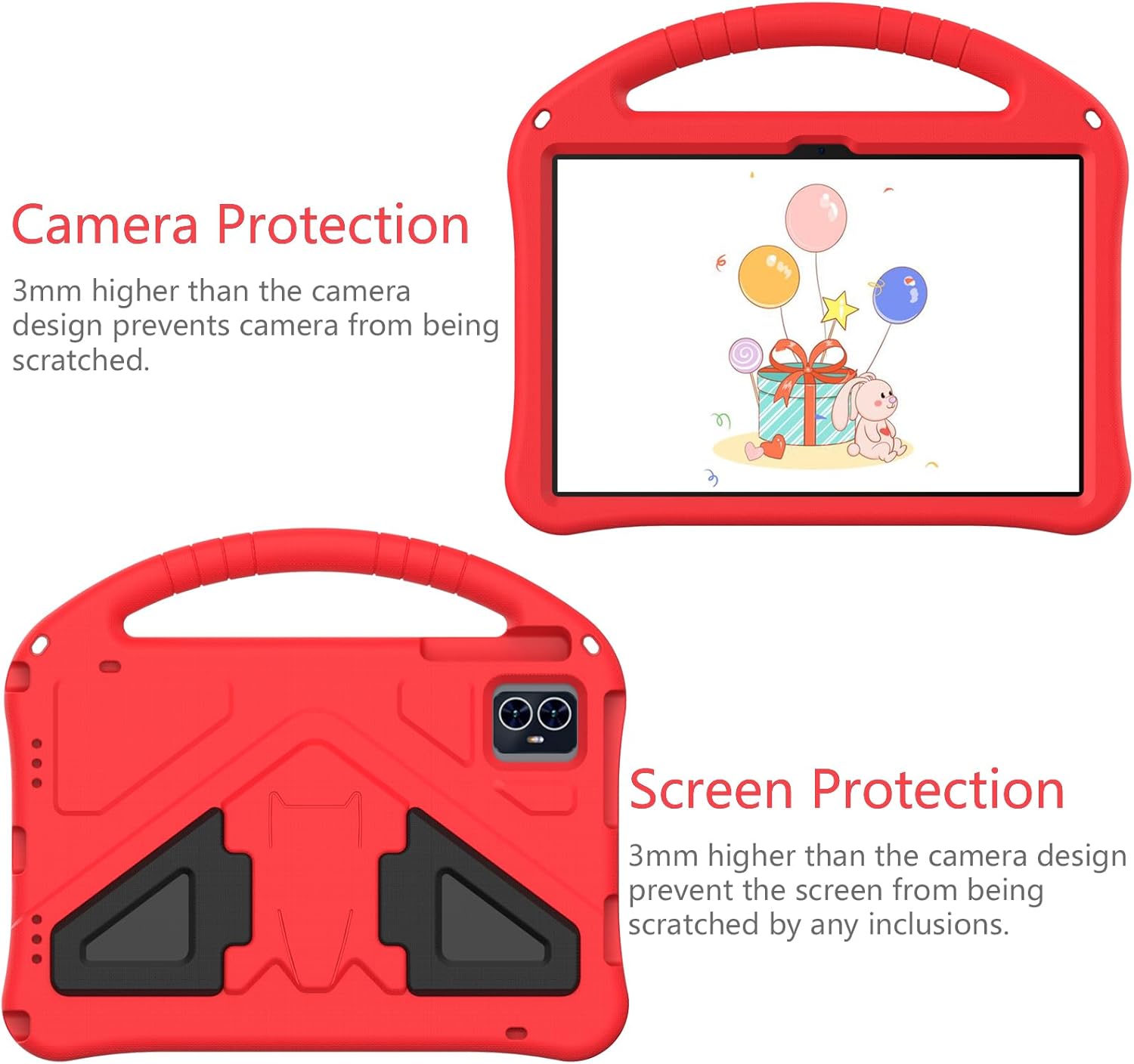
Image 6.1: Detail showing the raised edges around the camera and screen for enhanced protection.

Image 6.2: Visual representation of the case's effective shock absorption capabilities.
7. Warranty and Support
For information regarding warranty coverage, returns, or technical support, please refer to the product's original packaging or contact the seller directly through your purchase platform. Specific warranty terms are provided by the manufacturer or authorized reseller at the time of purchase.


