
1. Introduction
Thank you for choosing the SPARNOD FITNESS STH-3090 Treadmill. This 2-in-1 foldable treadmill is designed for both walking and running, offering a convenient and effective way to exercise at home or under your desk. This manual provides essential information for safe operation, setup, maintenance, and troubleshooting to ensure you get the most out of your fitness equipment.

Image: The SPARNOD FITNESS STH-3090 Treadmill in an unfolded state, being used by a person for running in a home setting.
2. Safety Information
Please read all safety instructions carefully before using the treadmill. Failure to follow these instructions may result in injury or damage to the product.
- Maximum User Weight: Do not exceed the maximum user weight of 110 kg (approximately 242 lbs).
- Safety Key: Always attach the safety key to your clothing before starting your workout. In case of an emergency, pulling the safety key will immediately stop the treadmill.
- Stable Surface: Place the treadmill on a flat, stable surface. Ensure there is adequate clear space around the treadmill for safe operation.
- Children and Pets: Keep children and pets away from the treadmill during operation.
- Power Source: Connect the treadmill to a grounded power outlet. Do not use extension cords or adapters.
- Maintenance: Perform regular maintenance as described in this manual to ensure safe and optimal performance.
- Medical Advice: Consult a physician before starting any new exercise program, especially if you have pre-existing health conditions.
3. Product Overview
The STH-3090 treadmill offers a versatile fitness solution with its innovative design and features:
- 180-Degree Foldable Design: Features a unique 180-degree folding mechanism for compact storage, allowing it to be stored under a bed or sofa.
- 2-in-1 Functionality: Seamlessly switch between walking pad mode (with handrails folded) and treadmill mode (with handrails raised) for varied workouts.
- Powerful Motor: Equipped with a quiet 2.25 HP DC motor (5.5 HP peak power) for smooth and consistent performance.
- LED Display: A clear LED display shows real-time workout data including time, speed, distance, and calories burned.
- KS Fit App Integration: Connects to the KS Fit App for tracking progress, controlling settings, and syncing fitness data with compatible devices like Apple Watch.
- Wide Running Platform: Features a 44 cm (17.3 inch) wide running belt with anti-slip and shock-absorbing layers for comfort and safety.
- Noise Cancellation: Operates at a low noise level (55 dB) for a quiet exercise environment.
- Integrated Handle: Allows for easy start/stop and speed adjustments.

Image: An overview of the STH-3090 treadmill highlighting its 180-degree dual foldable design, 110kg weight capacity, 1-12km/h speed range, and no installation required feature.
4. Setup
The SPARNOD FITNESS STH-3090 Treadmill comes 100% pre-assembled, requiring no complex installation. Simply unpack, unfold, and connect to power.
4.1 Unfolding the Treadmill
- Carefully remove the treadmill from its packaging.
- Place the treadmill on a flat, stable surface.
- Lift the handrails to their upright position until they lock securely into place.
- If using in walking pad mode, ensure the handrails are folded down.

Image: A man demonstrating the folding mechanism of the SPARNOD FITNESS STH-3090 Treadmill, showing its compact storage capability.
4.2 Power Connection
- Ensure the treadmill is switched off before plugging it in.
- Connect the power cord to the treadmill's power input.
- Plug the power cord into a standard, grounded electrical outlet.
5. Operating Instructions
5.1 Basic Operation
- Power On: Press the power button on the treadmill. The LED display will illuminate.
- Attach Safety Key: Secure the safety key clip to your clothing. Insert the magnetic end of the safety key into its designated slot on the console. The treadmill will not operate without the safety key in place.
- Start Workout: Press the 'Start' button or rotate the adjustable speed knob to begin. The treadmill will typically start at a low speed.
- Adjust Speed: Use the adjustable speed knob or the controls on the KS Fit App to increase or decrease the speed. The speed range is 1-6 km/h in walking pad mode (handrails folded) and 1-12 km/h in treadmill mode (handrails raised).
- Stop Workout: Press the 'Stop' button or pull the safety key to stop the treadmill.
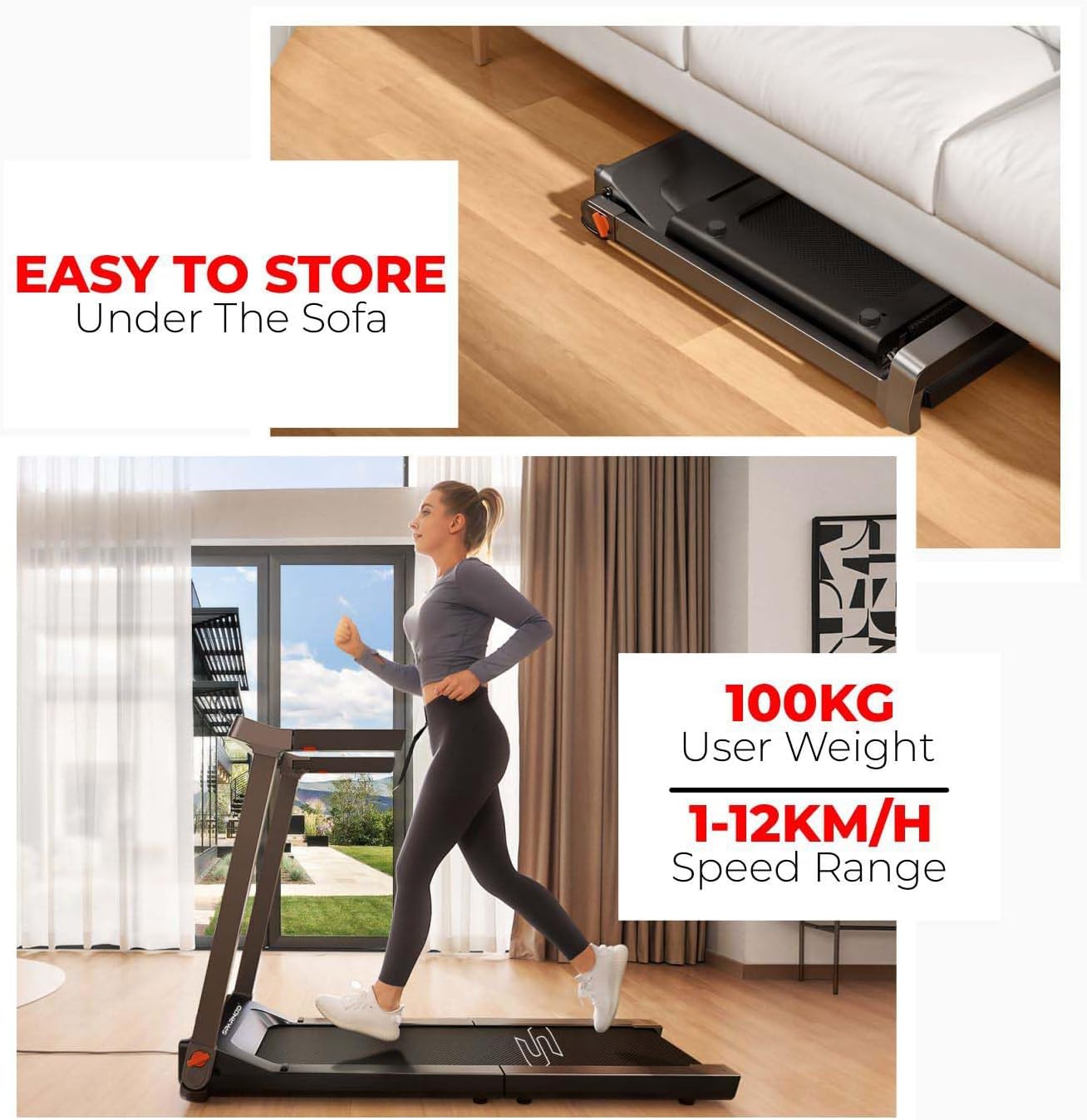
Image: A close-up of the STH-3090 treadmill's LED digital display, showing time, speed, distance, and calories, along with the safety key slot.
5.2 Using the KS Fit App
The KS Fit App enhances your workout experience by allowing you to control the treadmill and track your progress.
- Download App: Download the 'KS Fit' app from the Google Play Store or Apple App Store.
- Connect: Open the app and follow the on-screen instructions to connect your smartphone to the STH-3090 treadmill via Bluetooth.
- Control & Track: Use the app to start/stop the treadmill, adjust speed, monitor real-time running status, and track your fitness data (time, distance, calories). The app also allows syncing data with Apple Watch for a more integrated fitness experience.

Image: Screenshots of the KS Fit App interface on a smartphone, showing workout tracking, ranking, and control options for the treadmill.
6. Maintenance
Regular maintenance ensures the longevity and optimal performance of your treadmill.
- Cleaning: Wipe down the treadmill with a damp cloth after each use to remove sweat and dust. Do not use abrasive cleaners.
- Belt Lubrication: Periodically check the running belt for proper lubrication. Refer to the specific lubrication instructions provided with your treadmill or contact customer support for guidance.
- Belt Tension and Alignment: Ensure the running belt is properly tensioned and centered. If the belt slips or moves to one side, adjust it according to the instructions in the full user manual or contact support.
- Storage: When not in use, fold the treadmill for compact storage. Store it in a dry, cool place away from direct sunlight.
7. Troubleshooting
If you encounter issues with your treadmill, refer to the following common problems and solutions:
| Problem | Possible Cause | Solution |
|---|---|---|
| Treadmill does not start | Power cord not plugged in; Safety key not inserted; Power switch off. | Check power connection; Insert safety key; Turn on power switch. |
| E14 Error Code | Motor or control board issue; Overload. | Turn off and unplug the treadmill for 5 minutes, then restart. If the error persists, contact customer support. |
| Screeching noise during operation | Lack of lubrication; Loose belt; Foreign object. | Lubricate the running belt; Check belt tension; Inspect for foreign objects. If noise continues, contact support. |
| Running belt slips or is off-center | Incorrect belt tension or alignment. | Adjust belt tension and alignment as per the detailed instructions in the full user manual. |
For issues not listed here or if solutions do not resolve the problem, please contact SPARNOD FITNESS customer support.
8. Specifications
| Feature | Detail |
|---|---|
| Brand | SPARNOD FITNESS |
| Model Number | STH-3090 |
| Color | Black |
| Product Dimensions (D x W x H) | 143 cm x 73.9 cm x 105.3 cm |
| Folded Size (L x W x H) | 51.18 inches x 63.78 inches x 131.18 inches |
| Item Weight | 33 kg |
| Material | Aluminum |
| Frame Material | Solid Alloy |
| Motor Power (Peak) | 5.5 HP |
| Speed Range | 1 - 12 km/h |
| Minimum Speed | 1 km/h |
| Maximum Speed | 12 km/h |
| Running Surface Length | 44 inches (approx. 111.76 cm) |
| Display Type | LED |
| Meter Type | Time, Calories Burned, Distance, Speed |
| Power Source | Corded Electric |
| Connectivity Technology | Power Cord |
| Assembly Required | No |
| Recommended Uses | Running, Jogging, Walking, Endurance Training, Rehabilitation, HIIT, Cardio, Fitness Exercise |
| Included Components | 1 × Treadmill, User Manual |
9. Warranty
The SPARNOD FITNESS STH-3090 Treadmill comes with a 1-year brand warranty against parts failure and manufacturing defects. Please retain your proof of purchase for warranty claims. For detailed warranty terms and conditions, refer to the warranty card included with your product or contact customer support.
10. Support
For any assistance, questions, or troubleshooting not covered in this manual, please contact SPARNOD FITNESS customer support:

Image: SPARNOD FITNESS Customer Care contact details for UAE, KSA, and India, including phone numbers and email addresses.
- KSA (Kingdom of Saudi Arabia):
+966 57 055 0288
support@sparnodfitness.sa - UAE (United Arab Emirates):
+971 50 564 9102
customercare@sparnodfitness.ae - India:
+91 70459 36850
customercare@sparnodfitness.in
Support Hours: Monday - Saturday, 9 AM to 6 PM (Local Time)