
TIEJUS MA3
TIEJUS 5G/2.4G WiFi Security Camera Outdoor User Manual
Model: MA3 | Brand: TIEJUS
1. Introduction
This manual provides comprehensive instructions for the installation, operation, and maintenance of your TIEJUS 5G/2.4G WiFi Security Camera. Please read this manual thoroughly before using the product to ensure proper functionality and safety.
The TIEJUS outdoor security camera is designed to provide reliable surveillance with advanced features such as 2K HD live video, color night vision, 24/7 recording, and dual-band Wi-Fi connectivity. Its 360° pan-tilt-zoom (PTZ) capability and human auto-tracking ensure comprehensive coverage and intelligent monitoring for your home or property.

Image: Two TIEJUS 5G/2.4G WiFi Security Cameras, showcasing the product design.
2. What's in the Box
Verify that all components are present in the package:
- Camera unit(s)
- Mounting bracket(s)
- USB charging cable (10ft)
- Mounting screws and anchors
- User Manual

Image: A layout of the camera, mounting hardware, and manual included in the package.
3. Setup Guide
3.1 Physical Installation
The TIEJUS camera is designed for both indoor and outdoor use, with an IP66 waterproof rating. It can be wall-mounted or ceiling-mounted.
- Choose a suitable location for installation, ensuring a clear field of view and proximity to a power outlet.
- Attach the mounting bracket to the desired surface using the provided screws and anchors.
- Securely attach the camera to the mounting bracket.
- Connect the camera to a power source using the USB charging cable. The camera requires continuous wired power for 24/7 operation.

Image: Illustration showing two installation methods for the camera: wall-mounted and ceiling-mounted.

Image: Detailed diagram labeling camera components such as lens, microphone, speaker, Wi-Fi antenna, USB-A port, and TF card slot, along with overall dimensions.
3.2 App Installation and Wi-Fi Connection
To operate the camera, you need to download the dedicated mobile application.
- Download the 'O-KAM Pro' app from the App Store (iOS) or Google Play Store (Android).
- Register for a new account or log in if you already have one.
- Follow the in-app instructions to add your new camera. This typically involves scanning a QR code displayed by the app with the camera's lens.
- Connect the camera to your Wi-Fi network. The camera supports both 2.4GHz and 5GHz dual-band Wi-Fi for flexible and stable connectivity.

Image: Step-by-step visual guide for connecting the camera to the mobile application, including scanning a QR code.
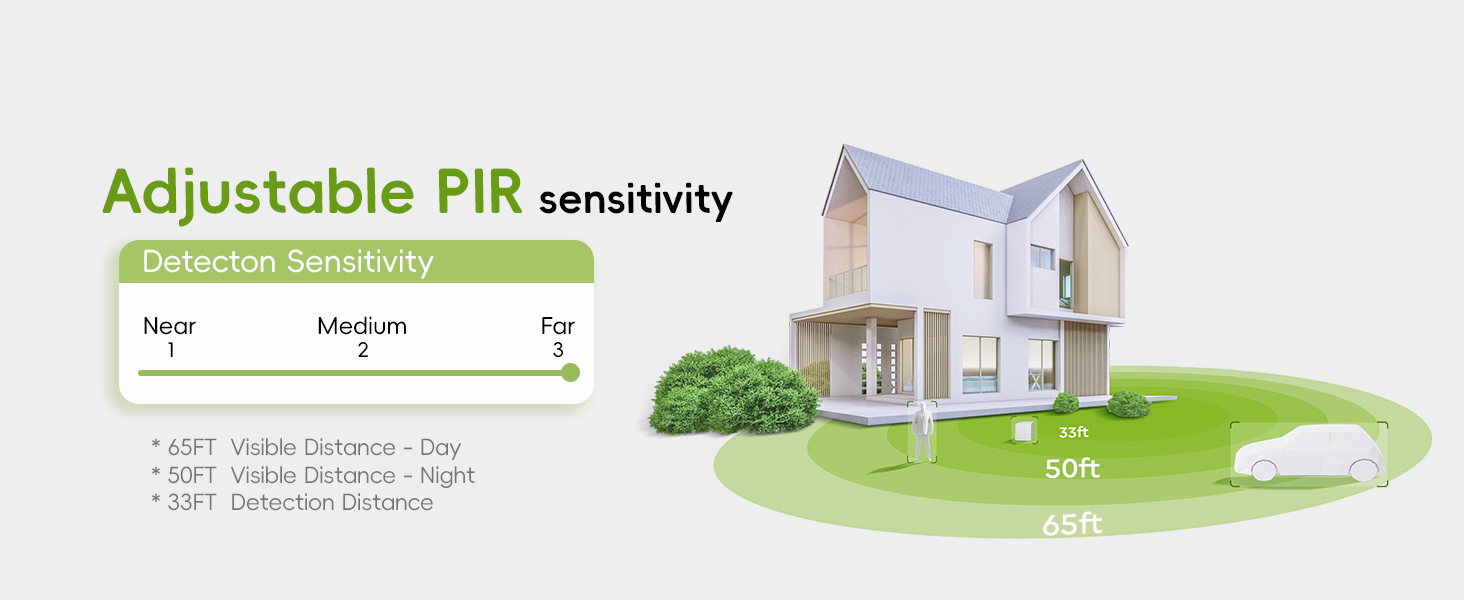
Image: Illustration demonstrating the camera's compatibility with both 2.4GHz and 5GHz Wi-Fi networks for improved connection speed and stability.
4. Operating Instructions
4.1 24/7 Recording and Storage
The TIEJUS camera supports continuous 24/7 recording when connected to a power source. You have two primary storage options:
- Micro SD Card: Insert a 16-256GB micro SD card (not included) into the camera's TF card slot for local continuous recording.
- Cloud Storage: Utilize the optional cloud storage service for event-based recording and secure off-site storage.

Image: Banner indicating 24/7 all-day recording capability with wired power, ensuring no important moments are missed.

Image: Visual representation of the two storage options: local storage via 16-128GB memory card (not included) and cloud storage.
4.2 Pan-Tilt-Zoom (PTZ) Control
Control the camera's viewing angle remotely through the app:
- Horizontal Rotation: 355° pan for wide area coverage.
- Vertical Tilt: 90° tilt to adjust the vertical viewing angle.
- Digital Zoom: Utilize the digital zoom feature to get closer details.

Image: Illustrates the camera's 355-degree horizontal pan and 90-degree vertical tilt capabilities, providing a wide field of view.
4.3 Motion Detection and Auto Tracking
The camera features advanced PIR motion detection and human auto-tracking:
- PIR Motion Detection: Detects movement and triggers recording and alerts. Sensitivity is adjustable.
- Human Detection Only: Filters out non-human movements to reduce false alarms.
- Auto Tracking: When a human is detected, the camera automatically tracks their movement within its 355° pan and 90° tilt range.
- Instant Alerts: Receive push notifications via the app and email when suspicious activity is detected.

Image: Depicts the human auto-tracking feature, where the camera identifies and follows human movements across its field of view.

Image: Shows how the camera sends instant alerts to the app and email upon detecting suspicious activity, with options for light, siren, and sound alarms.
4.4 Night Vision
The camera provides clear visuals even in low-light conditions:
- 2K HD Resolution: Ensures high-quality images day and night.
- Color Night Vision: Advanced technology provides full-color video in low light, with a night vision range of up to 33 ft.

Image: Comparison showing the difference between infrared night vision and full-color night vision provided by the 2K HD smart night vision feature.
4.5 Two-Way Audio
Communicate directly with individuals on camera using the built-in microphone and speaker. This feature allows for real-time conversations, even when you are not physically present.

Image: Illustrates the two-way audio function, enabling direct conversation between the camera user and a person in front of the camera.
4.6 Multi-User Sharing
Share access to your camera's live feed with family and friends. The system supports sharing with multiple users, allowing up to 4 users to view the live feed simultaneously.

Image: Graphic representing the multi-user sharing capability, allowing multiple individuals to view the camera feed.
5. Maintenance
To ensure optimal performance and longevity of your TIEJUS security camera, follow these maintenance guidelines:
- Cleaning: Gently wipe the camera lens and body with a soft, damp cloth. Avoid using harsh chemicals or abrasive materials.
- Weather Resistance: The camera has an IP66 waterproof rating, designed to withstand various weather conditions from -10°C to 55°C (14°F to 131°F). Ensure all connections are secure to maintain water resistance.
- Firmware Updates: Regularly check the app for available firmware updates to ensure your camera has the latest features and security enhancements.
- Power Supply: Ensure a stable power supply to the camera for continuous operation.
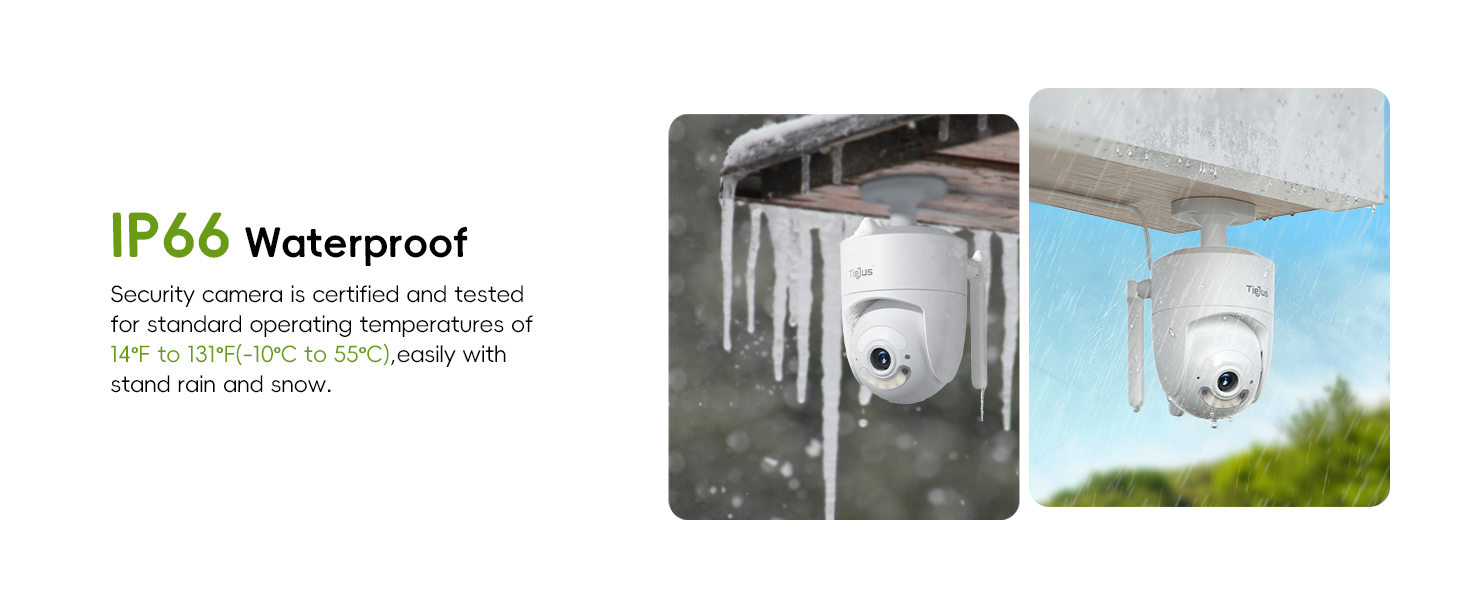
Image: Illustrates the camera's IP66 waterproof certification, showing its ability to perform effectively in rain, snow, and sunny conditions within a specified temperature range.
6. Troubleshooting
If you encounter issues with your TIEJUS security camera, refer to the following common problems and solutions:
| Problem | Possible Solution |
|---|---|
| Camera offline/Cannot connect to Wi-Fi | Ensure the camera is powered on. Check Wi-Fi signal strength at the camera's location. Verify Wi-Fi password. Try restarting your router and the camera. Ensure you are connecting to the correct 2.4GHz or 5GHz network. |
| No recording/SD card error | Ensure the micro SD card is inserted correctly and is within the supported capacity (16-256GB). Format the SD card through the app. If the issue persists, try a different SD card. |
| Frequent false alarms | Adjust the PIR motion detection sensitivity in the app. Enable 'Human Detection Only' if available. Set up custom non-detection areas to mask off irrelevant zones. |
| Poor night vision quality | Ensure the camera lens is clean. Check for any obstructions blocking the infrared or white lights. Verify that the night vision mode is set correctly in the app. |
| Two-way audio not working | Check microphone and speaker permissions for the app on your phone. Ensure volume levels are adequate. Test the feature in a quiet environment. |
7. Specifications
| Feature | Detail |
|---|---|
| Model Name | MA3 |
| Indoor/Outdoor Usage | Outdoor, Indoor |
| Power Source | Corded Electric |
| Connectivity Protocol | Wi-Fi (2.4GHz/5GHz Dual-Band) |
| Video Capture Resolution | 2K (3 MP Maximum Webcam Image Resolution) |
| Viewing Angle | 355 Degrees (Horizontal) |
| Night Vision Range | 33 Feet |
| Operating Temperature | -10°C to 55°C (14°F to 131°F) |
| Water Resistance Level | IP66 Waterproof |
| Storage Support | 16-256GB Micro SD Card (Not included), Cloud Storage |
| Special Features | HD Resolution, 2-Way Audio, Night Vision, PTZ Technology, Motion Sensor (PIR, Human Auto Tracking) |
| Compatible Devices | Amazon Alexa, Mobile Devices (iOS/Android) |
8. Warranty and Support
For product support, warranty information, or any inquiries, please contact TIEJUS customer service:
- Online Chat: 8AM-11PM EST
- Phone: +1 2692189888 (8AM-11PM EST)
- Email: Tech@tiejus.com
TIEJUS is committed to providing reliable security solutions. Each product includes a unique code for Transparency verification to proactively prevent counterfeits. Scan the Amazon Transparency code with the Transparency app to verify authenticity.

Image: Contact details for TIEJUS Customer Service, including online chat, phone number, and email address.

Image: Illustration of the Amazon Transparency program, showing a smartphone scanning a QR code to verify product authenticity.
Ask a question about this manual
Ask about setup, troubleshooting, compatibility, parts, safety, or missing instructions. Manuals+ will review the question and use this page’s manual context to help answer it.