
WEGROWER WP-01
Wireless Page Turner Pedal User Manual
Model: WP-01 | Brand: WEGROWER
Introduction
Thank you for choosing the WEGROWER Wireless Page Turner Pedal. This device is designed to provide a hands-free solution for musicians, readers, and presenters, allowing seamless page turning or content scrolling on various digital devices. Its silent operation and versatile compatibility make it an essential tool for enhancing your performance and reading experience.
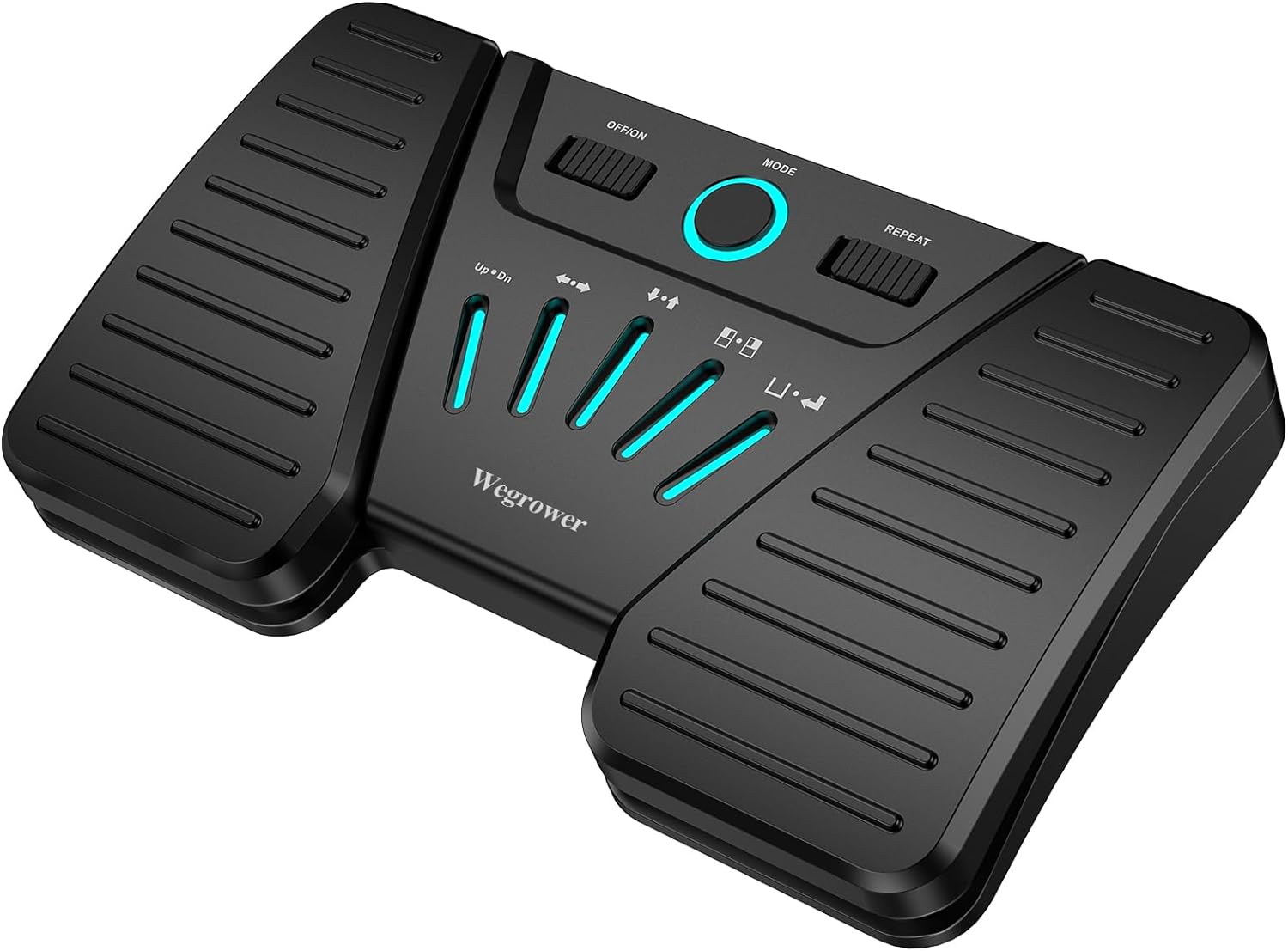
Image: The WEGROWER Wireless Page Turner Pedal, a black, compact device with two large foot pedals and a central control panel featuring illuminated mode indicators.
What's in the Box
- 1 x Wireless Page Turner Pedal
- 1 x USB Charging Cable
- 1 x Owner's Manual
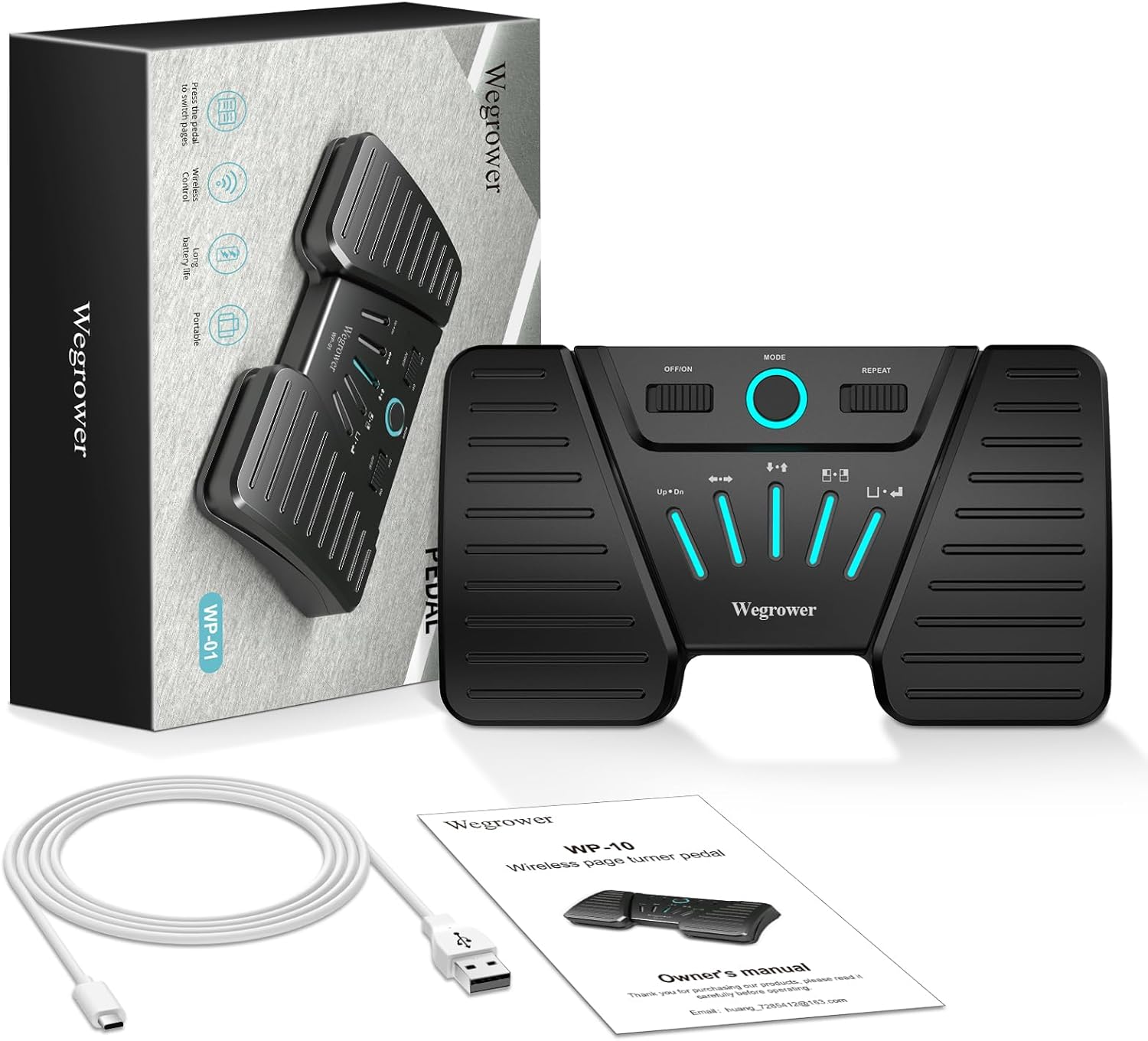
Image: The package contents laid out, including the black page turner pedal, a white USB charging cable, and the owner's manual, alongside the product box.
Product Features
- Wireless Bluetooth Connectivity: Connects seamlessly to your reading devices via Bluetooth, offering hands-free control.
- Versatile Compatibility: Supports various platforms and systems including iOS, Android, and Windows, and is compatible with apps like For Score, PDF, Nextpage, Music Reader4, Do Gigbook, Teleprompter+3, Paperless Music, Piascore, and Musicstand.
- Silent and Sensitive Touch: Designed for completely silent operation, ensuring no disruptive noise during performances or practice.
- Five Page Turning Modes: Offers multiple control options including Page Up/Down, Left/Right Arrow, Up/Down Arrow, Left/Right Mouse Click, and Space/Enter.
- Long Battery Life: Rechargeable battery provides up to 60 hours of continuous working time on a single charge.
- Anti-Slip Design: Equipped with anti-slip rubber pads for stable placement during use.
Setup Guide
1. Charging the Device
Before first use, ensure the pedal is fully charged. Connect the provided USB charging cable to the pedal's charging port and to a standard USB power source (e.g., computer USB port, USB wall adapter). The charging indicator light will show the charging status.

Image: A close-up view of the page turner pedal showing the USB charging port on the side and the anti-skid rubber pads on the bottom, highlighting its long battery life.
2. Bluetooth Connection
- Turn on the pedal by sliding the "OFF/ON" switch to "ON".
- Activate Bluetooth on your device (iPad, tablet, phone, computer).
- Search for available Bluetooth devices. The pedal should appear as "WEGROWER WP-01" or similar.
- Select the pedal to pair. Once paired, the Bluetooth indicator light on the pedal will become solid.
- To disconnect Bluetooth, press and hold the "MODE" button for 3 seconds.

Image: A person playing a guitar while using the WEGROWER page turner pedal with an iPad, demonstrating hands-free operation via Bluetooth.
Operating Modes
The WEGROWER pedal offers five distinct operating modes, each providing different functionalities for page turning or content control. You can switch between modes using the "MODE" button on the central panel. The illuminated indicators will show the active mode.
| Mode Indicator | Pedal Left Function | Pedal Right Function |
|---|---|---|
| Up • Dn | Page Up | Page Down |
| ← → | Left Arrow | Right Arrow |
| ↑ • ↓ | Up Arrow | Down Arrow |
| □ • ■ | Left-Click | Right-Click |
| □ • ↵ | Space | Enter |
Additionally, you can turn on the "repeat switch" to enable continuous scrolling through lyrics, sheet music, or for controlling multimedia platforms.

Image: A detailed diagram illustrating the five different operating modes of the pedal, with corresponding functions for the left and right pedals.
Compatibility
The WEGROWER Wireless Page Turner Pedal is designed for broad compatibility across various operating systems and applications, ensuring a seamless experience for most users.
- Operating Systems: iOS, Android, Windows
- Compatible Applications: For Score, PDF, Nextpage, Music Reader4, Do Gigbook, Teleprompter+3, Paperless Music, Piascore, Musicstand, and many other applications that support keyboard commands for page navigation.

Image: A visual representation of the pedal's versatile compatibility, showing icons for various music and document reading applications, along with logos for Android, Apple iOS, and Windows operating systems.
Maintenance
- Keep the device clean by wiping it with a soft, dry cloth. Avoid using abrasive cleaners or solvents.
- Store the pedal in a cool, dry place away from direct sunlight and extreme temperatures.
- Avoid dropping the device or subjecting it to strong impacts.
- Do not attempt to disassemble or repair the pedal yourself, as this will void the warranty.
Troubleshooting
Pedal Not Connecting via Bluetooth:
- Ensure the pedal is powered on and fully charged.
- Make sure Bluetooth is enabled on your device and the pedal is within range (typically up to 10 meters).
- Try turning the pedal off and on again.
- On your device, forget the pedal from your Bluetooth settings and attempt to pair again.
- Ensure no other devices are actively connected to the pedal.
Page Turning Not Working Correctly:
- Verify that the pedal is in the correct operating mode for your application (e.g., "Page Up/Down" mode for sheet music apps).
- Check if the application you are using supports external keyboard commands for page turning. Some apps may require specific settings to be enabled.
- Ensure the "repeat switch" is set correctly based on your desired functionality (on for continuous scroll, off for single press).
- Restart both the pedal and your connected device.
Short Battery Life:
- Ensure the pedal is fully charged before use.
- Avoid operating the pedal in extremely cold temperatures, which can reduce battery performance.
- If the issue persists, contact customer support.
Specifications
| Feature | Detail |
|---|---|
| Model Number | WP-01 |
| Connectivity | Bluetooth |
| Battery Type | Lithium Ion (included) |
| Working Time | Up to 60 hours |
| Item Weight | 11.7 ounces |
| Package Dimensions | 7.36 x 4.57 x 1.34 inches |
| Connector Type | USB |
| Color Name | PageTurnerPedal |
| First Available Date | January 18, 2024 |
Warranty and Support
WEGROWER products are manufactured to the highest quality standards. For information regarding warranty coverage, technical support, or any product-related inquiries, please refer to the contact information provided in your purchase documentation or visit the official WEGROWER website.
Email: huang_728542@163.com
Ask a question about this manual
Ask about setup, troubleshooting, compatibility, parts, safety, or missing instructions. Manuals+ will review the question and use this page’s manual context to help answer it.