
Introduction
This manual provides essential information for the safe and efficient assembly, operation, and maintenance of your Comfort Stretch Power Recliner Sectional Sofa. Please read all instructions carefully before use and retain this manual for future reference.
Safety Information
To ensure safe operation and prevent damage, please observe the following safety guidelines:
- Always read and understand all instructions before assembling or operating the sofa.
- Keep children and pets away from the assembly area. Small parts can be a choking hazard.
- Do not stand on the sofa or armrests.
- Ensure all electrical connections are secure and properly grounded.
- Unplug the sofa from the power outlet before cleaning or performing any maintenance.
- Avoid spilling liquids near electrical components, including the control panels and USB ports.
- Use only the provided power cord and adapter.
- Keep hands and feet clear of the reclining mechanism during operation to prevent injury.
Package Contents
Verify that all components are present before beginning assembly:
- Sectional Sofa Units (various pieces forming the L-shape)
- Console Units with Cup Holders and Controls
- Power Cords and Adapters
- Assembly Hardware (bolts, washers, etc.)
- Instruction Manual
Assembly Instructions
Assembly of the Comfort Stretch Power Recliner Sectional Sofa is designed to be straightforward and can typically be completed within 30 minutes. Follow these steps:
- Unpack Components: Carefully remove all parts from their packaging. Place them on a clean, soft surface to prevent scratches.
- Retrieve Console Backrests: The backrests for the console units are packaged inside the console itself. Lay the console unit down and access the bottom to retrieve the backrest.
- Connect Sectional Units: Align the metal brackets on the sides of the sectional pieces and slide them together until they lock securely.
- Attach Backrests: Slide the backrests onto their corresponding bases until they click into place. Ensure they are firmly seated.
- Connect Power: Locate the power input on the back of the sofa. Connect the power cord to the sofa and then plug it into a standard electrical outlet.

Operating Instructions
Your sectional sofa is equipped with several features for enhanced comfort and convenience:
Power Recliner Function
The sofa features power recliners on both end seats. To operate:
- Recline: Locate the control buttons on the side of the console. Press and hold the recline button (often indicated by a reclining figure) to extend the footrest and recline the backrest. The recliner can adjust from 90° to 160°.
- Return to Upright: Press and hold the upright button (often indicated by an upright figure) to retract the footrest and return the backrest to its original position.

LED Lighting
The sofa includes integrated LED strip lighting along its base for ambient illumination.
- Activate/Deactivate: Press the light button on the console to turn the LED lights on or off.

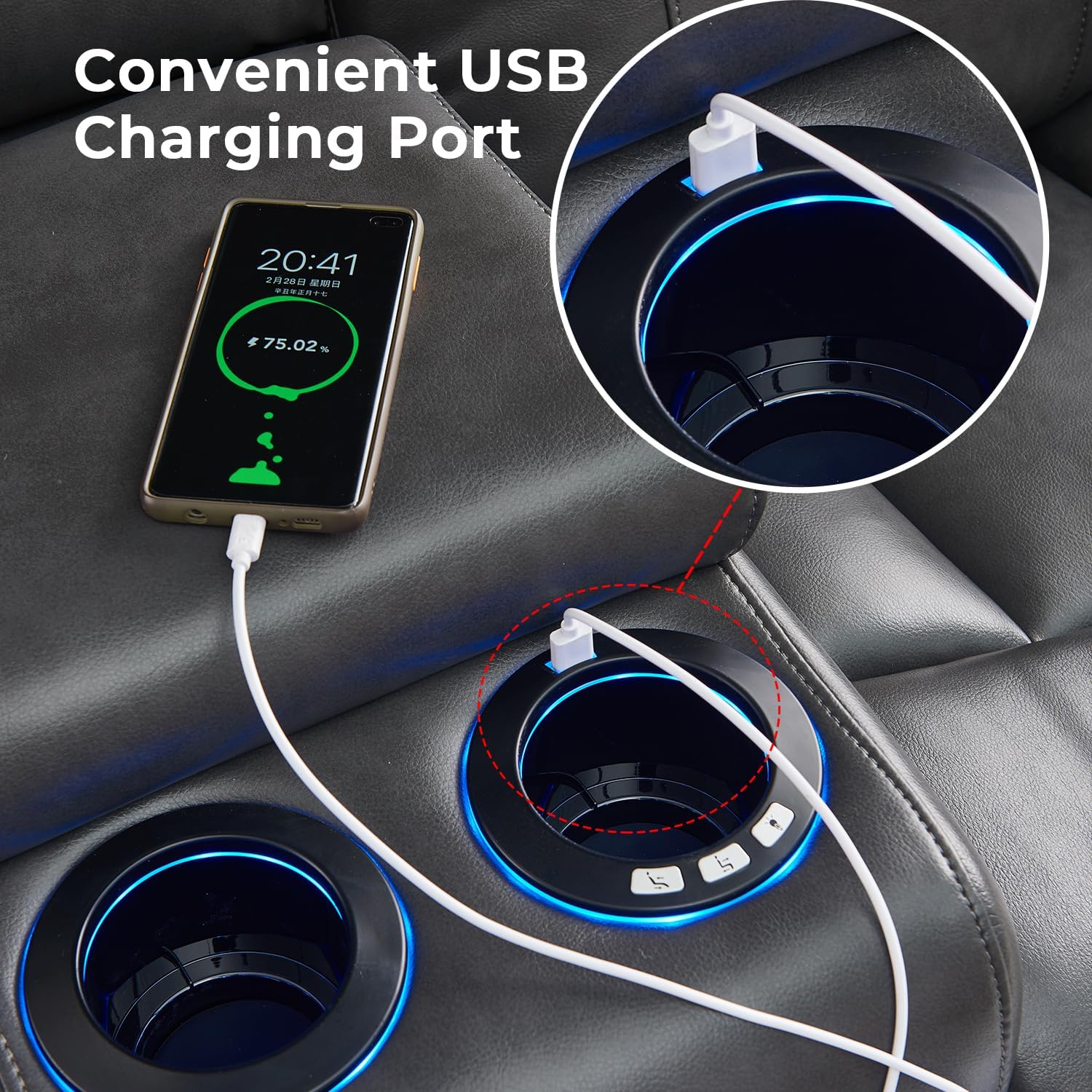
USB Charging Port
Each console unit is equipped with a USB charging port.
- Charging Devices: Plug your electronic device's USB cable into the port to charge it while relaxing on the sofa.
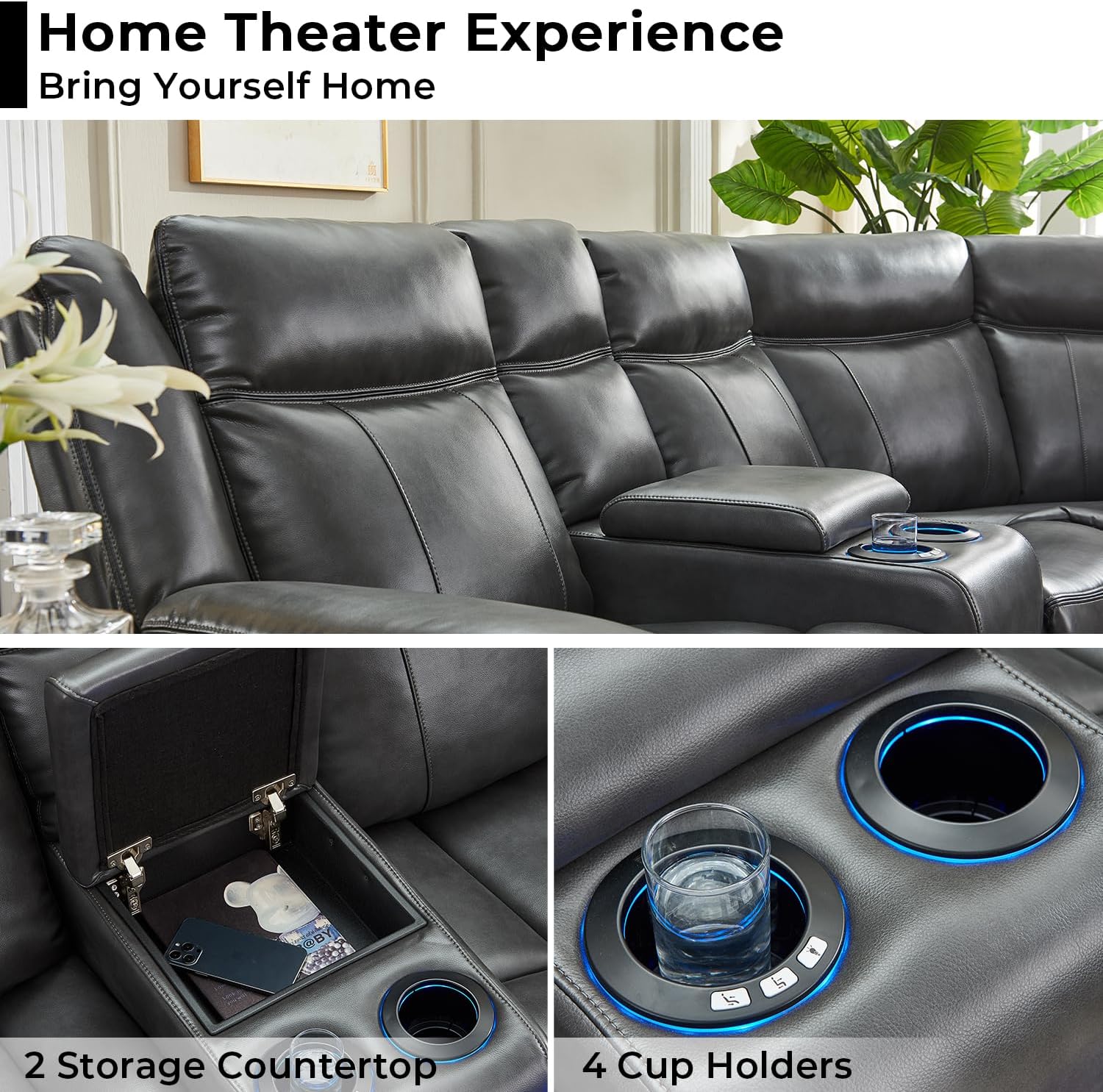
Storage Console and Cup Holders
The console units provide convenient storage and cup holders.
- Storage: Lift the padded lid of the console to access a spacious storage compartment for remotes, books, or other small items.
- Cup Holders: Use the built-in cup holders to securely hold beverages.

Product Feature Demonstration Video
Video: This video demonstrates the key features of the Power Recliner Sectional Sofa, including connecting power, activating LED lights, utilizing the storage console, adjusting the recliner, and using the USB charging port.
Video: This video provides a comprehensive overview of the Power Recliner Sectional Sofa, showcasing its wall-hugger design, reclining functionality, LED strip lighting, storage console, USB charging, and overall comfort.
Maintenance
Proper care will extend the life and appearance of your sectional sofa:
- Cleaning: The upholstery cleaning code is 'W', indicating that only water-based cleaning agents should be used. Test any cleaning solution on an inconspicuous area first. Do not saturate the fabric.
- General Care: Avoid direct sunlight to prevent fading. Keep sharp objects away from the upholstery to prevent tears or punctures. Regularly dust and vacuum the sofa to remove debris.
- Mechanism Care: Periodically check and tighten any loose bolts on the reclining mechanism. Do not lubricate the mechanism unless specifically instructed by customer support.
Troubleshooting
If you encounter issues with your sofa, refer to the following common problems and solutions:
- Recliner Not Operating:
- Ensure the power cord is securely plugged into both the sofa and the wall outlet.
- Check if the power switch on the sofa (if present) is in the 'ON' position.
- Verify that the wall outlet is functional by plugging in another device.
- LED Lights Not Working:
- Confirm the power is connected and the light button on the console has been pressed.
- USB Port Not Charging:
- Ensure the sofa is powered on.
- Try a different USB cable or device to rule out a faulty cable/device.
- Recliner Movement is Not Smooth:
- Ensure there are no obstructions around or under the reclining mechanism.
- If the issue persists, contact customer support.
For any shipping damage on arrival or defects during use not covered by these troubleshooting steps, please contact Comfort Stretch customer service for assistance.
Specifications
| Feature | Detail |
|---|---|
| Brand | Comfort Stretch |
| Model Number | B0CSKML3KX |
| Product Dimensions (D x W x H) | 36.2"D x 150.3"W x 39.8"H |
| Item Weight | 315 Pounds |
| Weight Limit (per seat) | 350 Pounds |
| Seating Capacity | 5 |
| Reclining Seat Count | 2 |
| Reclining Position Count | 2 Position (90°-160°) |
| Upholstery Fabric Type | Faux Leather |
| Upholstery Cleaning Code | W (Water-based cleaner) |
| Frame Material Type | Wood |
| Seat Fill Material | Foam |
| Item Firmness Description | Medium to Soft |
| Special Features | Cup Holder, LED Lighting, Recliner, Storage, USB Charging Ports |
| Number of Cup Holders | 4 |
| Assembly Required | Yes |

Warranty and Support
Comfort Stretch is committed to customer satisfaction. While specific warranty details are not provided in this manual, please retain your proof of purchase. For any product inquiries, warranty claims, or technical support, please contact Comfort Stretch customer service through the retailer where the product was purchased.