
1. Product Overview
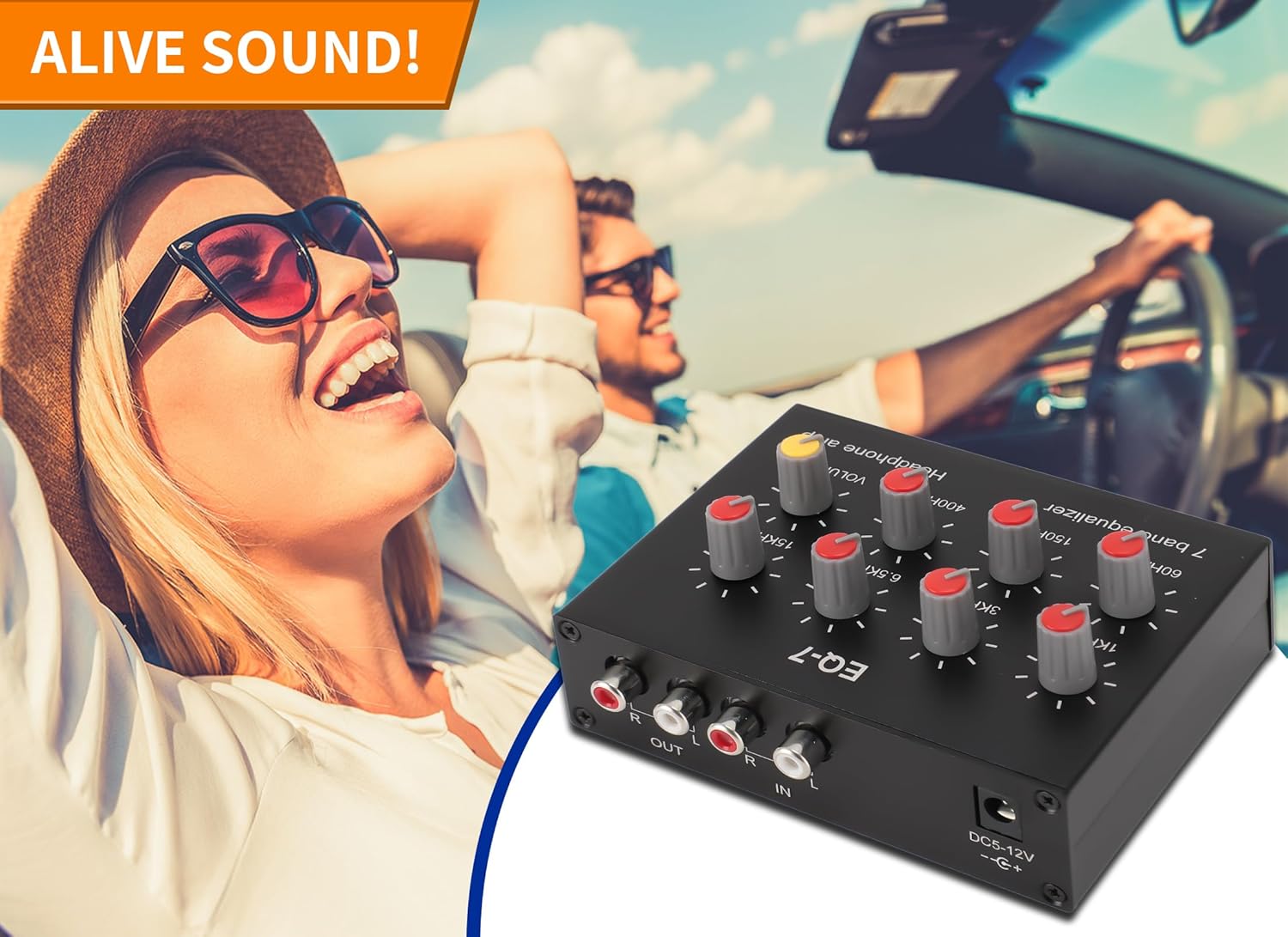
The Gugxiom EQ-7 is a compact 7-band digital audio equalizer designed to provide precise control over your audio frequencies. It features dual-channel sound processing, adjustable bass and treble, and a built-in headphone amplifier. This device is suitable for various audio setups, including car audio systems and home entertainment.

2. Key Features
- 7-Band Equalization: Offers precise control over 7 frequency bands (60Hz, 150Hz, 400Hz, 1KHz, 3KHz, 6.5KHz, 15KHz) with a control range of ±12dB.
- Dual-Channel Audio: Processes audio signals for both left and right channels independently.
- Headphone Amplifier: Integrated NE5532-based headphone driver circuit capable of driving various headphone types.
- Versatile Connectivity: Features RCA input/output and a 3.5mm input interface supporting 4-pole plugs for headsets with microphones.
- Robust Construction: Housed in a durable aluminum alloy casing for high strength and stable performance.
- Wide Power Input: Operates on a DC5V-12V power supply.
3. Specifications
| Parameter | Value |
|---|---|
| Brand | Gugxiom |
| Model | Gugxiomb7vzt4d90e (EQ-7) |
| Power Supply | DC5V-12V |
| Power Interface | 5.5x2.1mm DC Jack |
| Input Impedance | 20K Ohms |
| Output Impedance | 600 Ohms |
| Equalization Bands | 60Hz, 150Hz, 400Hz, 1KHz, 3KHz, 6.5KHz, 15KHz |
| Control Range | ±12dB |
| Pre-amplification Gain | 14dB (5 times) |
| Dimensions | Approx. 18 x 14 x 6 cm |
| Weight | Approx. 242 grams |
4. Package Contents
Please verify that all items are present in the package:
- 1 x Gugxiom EQ-7 7-Band Digital Audio Equalizer
- 1 x USB Power Cable (DC 5.5x2.1mm to USB-A)

5. Setup Instructions
Follow these steps to set up your Gugxiom EQ-7:
- Power Connection: Connect the provided USB power cable to the DC 5.5x2.1mm power input jack on the equalizer. Plug the USB-A end into a compatible DC 5V-12V power source (e.g., USB wall adapter, car USB port).
- Audio Input:
- For RCA input: Connect your audio source (e.g., car stereo, media player) to the IN (RCA) ports on the equalizer using RCA cables. Ensure correct Left (L) and Right (R) channel connections.
- For 3.5mm input: Connect your audio source (e.g., smartphone, tablet) to the IN (3.5mm) jack. This input supports 4-pole plugs for headsets with microphones, allowing for voice calls. Note: The 3.5mm input and RCA input cannot be used simultaneously. Select only one.
- Audio Output:
- For RCA output: Connect the OUT (RCA) ports of the equalizer to your amplifier or speakers using RCA cables. Ensure correct Left (L) and Right (R) channel connections.
- For Headphone output: Connect your headphones to the Headphone Jack on the front panel.
- Power On: Press the POWER button on the front panel to turn on the equalizer. The power indicator light will illuminate.

6. Operating Instructions
Once the equalizer is set up and powered on, you can begin adjusting your audio:
6.1. Equalization Control
The EQ-7 features seven rotary knobs, each corresponding to a specific frequency band:
- 60Hz: Controls the deepest bass frequencies.
- 150Hz: Adjusts mid-bass frequencies.
- 400Hz: Affects lower midrange frequencies.
- 1KHz: Controls central midrange frequencies.
- 3KHz: Adjusts upper midrange frequencies.
- 6.5KHz: Affects lower treble frequencies.
- 15KHz: Controls the highest treble frequencies.
Rotate each knob clockwise to boost (increase) the corresponding frequency band by up to +12dB, or counter-clockwise to cut (decrease) it by up to -12dB. The center position represents a flat (0dB) response for that band.
6.2. Volume Control
The VOLUME knob controls the overall output level of the equalizer. Rotate it clockwise to increase the volume and counter-clockwise to decrease it. Adjust this to your desired listening level.
6.3. 3.5mm Headset Functionality
When using the 3.5mm input with a 4-pole headset (headphones with an integrated microphone), the equalizer supports normal mobile phone voice calls. The output from the 3.5mm jack can be connected to headphones with a microphone for this purpose.

7. Maintenance
To ensure the longevity and optimal performance of your Gugxiom EQ-7, follow these maintenance guidelines:
- Cleaning: Use a soft, dry cloth to clean the exterior of the unit. Avoid using harsh chemicals, solvents, or abrasive cleaners.
- Environment: Keep the equalizer in a dry, well-ventilated area, away from direct sunlight, extreme temperatures, and high humidity.
- Handling: Handle the unit with care to prevent physical damage. Avoid dropping or subjecting it to strong impacts.
- Power: Disconnect the power supply when the unit is not in use for extended periods.
8. Troubleshooting
If you encounter issues with your Gugxiom EQ-7, refer to the table below for common problems and solutions:
| Problem | Possible Cause | Solution |
|---|---|---|
| No sound output |
|
|
| Distorted or noisy sound |
|
|
| Equalization knobs not responding |
|
|
| Headphone output noisy |
|
|
9. Warranty and Support
For warranty information and customer support, please refer to the documentation provided with your purchase or visit the official Gugxiom website. Keep your proof of purchase for warranty claims.