
NOPAARD 52-YJ306
NOPAARD 52 Inch Smart Ceiling Fan User Manual
Model: 52-YJ306
Introduction
Thank you for choosing the NOPAARD 52 Inch Smart Ceiling Fan. This manual provides detailed instructions for the safe installation, operation, and maintenance of your new ceiling fan. Please read this manual thoroughly before installation and keep it for future reference.
This smart ceiling fan features a quiet DC reversible motor, 5 plywood blades with dual-finish (matte black and walnut), a 3CCT dimmable LED light, and multiple control options including remote, Tuya APP, Alexa, and Google Assistant voice control.
Important Safety Information
Always follow basic safety precautions when installing and operating this appliance to reduce the risk of fire, electric shock, and personal injury.
- Read all instructions before beginning installation.
- Ensure the electrical supply is disconnected at the circuit breaker before installation or servicing.
- All wiring must be in accordance with national and local electrical codes.
- The fan must be mounted to a ceiling joist or support capable of withstanding a minimum of 35 lbs (15.9 kg).
- Do not operate the fan with damaged wiring or if the motor is making unusual noises.
- Keep hands, feet, and other objects away from the rotating fan blades.
Package Contents
Verify that all components are present before beginning installation.
- Ceiling Fan Motor Housing
- 5 Plywood Blades (Dual-finish: Matte Black / Walnut)
- LED Light Kit
- Remote Control with Wall Mount
- 2 Down-rods (6-inch and 10-inch)
- Mounting Bracket and Hardware
- Instruction Manual

Setup and Installation
Professional installation is recommended. Ensure power is off at the circuit breaker before proceeding.
1. Mounting the Bracket
Secure the mounting bracket to a ceiling joist or a suitable electrical junction box rated for fan support. Use the provided hardware.
2. Assembling the Down-rod and Fan Motor
Choose either the 6-inch or 10-inch down-rod based on your ceiling height and desired fan clearance. Feed the electrical wires through the down-rod and attach it securely to the fan motor housing.

3. Wiring the Fan
Connect the fan's electrical wires to your household wiring according to the wiring diagram provided in the separate wiring guide (if applicable) or standard electrical practices. Ensure all connections are secure and insulated.
4. Attaching the Blades
Attach the 5 plywood blades to the fan motor. The blades are dual-finish, allowing you to choose between matte black and walnut to match your decor. Ensure all screws are tightened securely.

5. Installing the LED Light Kit
Connect the LED light kit to the fan motor's designated light wires and secure it to the fan housing.
Operating Instructions
Your NOPAARD smart ceiling fan offers multiple control methods.
Control Methods
- Remote Control: Use the included remote to control fan speed, light settings, and fan direction.
- Tuya APP Control: Download the Tuya Smart app to control the fan from your smartphone or tablet. Follow the app's instructions for pairing.
- Voice Control: Integrate with Alexa or Google Assistant devices for voice commands. Enable the NOPAARD skill/action in your smart home app.
- Wall Control: The fan can also be operated via a standard wall switch (on/off for fan and light together).
Fan Speed Adjustment
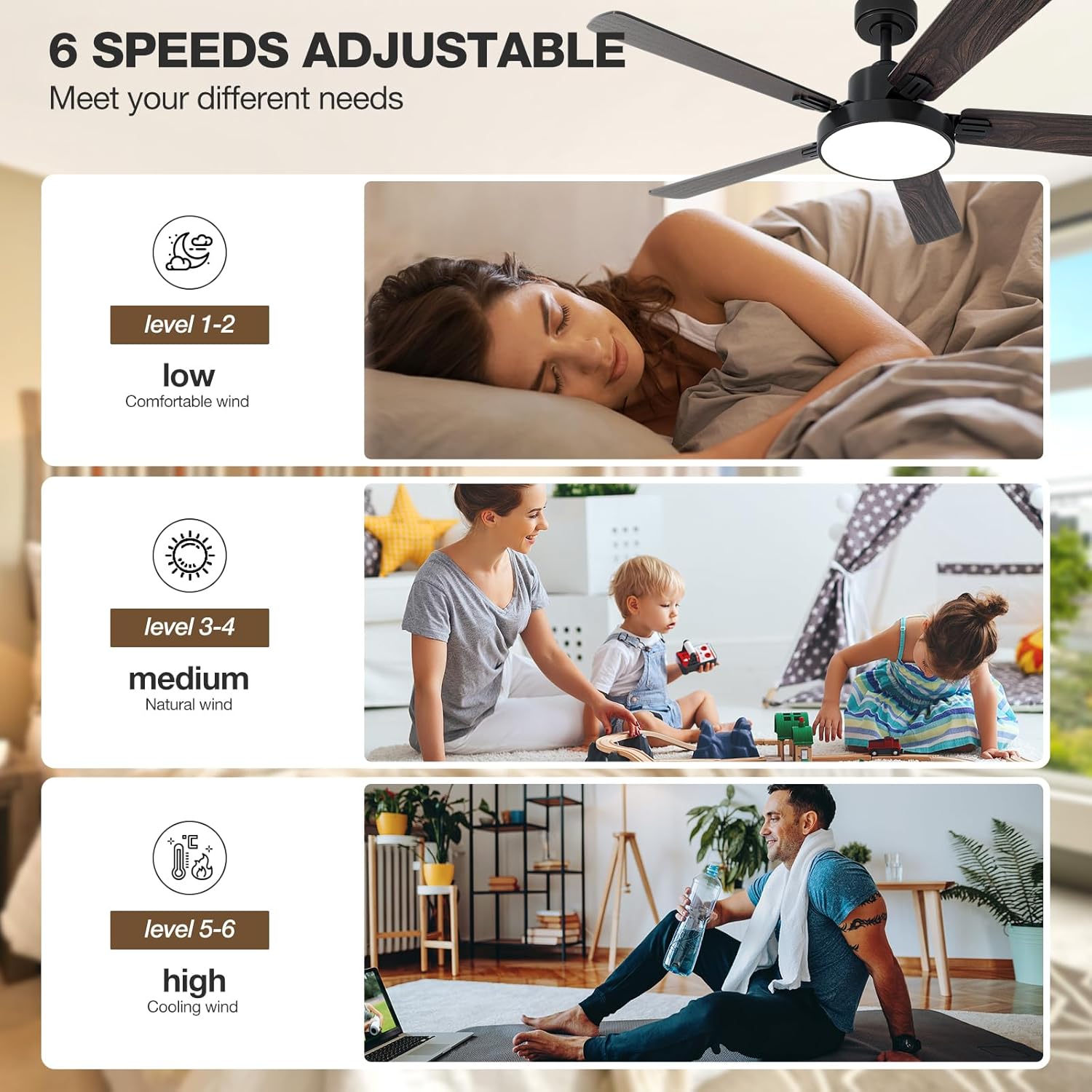
The fan features 6 variable speeds to adjust airflow according to your preference. Speeds 1-2 provide a low, comfortable breeze, speeds 3-4 offer a medium, natural wind, and speeds 5-6 deliver high, cooling airflow.

Light Control and Dimming
The integrated LED light offers 3 color temperatures (3000K warm yellow, 4000K bright daylight, 6000K cool white) and is dimmable from 10% to 100% (0-2000 lumens). Use the remote or app to cycle through color temperatures and adjust brightness.

Reversible Motor Function
The DC reversible motor allows the fan to operate in two directions. In summer, the fan rotates counter-clockwise to create a cooling downdraft. In winter, it rotates clockwise to circulate warm air trapped near the ceiling, helping to reduce heating costs.

Maintenance
Regular maintenance ensures optimal performance and extends the life of your ceiling fan.
- Cleaning: Periodically wipe the fan blades and motor housing with a soft, damp cloth. Do not use abrasive cleaners or solvents.
- Blade Tightness: Check blade screws annually to ensure they are tight. Loose blades can cause wobbling and noise.
- Light Kit: The LED light source is designed for long life and typically does not require replacement.
- Motor: The DC motor is sealed and requires no lubrication.
Always disconnect power to the fan at the circuit breaker before performing any cleaning or maintenance.
Troubleshooting
If you experience issues with your NOPAARD ceiling fan, refer to the following common problems and solutions.
| Problem | Possible Cause | Solution |
|---|---|---|
| Fan does not start | No power to the fan; Loose wire connections; Remote control battery low or not paired. | Check circuit breaker; Verify all wire connections are secure; Replace remote battery or re-pair remote. |
| Fan wobbles | Loose blade screws; Unbalanced blades; Loose mounting bracket. | Tighten all blade screws; Ensure blades are balanced (use balancing kit if needed); Secure mounting bracket. |
| Light does not work | Loose wire connection to light kit; Light kit failure. | Check light kit wiring; Contact customer support if light kit is faulty. |
| Remote control not responding | Low battery; Remote not paired; Interference. | Replace battery; Re-pair remote with fan (refer to pairing instructions); Reduce interference sources. |
| Fan is noisy | Loose screws; Motor issue; Blades hitting an obstruction. | Check all screws; Ensure no obstructions; Contact customer support if motor noise persists. |
| Cannot connect to Wi-Fi/App | Incorrect Wi-Fi password; Router too far; 5GHz Wi-Fi network (fan requires 2.4GHz). | Verify Wi-Fi password; Move router closer or use Wi-Fi extender; Ensure router is broadcasting 2.4GHz. |
Specifications
| Feature | Detail |
|---|---|
| Model Name | 52-YJ306 |
| Brand | NOPAARD |
| Size | 52 Inch |
| Color | Black & Walnut (Dual-finish blades) |
| Motor Type | Quiet DC Reversible Motor |
| Number of Blades | 5 |
| Blade Material | Plywood |
| Light Type | Integrated LED |
| Light Color Temperature | 3000K (Warm Yellow), 4000K (Bright Daylight), 6000K (Cool White) |
| Light Dimming Range | 10%-100% (0-2000 Lumens) |
| Fan Speeds | 6 Variable Speeds |
| Air Flow Capacity | 12688 Cubic Feet Per Minute |
| Noise Level | 40 dB |
| Control Methods | Remote, Tuya APP, Voice (Alexa, Google Assistant) |
| Down-rod Lengths | 6 inch, 10 inch |
| Mounting Options | Flat Ceiling, Sloped Ceiling (up to 20°) |
| Indoor/Outdoor Usage | Indoor, Covered Outdoor (Damp-rated) |
| Certifications | ETL Listed |
Warranty and Support
NOPAARD offers a comprehensive warranty for your peace of mind.
- Quality Assurance: 24 months quality assurance from the date of purchase.
- DC Motor Warranty: 10-year warranty for the DC motor.
For product installation assistance, troubleshooting, or quality-related concerns, please contact NOPAARD customer service. Refer to your purchase documentation for contact details or visit the official NOPAARD website.
Note: This warranty does not cover damage caused by improper installation, misuse, or natural disasters.
Ask a question about this manual
Ask about setup, troubleshooting, compatibility, parts, safety, or missing instructions. Manuals+ will review the question and use this page’s manual context to help answer it.