
EasyKeys G340
Global Link G340 RV Replacement Key User Manual
Brand: EasyKeys
Introduction
This manual provides essential information for the proper use and care of your Global Link G340 RV Replacement Key. This key is designed to replace lost or damaged keys for Global Link lock series G301-G391, commonly found on RVs.
Key Identification
To ensure you have the correct replacement key, verify the lock code. The lock code (e.g., G340) is typically stamped on your original key or directly on the face of the lock cylinder. This key is specifically cut for the G340 lock code.
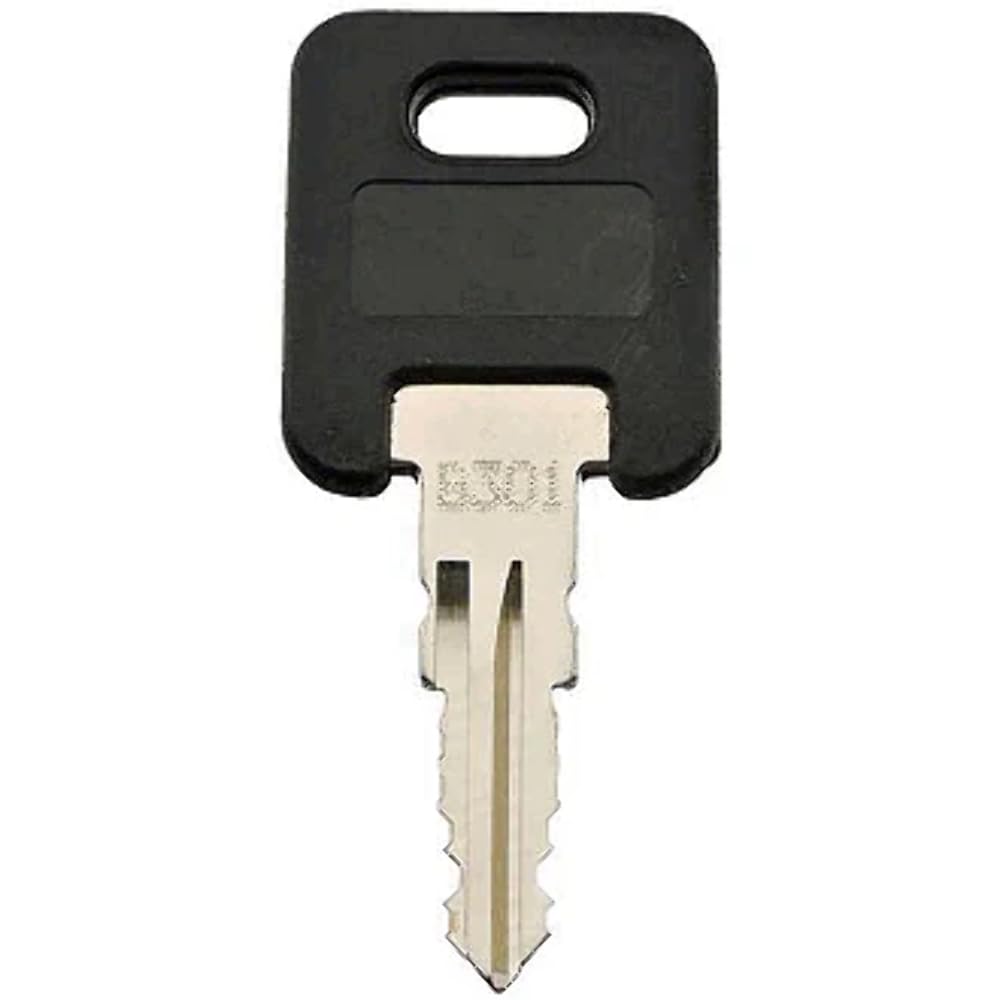
Image: A Global Link G340 RV Replacement Key. The key features a black plastic head and a silver metal blade with a double-sided cut. The key code "G340" is visible on the metal blade near the head.
Setup and Initial Use
No complex setup is required for this replacement key. Once you have confirmed the key code matches your lock, the key is ready for immediate use.
- Verify Lock Code: Ensure the G340 key matches the code on your lock.
- Insert Key: Gently insert the key fully into the lock cylinder.
- Test Operation: Turn the key clockwise or counter-clockwise to engage or disengage the lock mechanism.
Operating Instructions
The Global Link G340 key operates like a standard mechanical key. Insert the key into the corresponding lock and turn it to secure or unsecure the mechanism. Do not force the key if it does not turn smoothly; ensure it is fully inserted and the correct key for the lock.
Maintenance
To ensure the longevity and smooth operation of your key:
- Keep the key clean and free from dirt or debris.
- Avoid bending or applying excessive force to the key, which can damage its structure.
- Store the key in a dry place to prevent corrosion.
- If the lock mechanism becomes stiff, a small amount of graphite lubricant can be applied to the lock cylinder, not directly to the key.
Troubleshooting
| Problem | Possible Cause | Solution |
|---|---|---|
| Key does not insert fully. | Obstruction in lock cylinder; incorrect key. | Check for debris in the lock. Ensure it is the correct G340 key for your lock. |
| Key inserts but does not turn. | Incorrect key; lock mechanism jammed or corroded. | Confirm key code. Apply graphite lubricant to lock. If issue persists, the lock may require professional attention. |
| Key feels loose or wobbly. | Worn key or lock. | Consider replacing the key or having the lock inspected if operation is compromised. |
Specifications
- Brand: EasyKeys
- Manufacturer: Global Link
- Model Series: G301-G391 (Specific key: G340)
- Lock Type: Key Lock
- Style: Custom Cut Key
- Color: Black (Key Head)
- Controller Type: Hand Control
- Item Weight: 7 Grams (0.247 ounces)
- ASIN: B0CSK3FQLY
Warranty and Support
This product is typically covered by a standard return policy. For specific warranty details or support inquiries, please refer to your purchase documentation or contact the seller directly. EasyKeys Inc. USA offers support for their products.
For further assistance, you may visit the EasyKeys Store on Amazon.
Ask a question about this manual
Ask about setup, troubleshooting, compatibility, parts, safety, or missing instructions. Manuals+ will review the question and use this page’s manual context to help answer it.