
Introduction
The WEONY WBP205 Automatic Wrist Blood Pressure Monitor is designed for convenient and accurate blood pressure and heart rate measurement at home. Utilizing a high-precision chip and medical-grade materials, this device provides reliable readings with a simple one-touch operation. Its compact and portable design makes it suitable for daily health monitoring anywhere.
Package Contents
- 1x WEONY WBP205 Wrist Blood Pressure Monitor
- 1x User Manual
- 1x Carrying Case

Image: The WEONY WBP205 monitor, its protective carrying case, and the included user manual.
Product Overview
The WEONY WBP205 features a large, easy-to-read LCD display and an adjustable wrist cuff designed for comfort and accuracy. It supports two users with 90 memory sets each, allowing for effective tracking of blood pressure trends. The device also includes an irregular heartbeat detection and a hypertension alert system for immediate health status understanding.
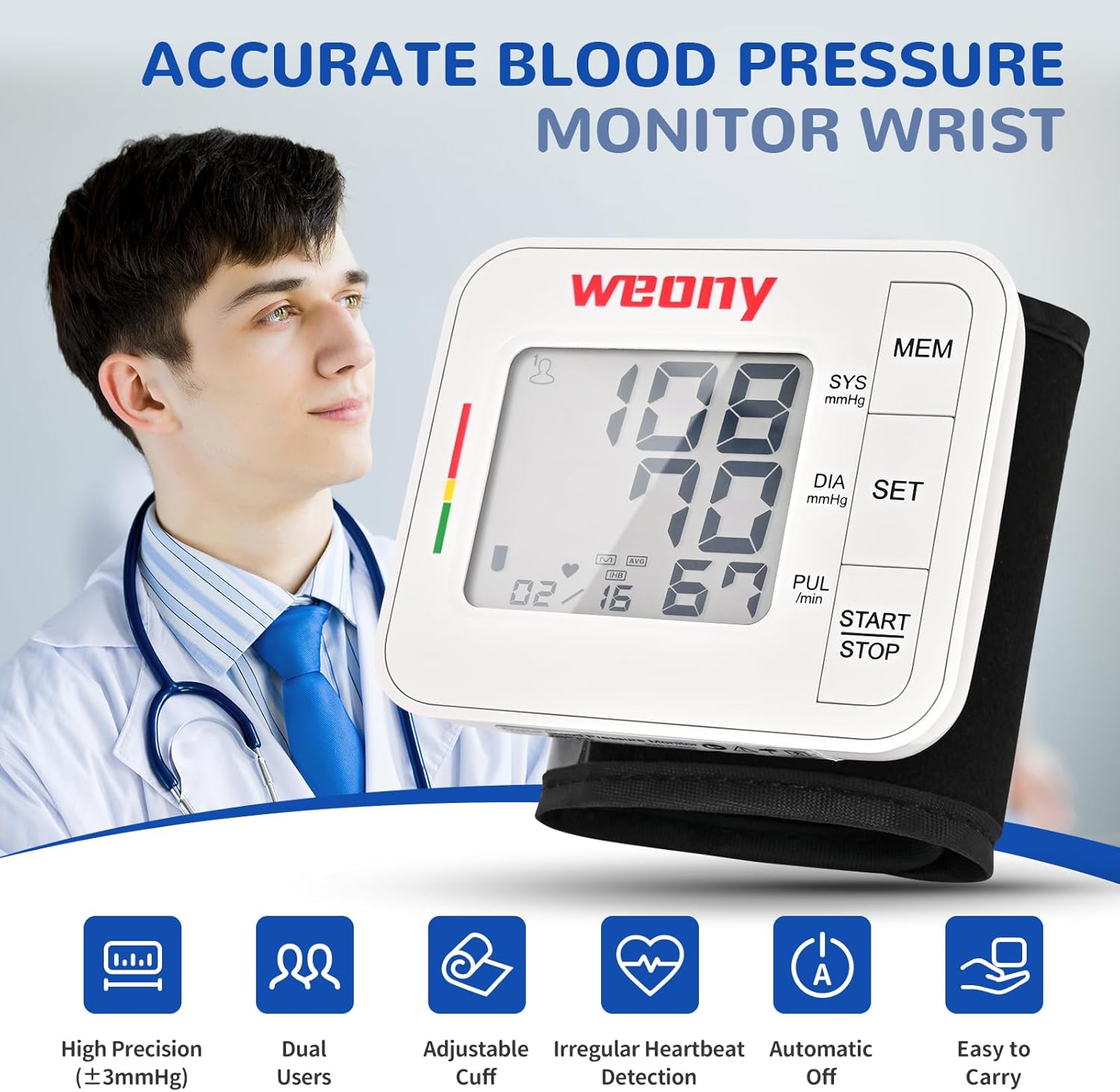
Image: Front view of the WEONY WBP205 Wrist Blood Pressure Monitor, highlighting the large LCD display and control buttons (MEM, SET, START/STOP).

Image: The WEONY WBP205 monitor displaying a blood pressure reading, with a color-coded indicator on the left side (green, yellow, red) and icons for high precision, dual users, adjustable cuff, irregular heartbeat detection, automatic off, and easy to carry.
Setup
1. Battery Installation
The monitor requires 2 AAA batteries (not included). Open the battery compartment on the side of the device and insert the batteries according to the polarity indicators. Close the compartment securely.
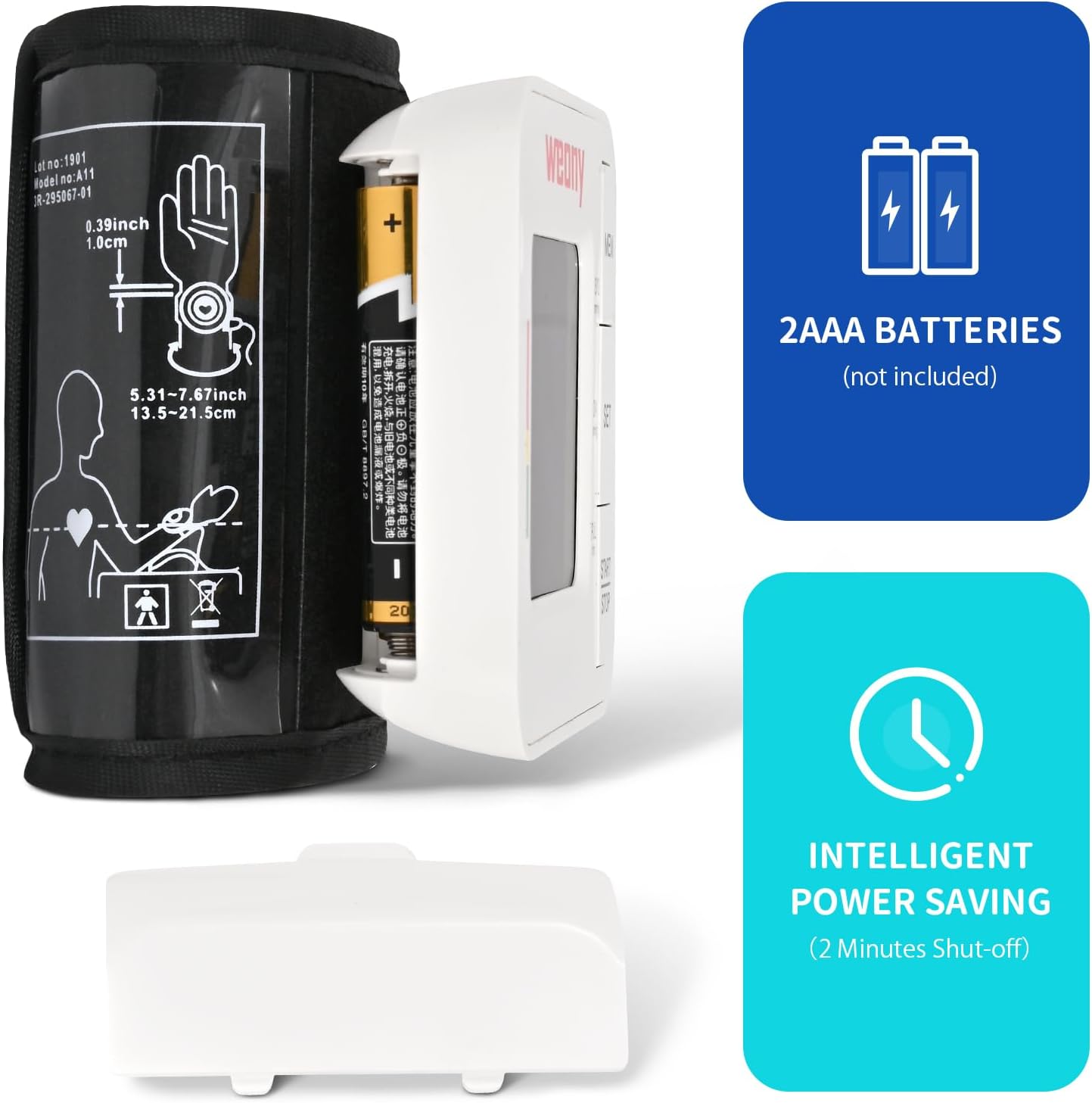
Image: The WEONY WBP205 monitor with its battery compartment open, illustrating the insertion of 2 AAA batteries. Text indicates '2AAA BATTERIES (not included)' and 'INTELLIGENT POWER SAVING (2 Minutes Shut-off)'.
2. Setting Date and Time
To ensure accurate record-keeping, set the current year, month, day, and time. Press and hold the 'SET' button to enter the setting mode. Use the 'MEM' button to adjust values and 'SET' to confirm and move to the next setting. The device supports 12-hour or 24-hour clock format.
Video: A user demonstrates how to set the date and time on the WEONY WBP205 monitor using the 'SET' and 'MEM' buttons.
3. User Selection
The monitor supports two users (U1 and U2). To select a user, press the 'SET' button briefly. The display will toggle between U1 and U2. Ensure the correct user is selected before taking a measurement to store readings in the appropriate memory bank.
Operating Instructions
1. Proper Cuff Placement
Wrap the cuff around your bare left wrist with your palm facing up. Position the monitor about 1 cm (0.4 inches) from the edge of your palm. Ensure the cuff is snug but not too tight, allowing for accurate measurement without restricting blood flow.
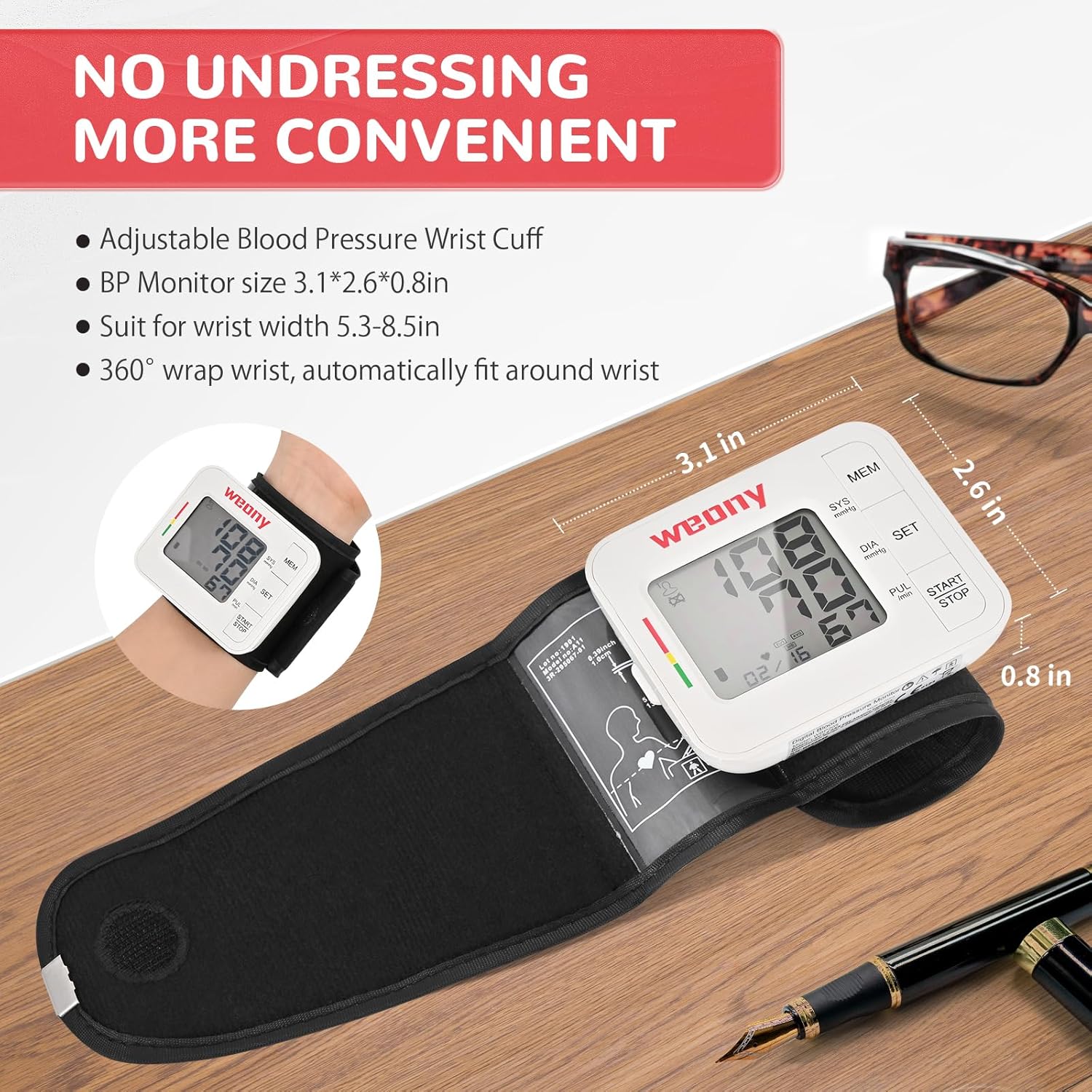
Image: The WEONY WBP205 monitor correctly placed on a wrist, showing the device positioned approximately 1 cm from the palm. The image emphasizes the convenience of not needing to undress for measurement.

Image: A four-step visual guide demonstrating how to wrap the cuff, position it 1cm from the palm, raise the device to heart level, and press the 'Start/Stop' button for measurement.
2. Measurement Procedure
Sit upright and relax. Raise the device to the same level as your heart. Press the 'START/STOP' button. The cuff will automatically inflate and then slowly deflate while taking your measurement. Remain still and silent during the process. Your blood pressure and pulse rate will be displayed on the LCD screen.
Video: A user demonstrates the simple, one-touch operation of the WEONY WBP205 monitor, showing cuff placement and the automatic measurement process.
3. Interpreting Results
The monitor uses a green-yellow-red indicator on the side of the display to quickly show your blood pressure status. Green indicates a normal range, yellow indicates elevated, and red indicates high blood pressure. An alert icon will appear if an irregular heartbeat is detected.
Image: The WEONY WBP205 monitor showing a blood pressure reading with the green, yellow, and red indicator bar on the left, helping users quickly interpret their results.
4. Memory Function
The device stores up to 90 readings for each of the two users, complete with date and time stamps. Press the 'MEM' button to review past measurements. The first reading displayed will be an average of the last three readings, followed by individual stored readings in reverse chronological order.

Image: The WEONY WBP205 monitor displaying its dual-user memory feature, showing separate memory banks for User 1 and User 2, each storing up to 90 readings.
Important Considerations
Do's and Don'ts for Accurate Measurement
- Do sit relaxed for 5-10 minutes before measuring.
- Do keep your arm at heart level during measurement.
- Do align the cuff to your artery for a snug fit.
- Do stay still and silent during measurement.
- Don't eat, smoke, drink alcohol, or exercise 30 minutes prior to measurement.
- Don't bend your arm or pinch the tube/cuff.

Image: Visual guide illustrating correct posture and arm positioning for accurate blood pressure measurement with the WEONY WBP205 monitor.
Maintenance
- Clean the monitor and cuff with a soft, dry cloth. Do not use abrasive cleaners or immerse the device in water.
- Store the device in its carrying case in a cool, dry place away from direct sunlight and extreme temperatures.
- Remove batteries if the device will not be used for an extended period.
Troubleshooting
- No display: Check battery polarity and ensure batteries are not depleted. Replace if necessary.
- Inaccurate readings: Ensure proper cuff placement, arm position, and follow all 'Do's and Don'ts'. Avoid talking or moving during measurement.
- Error messages: Refer to the detailed user manual for specific error code explanations and solutions.
Specifications
| Feature | Detail |
|---|---|
| Model Number | WBP205 |
| Product Dimensions | 3 x 2.5 x 2.6 inches |
| Item Weight | 6.38 ounces |
| Cuff Size | 5.3 - 8.5 inches (13.5 cm - 21.6 cm) |
| Memory | 2 users x 90 readings |
| Power Source | Battery Powered (2 AAA batteries) |
| Display Type | LCD |
| Material | ABS |
Warranty and Support
WEONY products are manufactured under ISO 13485 standards and hold FDA and MDR certifications. For any questions or assistance, please contact WEONY's after-sales support team. Refer to the included user manual for specific warranty details.
