Introduction
Thank you for choosing the Generic J006 Mini Bluetooth Speaker. This portable wireless speaker is designed to deliver powerful, well-balanced sound with minimal distortion, suitable for various environments including home, parties, and outdoor activities. This manual provides essential information for setting up, operating, and maintaining your speaker to ensure optimal performance and longevity.
Safety Information
- Do not expose the speaker to extreme temperatures or direct sunlight for prolonged periods.
- Avoid dropping or subjecting the speaker to strong impacts.
- Keep the speaker away from water and liquids, despite its IPX5 rating, to prevent damage to internal components.
- Do not attempt to disassemble or repair the speaker yourself. Contact qualified service personnel for assistance.
- Use only the provided charging cable or a certified equivalent.
- Dispose of the battery and speaker according to local regulations.
Product Overview
Familiarize yourself with the components and controls of your J006 Mini Bluetooth Speaker.

Image: Detailed diagram showing the speaker's front, side, and rear views with labels for buttons and ports. This includes Play/Pause, Previous Song, Next Song, Mode Switching, Power Charging Port, TF Memory Card Slot, USB Current Output, and Power Switch.
Controls and Ports:
- Play/Pause Button: Long press to turn on/off. Short press to play or pause audio.
- Previous Song Button: Long press for volume down. Short press for previous track.
- Next Song Button: Long press for volume up. Short press for next track.
- Mode Switching Button: Switches between Wireless (Bluetooth) playback and FM radio mode.
- Power Charging Port: For connecting the data cable to charge the speaker.
- TF Memory Card Slot: Supports memory card playback.
- USB Current Output: For connecting a USB disk for playback or charging other devices (if supported).
- Power Switch: Controls the main power of the device.
Setup
1. Charging the Speaker
- Connect the provided data cable to the Power Charging Port on the speaker.
- Connect the other end of the cable to a USB power adapter (not included) or a computer's USB port.
- The charging indicator light will illuminate. Once fully charged, the light may change color or turn off.
- A full charge provides up to 12 hours of playtime, depending on volume level and audio content.
2. Powering On/Off
- To Power On: Long press the Play/Pause button until you hear an audible prompt or see an indicator light.
- To Power Off: Long press the Play/Pause button again until the speaker powers down.
Operating Instructions
1. Bluetooth Pairing
- Ensure the speaker is powered on and in Bluetooth mode (indicated by a flashing blue light or audible prompt). If not, press the Mode Switching button to cycle to Bluetooth mode.
- On your Bluetooth-enabled device (smartphone, tablet, laptop), go to the Bluetooth settings.
- Search for available devices and select "J006" (or similar name) from the list.
- Once paired, the speaker will indicate a successful connection (e.g., solid blue light, audible prompt).
- The speaker has an extended wireless range of up to 100 feet (approximately 30 meters) with Bluetooth 5.2.

Image: The J006 speaker positioned next to a laptop and a smartphone, demonstrating its portability and wireless connectivity for audio playback.
2. USB Disk and TF Card Playback
- USB Disk: Insert a USB flash drive into the USB Current Output port. The speaker will automatically switch to USB Disk mode and begin playing audio files.
- TF Card: Insert a TF (microSD) card into the TF Memory Card Slot. The speaker will automatically switch to TF Card mode and begin playing audio files.
- Use the Previous/Next Song buttons to navigate tracks.

Image: Close-up view of the speaker's side panel, highlighting the USB disk port and TF card slot, along with the Bluetooth mode indicator.
3. True Wireless Stereo (TWS) Interconnection
The TWS function allows you to connect two J006 speakers wirelessly for a stereo sound experience.
- Ensure both J006 speakers are powered on and not connected to any Bluetooth device.
- On one speaker, long press the Mode Switching button (or a dedicated TWS button if available, refer to specific product markings) until you hear a pairing tone.
- The two speakers will automatically search and connect to each other. Once connected, you will hear a confirmation tone.
- Now, connect your Bluetooth-enabled device to one of the paired speakers (it will appear as a single device in your Bluetooth list).
- Audio will now play in stereo across both speakers.

Image: A laptop displaying a video, flanked by two J006 speakers, illustrating the True Wireless Stereo (TWS) feature for an enhanced audio experience.
4. Adjusting Volume and Track Control
- Volume Up: Long press the Next Song button.
- Volume Down: Long press the Previous Song button.
- Next Track: Short press the Next Song button.
- Previous Track: Short press the Previous Song button.
- Play/Pause: Short press the Play/Pause button.
5. LED Light Control
The speaker features multicolor LED lights. These lights can be turned off with a simple button press to conserve battery or suit your preference. Refer to the product overview diagram for the specific button, or consult the manufacturer's website if not explicitly labeled.
Maintenance
- Cleaning: Use a soft, dry cloth to wipe the speaker's surface. Do not use abrasive cleaners, alcohol, or solvents.
- Storage: When not in use for extended periods, store the speaker in a cool, dry place away from direct sunlight and extreme temperatures.
- Battery Care: To prolong battery life, avoid fully discharging the battery frequently. Charge the speaker regularly, even if not in use.
Troubleshooting
| Problem | Possible Cause | Solution |
|---|---|---|
| Speaker does not power on. | Low battery. | Charge the speaker fully. |
| Cannot pair with Bluetooth device. | Speaker not in pairing mode; device too far; previous connection. | Ensure speaker is in Bluetooth pairing mode. Move device closer. Disconnect from other devices. |
| No sound or low volume. | Volume too low on speaker or device; incorrect input mode. | Increase volume on both speaker and connected device. Ensure correct mode (Bluetooth, USB, TF). |
| TWS pairing fails. | Speakers already connected to another device; not in TWS pairing mode. | Ensure both speakers are disconnected from other devices. Follow TWS pairing steps carefully. |
| Distorted audio. | Volume too high; weak Bluetooth signal. | Reduce volume. Move speaker closer to the connected device. |
Specifications
- Model: J006
- Brand: Generic
- Output Power: 10 Watts
- Connectivity: Bluetooth 5.2, USB Disk, TF Card
- Bluetooth Range: Up to 100 feet (approx. 30 meters)
- Battery Life: Up to 12 hours (varies with volume and content)
- Water Resistance: IPX5 (splash-proof)
- Dimensions: 8.99 x 8.48 x 21.49 cm
- Weight: 0.27 Kilograms
- Included Components: Bluetooth Speaker body, battery pack, Data cable
- Material: Acrylonitrile Butadiene Styrene (ABS)
- Power Source: Battery Powered (Lithium Ion)
- Audio Output Mode: Mono (supports TWS for stereo)
- Surround Sound Channel Configuration: 1.1
- Speaker Amplification Type: Passive
- Mounting Type: Tabletop Mount
- Special Features: Portable, TWS Interconnection

Image: Multiple views of the black J006 Mini Bluetooth Speaker, showcasing its compact and portable design.

Image: An exploded view of the speaker's internal structure, illustrating the two full-frequency speakers and two bass diaphragms responsible for its sound output.
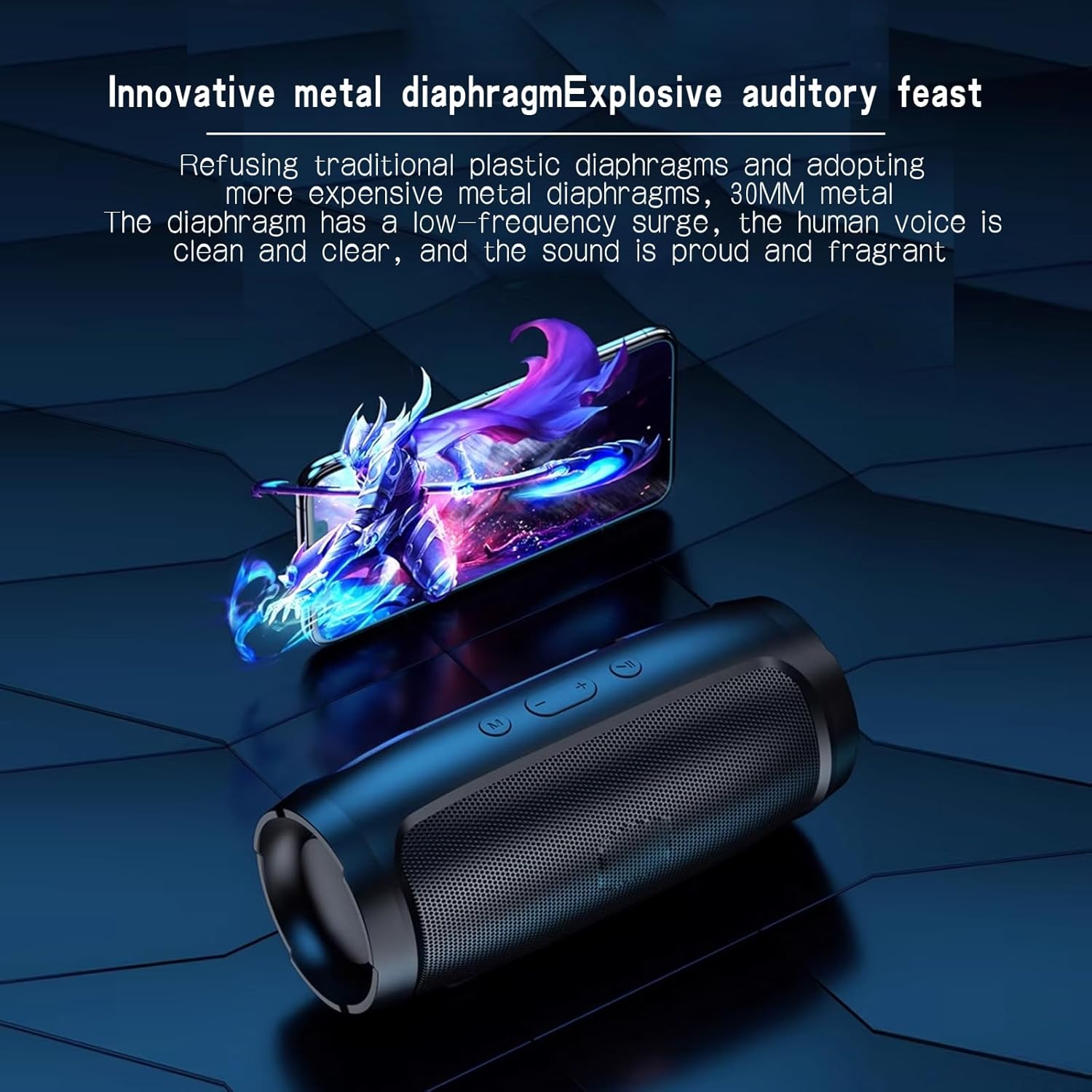
Image: The J006 speaker with a graphic overlay depicting sound waves emanating from its innovative metal diaphragm, emphasizing its audio technology.

Image: The J006 speaker placed in a room, with graphical elements indicating 360-degree surround sound and powerful volume distribution.
Warranty and Support
Warranty Information
This portable Bluetooth speaker comes with a 3-month worry-free warranty. For any issues or concerns within this period, please contact customer service.
Customer Support
For technical assistance, troubleshooting, or warranty claims, please refer to the retailer's contact information or visit the manufacturer's official website. Customer service is typically available for 24-hour online support.


