1. Product Overview
The Neoteck 2-in-1 Pen Type Digital Multimeter is a versatile tool designed for electrical testing. It combines the functionalities of a traditional multimeter with a non-contact voltage tester, offering intelligent measurement capabilities and a portable design.
Key features include:
- 2-in-1 Functionality: Combines electric pen and multimeter functions for AC/DC voltage, resistance, diode, and continuity measurements, along with NCV and Null/Live Wire detection.
- Intelligent Gear Detection: Automatically identifies measurement targets (AC/DC voltage, resistance, continuity) without manual range selection. Supports True RMS measurement.
- Portable Design: Compact and lightweight, ideal for on-the-go use.
- User-Friendly Features: Includes automatic shut-off after 15 minutes of inactivity, a low battery indicator, and a built-in flashlight for use in dark environments.
- Wide Applications: Suitable for various settings including schools, research institutes, factories, and home use, complying with CE CAT II 600V standards.
2. What's in the Box
- 1 x Neoteck Pen Type Digital Multimeter
- 2 x 1.5V AAA Batteries (included)
- 1 x Test Lead
- 1 x Carrying Bag
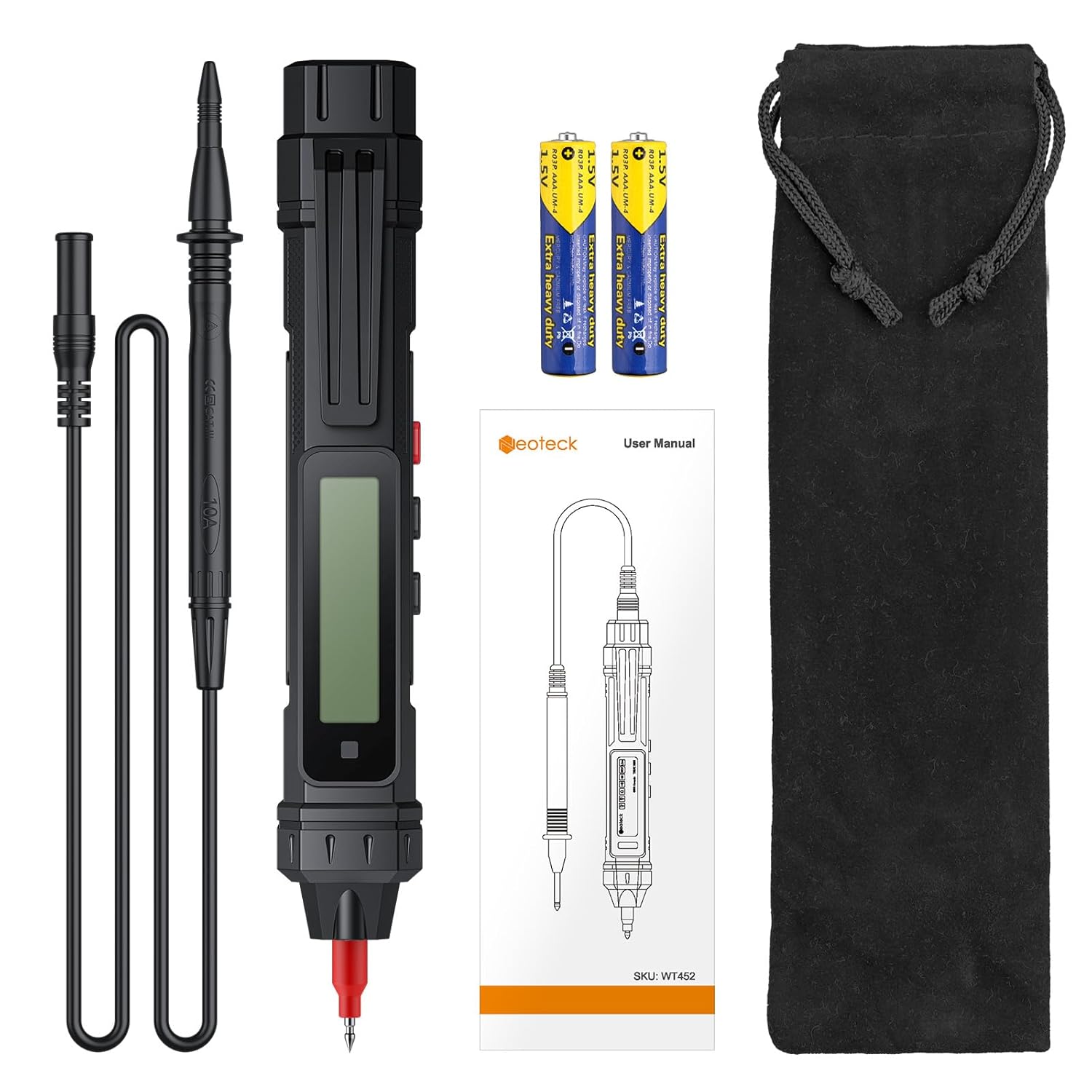
Image: The Neoteck Pen Type Digital Multimeter, two AAA batteries, a test lead, and a black carrying bag.
3. Setup
3.1 Battery Installation
The multimeter requires 2 AAA batteries, which are included. To install or replace batteries:
- Locate the battery compartment on the back of the device.
- Unscrew the battery compartment cover.
- Insert the 2 AAA batteries, ensuring correct polarity (+/-).
- Replace the cover and secure it with the screw.
3.2 Connecting Test Leads
For certain measurements, the included test lead must be connected.
- Insert the black test lead into the COM (common) input jack on the multimeter.
- Insert the red test lead into the VΩHz input jack for voltage, resistance, and frequency measurements.

Image: The Neoteck Pen Type Digital Multimeter shown with its test lead and two AAA batteries, illustrating the complete setup.
4. Operating Instructions
The multimeter features intelligent gear detection, automatically identifying AC/DC voltage, resistance, and continuity. Press the power button to turn on the device. The display will show "Auto" indicating automatic mode.
4.1 DC Voltage Measurement
To measure DC voltage (e.g., batteries):
- Ensure the test lead is connected correctly (black to COM, red to VΩHz).
- Touch the red probe to the positive terminal and the black probe to the negative terminal of the DC source.
- The measured DC voltage will be displayed on the screen.

Image: The multimeter's probes are connected to a 9V battery, displaying a DC voltage reading on its screen.
4.2 AC Voltage Measurement
To measure AC voltage (e.g., wall outlets, household wiring):
- Ensure the test lead is connected correctly (black to COM, red to VΩHz).
- Carefully insert the probes into the AC source.
- The measured AC voltage will be displayed on the screen.

Image: The multimeter's probes are used to measure AC voltage within an electrical panel, with the built-in flashlight illuminating the area.
4.3 Non-Contact Voltage (NCV) Detection
The NCV function allows for detection of AC voltage without direct contact.
- Select the NCV mode (if not automatically detected).
- Bring the tip of the multimeter close to the wire or electrical outlet.
- The device will beep and the indicator light will flash, with increasing frequency as it gets closer to a live AC voltage source.

Image: The multimeter's tip is held near an electrical outlet, showing the NCV function in action with its LCD display and indicator light.
4.4 Live/Null Wire Detection
This function helps distinguish between live and null (neutral) wires.
- Select the Live/Null mode.
- Insert the probe into the live or null port of an outlet.
- For a live wire, the indicator lamp lights up, the display shows "---H", and the beep is fast.
- For a null wire, "LIVE" is displayed, the indicator lamp does not light up, and there is no beep.
Image: Two separate images show the multimeter testing an electrical outlet, distinguishing between Null Wire Test (no light, no beep) and Live Wire Test (light, fast beep, 'H' on display).
4.5 Resistance, Diode, and Continuity Measurement
In automatic mode, the multimeter can detect and measure resistance, test diodes, and check for continuity.
- Resistance: Connect the probes across the component to measure its resistance.
- Diode: Connect the probes across the diode to test its forward voltage drop.
- Continuity: Connect the probes across a circuit or wire. A continuous beep indicates continuity.
Image: A collage showing the multimeter measuring DC voltage on a battery, resistance on a resistor, and testing a diode, along with an image demonstrating its portable design with a pocket clip.
4.6 Official Product Video
Video: This video demonstrates the various functions of the Neoteck 2-in-1 Pen Type Digital Multimeter, including DC voltage measurement, AC voltage measurement, NCV detection, and live/null wire identification. It highlights the intelligent auto-ranging feature and the device's compact design.
5. Features
5.1 Automatic Power Off
To conserve battery life, the multimeter will automatically shut off after 15 minutes of no operation.
5.2 Low Battery Indicator
When the battery level is low, a low battery indicator icon will appear on the display, signaling that the batteries need to be replaced soon.
5.3 Built-in Flashlight
The device includes a built-in flashlight to illuminate the work area, making it convenient for use in dimly lit environments.

Image: The multimeter's display shows the auto power off and low battery indicators. Another image highlights the built-in flashlight illuminating an electrical panel, and a clip for easy carrying.
5.4 Portable Design
Its pen-type form factor and lightweight construction make it easy to carry in a pocket or tool bag, ensuring it's always available when needed.

Image: A collage showing the multimeter in various application scenarios: testing an electrical outlet at home, checking Christmas lights, and performing diagnostics during car repair.
6. Specifications
| Specification | Value |
|---|---|
| Product Dimensions | 7.28 x 1.02 x 1.14 inches |
| Item Weight | 2.86 ounces (81 Grams) |
| Item Model Number | FEXNTK181 |
| Batteries | 2 AAA batteries required (included) |
| Manufacturer | Neoteck |
| Country of Origin | China |
| Power Source | Battery Powered |
| Color | Black |
7. Troubleshooting
- Device does not power on: Ensure batteries are correctly installed with proper polarity. Check if batteries are depleted and replace if necessary.
- Inaccurate readings: Verify that the test leads are securely connected. Ensure the correct measurement mode is selected (though the device has auto-detection, manual override might be needed in specific cases). Clean the probe tips if they appear dirty.
- No NCV detection: Ensure the NCV function is active. The NCV sensor needs to be brought very close to the live wire.
- Display is dim or flickering: This may indicate low battery. Replace the AAA batteries.
8. Safety Information
Always observe basic safety precautions when using electrical testing equipment to reduce the risk of fire, electric shock, or personal injury.
- Do not use the device if it appears damaged or if the test leads are frayed or broken.
- Ensure your hands are dry and you are standing on a non-conductive surface when performing measurements.
- Do not exceed the maximum input values specified for each measurement range. This device complies with CE CAT II 600V standards.
- Never attempt to measure voltage on circuits exceeding the device's rated capacity.
- Always disconnect power to the circuit before making resistance, continuity, or diode measurements.
- Keep the device away from children.
9. Warranty and Support
For warranty information or technical support, please contact Neoteck customer service through the retailer where the product was purchased or visit the official Neoteck website. Please have your model number (FEXNTK181) and purchase details ready when contacting support.


