
Introduction
Thank you for choosing Packed Party True Wireless Earbuds. This manual provides essential information for the proper use, setup, and maintenance of your new earbuds. Please read it thoroughly before use to ensure optimal performance and longevity of your device.
These earbuds feature Bluetooth V5.3 connectivity, IPX5 water resistance, touch controls, and a portable charging case, offering up to 20 hours of total playtime.

Image: Packed Party True Wireless Earbuds in their open charging case, showcasing the navy blue color and striped design on the case.
What's in the Box
Carefully unpack your Packed Party True Wireless Earbuds and ensure all items are present:
- 1 Pair of True Wireless Earbuds
- 1 Charging Case
- 3 Pairs of Silicone Eartips (S, M, L - M size pre-installed)
- 1 USB-C Charging Cable
- 1 Quick Start Guide
- 1 Warranty Card
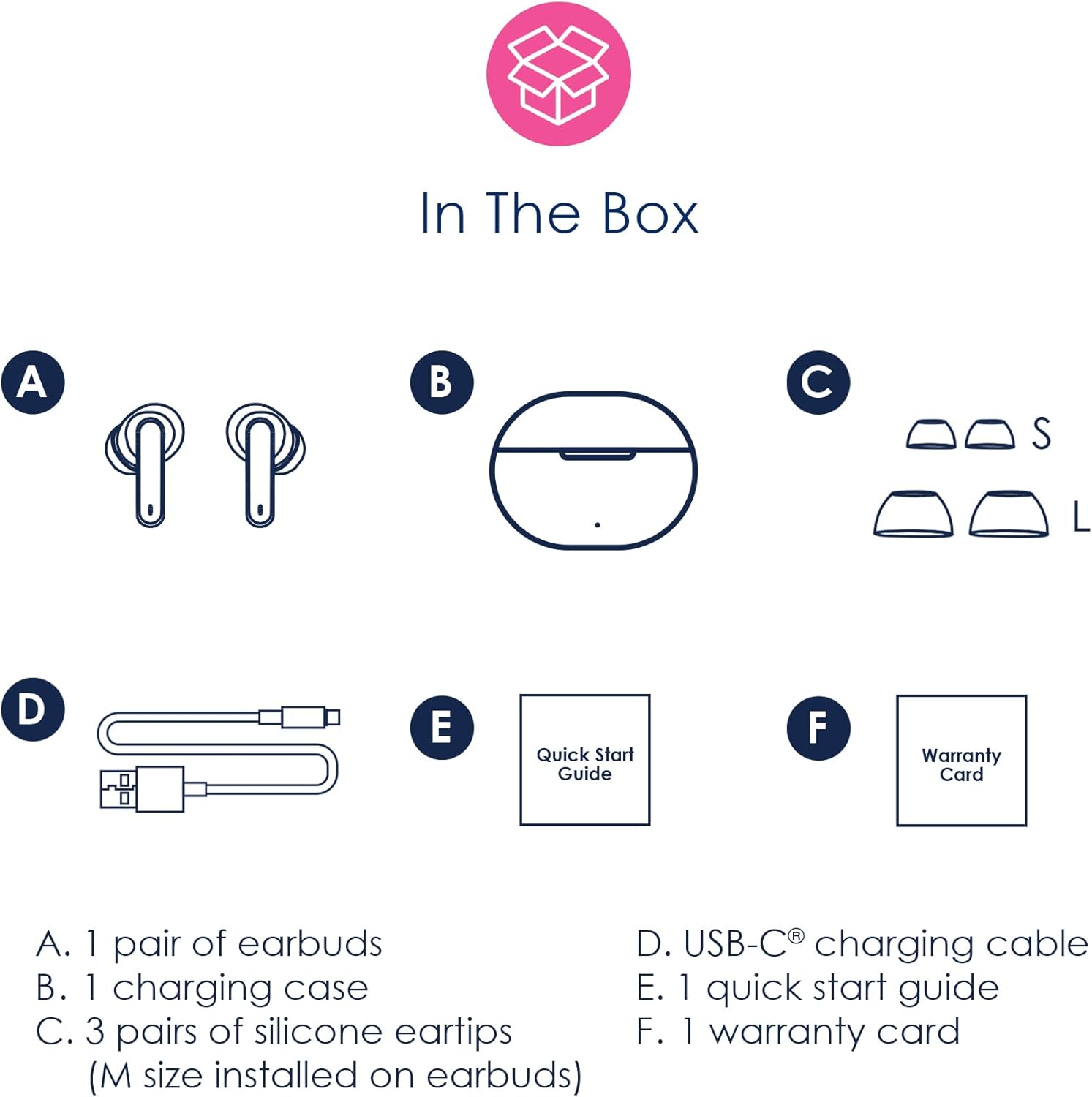
Image: A visual representation of the contents included in the product packaging, labeling each component from A to F.
Setup
1. Charging the Earbuds and Case
Before first use, fully charge the earbuds and the charging case.
- Place the earbuds into the charging case. Ensure they are properly seated to initiate charging.
- Connect the provided USB-C charging cable to the charging port on the case and plug the other end into a USB power adapter (not included).
- The indicator light on the charging case will show charging status. A full charge typically takes about 1 hour.
The earbuds have a 3.7V/30mAh rechargeable battery each, and the case has a 250mAh rechargeable battery. A single charge provides approximately 6 hours of playtime, with the charging case providing an additional 2-3 charges for a total of over 20 hours of playtime.

Image: A close-up view of the USB-C charging port located on the bottom of the earbud charging case.

Image: An infographic illustrating the battery life: 6 hours on a single earbud charge and over 20 hours total playtime with the charging case.
2. Pairing with a Bluetooth Device
The earbuds feature one-step auto-pairing for convenience.
- Open the charging case. The earbuds will automatically power on and enter pairing mode.
- On your device (smartphone, tablet, laptop), enable Bluetooth and search for available devices.
- Select "Packed Party Earbuds" from the list of found devices.
- Once connected, the earbuds will automatically connect to the last paired device when removed from the case.
The Bluetooth range is approximately 10 meters (33 feet).

Image: An infographic demonstrating the one-step auto pairing feature, showing the earbuds connecting to a Bluetooth-enabled device.
Operating Instructions
1. Wearing the Earbuds
Gently insert the earbuds into your ears. Adjust them for a comfortable and secure fit. Experiment with the different sized eartips to find the best seal for optimal sound quality and comfort.
2. Touch Controls
The earbuds are equipped with touch sensors for easy control of music playback and calls.
| Action | Function |
|---|---|
| Tap 2x (either earbud) | Play/Pause music |
| Tap & Hold for 2 seconds (either earbud) | Activate Siri / Google Assistant, or Reject an incoming call |
| Tap Left Earbud 3x | Previous track |
| Tap Right Earbud 3x | Next track |
| Tap Once (either earbud) | Answer an incoming call or Hang up a call |
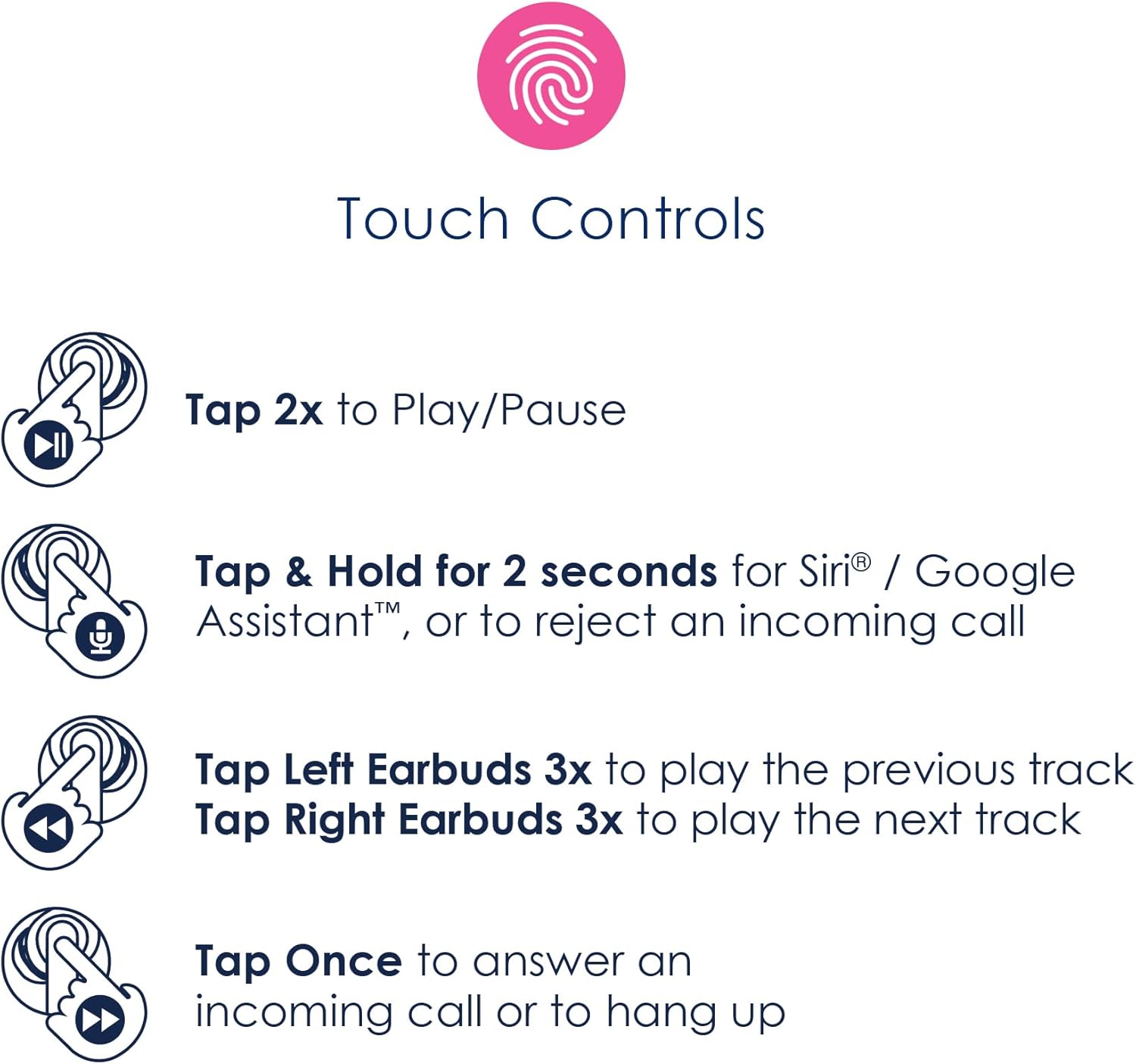
Image: An infographic detailing the various touch control gestures and their corresponding functions for music and call management.
3. Power On/Off
- Power On: The earbuds will automatically power on when removed from the charging case.
- Power Off: Place the earbuds back into the charging case and close the lid. They will automatically power off and begin charging.
Maintenance
1. Cleaning
Regular cleaning helps maintain sound quality and hygiene.
- Use a soft, dry, lint-free cloth to wipe the earbuds and charging case.
- Do not use harsh chemicals, cleaning solvents, or strong detergents.
- Gently remove any earwax or debris from the eartips and speaker mesh using a small, soft brush or cotton swab.
2. Water Resistance (IPX5)
The Packed Party True Wireless Earbuds are IPX5 water resistant. This means they are protected against splashing water from any direction. They are suitable for workouts and light rain, but should not be submerged in water or exposed to strong jets of water.
- Do not charge the earbuds or case if they are wet.
- Ensure the charging port is dry before connecting the USB-C cable.
Troubleshooting
If you encounter issues with your earbuds, refer to the following common solutions:
| Problem | Solution |
|---|---|
| Earbuds not pairing | Ensure earbuds are charged. Place them back in the case, close the lid, then open again. Turn off and on Bluetooth on your device. Forget the device in your Bluetooth settings and re-pair. |
| Only one earbud working | Ensure both earbuds are charged. Place both earbuds back in the case, close the lid, then open again. Try re-pairing. |
| No sound or low volume | Check device volume. Ensure earbuds are properly seated in your ears. Clean any debris from the speaker mesh. |
| Charging issues | Ensure the USB-C cable is securely connected. Try a different USB power source or cable. Ensure the charging port is clean and dry. |
| Earbuds disconnect frequently | Ensure your device is within the 10-meter Bluetooth range. Avoid obstacles between your device and earbuds. Reduce interference from other wireless devices. |
Specifications
| Feature | Detail |
|---|---|
| Model Name | Packed Party "Navy Baby" Bluetooth True Wireless Earbuds |
| Model Number | PKTW200BS |
| Bluetooth Version | 5.3 |
| Bluetooth Range | 10 Meters (33 feet) |
| Earbud Battery | 3.7V/30mAh (per earbud) |
| Charging Case Battery | 250mAh |
| Playtime (Single Charge) | Up to 6 hours |
| Total Playtime (with Case) | Over 20 hours |
| Charging Time | Approx. 1 hour |
| Water Resistance | IPX5 (Sweatproof and Water Resistant) |
| Control Method | Touch |
| Audio Driver Size | 10 mm |
| Connectivity Technology | Wireless (Bluetooth) |
| Charging Port | USB-C |
| Item Weight | 48.3 Grams (1.7 ounces) |
| Product Dimensions | 2.5 x 1.95 x 0.95 inches (case) |
| Included Components | Cable, Eartip, User Manual, Wireless Charging Case |
Warranty and Support
Your Packed Party True Wireless Earbuds come with a limited warranty. Please refer to the included Warranty Card for detailed terms and conditions, including warranty period and coverage.
For technical support, troubleshooting assistance beyond this manual, or warranty claims, please contact Packed Party customer service. Contact information can typically be found on the product packaging, the official Packed Party website, or the Warranty Card.
Please retain your proof of purchase for warranty purposes.