
1. Introduction
The Octagon SF8008 UHD 4K Supreme Combo receiver is a versatile multimedia device designed for high-definition television reception and advanced media functionalities. This receiver supports DVB-S2X, DVB-C, and DVB-T2 standards, offering a wide range of tuning options. It features a powerful processor, dual operating systems (E2 Linux and Define OS), and an integrated M.2 interface for internal storage, including a pre-installed 2TB HDD in this specific model. This manual provides essential information for setting up, operating, and maintaining your receiver.
2. Safety Information
- Ensure the receiver is placed on a stable, flat surface with adequate ventilation.
- Do not expose the device to moisture, rain, or extreme temperatures.
- Use only the provided power adapter. Disconnect power during thunderstorms or when unused for extended periods.
- Do not open the receiver casing. Refer all servicing to qualified personnel.
- Keep the remote control batteries out of reach of children.
3. Package Contents
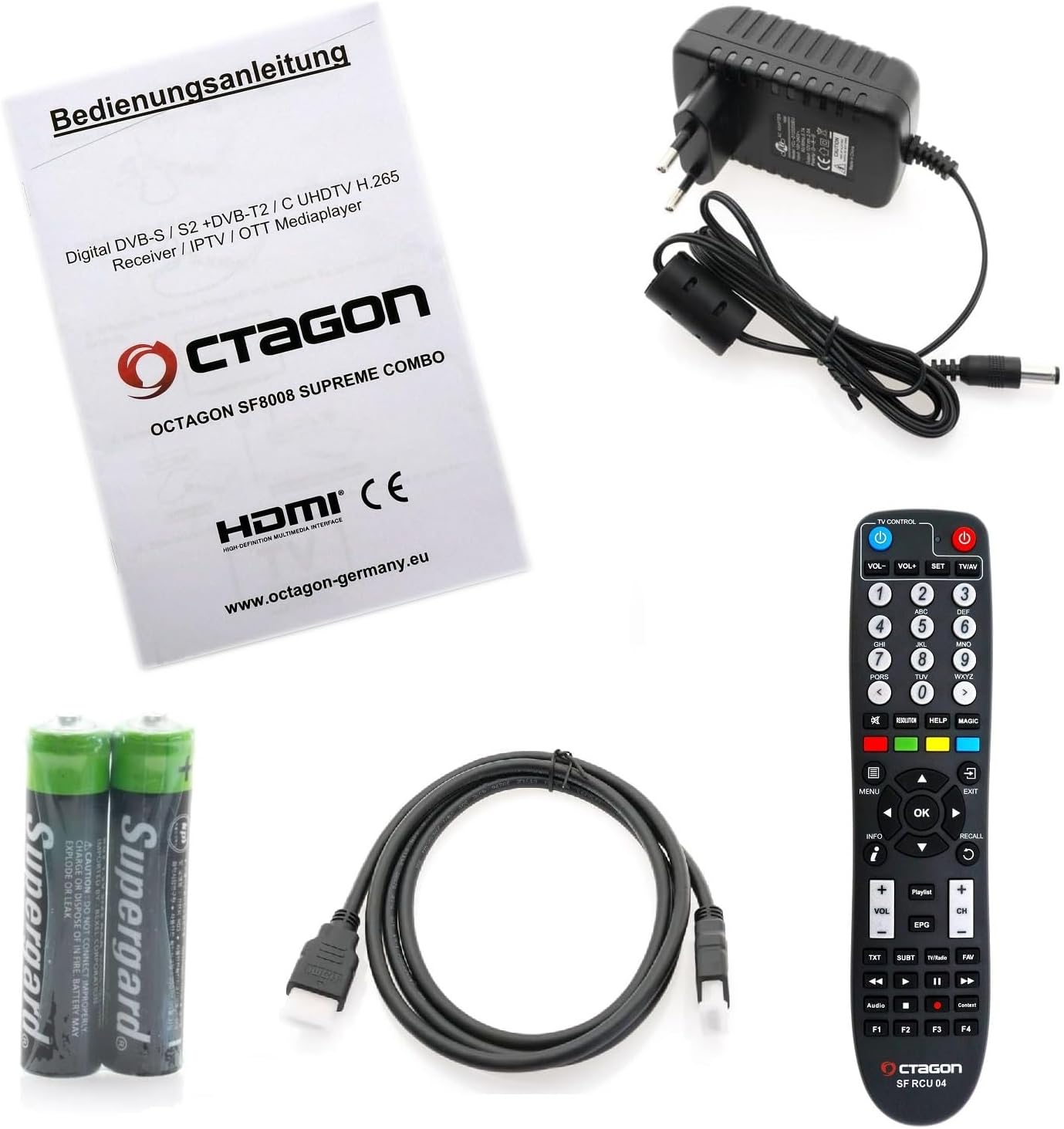
Verify that all items are present in the package:
- Octagon SF8008 UHD 4K Supreme Combo Receiver with 2TB Internal HDD
- Remote Control (SF RCU 04)
- Power Adapter
- HDMI Cable
- 2x AAA Batteries (for remote control)
- User Manual (this document)
4. Product Overview
4.1 Front Panel
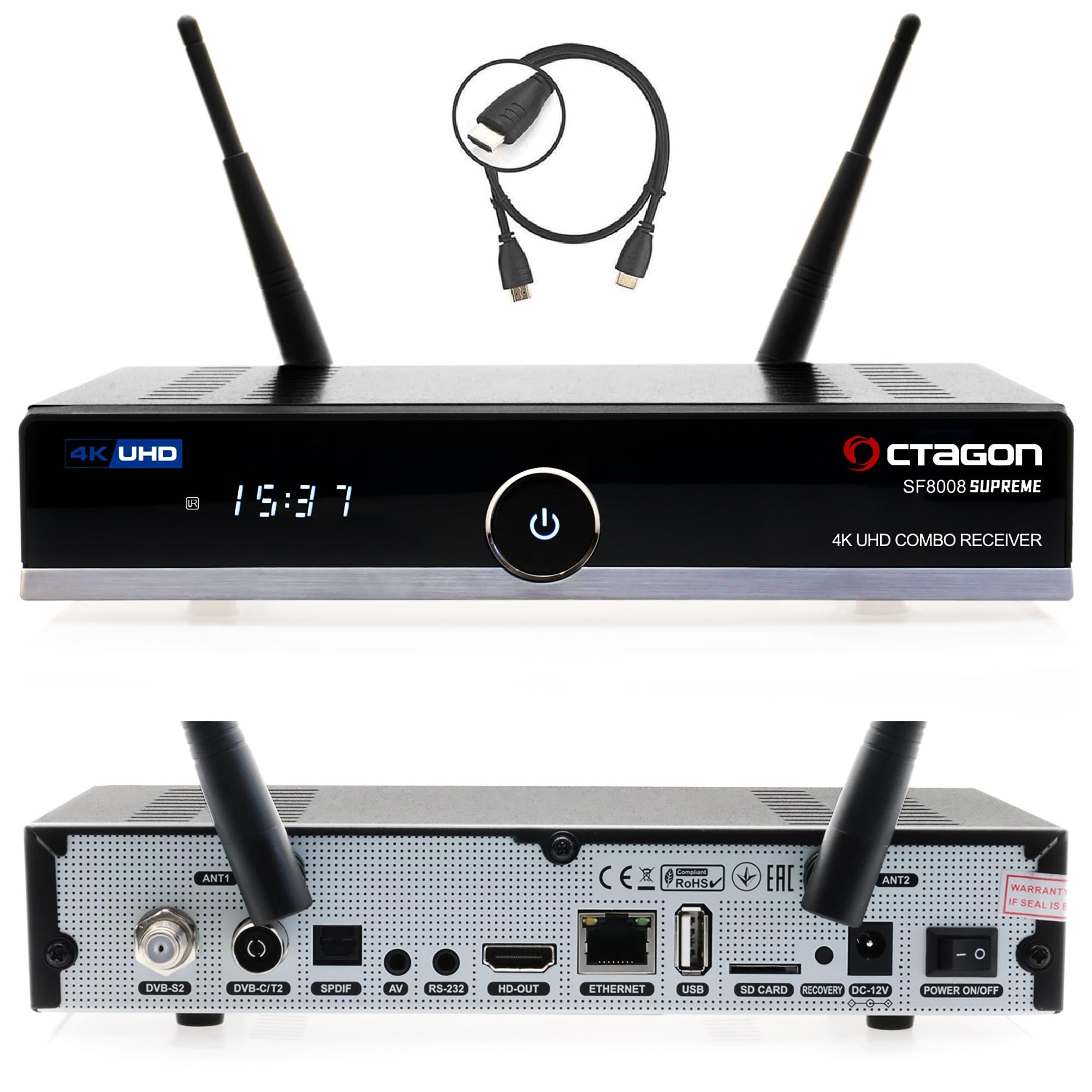
- Power Button: Turns the device on/off.
- 7-Segment Display: Shows time or channel information.
- LED Indicator: Indicates operational status (red for standby, blue for active).
- IR Sensor: Receives signals from the remote control.
- USB 3.0 Port: For connecting external storage devices.
- CA Card Slot: For inserting conditional access cards.
4.2 Rear Panel

- LNB Input: For satellite antenna connection (DVB-S2X).
- DVB-C/T2 Input: For cable or terrestrial antenna connection.
- Dolby S-PDIF: Digital audio output.
- AV Jack: Audio/Video output (jack to RCA cable required).
- RS-232 Port: For maintenance and service.
- Wi-Fi Antennas (2x): For wireless network connectivity.
- HDMI 2.0a Output: Connects to your TV or display.
- USB 2.0 Port: For additional external devices.
- Gigabit LAN (1000 Mbps): Wired network connection.
- MicroSD Slot: For external memory cards.
- Reset Button: For system reset.
- DC 12V Power Input: Connects to the power adapter.
- Power Switch: Main power on/off.
4.3 Internal Components (M.2 SSD Slot)
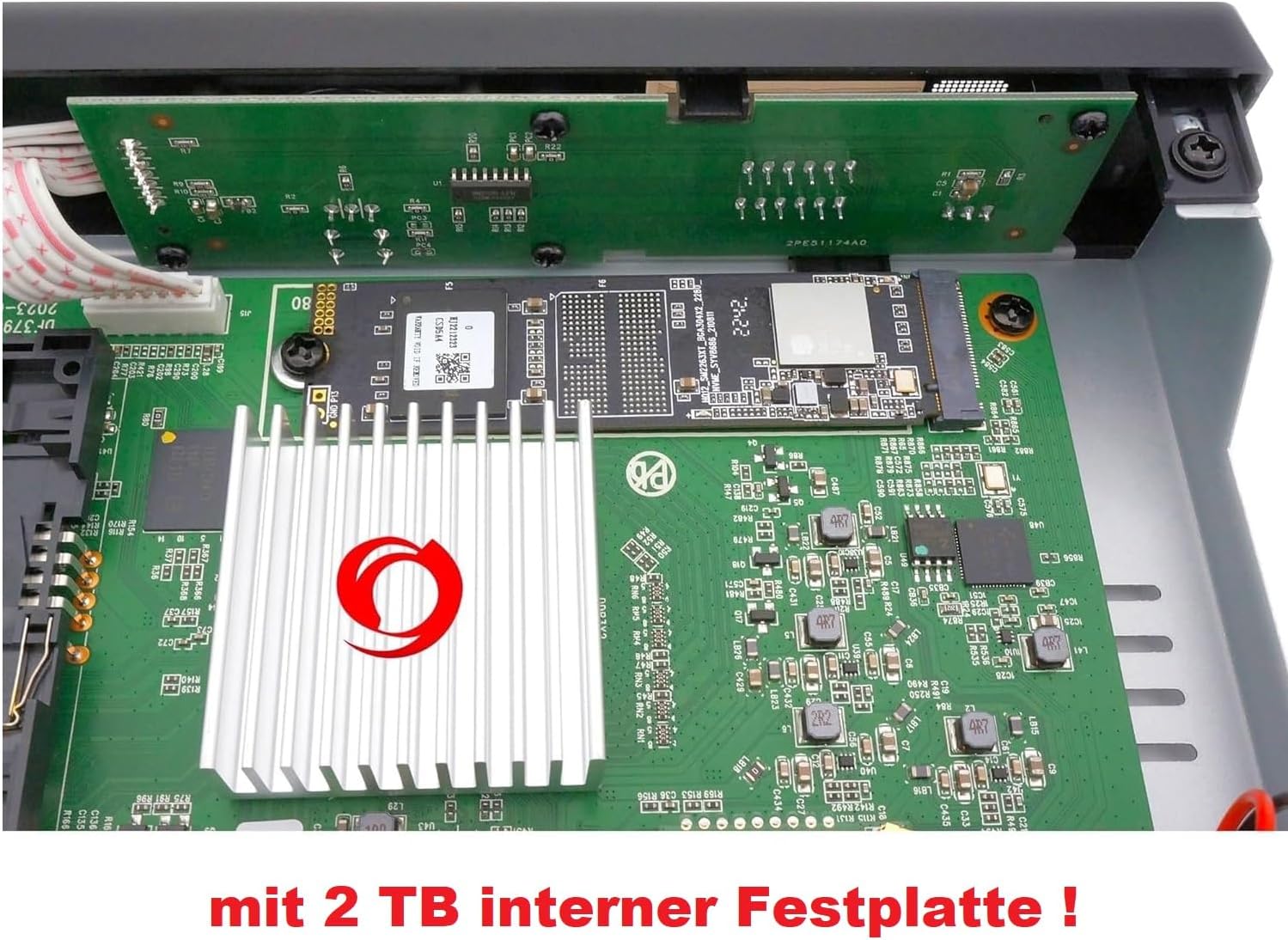
The Octagon SF8008 Supreme Combo features an internal M.2 slot (M Key - PCIe NVMe) for SSD installation, providing fast and silent storage for recordings and media. This model comes with a 2TB internal HDD pre-installed.
5. Setup
5.1 Connecting the Receiver
- Connect Antenna Cables: Connect your satellite dish cable to the DVB-S2X LNB input and your terrestrial/cable antenna to the DVB-C/T2 input on the rear panel.
- Connect to TV: Use the provided HDMI cable to connect the receiver's HDMI 2.0a output to an HDMI input on your television.
- Network Connection: For internet access, connect an Ethernet cable to the Gigabit LAN port or ensure the Wi-Fi antennas are attached for wireless connection.
- Power Connection: Connect the power adapter to the DC 12V input on the receiver, then plug the adapter into a power outlet.
- Insert Batteries: Open the battery compartment of the remote control and insert the two AAA batteries, observing polarity.
5.2 Initial Configuration
Upon first power-on, the receiver will guide you through an initial setup wizard. This typically includes:
- Language Selection: Choose your preferred language for the user interface.
- Video Output Settings: Configure resolution and display settings to match your TV.
- Tuner Configuration: Set up your DVB-S2X, DVB-C, and DVB-T2 tuners according to your signal source. This may involve selecting satellite, transponder, or scanning for channels.
- Network Setup: Configure your wired or wireless network connection.
- Time and Date: Set the correct time zone and synchronize the clock.
6. Operating Instructions
6.1 Basic Operation with Remote Control
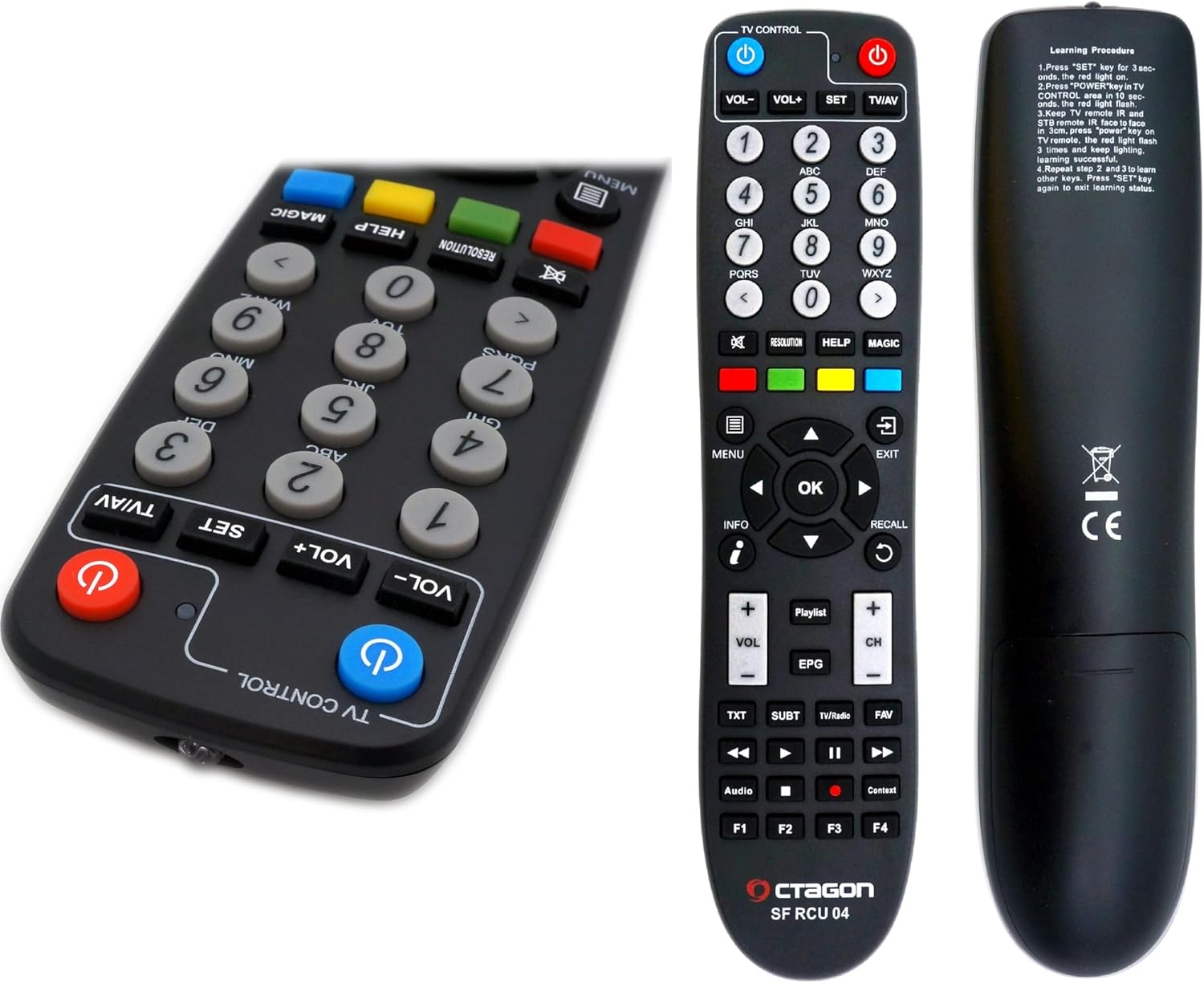
- Power Button: Turns the receiver on/off or into standby mode.
- Numeric Keys (0-9): For direct channel selection.
- Volume Up/Down: Adjusts audio volume.
- Channel Up/Down: Changes channels.
- OK Button: Confirms selections or displays channel list.
- Arrow Keys: Navigate through menus and lists.
- MENU Button: Accesses the main menu.
- EXIT Button: Exits current menu or screen.
- EPG Button: Displays the Electronic Program Guide.
- INFO Button: Shows program information.
- Color Buttons (Red, Green, Yellow, Blue): Perform context-sensitive functions as indicated on-screen.
6.2 Dual OS Functionality (E2 Linux & Define OS)
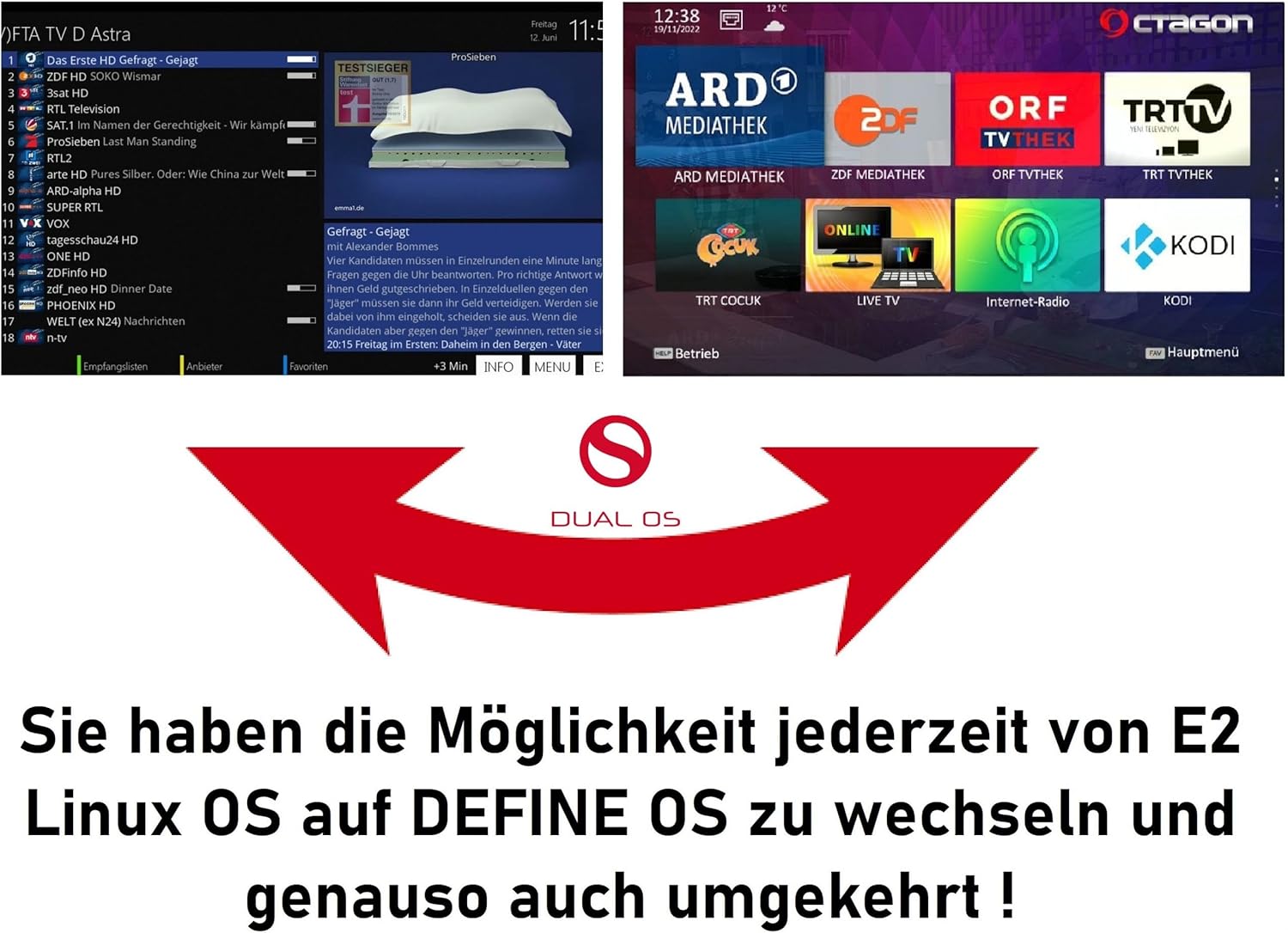
The SF8008 Supreme Combo supports a dual operating system environment, allowing you to switch between E2 Linux OS and Octagon Define Linux OS. This feature, known as Multiboot, provides flexibility and access to different user interfaces and plugin ecosystems.
- To switch between operating systems, access the Multiboot menu, typically available during startup or via a specific menu option within the current OS.
- E2 Linux OS offers extensive customization, a wide range of plugins, and a community-driven development.
- Define OS provides a streamlined user experience with essential features.
6.3 Recording and Timeshift (PVR)
With the integrated 2TB M.2 HDD, the receiver supports PVR (Personal Video Recorder) functions, including recording and Timeshift.
- Recording: You can record live TV programs directly to the internal 2TB HDD. Recordings can be scheduled via the EPG or initiated manually.
- Timeshift: Pause live television and resume playback later. This feature temporarily stores the live broadcast on the internal HDD, allowing you to fast-forward or rewind within the buffered content.
- Access recorded content through the media player or a dedicated PVR menu.
6.4 Network Features
The receiver offers robust network connectivity and features:
- Gigabit LAN: Provides high-speed wired network connection (up to 1000 Mbps) for streaming and data transfer.
- Dual-Band Wi-Fi (2.4/5 GHz): Integrated Wi-Fi module with two antennas supports speeds up to 1200 Mbps for wireless connectivity.
- Bluetooth 5.1: For connecting compatible Bluetooth devices, such as headphones or speakers.
- Sat>IP Client: Allows the receiver to receive satellite signals over your home network, even without a direct satellite tuner connection.
- DLNA Function: Enables streaming of media content (music, photos, videos) from compatible devices on your network (e.g., PC, NAS).
6.5 Media Playback
The SF8008 supports playback of various media formats from internal storage (2TB HDD), external USB drives, or MicroSD cards.
- Supported Formats: Includes 2160P media playback for H.264 and H.265 (HEVC) video, MP3 audio, and various image formats.
- Access the media player through the main menu to browse and play your content.
7. Maintenance
7.1 Cleaning
- Before cleaning, disconnect the receiver from the power outlet.
- Use a soft, dry cloth to wipe the exterior surfaces.
- Do not use liquid cleaners, aerosols, or abrasive materials, as they may damage the finish or internal components.
- Ensure ventilation slots are free from dust and obstructions.
7.2 Software Updates
Regular software updates are released to improve performance, add features, and fix bugs.
- The receiver supports OTA (Over-The-Air) updates. Check the system settings menu for available updates.
- Follow the on-screen instructions carefully during the update process. Do not power off the device during an update.
8. Troubleshooting
This section addresses common issues you might encounter.
| Problem | Possible Cause | Solution |
|---|---|---|
| No picture or sound | Loose HDMI cable, incorrect input on TV, receiver not powered on. | Check HDMI connections, select correct TV input, ensure receiver is powered on. |
| No signal | Antenna not connected, incorrect tuner settings, bad weather. | Check antenna connections, verify tuner configuration in settings, wait for weather to clear. |
| Remote control not working | Dead batteries, IR sensor blocked, remote out of range. | Replace batteries, ensure clear line of sight to receiver, operate within range. |
| Network connection issues | Incorrect Wi-Fi password, router issues, loose Ethernet cable. | Verify network settings, restart router, check Ethernet cable connection. |
| System freezes or crashes | Software issue, overheating. | Perform a soft reboot (power cycle), check for software updates, ensure adequate ventilation. If persistent, consider a factory reset (data loss may occur). |
9. Specifications
| Feature | Detail |
|---|---|
| Processor | Hisilicon Hi3798MV200 Huawei, Quad-Core 64-bit (4 x 1.6 GHz), 15000 DMIPS |
| Flash Memory | 8 GB eMMC |
| RAM | 1 GB DDR4 |
| Tuner Configuration | DVB-S2X & DVB-C/T2 Combo (2 tuners) + Multistream support |
| Video Decoding | H.265 HEVC UHD (3840 x 2160), HDR10, HLG |
| Operating System | Dual OS (E2 Linux & Define OS Linux) |
| Internal Storage | M.2 Slot (M Key - PCIe NVMe) with 2TB HDD pre-installed |
| Network | Gigabit LAN (1000 Mbps), Integrated Dual-Band Wi-Fi (2.4/5 GHz) up to 1200 Mbps, Bluetooth 5.1 |
| USB Ports | 1x USB 3.0, 1x USB 2.0 |
| Other Ports | HDMI 2.0a, S/PDIF, AV (Jack to RCA), RS-232, MicroSD Slot, CA Card Reader |
| Power Consumption | Less than 0.5 W in standby |
| Dimensions (W x D x H) | 22 x 12.5 x 4 cm |
| Weight | 950 Grams |
10. Warranty and Support
For warranty information and technical support, please refer to the documentation provided with your purchase or visit the official Octagon website. Keep your proof of purchase for warranty claims.