
Introduction
This manual provides essential instructions for the safe and efficient use of the IFM CR0452 industrial device. Please read this manual thoroughly before installation, operation, or maintenance to ensure proper function and to prevent damage or injury. Keep this manual for future reference.
Setup and Installation
1. Unpacking
Carefully remove the IFM CR0452 device from its packaging. Inspect the device for any signs of damage that may have occurred during transit. If any damage is found, do not proceed with installation and contact your supplier immediately.

Image: Multiple IFM CR0452 units are shown in their original brown cardboard packaging, indicating how the product is typically received. Each box is labeled with "CR0452".

Image: A closer view of several IFM CR0452 devices still within their open cardboard boxes, providing a perspective of the product's packaging and initial presentation.
2. Mounting
The IFM CR0452 is designed for secure mounting in industrial environments. Ensure the mounting surface is stable and free from excessive vibration. Use appropriate fasteners (not included) for your specific application. Refer to the device's dimensions for proper clearance.
3. Electrical Connections
Before making any electrical connections, ensure that the power supply is disconnected. Connect the device according to the wiring diagram provided in the technical specifications (not included in this general manual). The device features a standard industrial connector for power and data communication.
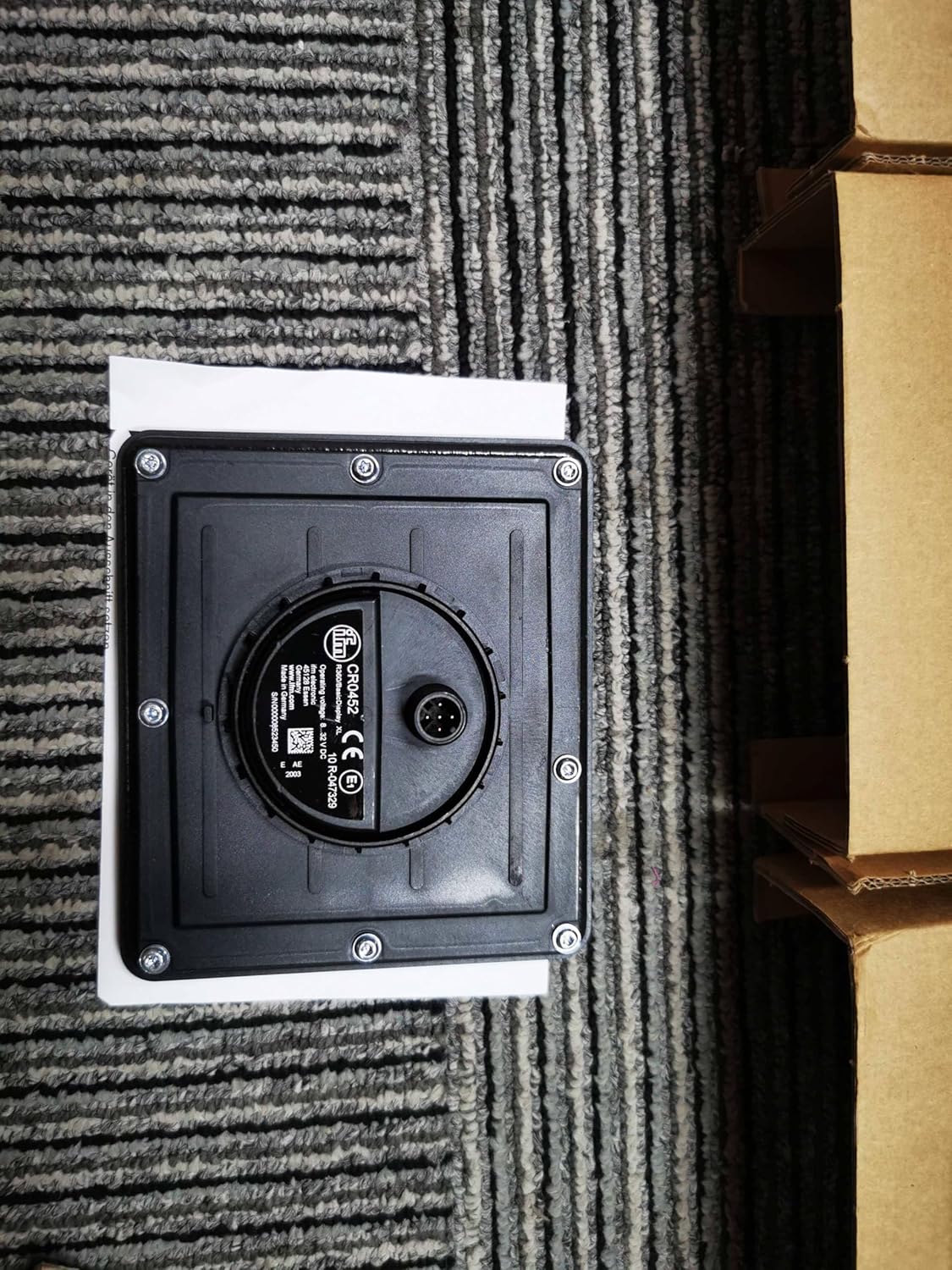
Image: This image displays the rear panel of the IFM CR0452 device. Prominently featured is a central circular multi-pin connector, which is used for power and data connections. Surrounding the main body are several screws, indicating points for secure mounting or enclosure access.
Ensure all connections are secure and properly insulated to prevent short circuits or electrical hazards. Once connections are complete, restore power.
Operating Instructions
1. Power On
After successful installation and connection, apply power to the device. The device will typically perform a self-test upon startup.
2. User Interface and Controls
The IFM CR0452 features a user-friendly interface with several control buttons for configuration and operation.
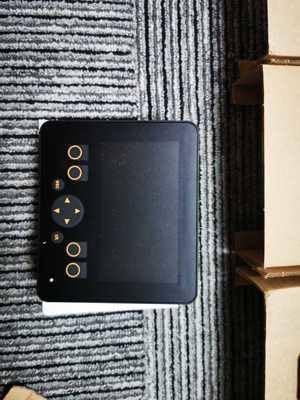
Image: This image shows the front face of the IFM CR0452 device. It features a central dark rectangular area, likely a display screen, surrounded by several circular control buttons. There are two buttons on the top, two on the bottom, and a directional pad (up, down, left, right) with a central button on the right side, suggesting navigation and selection functionalities.
- Display Area: The central dark area serves as the primary display for operational data, menus, and status indicators.
- Control Buttons: Use the circular buttons to navigate through menus, adjust settings, and confirm selections. The directional pad allows for precise movement within the interface.
Refer to the device's specific programming guide for detailed instructions on configuring parameters and accessing advanced features.
3. Status Indicators
The device may include LED indicators or on-screen messages to communicate its operational status, warnings, or errors. Consult the technical documentation for a complete list of status codes and their meanings.
Maintenance
1. Cleaning
Regularly clean the exterior of the device with a soft, damp cloth. Do not use abrasive cleaners, solvents, or excessive moisture, as these can damage the housing or internal components. Ensure the device is powered off before cleaning.
2. Inspection
Periodically inspect the device for any signs of wear, damage, or loose connections. Pay close attention to cables, connectors, and mounting points. Address any issues promptly to maintain optimal performance and safety.
3. Storage
If the device is to be stored for an extended period, ensure it is kept in a dry, dust-free environment within the specified temperature and humidity ranges. Protect it from physical impact.
Troubleshooting
This section provides solutions to common issues you might encounter with the IFM CR0452 device. For problems not listed here, or if solutions do not resolve the issue, contact technical support.
| Problem | Possible Cause | Solution |
|---|---|---|
| Device does not power on. | No power supply; loose connection; faulty power source. | Check power cable and connections. Verify power source is active. |
| Display is blank or unresponsive. | Device not powered; software error; display damage. | Ensure power is on. Restart the device. If issue persists, contact support. |
| Buttons are unresponsive. | Software freeze; physical damage to buttons. | Restart the device. Inspect buttons for physical obstruction or damage. |
Specifications
The following are general specifications for the IFM CR0452 industrial device. For detailed technical data, please refer to the official product datasheet.
- Model: CR0452
- Brand: Generic
- ASIN: B0CSHJBMQF
- Date First Available: January 16, 2024
- Type: Industrial Device (Specific function not detailed in provided data)
- Manufacturer: Generic
Warranty Information
This IFM CR0452 device is covered by a standard manufacturer's warranty against defects in materials and workmanship. The warranty period typically begins from the date of purchase. Please retain your proof of purchase for warranty claims.
For specific warranty terms and conditions, including duration and coverage details, please refer to the warranty card included with your product or contact the manufacturer directly. Unauthorized repairs or modifications may void the warranty.
Customer Support
If you require technical assistance, have questions about your IFM CR0452 device, or need to report an issue, please contact your supplier or the manufacturer's customer support.
For the most up-to-date support information, including contact details and online resources, please visit the official website of the manufacturer or the vendor from whom you purchased the product.
When contacting support, please have the following information ready:
- Product Model: IFM CR0452
- ASIN: B0CSHJBMQF
- Date of Purchase
- A detailed description of the issue