1. Introduction
Thank you for choosing the XRCLIF Digital Sound Level Meter. This device is designed to measure sound levels in various environments, providing accurate readings for quality control, environmental monitoring, and personal use. It features a wide measurement range, high accuracy, and user-friendly operation. Please read this manual thoroughly before use to ensure proper operation and to maximize the lifespan of your device.

Image 1.1: The XRCLIF Digital Sound Level Meter displaying a sound level. The device is orange and black with a foam wind-resistant ball over the microphone.
2. Product Overview and Components
Familiarize yourself with the different parts of your sound level meter:
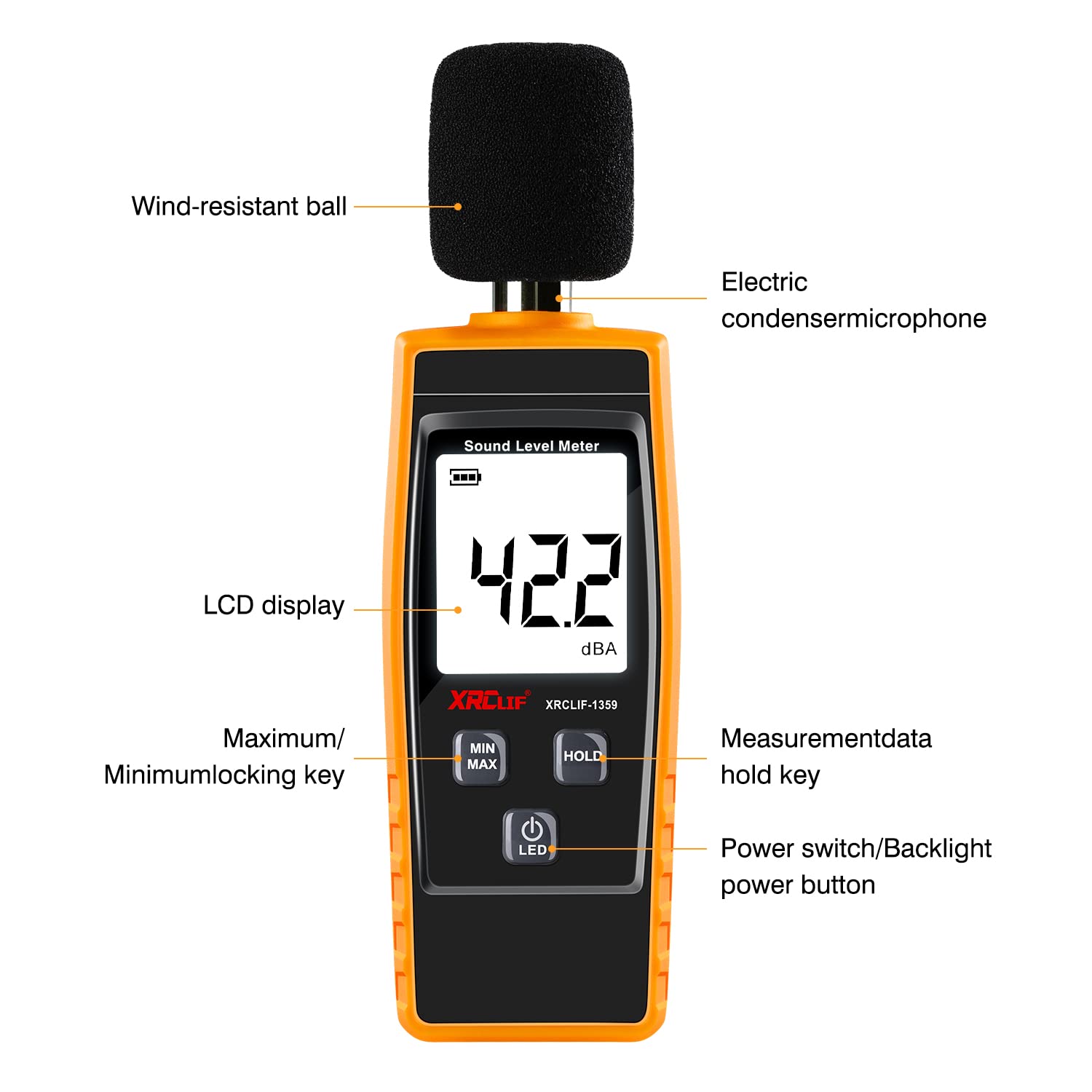
Image 2.1: Diagram illustrating the key components of the XRCLIF Digital Sound Level Meter, including the wind-resistant ball, electric condenser microphone, LCD display, Maximum/Minimum locking key, Measurement data hold key, and Power switch/Backlight power button.
- Wind-resistant ball: Reduces wind noise interference for more accurate outdoor measurements.
- Electric condenser microphone: High-sensitivity microphone for precise sound detection.
- LCD display: Digital screen showing sound level readings, battery status, and mode indicators.
- MIN/MAX button: Toggles between minimum and maximum value display during measurement.
- HOLD button: Freezes the current measurement reading on the display.
- Power/LED button: Turns the device on/off and controls the backlight.

Image 2.2: A close-up view of the polarized condenser microphone, highlighting its precise and stable design. The wind-resistant ball is shown detached.
3. Setup
3.1 Battery Installation
The device requires 3 AAA batteries (included). To install or replace batteries:
- Locate the battery compartment cover on the back of the device.
- Slide the cover downwards to open.
- Insert three AAA batteries, ensuring correct polarity (+ and -).
- Replace the battery compartment cover, sliding it upwards until it clicks into place.
3.2 Attaching the Wind-Resistant Ball
For outdoor measurements or in windy conditions, attach the foam wind-resistant ball to the microphone to minimize interference from air movement.
- Gently slide the wind-resistant ball over the microphone head until it is securely in place.
4. Operating Instructions
4.1 Power On/Off
- To turn on: Press the Power/LED button. The LCD display will illuminate.
- To turn off: Press and hold the Power/LED button for approximately 2 seconds.
4.2 Backlight Control
- While the device is on, short press the Power/LED button to toggle the backlight on or off.
4.3 Measurement Modes (MAX/MIN)
The device can display the current sound level, or the maximum/minimum sound level recorded since entering the mode.
- Press the MIN/MAX button once to display the maximum (MAX) sound level. The 'MAX' indicator will appear on the screen.
- Press the MIN/MAX button again to display the minimum (MIN) sound level. The 'MIN' indicator will appear on the screen.
- Press the MIN/MAX button a third time to return to normal real-time measurement.
4.4 Data Hold Function
To freeze the current reading on the display:
- Press the HOLD button. The 'HOLD' indicator will appear, and the displayed value will remain fixed.
- Press the HOLD button again to release the hold function and resume real-time measurement.
4.5 Auto Shutdown
The device features an automatic shutdown function to conserve battery power. If no operation is performed for approximately 10 minutes, the meter will automatically turn off. This feature cannot be disabled.
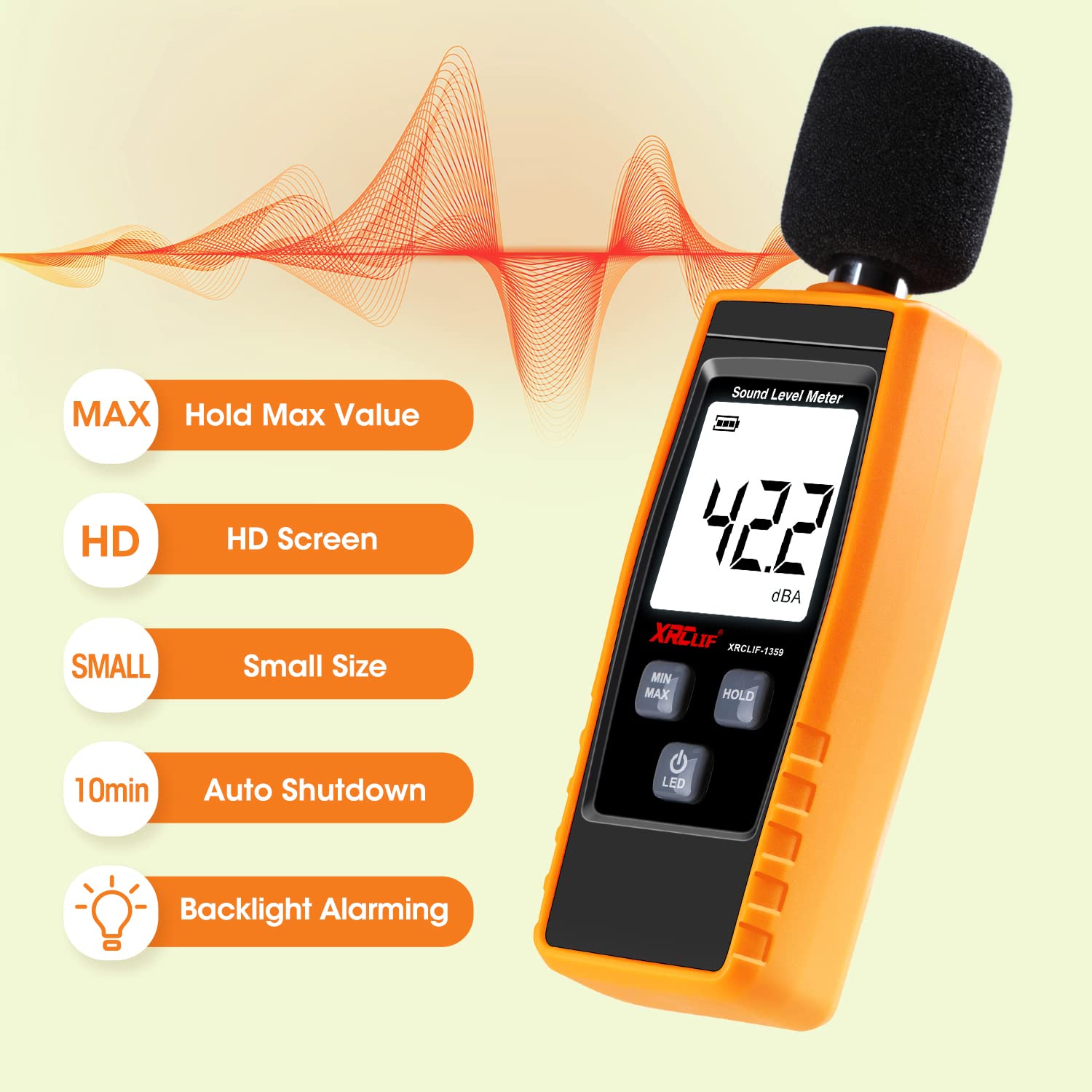
Image 4.1: Visual representation of key features: MAX Hold, HD Screen, Small Size, 10-minute Auto Shutdown, and Backlight Alarming.
4.6 Applications
The XRCLIF Digital Sound Level Meter is suitable for a wide range of applications:
- Environmental noise monitoring (e.g., residential areas, roads)
- Industrial noise assessment (e.g., factories, workshops)
- Office and educational settings
- Music recording and audio system setup
- Speech therapy and acoustic analysis
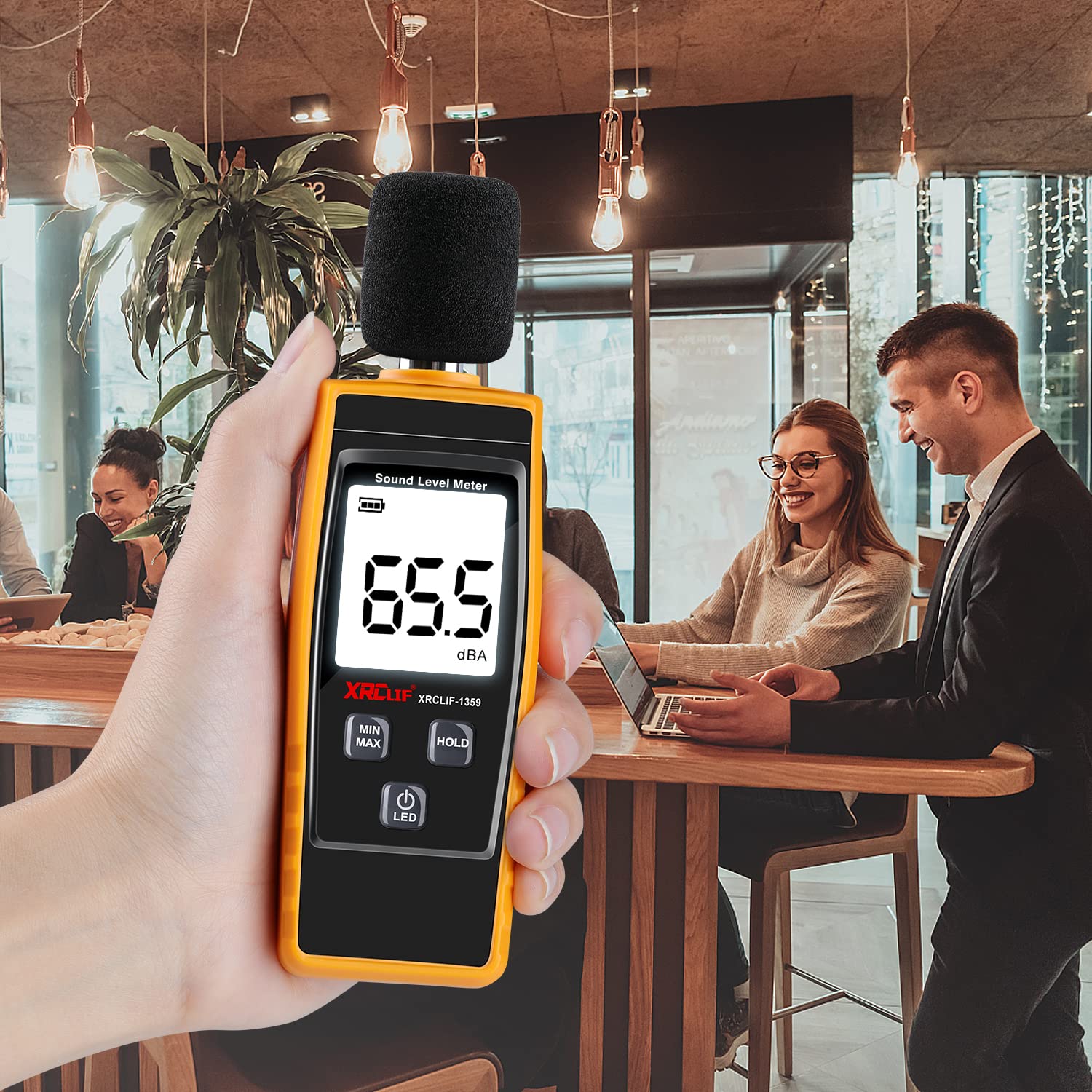
Image 4.2: The decibel meter being used in an indoor environment, such as an office or cafe, showing a reading of 65.5 dBA.

Image 4.3: The decibel meter being used outdoors at a construction site, showing a reading of 93.7 dBA.
5. Maintenance
- Cleaning: Use a soft, dry cloth to clean the device. Do not use abrasive cleaners or solvents.
- Storage: When not in use for extended periods, remove the batteries to prevent leakage. Store the device in a cool, dry place, away from direct sunlight and extreme temperatures.
- Microphone Care: Avoid touching the microphone directly. Keep it free from dust and debris. Always use the wind-resistant ball in appropriate conditions.
6. Troubleshooting
- Device does not power on:
- Check if batteries are installed correctly with the right polarity.
- Replace with new AAA batteries.
- Inaccurate readings:
- Ensure the microphone is not obstructed.
- Use the wind-resistant ball in windy conditions.
- Avoid measuring in environments with extreme temperature or humidity fluctuations.
- Display is dim or flickering:
- Batteries may be low. Replace them.
7. Specifications
| Parameter | Value |
|---|---|
| Measurement Range | 30-130 dBA |
| Accuracy | ±1.5 dB |
| Resolution | 0.1 dB |
| Frequency Weighting | A-Weighting |
| Display | LCD with Backlight |
| Power Supply | 3 x AAA Batteries |
| Auto Shutdown | Approx. 10 minutes (no operation) |
| Dimensions | 15.49 x 9.7 x 3.71 cm (approximate) |
| Weight | 181 g (approximate) |
| Model Number | XRCF1359-YE |
8. Safety Information
- Do not attempt to disassemble or modify the device.
- Keep the device away from water and high humidity.
- Avoid exposing the device to extreme temperatures or direct sunlight for prolonged periods.
- Dispose of batteries according to local regulations.
- This device is for measurement purposes only and should not be used for medical or legal applications without proper calibration and certification.
9. Warranty and Support
For any issues or inquiries regarding your XRCLIF Digital Sound Level Meter, please refer to the contact information provided at the point of purchase. The manufacturer typically offers a limited warranty against defects in materials and workmanship. Please retain your proof of purchase for warranty claims.


