
Solofish Gm-1002BL
SOLOFISH Laser Sight Instruction Manual
Model: Gm-1002BL
Brand: Solofish
Product Overview
The SOLOFISH Picatinny/MLOK Mounted Laser Sight is a compact, lightweight, and rechargeable aiming device designed for handguns and shotguns. It features a bright laser beam (available in Green, Red, or Blue, with the current model being Blue) to enhance targeting accuracy. Its low-profile design ensures compatibility with tactical holsters.
- Compact Design: Ultra-compact and low-profile with fiber-reinforced nylon material.
- Rechargeable: Equipped with a built-in battery, rechargeable via USB-C cable, providing up to 5 hours of continuous use.
- Adjustable: Windage and elevation can be precisely adjusted using the included Allen wrench.
- Ambidextrous Activation: Features on/off buttons accessible for both left and right-handed users.
- Visibility: Highly visible in various environments, effective from 50-100 feet during the day and up to 1000 feet at night.
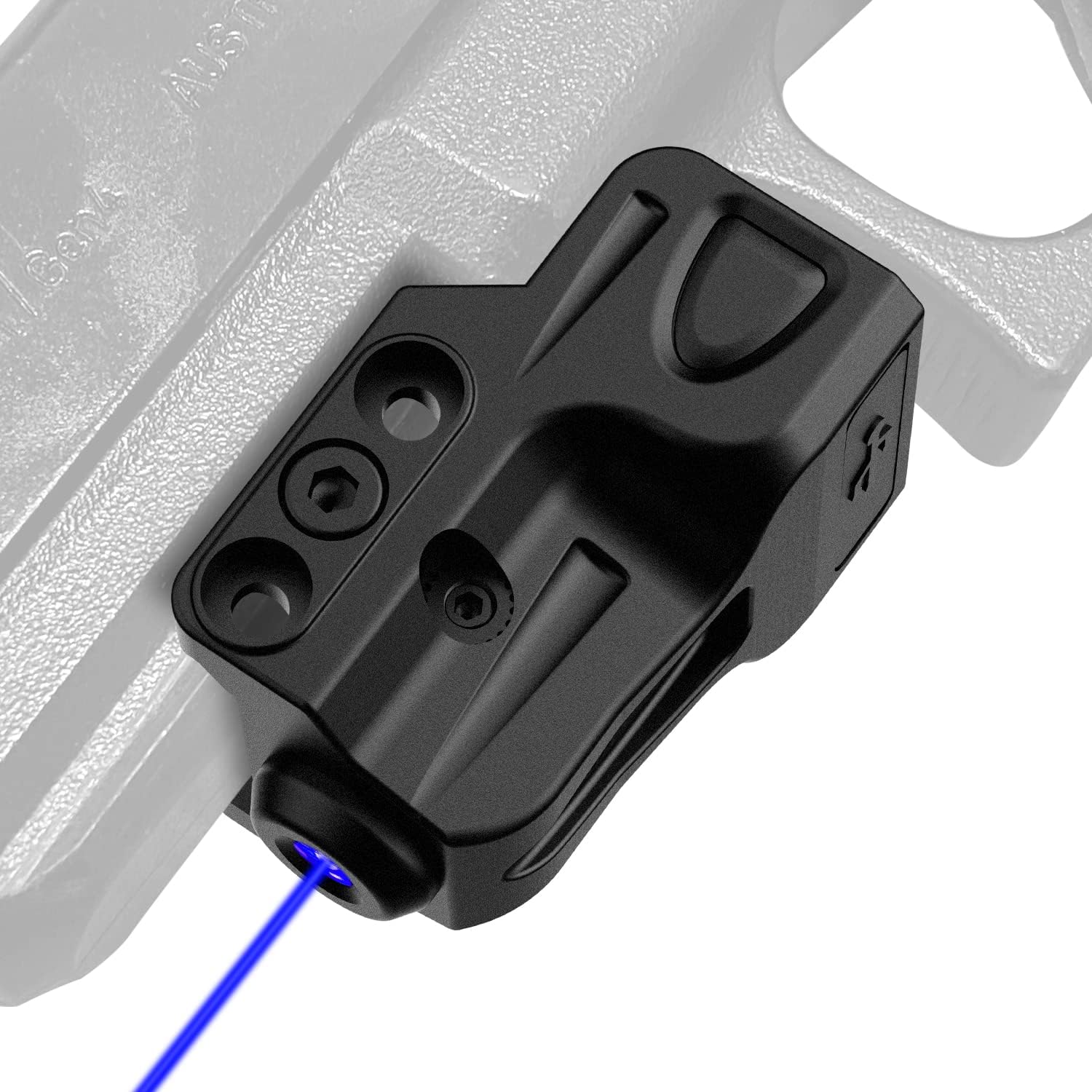
Image: The SOLOFISH Blue Laser Sight attached to a pistol, showcasing its compact form factor and the blue laser beam.
Package Contents
Upon opening your SOLOFISH Laser Sight package, please verify that all the following components are included:
- Blue Laser Sight (1 unit)
- USB-C Charging Cable (1 unit)
- Adjustment Tools (2 units - Allen wrenches for windage and elevation)
- Spare Screw (1 unit)
- User Manual (This document)
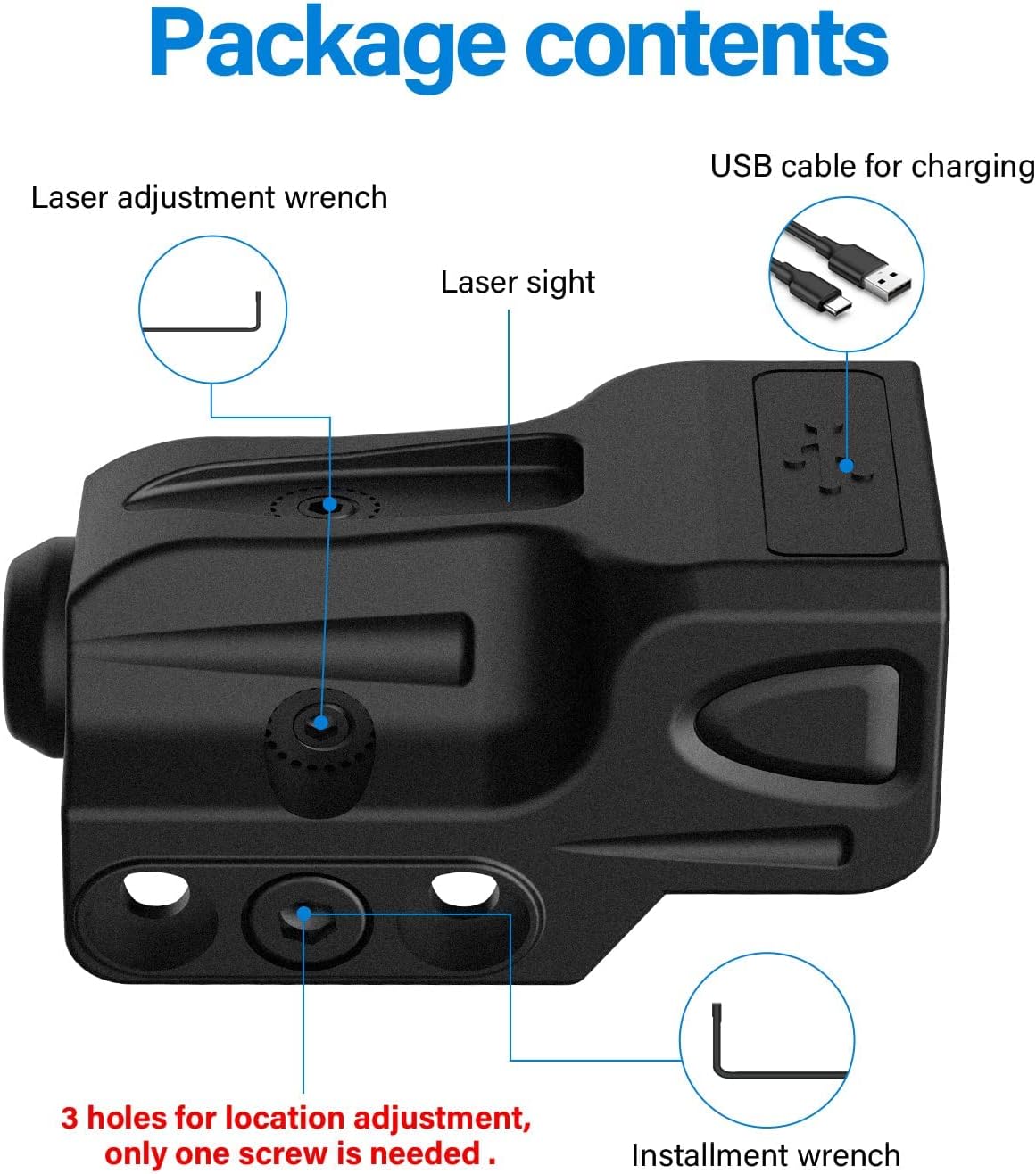
Image: A visual representation of the package contents, including the laser sight, charging cable, and adjustment tools.
Installation Guide
The SOLOFISH Laser Sight is designed for easy installation on 21MM Picatinny rails. Ensure your firearm meets the following requirements for proper fit and function:
- Your firearm must have a 21MM Picatinny slot.
- A minimum of 0.9 inches of installation space is required from the cross slot to the trigger guard.

Image: A diagram illustrating the necessary 21MM Picatinny rail and the minimum 0.9-inch installation space required for mounting the laser sight.
Mounting Steps:
- Identify the appropriate Picatinny slot on your firearm that meets the space requirements.
- Align the laser sight with the chosen slot. The sight features three alternative screw holes; select the one that best suits your preference and firearm's rail.
- Use the provided single screw and the appropriate Allen wrench to secure the laser sight firmly to the rail. Ensure it is tightened sufficiently to prevent movement during use.

Image: A visual guide demonstrating how to install the laser sight using a single screw into one of the three available screw holes for optimal positioning.
Operating Instructions
The SOLOFISH Laser Sight is designed for user-friendly operation with ambidextrous on/off buttons, making it suitable for both left and right-handed users.
- To turn the laser sight ON, press either of the ambidextrous buttons located on the sides of the unit.
- To turn the laser sight OFF, press the button again.
Laser Adjustment (Windage and Elevation)
To ensure accurate targeting, the laser sight's windage (horizontal adjustment) and elevation (vertical adjustment) can be precisely tuned. Use the smaller Allen wrenches provided in the package for these adjustments.
- Locate the adjustment screws on the laser sight. Typically, one screw controls windage (left/right) and another controls elevation (up/down).
- Insert the appropriate Allen wrench into the adjustment screw.
- Important: Adjust windage and elevation slowly and interactively. Turning only one direction excessively may lock or damage the internal threads. Make small, incremental adjustments, checking the laser's position after each turn.

Image: A detailed view of the laser sight highlighting the laser switch, USB charging port, and the adjustment points for windage (L/R) and elevation (UP/D).
Video: Official SOLOFISH video demonstrating the installation and adjustment process for the laser sight, including how to tune elevation and windage.
Charging Instructions
The SOLOFISH Laser Sight features a magnetic rechargeable built-in battery. To charge the device:
- Use the included USB-C charging cable.
- Connect the USB-C end of the cable to the charging port on the laser sight.
- Plug the USB-A end of the cable into a 5V power source, such as a standard USB wall adapter (like a small Apple charger) or a computer's USB port.
- Important Note: This product DOES NOT support fast charging. Using a fast charge adapter or cable may prevent the device from charging correctly or could potentially damage the battery. Always use the provided cable and a standard 5V power source.

Image: Instructions on how to properly charge the laser sight, emphasizing the use of the included USB-C cable and a 5V power source, and warning against fast chargers.
Maintenance
To ensure the longevity and optimal performance of your SOLOFISH Laser Sight, follow these simple maintenance guidelines:
- Keep the laser sight clean. Use a soft, dry cloth to wipe down the exterior. Avoid abrasive cleaners or solvents.
- Periodically check the mounting screw for tightness, especially after extended use, to ensure the sight remains securely attached and maintains its zero.
- Store the laser sight in a cool, dry place away from direct sunlight and extreme temperatures when not in use.
- Always use the provided USB-C cable and a 5V power source for charging to prevent battery damage.
Troubleshooting
If you encounter issues with your SOLOFISH Laser Sight, please refer to the following common troubleshooting steps:
| Problem | Possible Cause | Solution |
|---|---|---|
| Laser does not turn on or turns off quickly. | Low battery or improper charging. | Ensure the device is fully charged using the included USB-C cable and a 5V power source. Avoid fast chargers. |
| Laser beam is not visible or appears dim. | Environmental conditions (bright daylight) or low battery. | The laser is most visible in low-light conditions. Ensure the battery is fully charged. |
| Laser sight does not hold zero. | Loose mounting screw or improper adjustment. | Check that the mounting screw is securely tightened. Re-adjust windage and elevation carefully, ensuring not to overtightten or damage threads. |
| Adjustment screws are stuck or difficult to turn. | Overtightening or thread damage. | Apply gentle, interactive turns. If severely stuck, do not force. Contact customer support. |
Specifications
| Feature | Detail |
|---|---|
| Brand | Solofish |
| Model Name | Gm-1002BL |
| Color | Blue Laser (Current Variant) |
| Laser Output | <5mW peak, Class IIIA |
| Product Dimensions (LxWxH) | 1.68" x 1.15" x 0.88" |
| Item Weight | 1.41 Ounces |
| Material | Fiber-reinforced Nylon (Polymer) |
| Mounting Type | Picatinny Mount (21MM slot required) |
| Power Source | Rechargeable Built-in Battery (USB-C 5V charging) |
| Run Time | Up to 5 hours |
| Compatible Devices | Handgun, Shotgun (with compatible Picatinny rail) |

Image: Detailed dimensions of the laser sight, indicating its ultra-compact, low-profile, and lightweight characteristics, making it suitable for tactical holsters.
Safety Information
This laser sight emits a Class IIIA laser beam. Adhere to the following safety precautions to prevent injury:
- DO NOT stare directly into the laser beam.
- DO NOT point the laser beam at people or animals.
- DO NOT point the laser beam at reflective surfaces.
- DO NOT point the laser beam at aircraft or vehicles.
- Keep out of reach of children.
- Use this product only as intended for aiming purposes.
The laser output is less than 5mW, which is considered safe for momentary accidental exposure to the eye, but direct or prolonged exposure should always be avoided.
Warranty and Support
For any questions, technical support, or warranty inquiries regarding your SOLOFISH Laser Sight, please contact the seller, SOLOFISH® Direct, through the platform where you made your purchase. Please retain your proof of purchase for warranty claims.
Additional resources, including a PDF user guide, may be available. Refer to the product listing for more details.