
Introduction
This manual provides instructions for the installation, operation, and maintenance of your Kinchoix Blind Corner Cabinet Pull Out Organizer. This two-tier system is designed to maximize storage in blind corner cabinets, featuring soft-close functionality and adjustable height trays for optimal organization.
Important Safety Information
- Read all instructions carefully before installation and use.
- Ensure all components are securely fastened to prevent injury or damage.
- Do not overload the trays. Each tray has a maximum load capacity of 33 lbs (15 kg).
- Keep small parts away from children.
- Not suitable for cabinets made of granite or slate internal materials.
Package Contents
Verify that all parts are present before beginning installation. Refer to the included parts list for a complete inventory.

Image: All components of the Kinchoix Blind Corner Cabinet Pull Out Organizer, including the two kidney-shaped trays, support pole, and mounting hardware.
Specifications
| Property | Value |
|---|---|
| Model | 30in-Left Open |
| Brand | Kinchoix |
| Material | Plastic |
| Item Weight | 22 pounds (approx. 10 kg) |
| Tray Load Capacity | 33 lbs (15 kg) per tray |
| Mounting Height Adjustment | 22.8 to 29.5 inches (600mm-750mm) |
| Minimum Cabinet Size (W x D x H) | 29.5" x 18" x 23" (750mm x 457mm x 584mm) |
Pre-Installation Checks
- Measure your cabinet dimensions carefully. The minimum required cabinet dimensions are 29.5 inches (width) x 18 inches (depth) x 23 inches (height).
- Ensure your cabinet material is suitable for mounting. This organizer is not recommended for cabinets made of granite or slate internal materials.
- Confirm you have sufficient clearance for the trays to swing out. This model is designed for a left-opening blind corner cabinet.

Image: Diagram illustrating the minimum cabinet dimensions required for installation, showing width, depth, and height measurements.
Installation Instructions
Installation requires basic tools and adherence to the following steps. While detailed diagrams are provided with the product, this section outlines the general process.
- Prepare the Cabinet: Clear the blind corner cabinet of any existing shelves or obstructions.
- Assemble the Main Pole: Connect the sections of the central support pole.
- Mount the Wall Bracket: Secure the main wall-mounted bracket inside the cabinet, ensuring it is level and at the correct height for the desired tray position. Use appropriate fasteners for your cabinet material.
- Attach Tray Arms: Connect the swing arms to the main pole and the wall bracket. Ensure the soft-close mechanism is correctly oriented.
- Install Trays: Place the two kidney-shaped trays onto the swing arms.
- Adjust Height: Adjust the height of each tray along the central pole to accommodate your items. The mounting height is adjustable from 22.8 to 29.5 inches.
- Test Operation: Gently pull out and swing the trays to ensure smooth operation and proper soft-closing.

Image: Close-up view of the adjustable height mechanism on the central support pole, indicating how to raise or lower the trays.

Image: Overhead diagram illustrating the left-swinging motion of the two trays as they extend from the blind corner cabinet.
Operation
To operate the Kinchoix Blind Corner Cabinet Pull Out Organizer:
- Accessing Items: Gently pull the front tray outwards. It will swing independently, allowing access to items on both tiers. The trays rotate up to 270 degrees.
- Soft-Close Function: When returning the trays, simply push them back into the cabinet. The hydraulic soft-closing device will ensure a smooth, quiet return without slamming.
- Adjustable Height: The height of each tray can be adjusted after installation to accommodate various kitchenware sizes. Refer to the installation section for details on adjusting the pole.
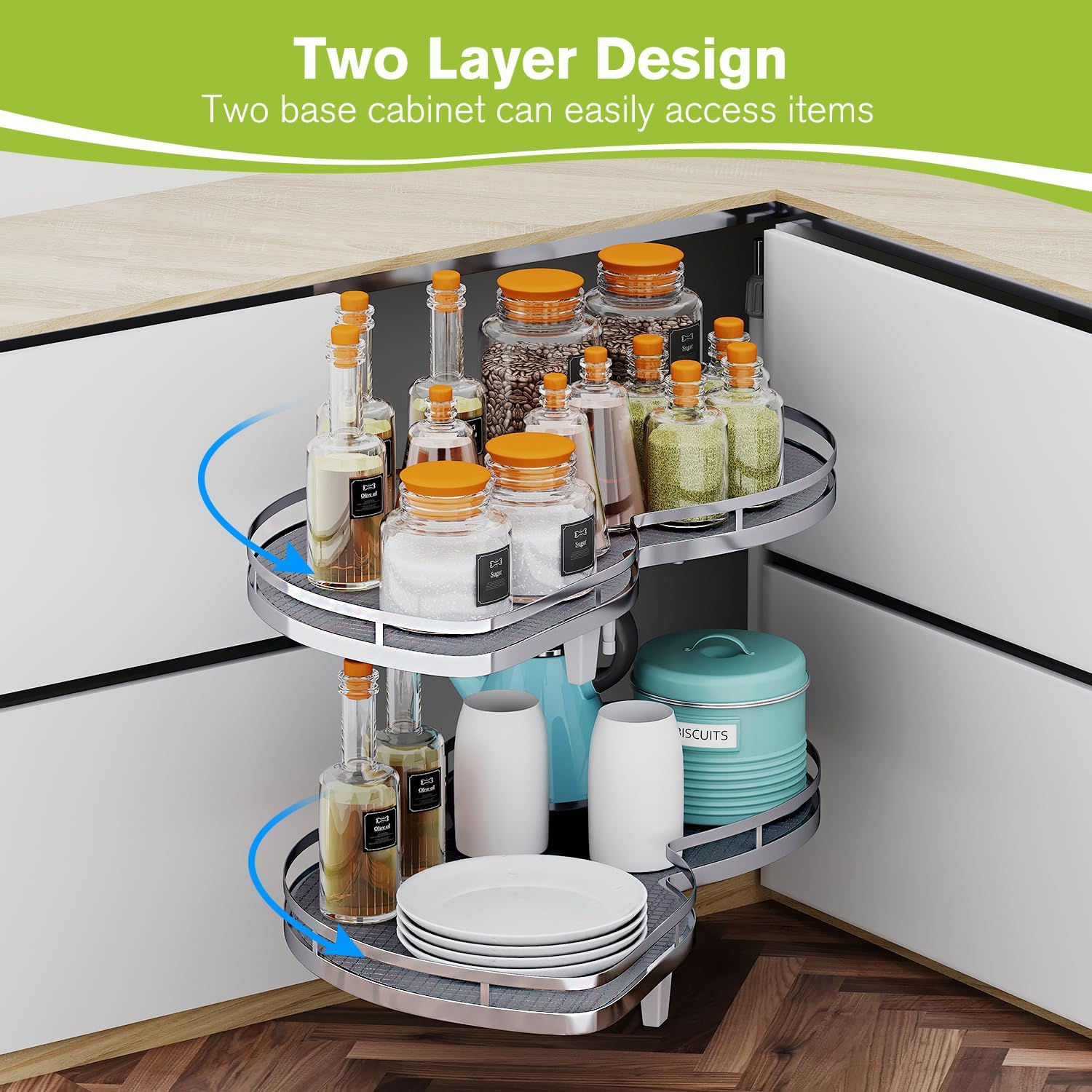
Image: The two-tier organizer fully extended from a kitchen cabinet, displaying various jars, plates, and bottles, demonstrating its storage capacity and accessibility.

Image: A detailed view of the hydraulic soft-closing mechanism integrated into the organizer's arm, responsible for smooth and quiet operation.

Image: The Kinchoix organizer fully extended from a cabinet, showcasing its ability to bring stored items completely out for easy access.
Maintenance
- Cleaning: Wipe trays and metal components with a soft, damp cloth. Avoid abrasive cleaners or harsh chemicals.
- Inspection: Periodically check all screws and fasteners to ensure they remain tight.
- Lubrication: The soft-close mechanism is designed for long-term use and generally does not require lubrication. If operation becomes stiff, contact customer support.
Troubleshooting
- Problem: Trays do not swing smoothly or are difficult to pull out.
- Check for obstructions inside the cabinet or along the swing path.
- Ensure all mounting screws are securely tightened.
- Verify the cabinet dimensions meet the minimum requirements.
- Problem: Soft-close mechanism is not working correctly.
- Inspect the hydraulic device for any visible damage.
- Ensure the trays are not overloaded, exceeding the 33 lbs capacity.
- Problem: Difficulty with installation due to unclear instructions.
- Refer to the detailed diagrams provided with your product.
- Contact Kinchoix customer support for further assistance or clarification.
Warranty and Support
Kinchoix products are manufactured to high-quality standards. For warranty information or technical support, please contact Kinchoix customer service through the retailer where the product was purchased or visit the official Kinchoix website.
