
1. Introduction
Thank you for choosing the YOURRYONG XY-S100L 2.1 Channel Digital Audio Amplifier Board. This module is designed to provide high-quality audio amplification with 50W x 2 for stereo channels and 100W for the subwoofer channel, featuring independent high and low frequency tuning. Please read this manual thoroughly before installation and operation to ensure proper use and optimal performance.
2. Safety Instructions
- Ensure the power supply voltage is within the specified range (refer to specifications). Incorrect voltage can damage the device.
- Do not expose the amplifier board to moisture, water, or extreme temperatures.
- Avoid touching the circuit board components while the device is powered on.
- Disconnect power before making any connections or disconnections.
- Keep out of reach of children.
- If any unusual behavior or smoke is observed, immediately disconnect power and cease use.
3. Package Contents
Please verify that all items are present in your package:
- YOURRYONG XY-S100L 2.1 Channel Digital Audio Amplifier Board
- (Additional accessories, if any, would be listed here, e.g., power cable, audio cables, enclosure parts. Based on the product images, it appears to be the bare board with knobs.)
4. Product Overview
The XY-S100L is a compact and powerful 2.1 channel amplifier board designed for various audio projects. It features dedicated outputs for left/right stereo channels and a subwoofer, along with multiple control knobs for precise audio adjustment.
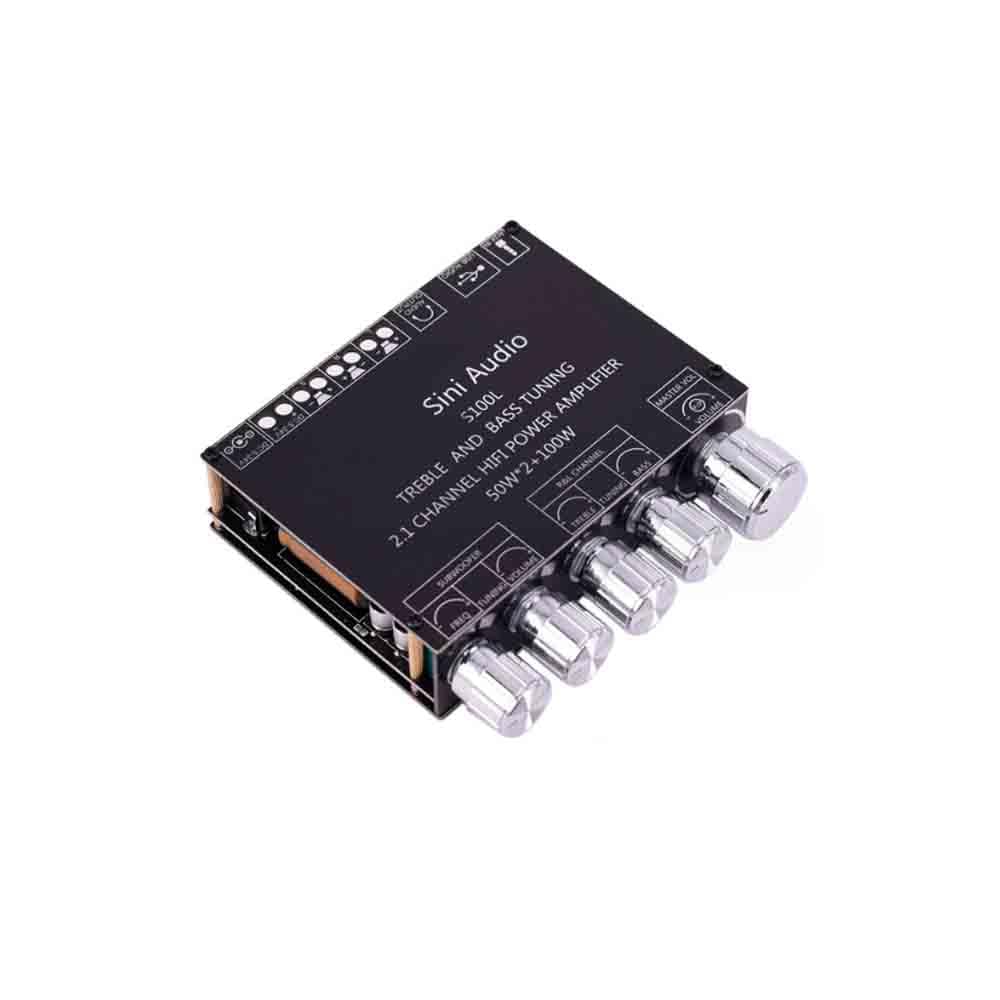
Figure 4.1: Top-down view of the XY-S100L amplifier board. This image displays the overall layout of the amplifier board, highlighting the five control knobs on the front panel and various input/output terminals along the edges. The main chip and other components are visible on the black PCB.
4.1. Controls and Indicators
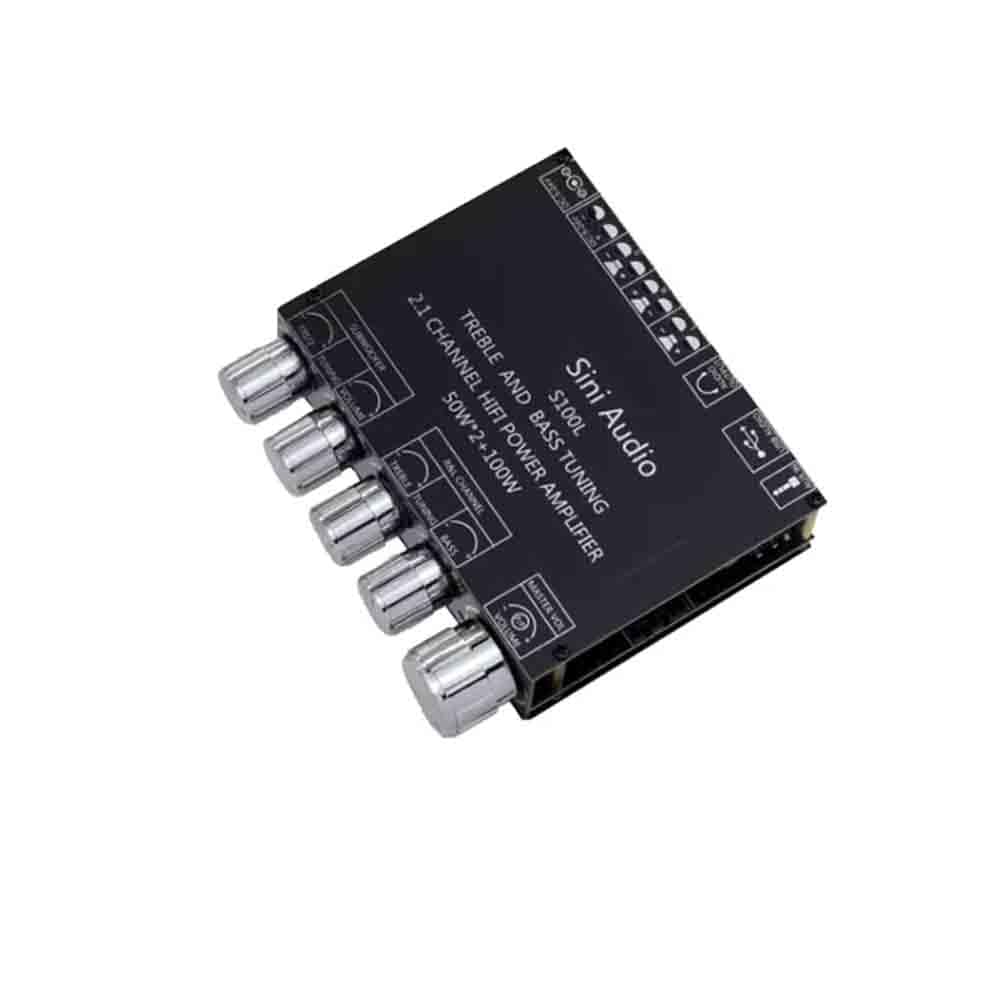
Figure 4.2: Angled view of the XY-S100L amplifier board, focusing on the control knobs. From left to right, these knobs are labeled for Subwoofer Volume, Subwoofer Frequency, Left/Right Channel Volume, Treble, and Bass. This view provides a clear perspective of the user interface for audio adjustments.
- Master Volume: Adjusts the overall output volume.
- Subwoofer Volume: Controls the volume level of the subwoofer output.
- Subwoofer Frequency: Adjusts the cutoff frequency for the subwoofer, allowing tuning of bass response.
- Left/Right Channel Volume: Controls the volume level of the main stereo channels.
- Treble: Adjusts the high-frequency response of the main channels.
- Bass: Adjusts the low-frequency response of the main channels.
4.2. Input/Output Ports

Figure 4.3: Side view of the XY-S100L amplifier board, illustrating the various input and output terminals. This includes the DC power input jack, USB port, audio input jacks (likely 3.5mm or RCA, though not explicitly labeled), and screw terminals for speaker outputs (Left, Right, Subwoofer).
- DC Power Input: For connecting the external power adapter.
- Audio Input: Connect your audio source (e.g., smartphone, PC, MP3 player).
- Left/Right Speaker Outputs: Connect your passive stereo speakers.
- Subwoofer Output: Connect your passive subwoofer.
- USB Port: (Functionality not explicitly stated, but typically for firmware updates or USB audio input).
5. Setup
Follow these steps to set up your XY-S100L amplifier board:
- Connect Speakers: Connect your passive left, right, and subwoofer speakers to the corresponding screw terminals on the amplifier board. Ensure correct polarity (+ to + and - to -).
- Connect Audio Source: Connect your audio source device (e.g., phone, computer) to the audio input jack on the amplifier board using an appropriate audio cable.
- Connect Power: Connect a compatible DC power adapter (not included) to the DC power input jack. Do not connect power until all other connections are secure.
- Power On: Once all connections are secure, connect the power adapter to a wall outlet. The amplifier board should power on.
6. Operating Instructions
After successful setup, you can begin operating your amplifier board:
- Adjust Master Volume: Start with the Master Volume knob turned to its minimum position.
- Play Audio: Begin playing audio from your connected source device.
- Increase Volume: Slowly turn the Master Volume knob clockwise to increase the overall sound level to your desired listening volume.
- Tune Subwoofer: Use the "Subwoofer Volume" and "Subwoofer Frequency" knobs to adjust the bass output and crossover point for your subwoofer.
- Adjust Main Channel Volume: Use the "Left/Right Channel Volume" knob to balance the stereo output.
- Fine-tune Treble and Bass: Use the "Treble" and "Bass" knobs to adjust the high and low frequencies of the main stereo channels to your preference.
Experiment with the various tuning knobs to achieve the optimal sound balance for your speakers and listening environment.
7. Maintenance
- Cleaning: Disconnect power before cleaning. Use a soft, dry cloth to wipe the surface of the board. Do not use liquid cleaners or solvents.
- Storage: When not in use for extended periods, store the amplifier board in a dry, dust-free environment.
- Inspection: Periodically inspect connections for looseness or corrosion.
8. Troubleshooting
| Problem | Possible Cause | Solution |
|---|---|---|
| No sound output |
|
|
| Distorted sound |
|
|
| Subwoofer not working |
|
|
9. Specifications
| Feature | Detail |
|---|---|
| Model | XY-S100L |
| Brand | YOURRYONG |
| Channels | 2.1 (Stereo Left/Right + Subwoofer) |
| Output Power (Stereo) | 50W x 2 |
| Output Power (Subwoofer) | 100W |
| Total Output Power (Max) | 200 Watts |
| Mounting Type | Surface Mount |
| Item Model Number | 764921309115 |

Figure 9.1: Underside view of the XY-S100L amplifier board. This image provides a perspective of the circuit board's underside, revealing various electronic components, solder points, and the overall construction of the module. This view is useful for understanding the internal layout and component placement.
10. Warranty and Support
For warranty information and technical support, please refer to the documentation provided at the time of purchase or contact your retailer. Keep your proof of purchase for any warranty claims.