
1. Introduction
Thank you for choosing the Infinix Smart 6 X6511b / Smart 6 Plus X6511b Phone Case. This manual provides essential information on how to properly install, use, and maintain your new phone case to ensure optimal protection and longevity. This case is designed to offer robust protection against drops and impacts, while maintaining the sleek profile of your device.
2. Key Features
- Compatibility: Specifically designed for Infinix Smart 6 X6511b and Infinix Smart 6 Plus X6511b models.
- Camera Protection: Features raised edges around the camera module to prevent scratches and direct impact on the lens.
- Shockproof Design: Engineered with shock-absorbing materials to provide excellent drop protection, safeguarding your phone from accidental bumps and falls.
- Precise Cutouts: Ensures easy access to all ports, buttons, sensors, and cameras without removing the case. Buttons are designed for responsive and effortless pressing.
- Stylish Appearance: Gradient plating anti-drop design adds a visually appealing and fashionable touch to your device.
- Comfortable Hand Feel: Designed with classic straight edges for a comfortable and secure grip.
- High-Grade Material: Constructed from high-grade Thermoplastic Polyurethane (TPU) material, which resists yellowing and maintains clarity over time.
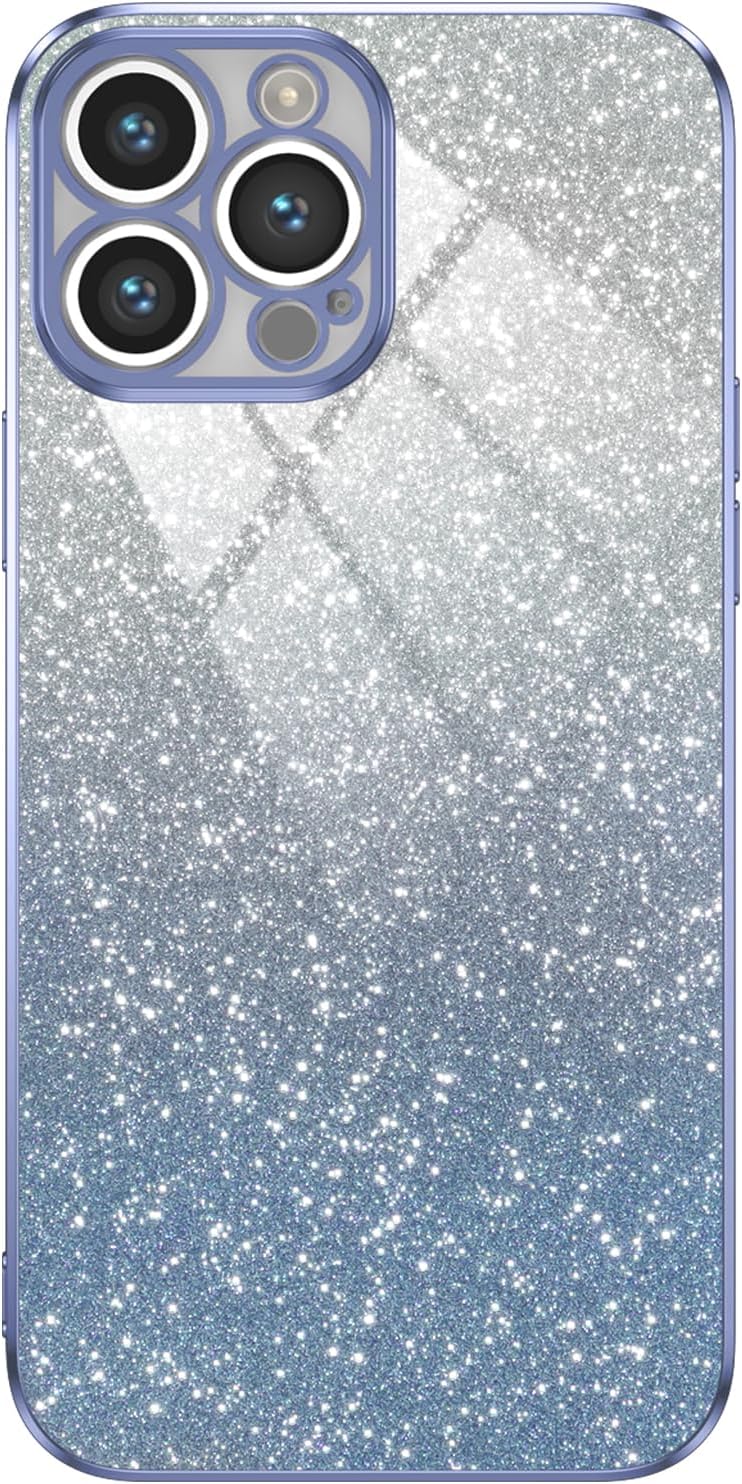
Figure 2.1: Front view of the phone case, showcasing its gradient design and camera cutout.

Figure 2.2: Illustration of the phone case absorbing impact during a fall, highlighting its shockproof capabilities.

Figure 2.3: Close-up view of the phone case's raised camera bezel, designed to protect the lens from scratches.

Figure 2.4: Image demonstrating the independent and responsive buttons on the phone case, providing a bare metal-like touch experience.

Figure 2.5: The phone case featuring a star-studded, glittery design that illuminates the device's beauty.

Figure 2.6: A hand holding the phone case, illustrating its silky tactile feel and comfortable grip due to classic straight edges.

Figure 2.7: Detailed view of the phone case from various angles, showcasing its overall design and fit.

Figure 2.8: Close-up of the phone case material, emphasizing its high-grade PET composition for no yellowing and purer clarity.
3. Setup and Installation
Installing your phone case is a simple process:
- Clean Your Device: Before installation, ensure your Infinix Smart 6 X6511b or Smart 6 Plus X6511b is clean and free of dust or debris. Use a soft, lint-free cloth if necessary.
- Align the Case: Hold the phone case with the camera cutout aligned with your phone's camera module.
- Insert the Phone: Gently push your phone into the case, starting with one side (e.g., the top or bottom). Ensure all corners snap securely into place.
- Check Fit: Once installed, gently press around the edges of the case to ensure it is fully seated and all buttons and ports are accessible and aligned.
4. Operating Instructions
Once installed, the phone case operates seamlessly with your device:
- Button Access: The case features precise button covers that allow for easy and responsive pressing of your phone's power and volume buttons.
- Port Access: All charging ports, headphone jacks (if applicable), and speaker grilles remain fully accessible through the case's accurate cutouts.
- Camera Usage: The raised camera protection does not interfere with photo or video capture. Ensure no dust or debris accumulates in the camera cutout for clear images.
5. Maintenance
To keep your phone case in optimal condition:
- Cleaning: Wipe the case regularly with a soft, damp cloth to remove dust, fingerprints, and smudges. For tougher stains, a small amount of mild soap can be used, followed by rinsing and thorough drying.
- Avoid Harsh Chemicals: Do not use abrasive cleaners, solvents, or harsh chemicals, as these can damage the material and finish of the case.
- Storage: When not in use, store the case in a cool, dry place away from direct sunlight to prevent material degradation.
6. Troubleshooting
If you encounter any issues with your phone case, consider the following:
- Case Not Fitting Properly: Ensure you have the correct model of phone case for your device (Infinix Smart 6 X6511b or Smart 6 Plus X6511b). Remove and re-install the case, ensuring all corners snap into place.
- Buttons Feel Stiff: New cases may have slightly stiffer buttons initially. Repeated use will typically soften them. Ensure the case is correctly aligned, as misalignment can cause stiffness.
- Scratches on Case: While the case offers protection, it is not entirely scratch-proof. Minor scratches are normal wear and tear.
7. Specifications
| Feature | Detail |
|---|---|
| Product Dimensions | 0.39 x 0.39 x 0.39 inches |
| Item Weight | 2.46 ounces |
| ASIN | B0CS9T3B37 |
| Special Features | High quality Phone Case, Travel, Enhanced protection, Camera Protection, Phone Case |
| Form Factor | Basic Case |
| Color | Blue |
| What's in the Box | Gradient plating anti-drop phone case |
| Manufacturer | Generic |
| Country of Origin | China |
| Date First Available | January 13, 2024 |
| Compatible Phone Models | Infinix Smart 6 X6511b / Smart 6 Plus X6511b |
| Compatible Devices | Infinix Smart 6 X6511b / Smart 6 Plus X6511b |
| Material | Thermoplastic Polyurethane |
8. Warranty and Support
This product is typically covered by a standard return policy, allowing for returns or replacements within 30 days of purchase if the item is new and unused. For specific warranty details or support inquiries, please refer to the seller's policy on the platform where the product was purchased. Keep your proof of purchase for any warranty claims.
For further assistance, please contact the seller directly through the platform's messaging system.