
Introduction
Welcome to the user manual for your JAMISAY Camping Lantern. This rechargeable LED lantern is designed for various outdoor and indoor lighting needs, featuring stepless dimming, a vintage design, and IPX4 water resistance. Please read this manual carefully to ensure proper use and maintenance.
Product Overview
The JAMISAY Camping Lantern is a portable, rechargeable light source. Key features include:
- Built-in 1200mAh rechargeable battery
- USB Type-C charging
- Stepless dimming rotary switch
- Up to 40 hours running time (at lowest brightness)
- 250 lumens maximum brightness
- IPX4 waterproof rating
- Integrated hanging hook

Image: The JAMISAY Camping Lantern shown with its included USB-C charging cable.

Image: The lantern highlighting its dimensions, stepless dimming, COB light source, Type-C port, and rechargeable battery.

Image: The lantern operating in a rainy environment, demonstrating its IPX4 waterproof rating.
Package Contents
- JAMISAY Camping Lantern (Model: CamL-JDB175-BK)
- USB Type-C Charging Cable
- User Manual (this document)
Setup and Charging
Initial Charge
- Before first use, fully charge the lantern.
- Locate the USB Type-C charging port on the side of the lantern.
- Connect the provided USB Type-C cable to the lantern's charging port.
- Connect the other end of the USB cable to a compatible USB power adapter (not included) or a computer's USB port.
- The charging indicator light (if present, usually red) will illuminate during charging and turn off or change color (e.g., green) when fully charged.
- A full charge takes approximately 2.5 hours.
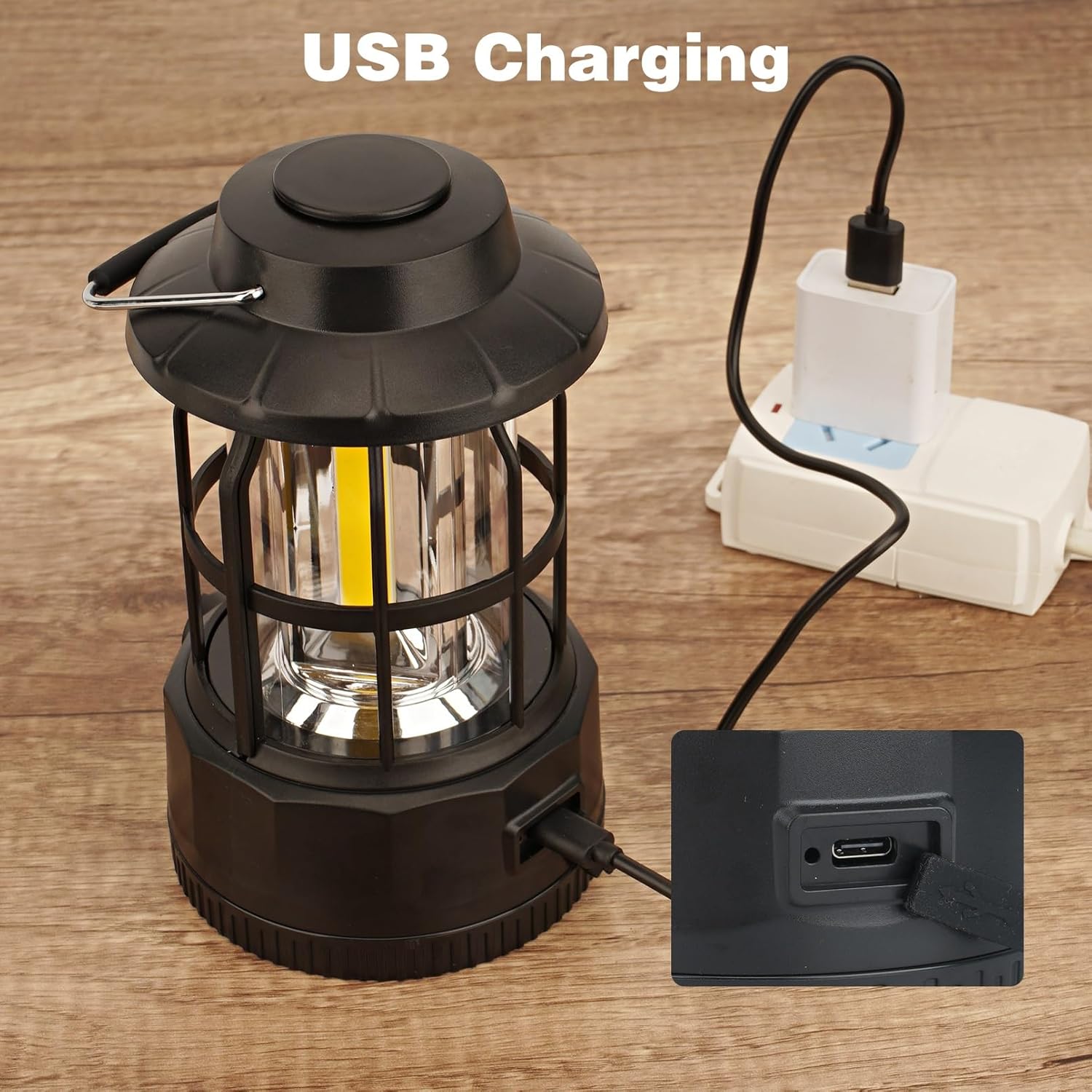
Image: The lantern being charged via its USB Type-C port, connected to a wall adapter.
Operating Instructions
Power On/Off and Brightness Adjustment
- To turn the lantern on, rotate the knob located on the upper body of the lamp clockwise.
- Continue rotating the knob clockwise to increase the brightness.
- To decrease the brightness, rotate the knob counter-clockwise.
- To turn the lantern off, rotate the knob counter-clockwise until it clicks into the off position.
The stepless dimming feature allows for precise control over the light output, from a very dim ambient glow to a bright 250-lumen illumination.

Image: A hand demonstrating the use of the rotary switch for stepless dimming.
Hanging and Placement
The lantern features a portable handle for easy carrying and hanging.
- Use the handle to hang the lantern from tent poles, branches, or other suitable fixtures.
- The flat base allows for stable placement on tables or flat surfaces.
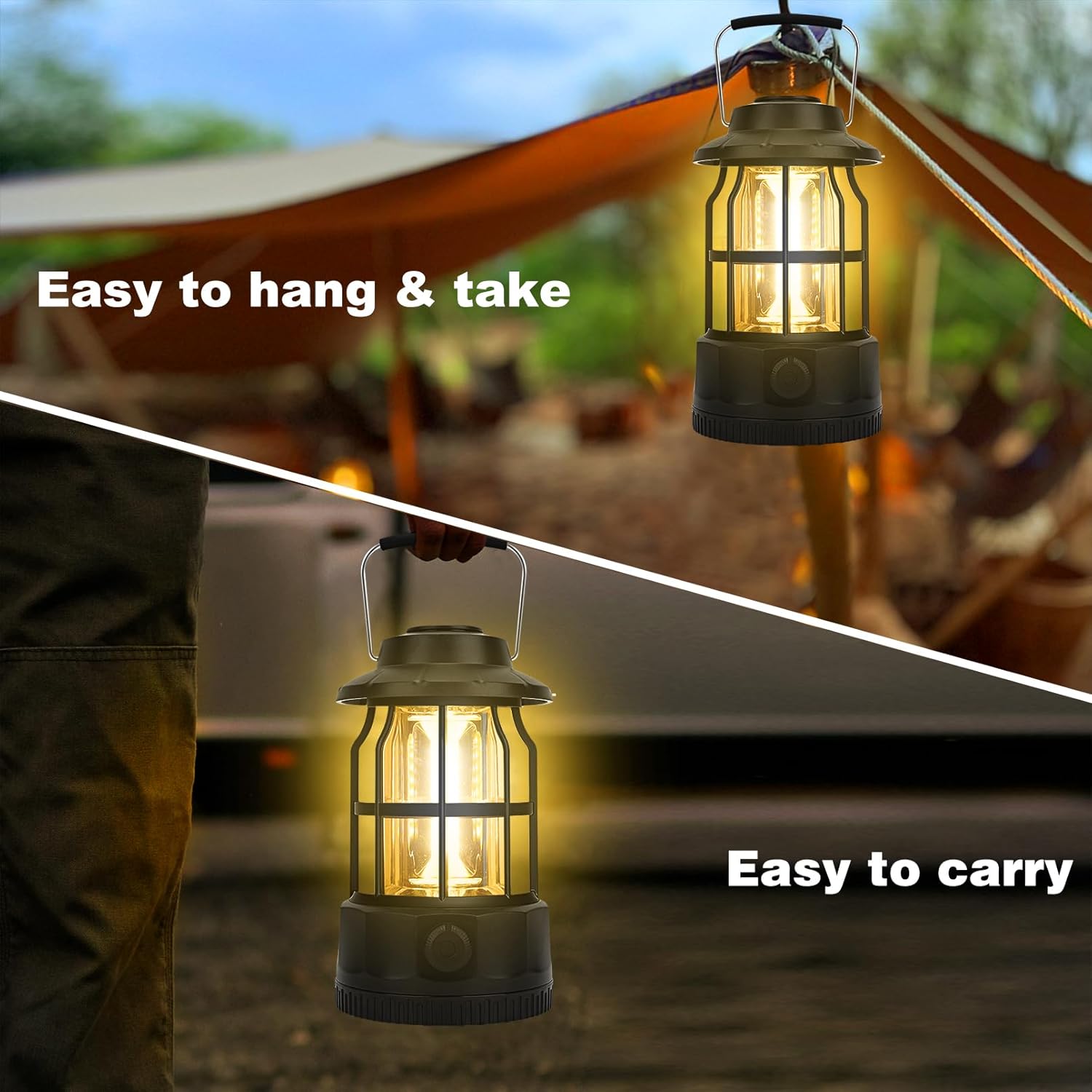
Image: The lantern shown being carried by hand and hung from a tent structure.
Maintenance
Cleaning
- Ensure the lantern is turned off and disconnected from any power source before cleaning.
- Wipe the exterior with a soft, damp cloth.
- Do not use abrasive cleaners or solvents, as these may damage the finish.
- Avoid submerging the lantern in water, despite its IPX4 rating, to prevent internal damage.
Storage
- Store the lantern in a cool, dry place when not in use.
- For prolonged storage, charge the battery every 3-6 months to maintain battery health.
Troubleshooting
Lantern Does Not Turn On
- Ensure the battery is charged. Connect the lantern to a USB power source and allow it to charge for at least 30 minutes before attempting to turn it on again.
- Confirm the rotary switch is fully turned clockwise past the "off" position.
Lantern Does Not Charge
- Verify the USB Type-C cable is securely connected to both the lantern and the power adapter.
- Try a different USB Type-C cable and/or a different USB power adapter to rule out faulty accessories.
- Ensure the power adapter is functioning correctly.
Dim Light Output
- The battery may be low. Recharge the lantern fully.
- Ensure the rotary switch is turned fully clockwise for maximum brightness.
Specifications
| Feature | Detail |
|---|---|
| Model | CamL-JDB175-BK |
| Light Source | 3*COB LED |
| Battery | 3.7V 1200mAh Lithium-Ion (included) |
| Brightness | 10 - 250 Lumens |
| Waterproof Rating | IPX4 |
| Charging Time | Approximately 2.5 hours |
| Running Time | Up to 40 hours (at lowest brightness) |
| Color Temperature | 3000-3200K |
| Weight | 0.7 LB / 0.318 KG (14.4 ounces) |
| Dimensions (L x W x H) | 3.98" x 3.98" x 6.85" (101 x 101 x 174 mm) |
| Charging Mode | USB Type-C |
| Material | Metal |
Safety Information
- Do not look directly into the LED light when it is on, as this may cause temporary vision impairment.
- Keep out of reach of children.
- Do not disassemble, modify, or attempt to repair the lantern yourself. This may void any warranty and pose a safety risk.
- Use only the provided or a certified USB Type-C cable for charging.
- Avoid exposing the lantern to extreme temperatures or direct sunlight for extended periods.
- Dispose of the battery according to local regulations. Do not dispose of in fire.
Warranty and Support
For warranty information or technical support, please contact JAMISAY customer service through your purchase platform or refer to the product packaging for contact details.