
1. Introduction
This manual provides essential instructions for the proper installation, calibration, operation, and maintenance of your YINMIK YK-2S Food pH Meter Replaceable pH Probe. This probe is designed for accurate pH measurement in food and semi-solid substances, ensuring reliable results for your testing needs.
2. Product Overview
The YINMIK YK-2S Replacement Probe is a specialized pH electrode designed to seamlessly integrate with your YK-2S food pH tester. It features a durable spear tip for easy insertion into various food and semi-solid samples, along with integrated pH and temperature sensors for comprehensive measurements.

Image: The YINMIK YK-2S Food pH Meter with its replaceable probe, highlighting the spear tip design.

Image: Detailed view of the pH probe, showing the pH sensor and temperature sensor components.
3. Setup: Replacing the pH Probe
To replace the pH probe on your YK-2S pH meter, follow these steps:
- Unscrew the ring connecting the old probe to the meter.
- Unplug the old probe from the meter body.
- Align the slots on the new probe with the corresponding points on the meter.
- Install the new probe by gently pushing it into place.
- Screw the ring back on to secure the new probe.
Attention: After replacing the new probe, it is crucial to recalibrate the pH meter to ensure accurate readings.

Image: Visual guide demonstrating the five steps to replace the pH probe on the YK-2S meter.
4. Operating Instructions: pH Calibration
Calibration is essential for maintaining the accuracy of your pH meter, especially after replacing the probe. You will need pH buffer solutions (pH 7.00, 4.00, and 10.01) or calibration powders, which are available in the YINMIK shop.
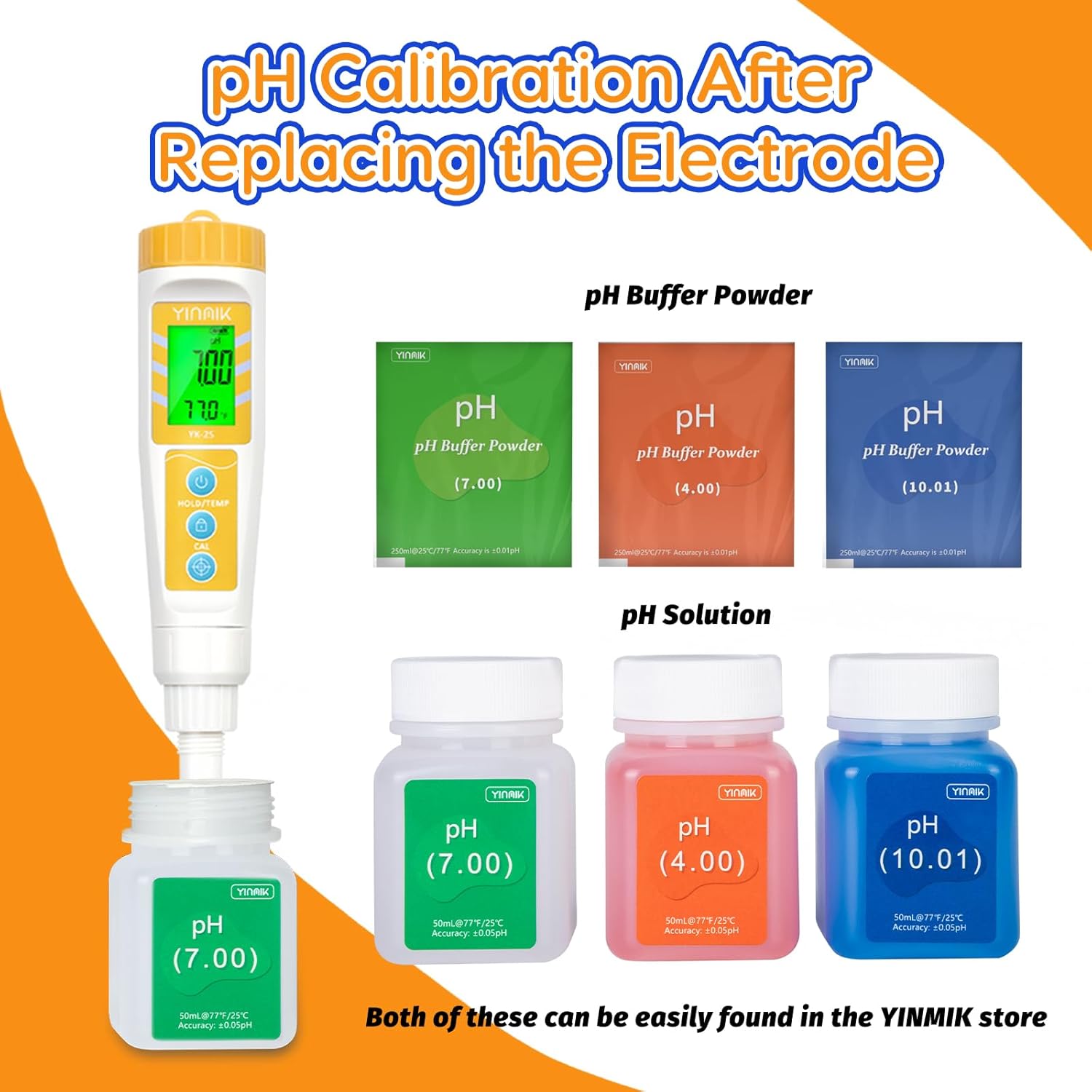
Image: Various pH buffer powders and pre-mixed solutions (pH 7.00, 4.00, 10.01) used for calibrating the pH meter.
Follow the instructions provided with your calibration solutions/powders to prepare them. Typically, this involves dissolving powder packets in 250ml of distilled water.
To calibrate:
- Turn on your pH meter.
- Immerse the probe in the pH 7.00 buffer solution.
- Wait for the reading to stabilize.
- Press and hold the "CAL" button for 5 seconds, then release. The display will flash, indicating successful calibration at pH 7.00.
- Rinse the probe thoroughly with purified water and dry it gently.
- Repeat the process for pH 4.00 and pH 10.01 buffer solutions, ensuring to rinse and dry the probe between each calibration step.
Video: A detailed guide on how to calibrate a digital pH meter using buffer solutions. This video demonstrates the preparation of solutions, immersion of the probe, and activation of the calibration function for accurate pH readings.
5. Maintenance
Proper maintenance extends the life and accuracy of your pH probe:
- Keep the Sponge Moist: Always ensure the sponge inside the probe cap is kept moist with pH protective solution. This prevents the probe from drying out, which can affect its performance and lifespan. pH protective solution can be found in the YINMIK store.
- Handle with Care: The spear tip probe is relatively fragile. Do not touch hard objects to avoid damaging the probe. Physical damage can lead to inaccurate pH values.
- Clean After Use: After each use, rinse the probe with purified water to remove any residue from the tested sample.

Image: Illustration showing how to keep the pH probe's sponge moist with protective solution to ensure longevity and accuracy.

Image: Visual tips on how to properly maintain the pH electrode, including correct storage and handling.
6. Troubleshooting
If your pH meter provides inaccurate readings, consider the following:
- Recalibration: The most common cause of inaccuracy is a need for recalibration. Always recalibrate your meter after replacing the probe or if you suspect readings are drifting.
- Damaged Probe: A defective or physically damaged probe can lead to inaccurate pH values. Inspect the spear tip for any visible damage.
- Dry Probe: Ensure the probe's storage sponge is always moist. A dry probe will not function correctly.
If the probe is defective or damaged beyond repair, replacement electrodes are available for purchase from the YINMIK store. You do not need to replace the entire meter.

Image: Information on what to do if the electrode is accidentally broken, emphasizing that only a replacement probe is needed.
7. Specifications
| Specification | Detail |
|---|---|
| Manufacturer | Jinan Huiquan Electronic Co.,Ltd |
| Part Number | 2S-Probe |
| Item Weight | 45 g |
| Parcel Dimensions | 17.8 x 3.3 x 3.29 cm |
| Item Model Number | 2S-Probe |
| Included Components | 1*pH probe |
| Batteries Included? | No |
| Batteries Required? | No |