
1. Introduction
The KEEBMONKEY WOBKEY Rainy 75 is a high-performance mechanical keyboard designed for an enhanced typing experience. Featuring a durable CNC aluminum alloy build, triple-mode connectivity, and superior acoustics, this keyboard is suitable for various computing environments. This manual provides detailed instructions for setup, operation, maintenance, and troubleshooting.

Image: KEEBMONKEY WOBKEY Rainy 75 Mechanical Keyboard in blue.
2. Package Contents
Ensure all items are present in your package:
- KEEBMONKEY WOBKEY Rainy 75 Mechanical Keyboard
- USB-C Cable
- 2.4G Wireless Receiver
- 3 Spare Violet Switches (for Standard version)
- Switch Puller
- Keycap Puller

Image: Contents of the Rainy 75 keyboard package, including keyboard, cables, and tools.
3. Setup
3.1 Connectivity Modes
The Rainy 75 keyboard supports three connectivity modes: Wired (USB-C), Bluetooth 5.0, and 2.4G Wireless. The mode switch is located on the keyboard.
- Wired Mode: Connect the keyboard to your device using the provided USB-C cable. This mode offers the lowest latency at 2ms.
- 2.4G Wireless Mode: Insert the 2.4G wireless receiver into a USB port on your device. Switch the keyboard to 2.4G mode. Latency in this mode is 3ms.
- Bluetooth Mode: Switch the keyboard to Bluetooth mode. On your device, search for and connect to the Rainy 75 keyboard. Bluetooth mode has a latency of 7ms.
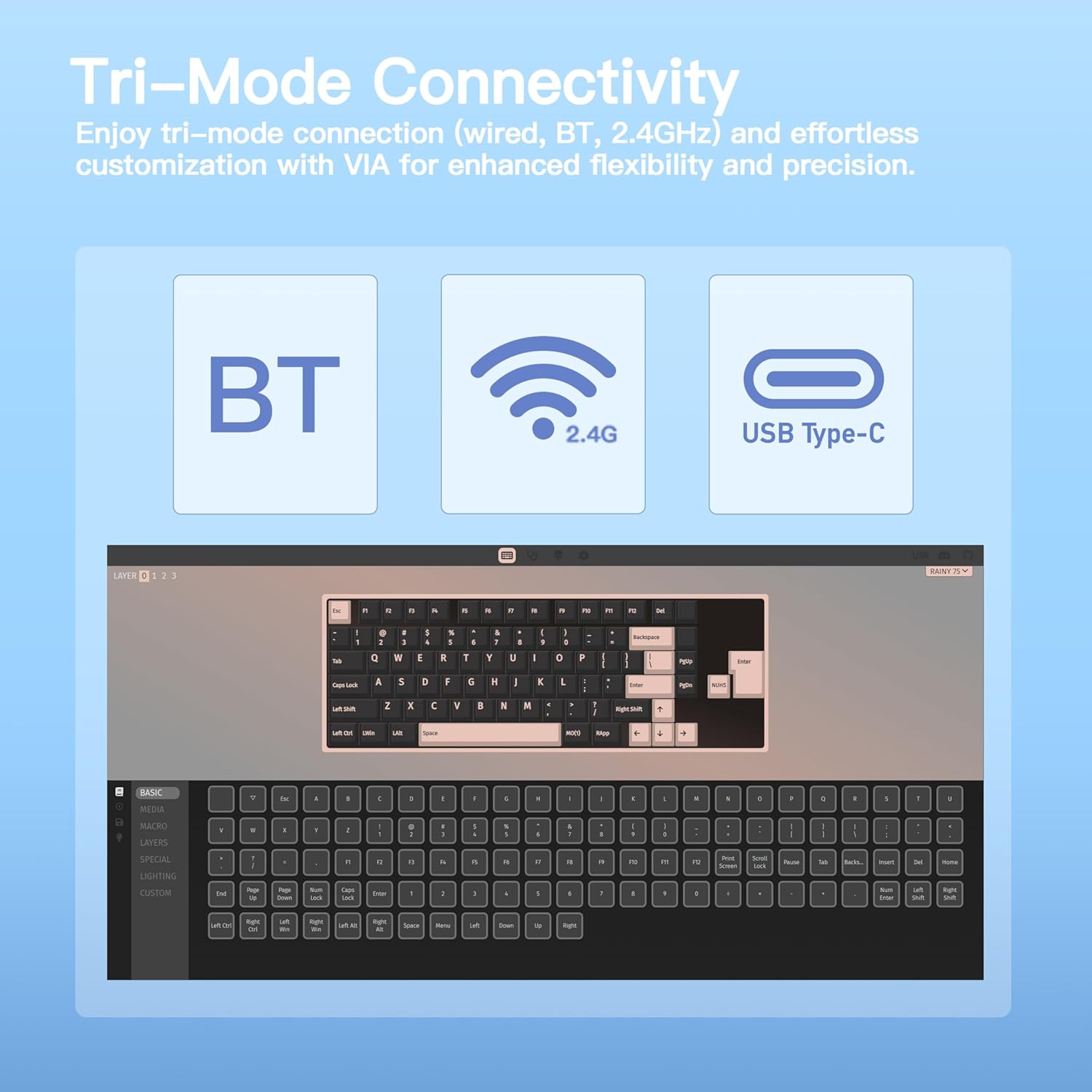
Image: Visual representation of the three connectivity modes: USB Type-C, 2.4G, and Bluetooth.
3.2 Battery Charging
The Standard version of the Rainy 75 is equipped with a 3500mAh battery. To charge the keyboard, connect it via the USB-C cable to a power source. A full charge can provide up to 450 hours of usage without RGB lighting.

Image: The keyboard highlighting its 3500mAh battery and up to 450 hours of battery life.
4. Operating Instructions
4.1 Key Functions and Layout
The Rainy 75 features a 75% layout with 81 keys, following a standard QWERTY arrangement. All keys are fully functional for typical computer use.

Image: The 75% layout of the keyboard with its dimensions.
4.2 RGB Lighting Control
The keyboard is equipped with vibrant, south-facing RGB backlighting. Lighting effects can be customized to enhance your setup. Refer to the VIA programming section for advanced customization.

Image: The keyboard displaying its customizable RGB lighting.
4.3 VIA Programming
The Rainy 75 supports VIA programming, allowing you to easily remap keys, create macros, and fine-tune lighting settings for personalized functionality.

Image: A visual of the VIA programming interface for keyboard customization.
4.4 Switch Characteristics
The Standard version of the Rainy 75 comes with HMX Violet switches. These switches are factory-lubed linear switches with an operating force of 45gf (±5g), pre-travel of 2.0mm (±0.3mm), and total travel of 3.5mm (±0.5mm).

Image: Force-travel diagram illustrating the characteristics of the HMX Violet switch.
5. Maintenance
5.1 Cleaning
To clean your keyboard, gently wipe the keycaps and chassis with a soft, damp cloth. For deeper cleaning, you may remove the keycaps using the provided keycap puller.
5.2 Hot-Swappable Switches
The Rainy 75 features hot-swappable sockets, allowing you to change switches without soldering. Use the provided switch puller to carefully remove existing switches and insert new 3-pin or 5-pin compatible switches.

Image: Demonstration of the hot-swappable feature, showing a switch being removed from the keyboard.
5.3 Keycaps
The keyboard comes with durable Double Shot PBT keycaps, known for their fade resistance and long-lasting texture.

Image: Close-up of Double Shot PBT keycaps, highlighting their construction and Cherry profile.
6. Troubleshooting
- Keyboard not responding: Ensure the keyboard is properly connected via USB-C, the 2.4G receiver, or Bluetooth. Check the mode switch.
- Wireless connection issues: Verify the 2.4G receiver is securely plugged in or that Bluetooth is paired correctly. Ensure the keyboard is charged.
- RGB lighting not working: Check VIA software settings for lighting customization. Ensure the keyboard is powered on.
- Keys not registering: For hot-swappable switches, ensure switches are fully seated in their sockets.
- Battery draining quickly: Reduce RGB brightness or turn off RGB lighting to extend battery life.
7. Specifications
| Feature | Detail |
|---|---|
| Brand | KEEBMONKEY |
| Model | Rainy 75 (Standard - Blue) |
| Connectivity Technology | Wired (USB-C), Bluetooth 5.0, 2.4G Wireless |
| Latency | 2ms Wired, 3ms 2.4G Wireless, 7ms BT |
| Switch Type | HMX Violet (Standard), Hot-swappable (3/5 pin) |
| Keycaps | Double Shot PBT |
| Layout | 75% (81 Keys) |
| Backlighting | RGB, South-facing |
| Enclosure Material | 6063 CNC Aluminum Alloy |
| Acoustic Features | Five-layer Foam, 14 Dampening Buds, Gasket Mount |
| Battery Capacity | 3500mAh (Standard) |
| Product Dimensions (L x W x H) | 12.6" x 5.12" x 1.57" |
| Item Weight | 1.8 Kilograms |
| Compatible Devices | PC, Laptops, Desktops, Monitors |

Image: Feature comparison across Lite, Standard, and Pro versions of the Rainy 75 keyboard.
8. Warranty and Support
8.1 Warranty Information
This product comes with a 7-day warranty from the date of purchase. Please retain your proof of purchase for any warranty claims.
8.2 Customer Support
For further assistance, technical support, or warranty inquiries, please visit the official KEEBMONKEY store or contact customer service through the platform of purchase.
Official Product Video:
Video: An overview of the KEEBMONKEY WOBKEY Rainy 75 Aluminum Mechanical Keyboard, showcasing its features and superior acoustics.