
1. Introduction
Thank you for choosing the dé 22 kW Type 2 EV Charging Cable. This portable charging solution is designed for efficient and flexible charging of electric vehicles with a Type 2 charging port. It supports up to 22 kW (3-phase) charging power and features adjustable current settings for various charging needs. Please read this manual carefully before using the product to ensure safe and optimal operation.
2. Safety Instructions
- Always ensure the charging cable and connectors are free from damage before use. Do not use if any part is damaged.
- Do not attempt to open, disassemble, or modify the charging cable or control box.
- Keep the charging cable away from water, moisture, and extreme temperatures.
- Ensure the power outlet used is properly grounded and rated for the charging power.
- Do not use extension cords or adapters with this charging cable.
- Always disconnect the cable from the vehicle and power source when not in use.
- Keep out of reach of children.
3. Package Contents
Verify that all items listed below are included in your package:
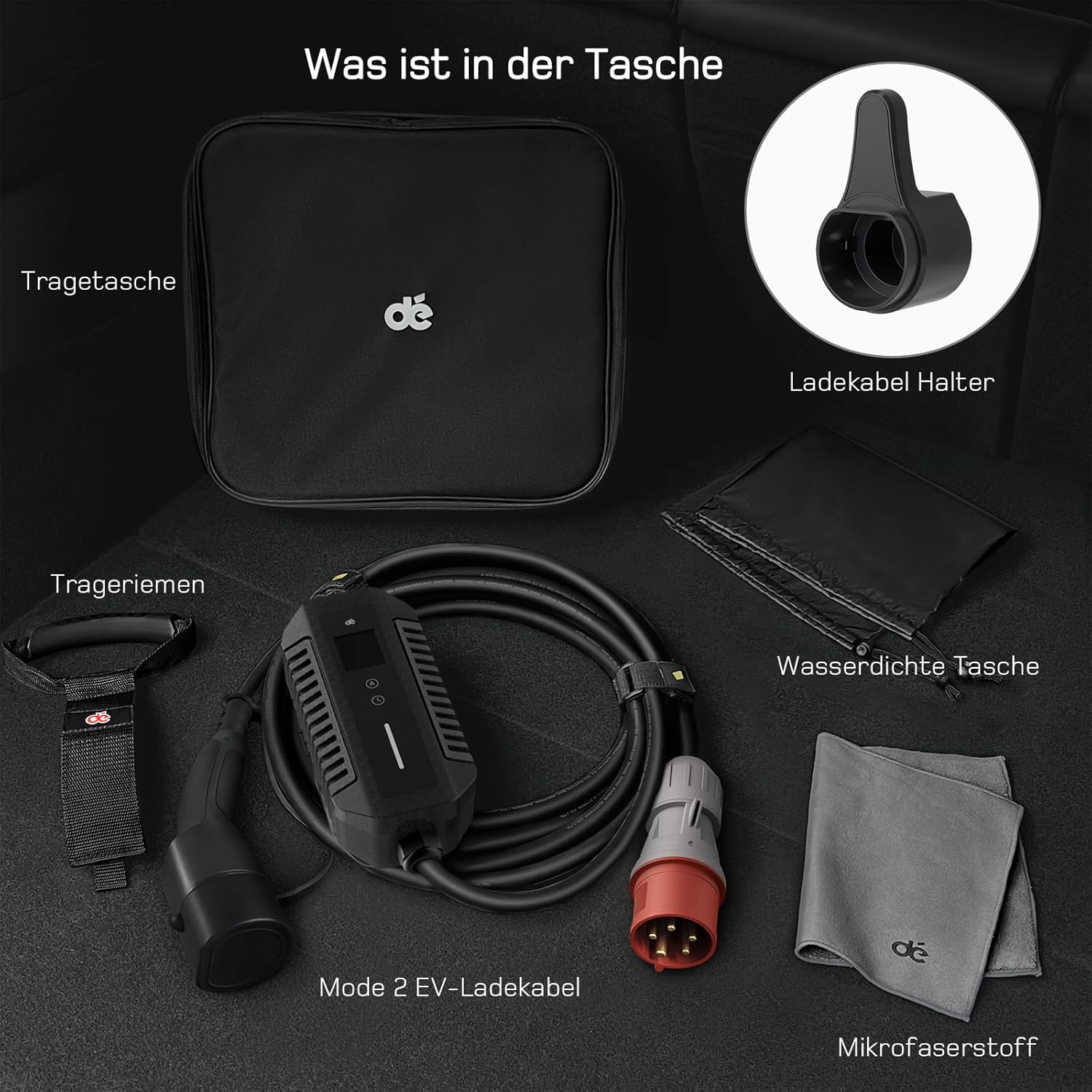
Image: Overview of the items included in the package.
- Mode 2 EV Charging Cable (Control box with CEE plug and Type 2 connector)
- Carrying Bag
- Carrying Straps
- Charging Cable Holder
- Waterproof Bag
- Microfiber Cloth
4. Setup
The dé 22 kW Type 2 EV Charging Cable is designed for plug-and-play operation, requiring no complex installation.
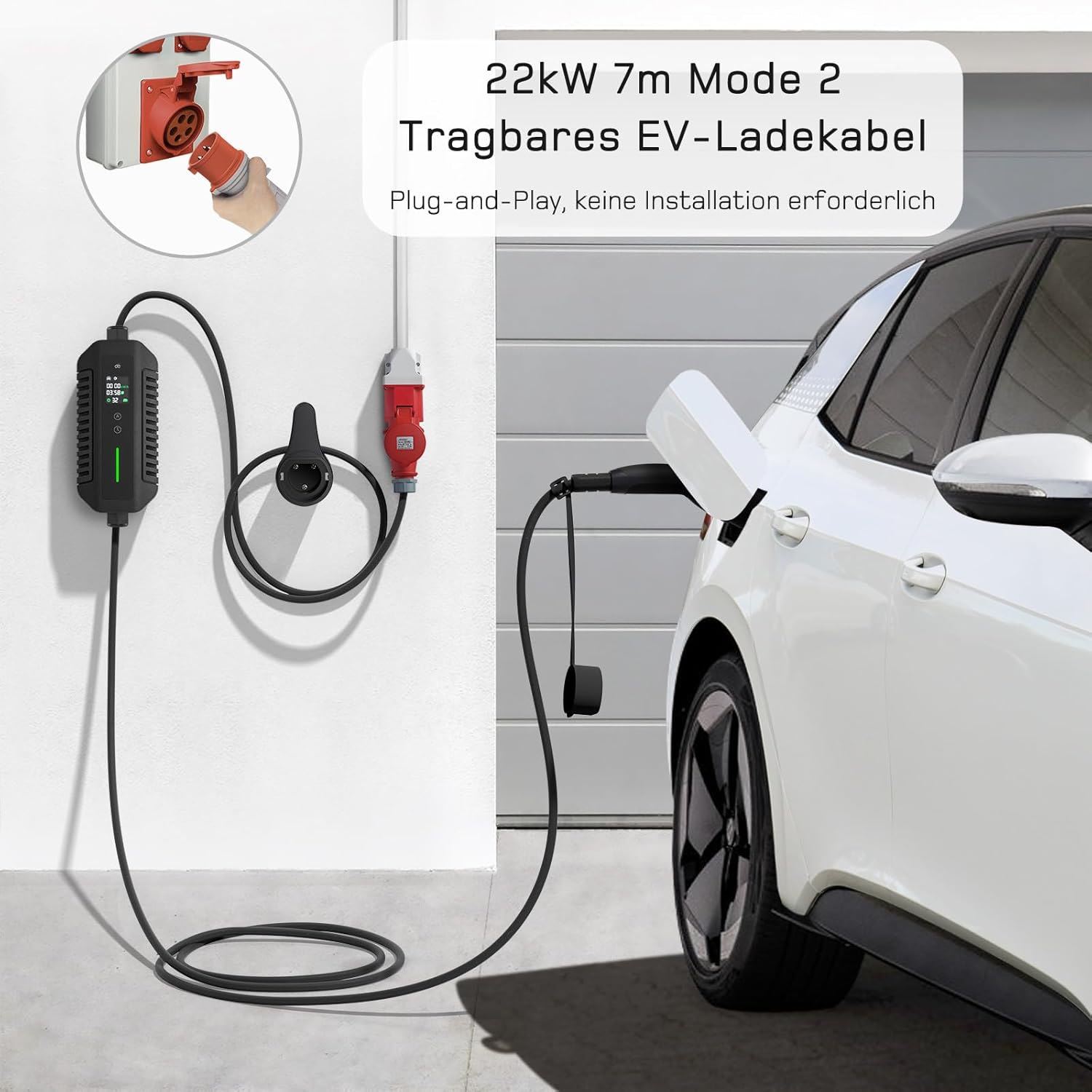
Image: The portable EV charging cable connected to a CEE socket and an electric vehicle, illustrating its plug-and-play nature.
- Connect to Power Source: Insert the CEE plug of the charging cable into a compatible 3-phase CEE power outlet. Ensure the connection is secure.
- Connect to Vehicle: Open the charging port cover on your electric vehicle. Insert the Type 2 connector firmly into the vehicle's charging port.
- Verify Connection: The control box LCD screen will illuminate, indicating a successful connection and readiness for charging.
5. Operating Instructions
5.1 Understanding the LCD Display
The control box features an LCD screen that provides essential charging information and allows for adjustments.

Image: Detailed view of the LCD screen, explaining various symbols and their meanings, including vehicle connection, error, power value, time/delay, charging cycle, and selected current.
- Vehicle Connection Symbol: Indicates if the cable is properly connected to the vehicle.
- Error Symbol: Lights up if an error occurs during charging.
- Power Value (kW·h): Displays the current charging power or total energy delivered.
- Time/Delay: Shows charging duration or set delay time.
- Charging Cycle Symbol: Indicates active charging.
- Selected Current: Displays the chosen amperage (e.g., 32A).
5.2 Adjusting Charging Power (Current)
The control box allows you to adjust the charging current to suit your needs or the capacity of your power outlet.
- Current (A) Button: Press this button once to cycle through available current values (e.g., 6A, 10A, 13A, 16A, 20A, 24A, 32A). Select the desired amperage.
5.3 Setting Charging Start Time (Delay)
You can set a delayed start time for charging.
- Time Button: Press this button once to set the charging start time (e.g., 0.5h - 8h).
5.4 Charging Process
- After connecting the cable to both the power source and the vehicle, the control box will perform a self-check.
- Adjust the desired charging current using the 'A' button if needed.
- If a delayed start is desired, set the time using the 'Time' button.
- Charging will begin automatically or after the set delay. The LCD will show the charging status.
- To stop charging, disconnect the Type 2 connector from the vehicle first, then unplug the CEE plug from the power source.
5.5 Charging Performance
The charging speed depends on the vehicle's capacity, the selected current, and the power source. At 32A (3-phase), you can gain approximately 114 km of range per hour.
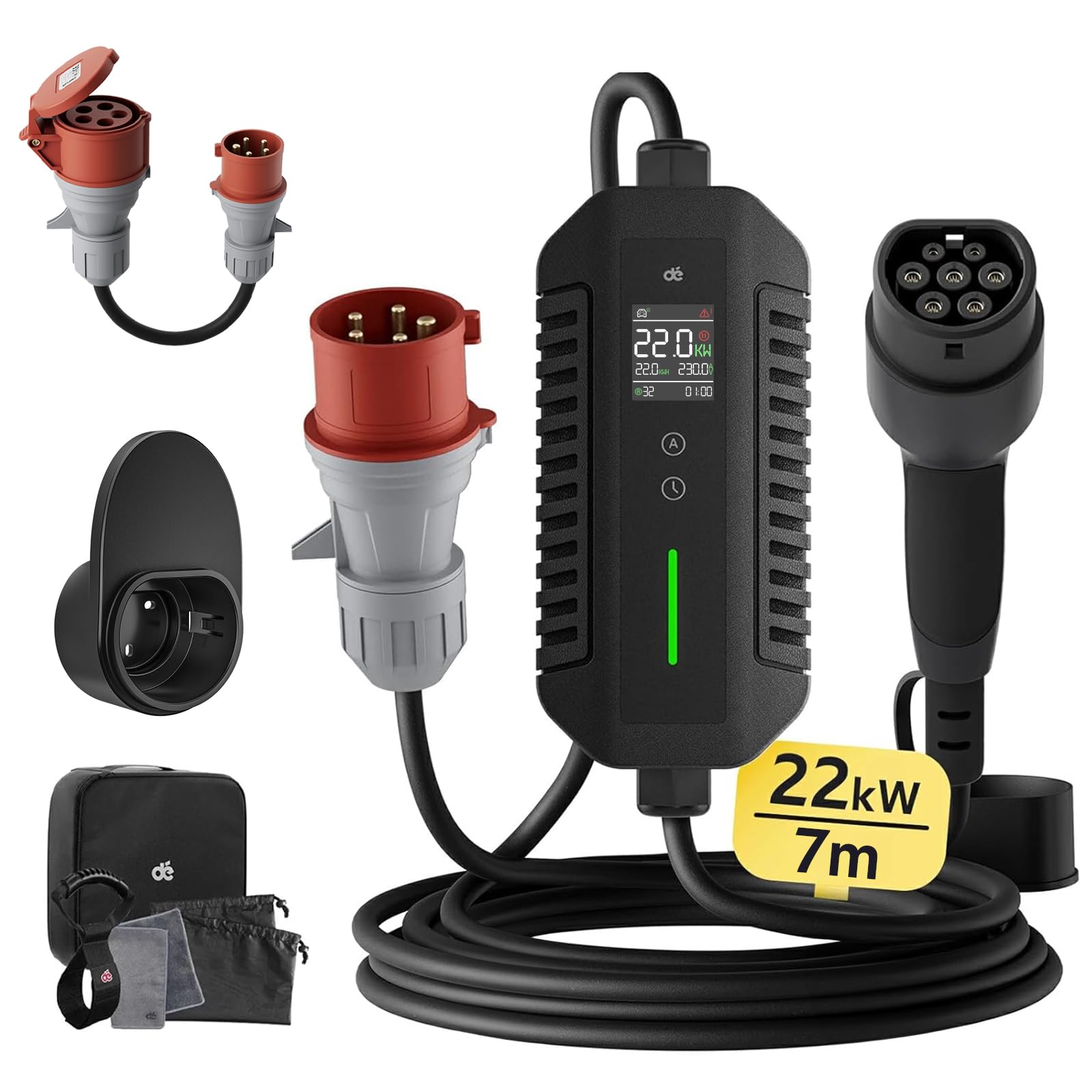
Image: A graph illustrating the charging speed, showing that approximately 114 km of range can be gained per hour when charging at 3-phase 32A.
5.6 Usage Scenarios
This mobile charging station offers flexibility for both home and on-the-go charging.
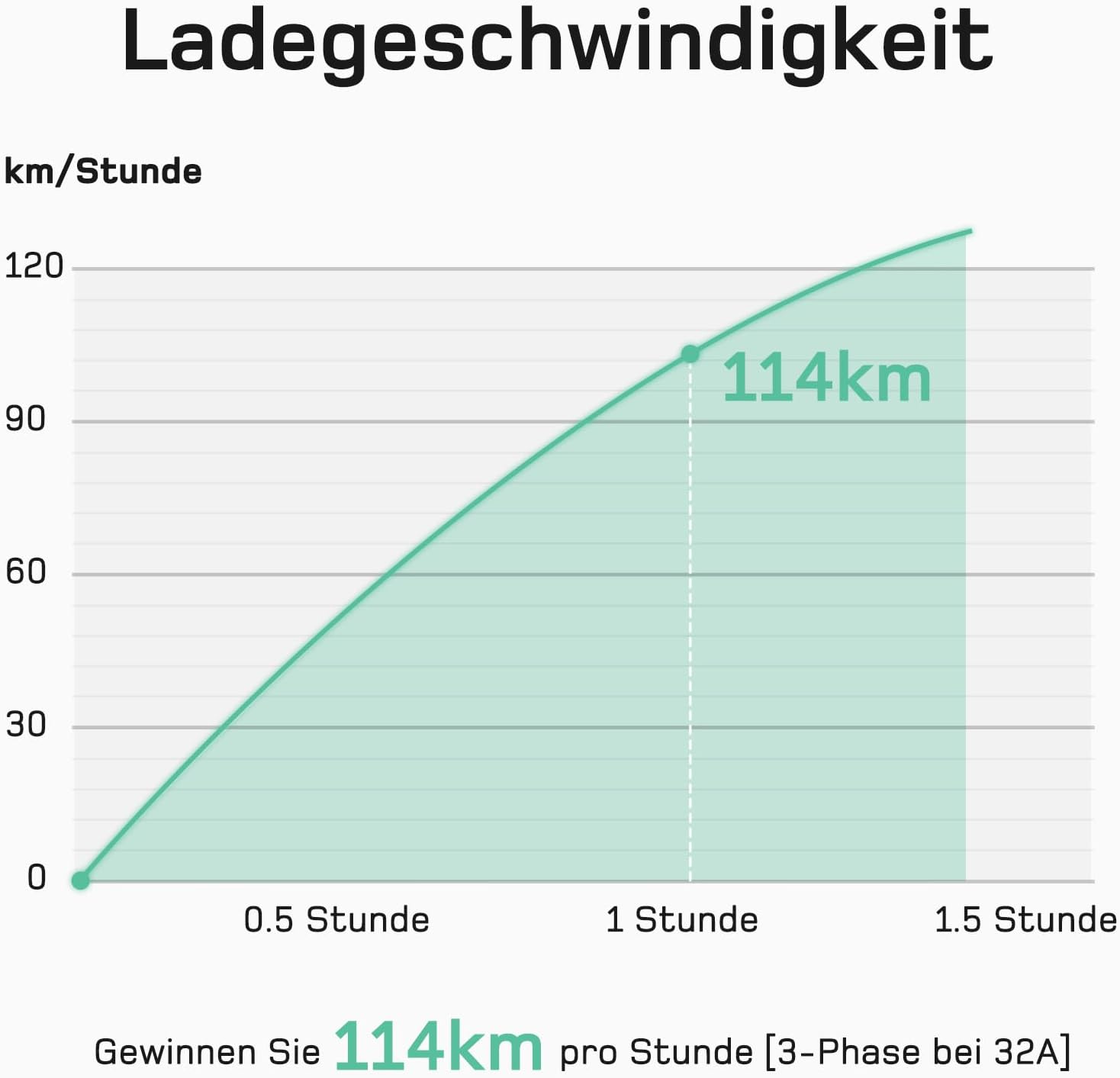
Image: Depiction of the mobile charging station being used in two scenarios: at home (connected to a house) and on the go (connected to a public charging point).
5.7 Cable Length Advantage
With a total length of 7 meters, the cable provides ample reach, allowing you to charge your vehicle even if it's not parked directly next to the power source.

Image: An illustration highlighting the 7-meter total length of the charging cable, showing it can reach a vehicle even if another car is parked in front of the charging point.
6. Maintenance
- Cleaning: Use the provided microfiber cloth or a soft, dry cloth to clean the cable and control box. Do not use harsh chemicals or abrasive materials.
- Storage: When not in use, coil the cable neatly and store it in the provided carrying bag. Keep it in a dry, cool place, away from direct sunlight and extreme temperatures.
- Inspection: Periodically inspect the cable, connectors, and control box for any signs of wear, damage, or corrosion.
7. Troubleshooting
| Problem | Possible Cause | Solution |
|---|---|---|
| Charging does not start. | Cable not properly connected; power outlet issue; vehicle not ready to charge. | Ensure both ends of the cable are securely connected. Check the power outlet. Verify vehicle charging settings. |
| Error symbol on LCD. | Internal fault; overcurrent/overvoltage; ground fault. | Disconnect and reconnect the cable. If the error persists, discontinue use and contact support. |
| Slow charging speed. | Lower current selected; vehicle limitation; power source limitation. | Adjust the current setting on the control box to a higher value if supported by your power source and vehicle. |
If you encounter issues not listed here or if troubleshooting steps do not resolve the problem, please contact customer support.
8. Specifications
- Brand: dé
- Model Number: deDM2C22B7
- Charging Type: Type 2
- Maximum Power: 22 kW (3-Phase)
- Amperage: 6-32 Amps (Adjustable)
- Cable Length: 7 meters
- Number of Ports: 1
- Manufacturer: deAccessories
9. Warranty and Support
This dé product comes with a standard manufacturer's warranty. For specific warranty details, please refer to the warranty card included in your package or visit the official dé website. For technical support, troubleshooting assistance, or warranty claims, please contact dé customer service through the retailer where the product was purchased or via the contact information provided on the dé brand store.
dé Store: Visit the dé Store on Amazon


