
1. Product Overview
The ZHIWHIS ZWS-206 is a versatile portable radio designed for receiving AM, FM, and Shortwave (SW) broadcasts. It also features Bluetooth connectivity, USB, and Micro SD card playback capabilities, offering multiple options for audio entertainment. This manual provides detailed instructions for setup, operation, and maintenance to ensure optimal performance.

Figure 1: ZHIWHIS ZWS-206 Portable Shortwave Radio (Front View)
2. Package Contents
- 1 x ZWS-206 Shortwave Radio
- 1 x Power Cable
- 1 x Owner's Manual (This document)
3. Product Features
- Multiple Power Options: Operates on 4 AA batteries or via external AC power.
- High-Quality Audio: Equipped with a 4-inch, 4Ω, 8W speaker for clear sound.
- Versatile Media Playback: Supports AM/FM/SW radio, Bluetooth 5.0, USB drive, and Micro SD card (up to 256GB) playback for MP3, WMA, WAV, APE, FLAC formats.
- Enhanced Reception: Features a 24-inch (61 cm) rotatable telescopic antenna and a 3.5mm external antenna port for improved FM/SW reception.
- User-Friendly Controls: Large rotary tuning and volume knobs, along with an intuitive button layout.
- Informative LCD Display: Large screen shows time, battery status, frequency, track number, playback time, and operating mode.
- Adjustable Backlight: LCD backlight with standard and high brightness levels for visibility in various lighting conditions.
- Convenience Functions: Digital clock, scheduled power-on, sleep timer (10-120 minutes), keypad lock, and mute function.
- Memory Presets: Stores up to 110 radio stations (20 AM, 30 FM, 60 SW).
- Portable Design: Compact size (8.6x5x3 inches, 1.7 lb) with a portable handle.

Figure 2: Key features and dimensions of the ZHIWHIS ZWS-206 radio.
4. Setup
4.1 Power Supply
The ZWS-206 radio can be powered by two methods:
- AA Batteries: Insert 4 AA 1.5V batteries into the battery compartment located on the back of the unit. Ensure correct polarity.
- AC Power: Connect the provided power cable to the AC-IN port on the radio and plug it into a standard wall outlet.
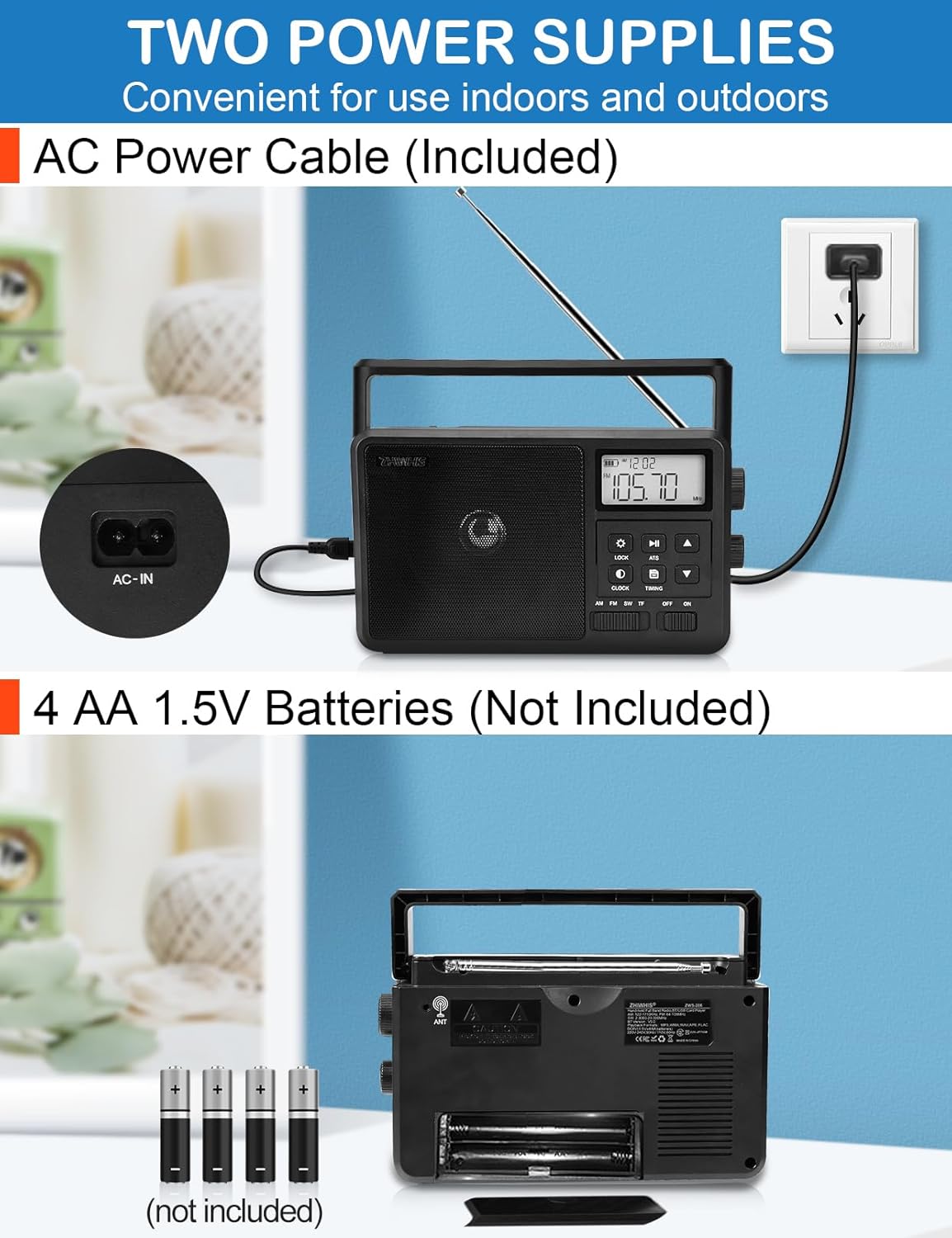
Figure 3: Illustration of AC power cable connection and AA battery installation.
4.2 Antenna Setup
For optimal FM and Shortwave (SW) reception, extend the telescopic antenna fully. For enhanced FM/SW sensitivity, an external antenna can be connected to the 3.5mm external antenna port.

Figure 4: The 3.5mm external antenna port on the back of the radio.
5. Operating Instructions
5.1 Power On/Off
Slide the "ON/OFF" switch to the "ON" position to power on the radio. Slide it to "OFF" to power off.
5.2 Mode Selection
Use the mode switch (AM/FM/SW/TF/USB/BT) to select your desired operating mode.
5.3 Radio Tuning (AM/FM/SW)
- Manual Tuning: Rotate the large "TUN" knob on the side of the radio to manually tune to a specific frequency.
- Automatic Tuning System (ATS): Press the "ATS" button to automatically scan and store available radio stations. The radio can store up to 110 stations (20 AM, 30 FM, 60 SW).
- Recalling Presets: Use the up/down arrow buttons to navigate through stored stations.
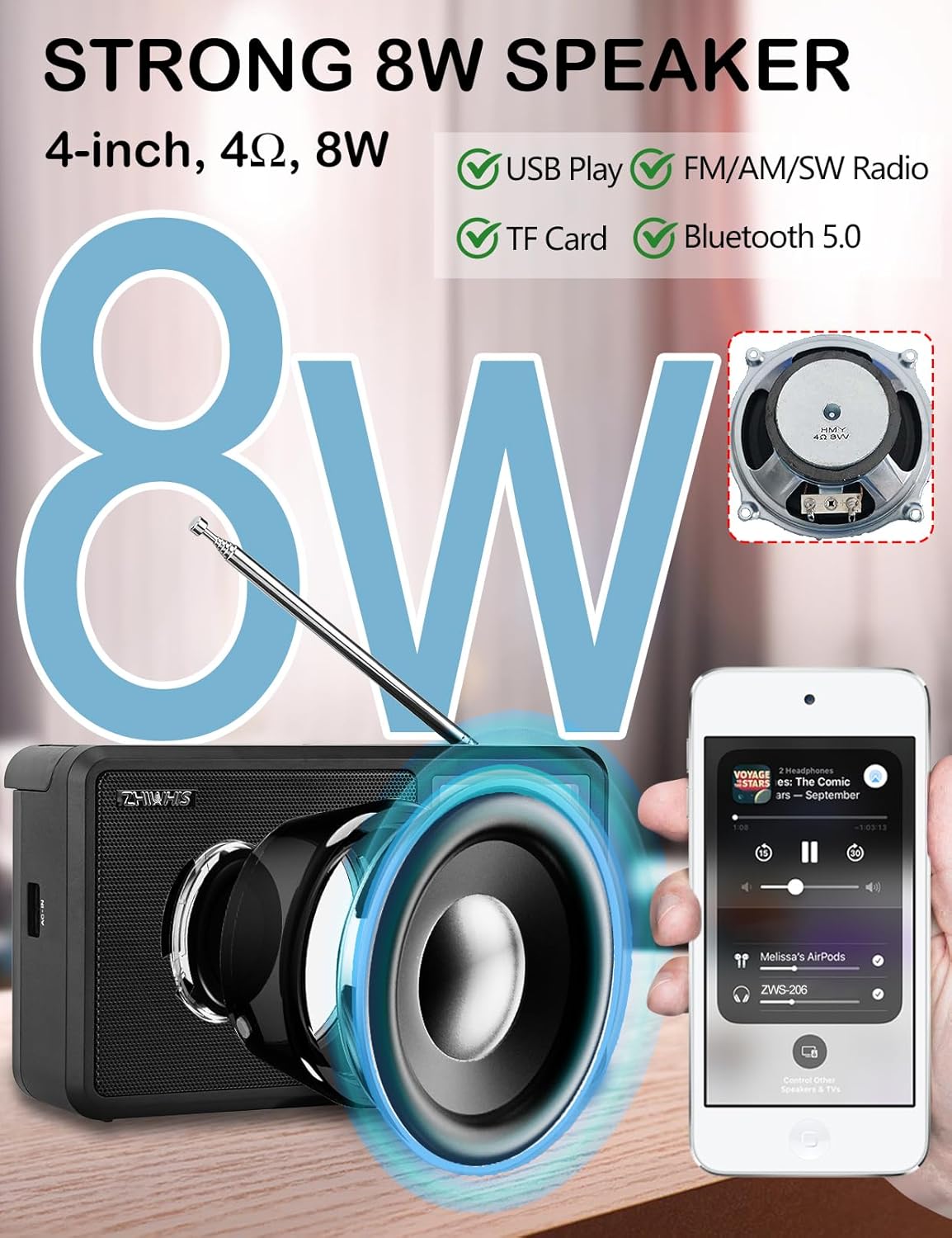
Figure 5: Close-up of the tuning knob and LCD display showing frequency.
5.4 Bluetooth Playback
In Bluetooth mode, the radio will display "bt". Enable Bluetooth on your device and select "ZWS-206" from the list of available devices to pair. Once paired, you can stream audio wirelessly to the radio.

Figure 6: The ZWS-206 radio displaying "bt" for Bluetooth mode, ready for pairing.
5.5 USB/Micro SD Card Playback
Insert a USB drive or Micro SD card (up to 256GB) containing MP3, WMA, WAV, APE, or FLAC audio files into the respective port. The radio will automatically switch to the corresponding playback mode. Use the play/pause and skip buttons to control playback.
5.6 Clock and Timer Functions
- Digital Clock: The LCD displays the current time. Press the "CLOCK" button to set the time.
- Scheduled Power-On: Use the "TIMING" button to set a specific time for the radio to automatically turn on.
- Sleep Timer: Set the radio to automatically shut off after a period of 10 to 120 minutes using the "TIMING" button.

Figure 7: Visual representation of the auto power-on and sleep timer features.
5.7 Display and Backlight
The LCD screen provides clear information. Press the "LIGHT" button (gear icon) to adjust the backlight brightness between off, standard, and high levels.

Figure 8: Examples of the LCD display with backlight off, standard, and high brightness settings.
5.8 Keypad Lock
Press the "LOCK" button to prevent accidental button presses. Press it again to unlock.
5.9 Headphone Jack
Connect standard 3.5mm headphones for private listening.
6. Maintenance
- Cleaning: Wipe the radio with a soft, dry cloth. Do not use abrasive cleaners or solvents.
- Storage: If storing for an extended period, remove the AA batteries to prevent leakage. Store in a cool, dry place.
- Antenna Care: Handle the telescopic antenna gently to avoid bending or breaking.
7. Troubleshooting
| Problem | Possible Cause | Solution |
|---|---|---|
| No power | Batteries are dead or incorrectly inserted; AC cable not connected. | Replace batteries or ensure correct polarity. Check AC cable connection. |
| Poor radio reception | Antenna not extended; weak signal; interference. | Extend telescopic antenna. Try repositioning the radio. Connect an external antenna. |
| No sound from speaker | Volume too low; headphones connected; mute function active. | Increase volume. Disconnect headphones. Deactivate mute. |
| Bluetooth not pairing | Radio not in Bluetooth mode; device too far; previously paired. | Ensure radio is in BT mode. Move device closer. Forget device on your phone and re-pair. |
| USB/Micro SD not playing | Unsupported file format; card/drive not inserted correctly; corrupted files. | Ensure files are MP3, WMA, WAV, APE, or FLAC. Reinsert card/drive. Try different files or media. |
8. Specifications
| Feature | Detail |
|---|---|
| Model Number | ZWS-206 |
| Reception Sensitivity | AM: 84dB; FM: 18dB; SW: 26dB |
| Signal-to-Noise Ratio | FM: 40dB; AM: 30dB; SW: 32dB |
| Speaker | 4 inches, 4Ω, 8W |
| Radio Bands Supported | AM (522-1710 kHz), FM (64-108 MHz), SW (2.30-23.00 MHz) |
| Radio Presets | 110 units (AM: 20, FM: 30, SW: 60) |
| Bluetooth Version | VER 5.0 |
| Bluetooth Reception Distance | ≤10 meters |
| Power Supply | DC 6V (4 x 1.5V AA batteries) or AC Power |
| Supported Media Formats (TF/USB) | MP3, WMA, WAV, APE, FLAC |
| Max TF Card Capacity | 256GB |
| Earphone Jack | 3.5mm |
| Dimensions (L x W x H) | 8.6 x 5 x 3 inches (22 x 13 x 7 cm) |
| Weight | 1.7 lb (826g) |
9. Warranty and Support
ZHIWHIS offers a full 12-month guarantee for the ZWS-206 Shortwave Radio. If you encounter any issues with the product, please contact ZHIWHIS customer service. We provide 24/7 customer support to address any questions or concerns you may have.
For support, please refer to the contact information provided on the product packaging or the official ZHIWHIS website.