
1. Introduction and Overview
Thank you for choosing the Huuger Computer Desk. This 70-inch desk, featuring a rustic brown and black finish with a sturdy metal frame, is designed to provide ample workspace for your home office, study, or gaming setup. Its versatile design and large legroom make it an ideal solution for various needs.
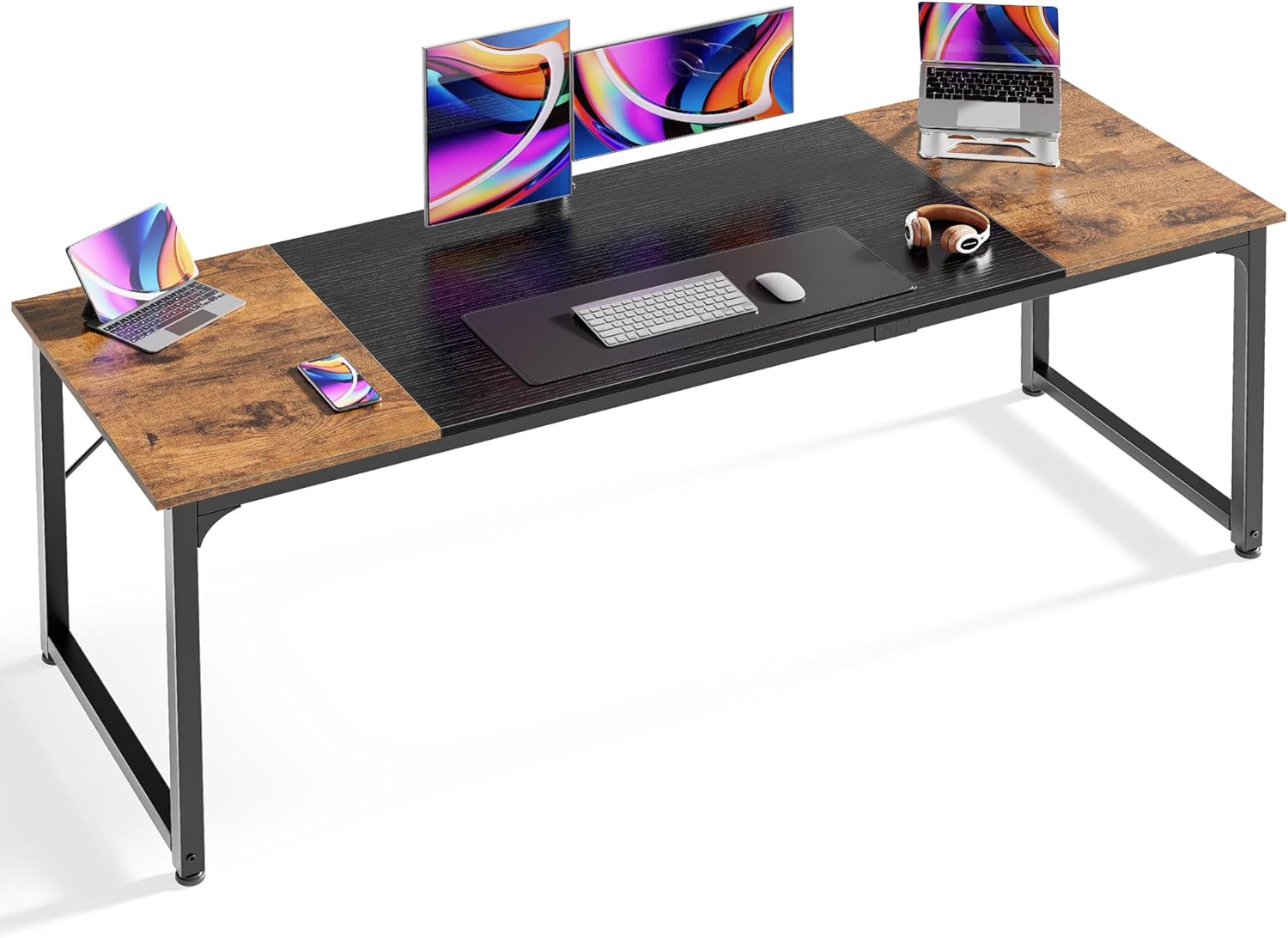
Image: The Huuger Computer Desk, showcasing its spacious design and suitability for multiple devices.
2. Safety Information
For your safety and to ensure the longevity of your desk, please adhere to the following guidelines:
- Do not exceed the recommended maximum weight limit of 150 pounds (68 kg) on the desktop.
- Ensure all screws and connections are securely tightened before and during use.
- Keep small parts away from children during assembly.
- Avoid placing hot items directly on the desktop surface without protective padding.
Always follow the assembly instructions carefully and ensure the desk is properly assembled before use.
3. Package Contents
The Huuger Computer Desk is designed with a simplified package for easy delivery and transport. Please verify that all components are present before beginning assembly.

Image: Simplified package design for easy handling and delivery.
Your package should include:
- Desktop panels (Engineered Wood)
- Metal frame components (legs, support bars)
- Hardware kit (screws, bolts, adjustable feet, stable struts)
- Assembly tools (e.g., Allen wrench, small hammer)
- Instruction manual
4. Setup and Assembly
The Huuger Computer Desk features a simple structure for quick and easy assembly. It is estimated that assembly can be completed by one person in less than 40 minutes with the provided tools and visual instructions.
- Unpack all components and lay them out on a clean, soft surface to prevent scratches.
- Identify each part using the provided diagrams in the instruction manual.
- Assemble the metal frame components, ensuring all connections are firm. The reinforcement struts beneath the tabletop provide additional stability and should be securely attached.
- Attach the desktop panels to the assembled frame.
- Install the adjustable feet at the bottom of the desk legs. These can be rotated to level the desk on uneven surfaces.
- Double-check all screws and bolts to ensure they are fully tightened for maximum stability.

Image: Detail of the stable struts and adjustable feet, crucial for desk stability and leveling.
5. Operating the Desk
The Huuger Computer Desk is designed for versatile use in various settings:
- Office Use: The spacious 70.9''x23.6'' desktop easily accommodates multiple monitors, laptops, and office accessories, providing a comfortable and productive work environment.
- Gaming Setup: With ample surface area, the desk is suitable for gaming rigs, multiple screens, and peripherals, offering a dedicated space for immersive gaming.
- Study Area: Provides a large, stable surface for studying, reading, and creative projects, with plenty of room for books, lamps, and other essentials.

Image: The spacious desktop provides ample room for office or gaming items.

Image: The desk configured for a gaming setup, demonstrating its capacity for multiple screens and accessories.
6. Maintenance
To keep your Huuger Computer Desk in excellent condition, follow these simple maintenance tips:
- Cleaning: Wipe the desktop and metal frame with a soft, damp cloth. Avoid using harsh chemicals, abrasive cleaners, or excessive moisture, as these can damage the finish.
- Spills: Clean up spills immediately to prevent staining or damage to the engineered wood surface.
- Heat and Moisture: Do not place hot items directly on the surface. Use coasters for drinks to protect against moisture rings.
- Sunlight: Avoid prolonged exposure to direct sunlight, which can cause fading or discoloration over time.
- Regular Checks: Periodically check and tighten all screws and bolts to maintain the desk's stability.
7. Troubleshooting
If you encounter any issues with your Huuger Computer Desk, consider the following common solutions:
- Wobbling Desk:
- Ensure all assembly screws and bolts are fully tightened.
- Adjust the leveling feet at the bottom of each leg to compensate for uneven floor surfaces.
- Verify that the stable struts are correctly installed and secured.
- Missing Parts: If any parts are missing from your package, please refer to the 'Warranty and Support' section to contact customer service.
- Difficulty Assembling: Re-read the assembly instructions carefully, paying close attention to diagrams. Ensure parts are oriented correctly before tightening.
8. Specifications
Key technical specifications for the Huuger Computer Desk:
| Feature | Detail |
|---|---|
| Brand | Huuger |
| Model Number | 7981ZB |
| Product Dimensions (D x W x H) | 23.6"D x 70.9"W x 29.7"H |
| Color | Rustic Brown + Black |
| Top Material Type | Engineered Wood |
| Base Material | Metal |
| Maximum Weight Recommendation | 150 Pounds |
| Required Assembly | Yes |
| Recommended Number of People for Assembly | 1 |
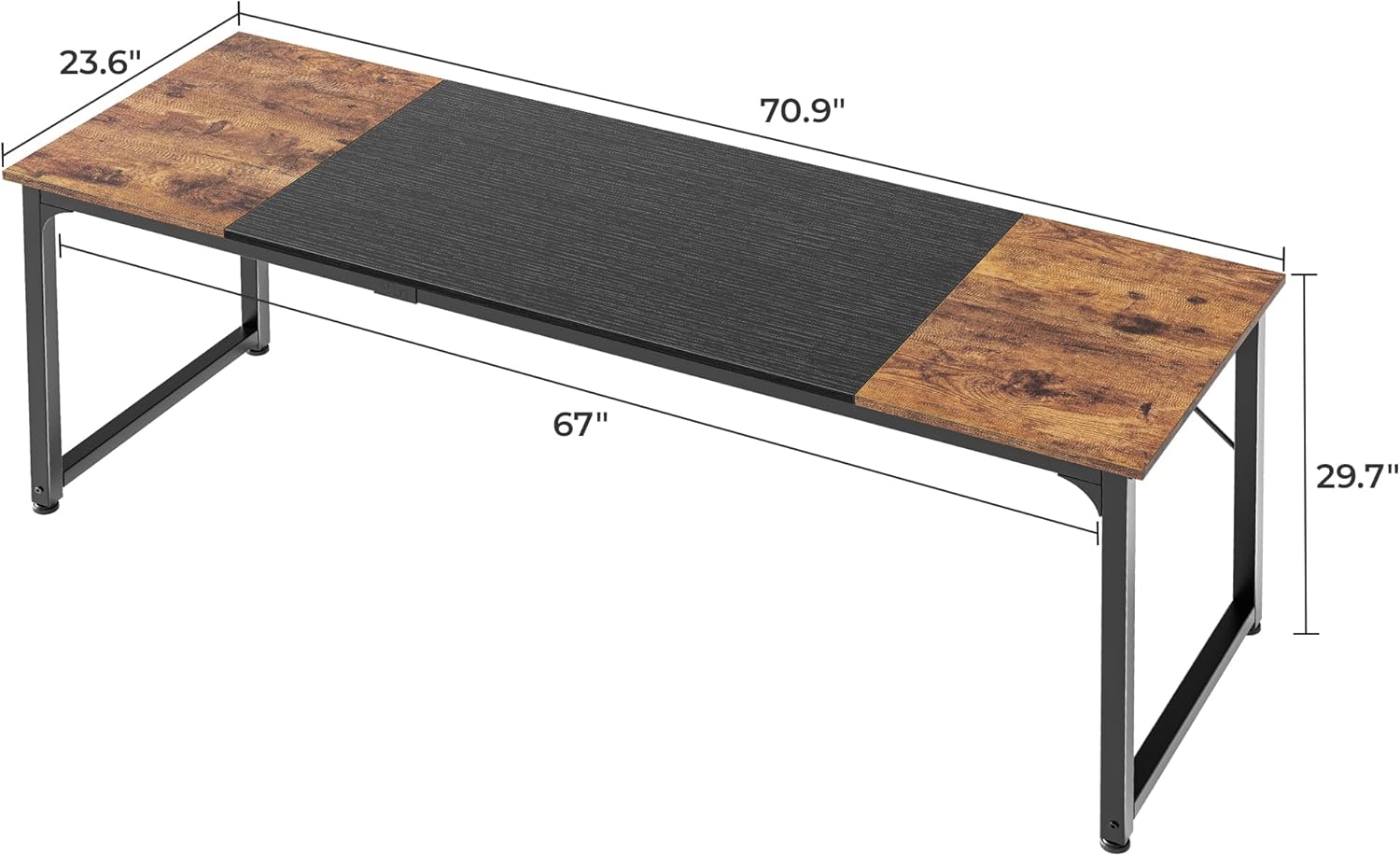
Image: Detailed dimensions of the Huuger Computer Desk.
9. Warranty and Support
The Huuger Computer Desk comes with a Limited Warranty. For specific details regarding warranty coverage, terms, and conditions, please refer to the documentation included with your purchase or contact Huuger customer support directly.
For any questions, assistance with assembly, or to report missing/damaged parts, please contact Huuger customer service. Contact information can typically be found on the product packaging or the official Huuger website.