
Introduction
This manual provides essential information for the safe and efficient operation of your Aergiatech 10-Port 120W USB C Charging Station. Please read these instructions carefully before using the device and retain them for future reference.
The Aergiatech 10-Port 120W USB C Charging Station is designed to provide a centralized charging solution for multiple electronic devices. It features a total of 10 ports, including 5 USB-C and 5 USB-A ports, with a combined power output of 120W, making it suitable for various devices such as smartphones, tablets, and other USB-powered gadgets.
Product Features
- 10 Charging Ports: Equipped with 5 USB-C ports and 5 USB-A ports for simultaneous charging of multiple devices.
- High Power Output: Delivers a maximum total output of 120W.
- Fast Charging Support: Includes one 20W Power Delivery (PD) USB-C port and one 18W Quick Charge 3.0 (QC 3.0) port.
- Smart Charging Technology: Automatically detects and delivers optimal current for connected devices, maximizing charging speed and energy efficiency.
- Wide Voltage Input: Supports AC 100-240V, suitable for international travel.
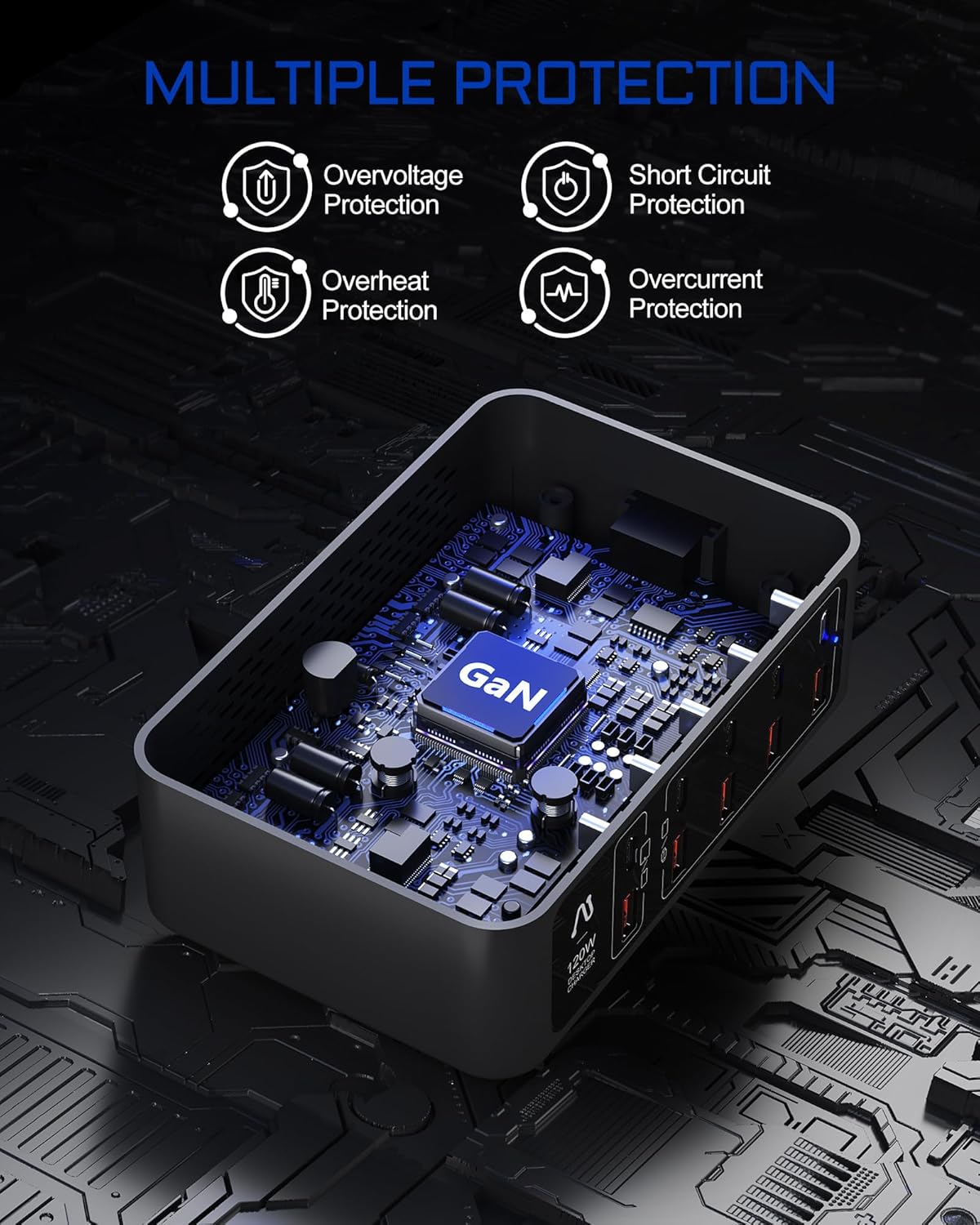
- Multiple Safety Protections: Features overvoltage, short circuit, overheat, and overcurrent protection.
- Compact Design: Portable form factor for easy transport and desktop organization.

Package Contents
Verify that all items are present in the package:
- 1x Aergiatech 120W 10-port USB C Charger Station
- 1x 5ft / 1.5m Detachable Power Cord (with US and European Plugs)
Setup Instructions
- Unpack the Device: Carefully remove the charging station and all accessories from the packaging.
- Select Power Cord: Choose the appropriate power cord (US or European plug) for your region.
- Connect Power Cord: Insert the detachable power cord firmly into the AC input port on the back of the charging station.
- Connect to Power Outlet: Plug the other end of the power cord into a standard wall outlet (AC 100-240V). The power indicator light on the charging station will illuminate, indicating it is ready for use.
- Placement: Place the charging station on a stable, flat surface, away from heat sources and direct sunlight.

Operating Instructions
- Connect Devices: Use appropriate USB charging cables to connect your devices to the available USB-C or USB-A ports on the charging station.
- Optimal Port Selection: For faster charging, connect compatible devices to the 20W PD USB-C port or the 18W QC 3.0 USB-A port. Other ports provide standard charging speeds.
- Charging Indication: Your device's screen or indicator light will show that it is charging. The charging station itself has a small blue LED to indicate power is supplied.
- Disconnecting Devices: Once charging is complete, safely disconnect your devices from the charging station.


Device Compatibility
The Aergiatech 10-Port 120W USB C Charging Station is compatible with a wide range of USB-powered devices, including but not limited to:
- Smartphones: iPhone 15/14/13/12/11/X/8/7/6 series, Samsung Galaxy S22/S21/S20/S10/Note series, Google Pixel, HTC, LG, Huawei, and other Android phones.
- Tablets: iPad Pro 2021/12.9/11/10.5, iPad mini, iPad Air, and other tablets.
- Wearables: Apple Watch series, Galaxy Watch, AirPods/AirPods Pro, Galaxy Buds.
- Other Devices: Cameras, game controllers, e-readers (e.g., Kindle), headsets, USB fans, MP3/MP4 players, GPS devices, monitors, musical instruments, printers, projectors, smartwatches, speakers, and more.

Safety Information
To ensure safe operation and prevent damage to the device or injury, please observe the following safety guidelines:
- Do not expose the charging station to water, moisture, or extreme temperatures.
- Avoid dropping, impacting, or disassembling the device.
- Do not use the charging station if it has been damaged.
- Ensure proper ventilation; do not cover the charging station during use.
- Use only the provided power cord or a certified replacement.
- Keep out of reach of children.
- Unplug the charging station from the power outlet when not in use for extended periods or during electrical storms.
- Do not overload the charging station beyond its specified total output of 120W.
Specifications
| Feature | Detail |
|---|---|
| Model Number | AT-006-5A5C |
| Total USB Ports | 10 (5x USB-C, 5x USB-A) |
| Total Power Output | 120W Max |
| USB-C PD Port Output | 1x 20W |
| USB-A QC 3.0 Port Output | 1x 18W |
| Standard USB-C Port Output | 4x 10.5W (shared) |
| Standard USB-A Port Output | 4x 6.5W (shared) |
| Input Voltage | AC 100-240V |
| Amperage | 1.5 Amps |
| Dimensions | 6.5 x 6.22 x 2.13 inches |
| Item Weight | 1.19 pounds |
| Color | Black |
| Special Features | Fast Charging, Short Circuit Protection, Travel-friendly |
Maintenance
- Cleaning: Disconnect the charging station from the power outlet before cleaning. Use a soft, dry cloth to wipe the exterior. Do not use liquid cleaners or aerosols.
- Storage: Store the device in a cool, dry place when not in use.
- Cable Care: Avoid bending or crimping the power cord excessively.
Troubleshooting
- Device not charging:
- Ensure the charging station is properly plugged into a live power outlet.
- Check if the power indicator light on the charging station is on.
- Verify that the charging cable is securely connected to both the charging station and your device.
- Try a different charging cable or port.
- Ensure your device is compatible with the charging station.
- Slow charging:
- Ensure your device supports fast charging and is connected to a PD or QC 3.0 port.
- Check if multiple high-power devices are connected simultaneously, which might distribute the total 120W output.
- Use a high-quality charging cable that supports fast charging.
- Charging station feels warm:
- It is normal for the charging station to become warm during operation, especially when charging multiple devices or fast charging.
- If it becomes excessively hot, disconnect all devices and the power cord, and allow it to cool down. Ensure adequate ventilation.
Warranty and Support
The Aergiatech 10-Port 120W USB C Charging Station comes with an 18-month warranty from the date of purchase. This warranty covers manufacturing defects and issues arising from normal use.
For warranty claims, technical support, or any questions regarding your product, please contact Aergiatech customer service through the retailer where you purchased the product or visit the official Aergiatech website for contact information.
Please have your model number (AT-006-5A5C) and proof of purchase ready when contacting support.