
Introduction
Thank you for choosing the SEESII Cordless Impact Wrench WH10 Ultra Pro. This powerful and versatile tool is designed for efficient tightening and loosening of fasteners in various applications, from automotive repair to construction. This manual provides essential information for safe operation, proper maintenance, and optimal performance of your impact wrench. Please read it thoroughly before use and keep it for future reference.

Image: The SEESII Cordless Impact Wrench WH10 Ultra Pro with a battery attached.
Safety Information
Always follow basic safety precautions when using electric tools to reduce the risk of fire, electric shock, and personal injury.
- Wear Eye Protection: Always wear safety goggles or safety glasses with side shields.
- Wear Hearing Protection: Prolonged use may cause hearing damage.
- Keep Work Area Clean: Cluttered areas invite accidents.
- Avoid Dangerous Environments: Do not use power tools in damp or wet locations, or expose them to rain.
- Keep Children Away: All visitors should be kept at a safe distance from the work area.
- Dress Properly: Do not wear loose clothing or jewelry. Contain long hair.
- Secure Workpiece: Use clamps or a vise to hold the workpiece.
- Do Not Overreach: Keep proper footing and balance at all times.
- Disconnect Tools: Disconnect the battery pack when not in use, before servicing, or when changing accessories.
- Use Right Tool: Do not force the tool or attachment to do a job for which it was not designed.
- Maintain Tools With Care: Keep tools sharp and clean for better and safer performance.
- Check for Damaged Parts: Before further use of the tool, a guard or other part that is damaged should be carefully checked to determine that it will operate properly and perform its intended function.
- Battery Safety: Use only specified battery packs. Do not incinerate the battery pack even if it is severely damaged.
Package Contents
Your SEESII Cordless Impact Wrench WH10 Ultra Pro package includes the following items:
- 1 x Impact Wrench
- 2 x 4.0Ah Battery Packs
- 1 x Fast Charger
- 4 x Impact Sockets (17mm, 19mm, 21mm, 24mm)
- 1 x Extension Bar
- 1 x Hard Portable Toolbox
- 1 x User Manual

Image: All components included in the SEESII Cordless Impact Wrench WH10 Ultra Pro kit, including the wrench, two batteries, charger, sockets, extension bar, and hard case.
Setup
1. Charging the Battery
Before first use, fully charge both 21V/4.0Ah battery packs. The fast charger can charge the battery to approximately 80% capacity in 30 minutes. The 3-LED power indicator on the battery will show the charging status.
2. Installing/Removing the Battery
- Installation: Align the battery pack with the base of the impact wrench and slide it in until it clicks securely into place.
- Removal: Press the battery release button (usually located on the side of the battery) and slide the battery pack out.

Image: A person installing a battery pack into the base of the SEESII Cordless Impact Wrench.
3. Attaching Sockets
The impact wrench features a 1/2-inch square drive. To attach a socket, simply push it onto the square drive until it locks into place. To remove, pull the socket off the drive.

Image: A set of four impact sockets (17mm, 19mm, 21mm, 24mm) included with the wrench.
Operating Instructions
1. Power On/Off and Variable Speed Trigger
To operate the wrench, insert a charged battery and press the variable-speed trigger. The speed of the wrench is controlled by how much you depress the trigger. A locking switch prevents accidental activation during transport.
2. Speed Modes
The SEESII impact wrench offers 3 optimized gear settings for various tasks:
- 1st Gear (Low): 0-1400 RPM / 1900 IPM - Ideal for delicate work and precise applications.
- 2nd Gear (Medium): 0-1900 RPM / 2500 IPM - Suitable for standard bolts and general tasks.
- 3rd Gear (High): 0-2400 RPM / 2900 IPM - For stubborn nuts and heavy-duty applications.
Use the mode selection button to cycle through the speed settings.

Image: Diagram illustrating the three speed modes (Low, Medium, High) with corresponding RPM and IPM values, along with an auto-stop feature.
3. Forward/Reverse Control
A one-touch switch allows you to easily change the rotation direction for tightening or loosening fasteners. Ensure the switch is in the desired position before operating.
4. Auto-Stop Function
The auto-stop feature is designed to prevent over-tightening damage. In reverse mode, it helps prevent nuts or bolts from being flung out by automatically stopping rotation once the fastener is loose.

Image: Illustration of the auto-stop function preventing bolts from being flung out during reverse operation.
5. LED Work Light
The integrated ultra-bright LED work light illuminates the work area, improving visibility in dark or dimly lit conditions.
6. High Torque Performance
The brushless motor delivers up to 750 ft-lbs (1000 N.m) tightening torque and 900 ft-lbs (1200 N.m) loosening torque, making it suitable for demanding tasks like removing rusted bolts or installing truck wheels.

Image: A person using the SEESII Impact Wrench to remove a lug nut from a vehicle wheel.

Image: A worker using the SEESII Impact Wrench on a scaffolding structure.
7. Product Overview Video
Video: A comprehensive overview and feature introduction of the SEESII Cordless Impact Wrench. This video demonstrates the tool's capabilities and various components.
8. Torque Demonstration Video
Video: A short demonstration highlighting the 900 ft-lbs of power, showing the wrench breaking free stubborn bolts.
Maintenance
Proper maintenance ensures the longevity and optimal performance of your impact wrench.
- Cleaning: Regularly clean the tool's exterior with a soft, damp cloth. Do not use harsh chemicals or abrasive cleaners. Keep ventilation openings clear of dust and debris.
- Battery Care: Store batteries in a cool, dry place away from direct sunlight and extreme temperatures. Do not store fully discharged batteries for extended periods.
- Inspection: Periodically inspect the tool for any signs of damage, loose screws, or worn parts. If any damage is found, discontinue use and contact customer support.
- Storage: When not in use, store the impact wrench and its accessories in the provided hard portable toolbox, in a dry, secure location out of reach of children.
Troubleshooting
If you encounter issues with your impact wrench, refer to the following common troubleshooting steps:
| Problem | Possible Cause | Solution |
|---|---|---|
| Tool does not start | Battery not charged or improperly installed; Locking switch engaged | Ensure battery is fully charged and correctly inserted. Disengage the locking switch. |
| Reduced power/torque | Low battery charge; Incorrect speed mode selected | Recharge battery. Select a higher speed mode (2nd or 3rd gear). |
| Overheating | Prolonged heavy use; Blocked ventilation | Allow tool to cool down. Clear any obstructions from ventilation slots. The intelligent chip includes overheating protection. |
| Socket not attaching securely | Debris in square drive; Worn square drive or socket | Clean the square drive. Replace worn sockets or contact support if the drive is damaged. |
If the problem persists after attempting these solutions, please contact SEESII customer support.
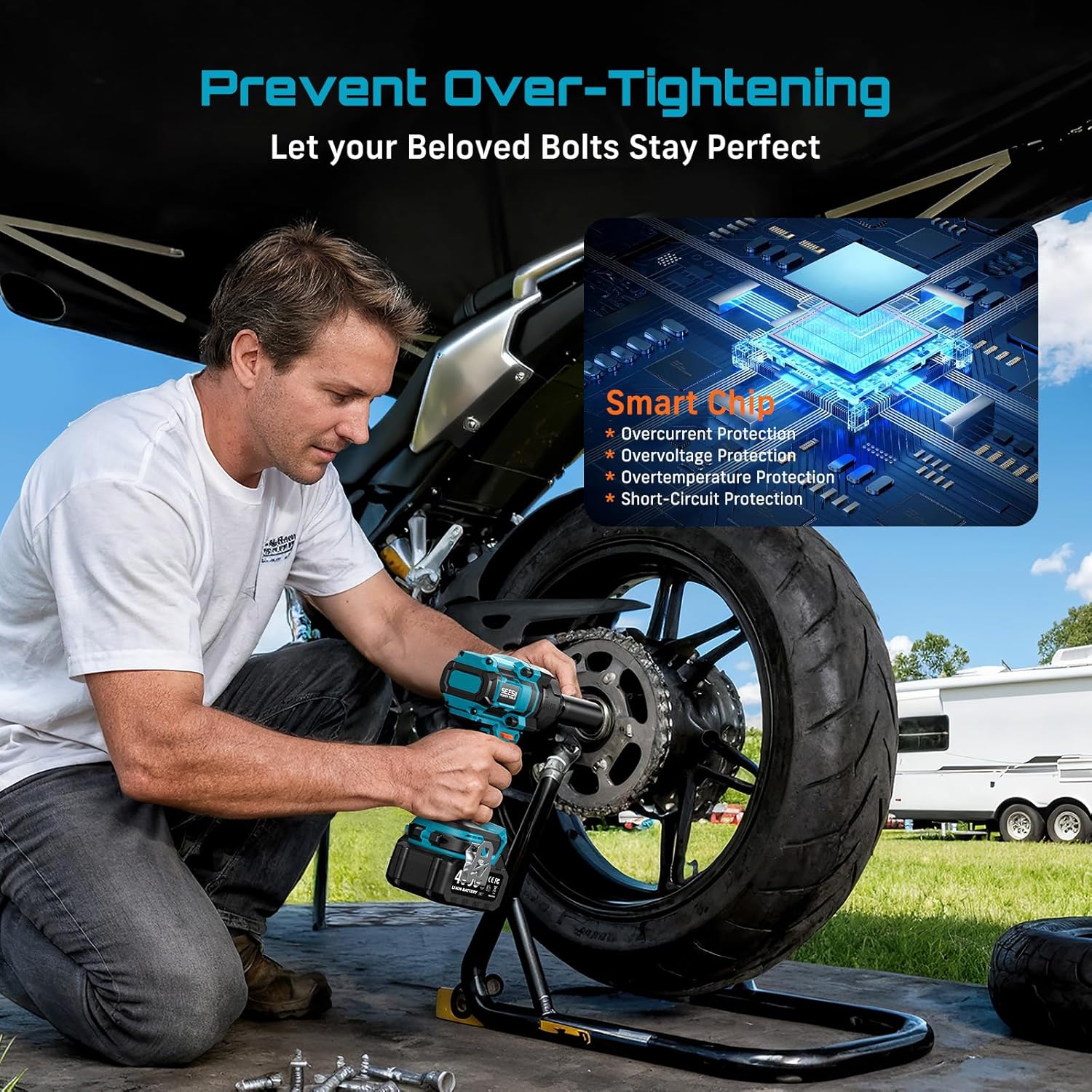
Image: A visual representation of the smart chip inside the SEESII Impact Wrench, highlighting its protection features against overcurrent, overvoltage, overtemperature, and short-circuits.
Specifications
| Feature | Detail |
|---|---|
| Brand | Seesii |
| Model Number | WH10 Ultra Pro |
| Material | Metal, Chrome Vanadium Steel |
| Item Weight | 4 Pounds (approx. 1.8 kg) |
| Head Style | Square Drive (1/2 inch) |
| Max Tightening Torque | 750 ft-lbs (1000 N.m) |
| Max Loosening Torque | 900 ft-lbs (1200 N.m) |
| Operation Mode | Battery |
| Voltage | 21 Volts |
| Battery Capacity | 2 x 4.0Ah Li-ion Batteries |
| No-Load Speed (RPM) | Gear 1: 0-1400 RPM Gear 2: 0-1900 RPM Gear 3: 0-2400 RPM |
| Impacts Per Minute (IPM) | Gear 1: 0-1900 IPM Gear 2: 0-2500 IPM Gear 3: 0-2900 IPM |
| Dimensions (L x W x H) | 6.46 x 2.76 x 8.58 inches (approx.) |
| Features | Brushless Motor, Variable Speed Trigger, 3 Speed Modes, Forward/Reverse Control, Auto-Stop Function, LED Work Light, Smart Protection Chip |
Warranty and Support
The SEESII Cordless Impact Wrench WH10 Ultra Pro comes with a 3-Year Manufacturer’s Warranty against defects. For warranty claims, technical assistance, or any product-related inquiries, please contact Seesii customer support. Keep your purchase receipt as proof of purchase.
Manufacturer: Seesii