
Introduction
This manual provides detailed instructions for the setup, operation, and maintenance of your Generic Guardian P3BCC 2211-L Premium 3 Button Remote. This remote is designed to control up to three Guardian garage door operators and replaces R2BCC and GDOR2B remotes. Please read these instructions carefully before use to ensure proper functionality and safety.
Product Overview
The Generic Guardian P3BCC 2211-L remote features a sleek design with three buttons, allowing control of multiple garage door openers. It includes a backlit LED to indicate signal transmission. This remote operates on a dual frequency burst of 303MHz/390MHz, offering broad compatibility with Guardian systems.
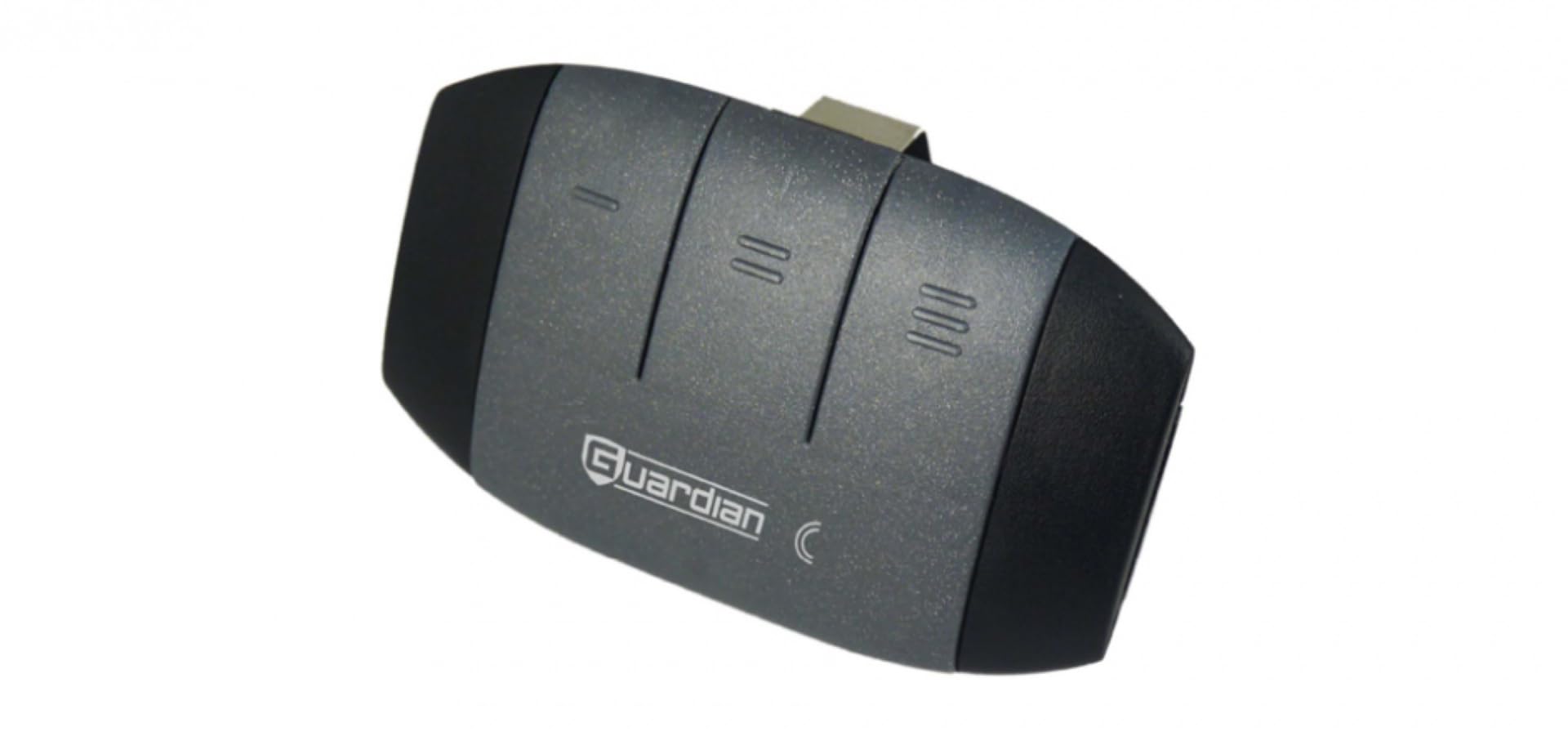
Image 1: Front view of the Generic Guardian P3BCC 2211-L Premium 3 Button Remote. The remote is black with three distinct buttons and a backlit LED indicator.
Setup: Pairing Your Remote
To operate your garage door opener, the remote must first be programmed or "paired" with your Guardian garage door opener. The exact steps may vary slightly depending on your specific opener model. Refer to your garage door opener's manual for precise instructions if these general steps do not apply.
- Locate the Learn Button: On your garage door opener motor unit, locate the "Learn" or "Program" button. This button is typically found on the back or side panel of the motor unit, often near the antenna wire. It may be colored red, orange, purple, or green.
- Activate Learn Mode: Press and immediately release the "Learn" button on the garage door opener. The LED indicator on the opener will usually light up or blink, indicating that it is in programming mode. You typically have about 30 seconds to complete the next step.
- Program the Remote: Within the 30-second window, press and hold the desired button on your new P3BCC 2211-L remote that you wish to use to control the opener.
- Confirm Pairing: Continue holding the remote button until the garage door opener's light flashes or you hear a click. This indicates that the remote has been successfully programmed.
- Test the Remote: Release the button on the remote. Press the programmed button again to test if the garage door opener responds.
- Program Additional Buttons (Optional): If you have multiple garage door openers or wish to use other buttons on the remote for different functions, repeat steps 1-5 for each additional button and opener.
If the remote does not work after following these steps, ensure the remote has a fresh battery and that you are within range of the opener. Refer to the Troubleshooting section or your opener's manual for further assistance.
Operating Instructions
Once your P3BCC 2211-L remote is programmed, operating your garage door opener is straightforward:
- Opening/Closing the Garage Door: Press the programmed button on the remote once. The garage door will begin to open or close.
- Stopping the Garage Door: Press the programmed button again while the door is in motion to stop it.
- Backlit LED Indicator: When a button is pressed, the remote's backlit LED will illuminate, confirming that a signal is being transmitted.
- Range: The remote has an operating range of up to 200 feet (61 meters). Optimal performance is achieved within this range.
Maintenance: Battery Replacement
The remote control is powered by a small battery, typically a CR2032 coin cell. If the remote's range decreases significantly, the LED indicator does not light up, or the garage door opener becomes unresponsive, it may be time to replace the battery.
Battery Replacement Steps:
- Open the Remote Casing: Locate the small notch or seam on the side or bottom of the remote. Use a small flat-head screwdriver or a coin to carefully pry open the remote casing.
- Remove Old Battery: Carefully remove the old battery from its compartment. Note the orientation of the positive (+) and negative (-) sides.
- Insert New Battery: Insert a new CR2032 coin cell battery, ensuring the positive (+) side faces up (or as indicated by the compartment markings).
- Close the Casing: Snap the remote casing back together securely.
- Test the Remote: Test the remote to ensure it is functioning correctly with your garage door opener.
Warning: Keep batteries out of reach of children. If swallowed, seek medical attention immediately. Dispose of used batteries properly according to local regulations.
Troubleshooting
| Problem | Possible Cause | Solution |
|---|---|---|
| Remote does not work at all. | Dead or low battery. Remote not programmed. | Replace the battery (CR2032). Re-program the remote following the "Setup" instructions. |
| Remote works intermittently or has reduced range. | Low battery. Interference from other devices. Obstructions. | Replace the battery. Ensure no large metal objects or electronic devices are blocking the signal path. Move closer to the garage door opener. |
| Garage door opener does not respond to programming attempts. | Opener's learn mode timed out. Incorrect programming steps. Opener memory full. | Ensure you press the remote button within 30 seconds of pressing the opener's learn button. Review the "Setup" instructions carefully. Consult your garage door opener's manual for how to clear its memory and re-program. |
| Remote LED does not light up when button is pressed. | Dead battery. | Replace the battery (CR2032). |
Specifications
- Model: P3BCC 2211-L (HH-P3BCC)
- Brand: Generic (Manufacturer: Guardian)
- Frequency: 303MHz/390MHz dual frequency burst
- Codes: >4 million on 3 buttons
- Range: 200 ft. (61 m)
- Compatibility: Compatible with any Guardian 303MHz or 303MHz/390MHz dual frequency agile receiver. Replaces R2BCC and GDOR2B remotes.
- Buttons: 3
- Special Feature: Backlit LED
- Power Source: 1x CR2032 Coin Cell Battery (estimated, based on common remote types)
Warranty and Support
For warranty information, please refer to the documentation provided at the time of purchase or contact the seller directly. Specific warranty terms and conditions are typically provided by the retailer or manufacturer.
For technical support or further assistance, please contact the seller or the manufacturer, Guardian, through their official support channels. Keep your purchase receipt and product model number (P3BCC 2211-L) readily available when seeking support.