
1. Introduction
The LogicMark Freedom Alert Mini is a compact, wearable mobile medical alert system designed to provide safety and peace of mind for seniors and elderly individuals. This device features two-way communication, GPS location services, and automatic fall detection to ensure prompt assistance during emergencies. Please read this manual thoroughly before using your device.
2. Product Overview
2.1 Key Features
- On-the-Go Device: Portable and wearable for use both at home and away.
- Fall Detection Technology: Automatically initiates a call to emergency services upon detecting a fall.
- Geo-Fencing: Allows caregivers to receive notifications when the device enters or exits predefined areas.
- U.S. Based Monitoring: Provides reliable monitoring services.
- Two-Way Calling: Enables direct voice communication with emergency services or designated contacts.
- 4G Enabled Connection: Ensures a stable and fast connection for communication.
- Water Resistant: Designed to withstand splashes and brief immersion.
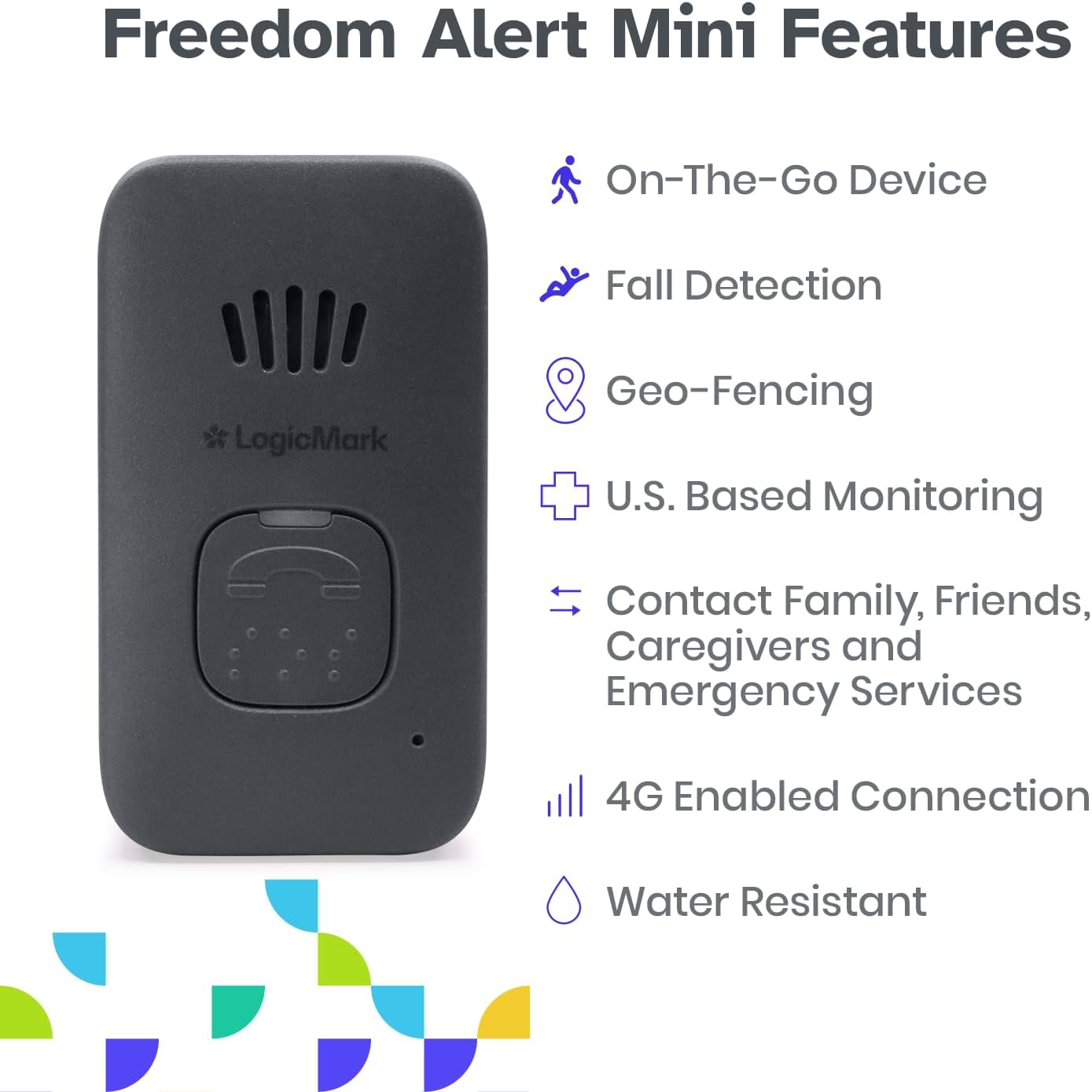
Figure 2.1: Front view of the LogicMark Freedom Alert Mini device, highlighting its key features including On-the-Go functionality, Fall Detection, Geo-Fencing, U.S. Based Monitoring, Two-Way Calling, 4G Enabled Connection, and Water Resistance.
2.2 Product Overview Video
Video 2.1: A full overview video demonstrating the LogicMark Freedom Alert Mini medical alert system, its components, and how it functions to provide safety and support.
3. Setup
3.1 Charging the Device
Before initial use, fully charge your Freedom Alert Mini. Place the device into the charging cradle, ensuring it is properly seated. Connect the charging cradle to a power outlet using the provided power adapter.

Figure 3.1: The Freedom Alert Mini device correctly placed in its charging cradle.

Figure 3.2: The charging cradle and power adapter for the Freedom Alert Mini.
3.2 Wearing the Device
The Freedom Alert Mini can be worn around the neck using the included lanyard. Ensure the lanyard is securely attached to the device and worn comfortably.

Figure 3.3: The black lanyard with a magnetic clasp for wearing the Freedom Alert Mini.

Figure 3.4: Example of the Freedom Alert Mini being worn on a lanyard.
4. Activation
The Freedom Alert Mini requires activation of a monthly subscription service before use. To activate your device and service plan, please contact LogicMark Customer Support. A one-time activation fee applies. Upon activation, a complimentary 3-month trial for Fall Detection and Geofencing services is included.

Figure 4.1: Illustration of the activation process, requiring a phone call to LogicMark Customer Support.
5. Operating Instructions
5.1 Initiating an Emergency Call
To initiate an emergency call, press and hold the main call button on the front of the device. The device will connect you to emergency services or your designated contacts via two-way voice communication.

Figure 5.1: The Freedom Alert Mini device, showing the location of the call button.
5.2 Fall Detection
The patented fall detection technology automatically senses a fall and initiates a call to emergency services. This feature provides an additional layer of safety, especially if the user is unable to press the call button manually.
5.3 Two-Way Communication
The device supports two-way voice communication, allowing you to speak directly with emergency responders or your pre-programmed contacts. This ensures clear communication of your needs during critical moments.
5.4 GPS Location Services and Geo-Fencing
Integrated GPS technology pinpoints your exact location during an emergency, helping to reduce response times. Geo-Fencing allows caregivers to set virtual boundaries and receive alerts if the device user enters or leaves these designated areas.
5.5 LogicMark Connected Care App
The LogicMark Connected Care app, available for iOS and Android devices, connects seamlessly with your Freedom Alert Mini. This app allows caregivers to stay informed and connected, providing access to device status and location information. Download the app from the Apple App Store or Google Play Store.
6. Maintenance
6.1 Charging
To ensure continuous operation, regularly charge your Freedom Alert Mini. It is recommended to place the device in its charging cradle daily or as needed to maintain a full battery.
6.2 Cleaning
Clean the device with a soft, damp cloth. Do not use harsh chemicals or abrasive cleaners. Ensure the device is dry before placing it back in the charging cradle.
7. Troubleshooting
If you experience issues with your Freedom Alert Mini, consider the following:
- Device not responding: Ensure the device is fully charged. Place it in the charging cradle for at least 30 minutes.
- Poor audio quality during calls: Check for obstructions around the speaker and microphone. Ensure you are in an area with good cellular signal.
- Activation issues: Confirm that your subscription is active by contacting LogicMark Customer Support.
For further assistance, please contact LogicMark Customer Support.
8. Specifications
| Product Dimensions | 17.5 x 14.25 x 12 inches |
| Item Weight | 9.5 ounces |
| Connectivity Technology | Cellular |
| Supported Application | Text Messaging, Voice Calling, Email, Voice Assistant |
| Compatible Devices | Smartphone (for app) |
| Manufacturer | LogicMark |
9. Warranty and Support
For information regarding product warranty, technical support, or service inquiries, please contact LogicMark Customer Support directly. You can also visit the official LogicMark store for additional resources and contact details: LogicMark Store.