
Vieta Pro VHP-NC500BK
Vieta Pro Calm Headphones User Manual
Model: VHP-NC500BK
Introduction
Thank you for choosing the Vieta Pro Calm Headphones. These headphones are designed to provide a superior audio experience with advanced features such as hybrid active noise cancellation, ambient mode, and versatile connectivity options. This manual will guide you through the setup, operation, and maintenance of your new headphones to ensure optimal performance and longevity.
What's in the Box
Please check the package contents to ensure all items are present:
- Vieta Pro Calm Headphones (Headband with Earpads)
- USB Type-C Charging Cable
- 3.5mm Audio Cable (AUX-IN)
- User Manual
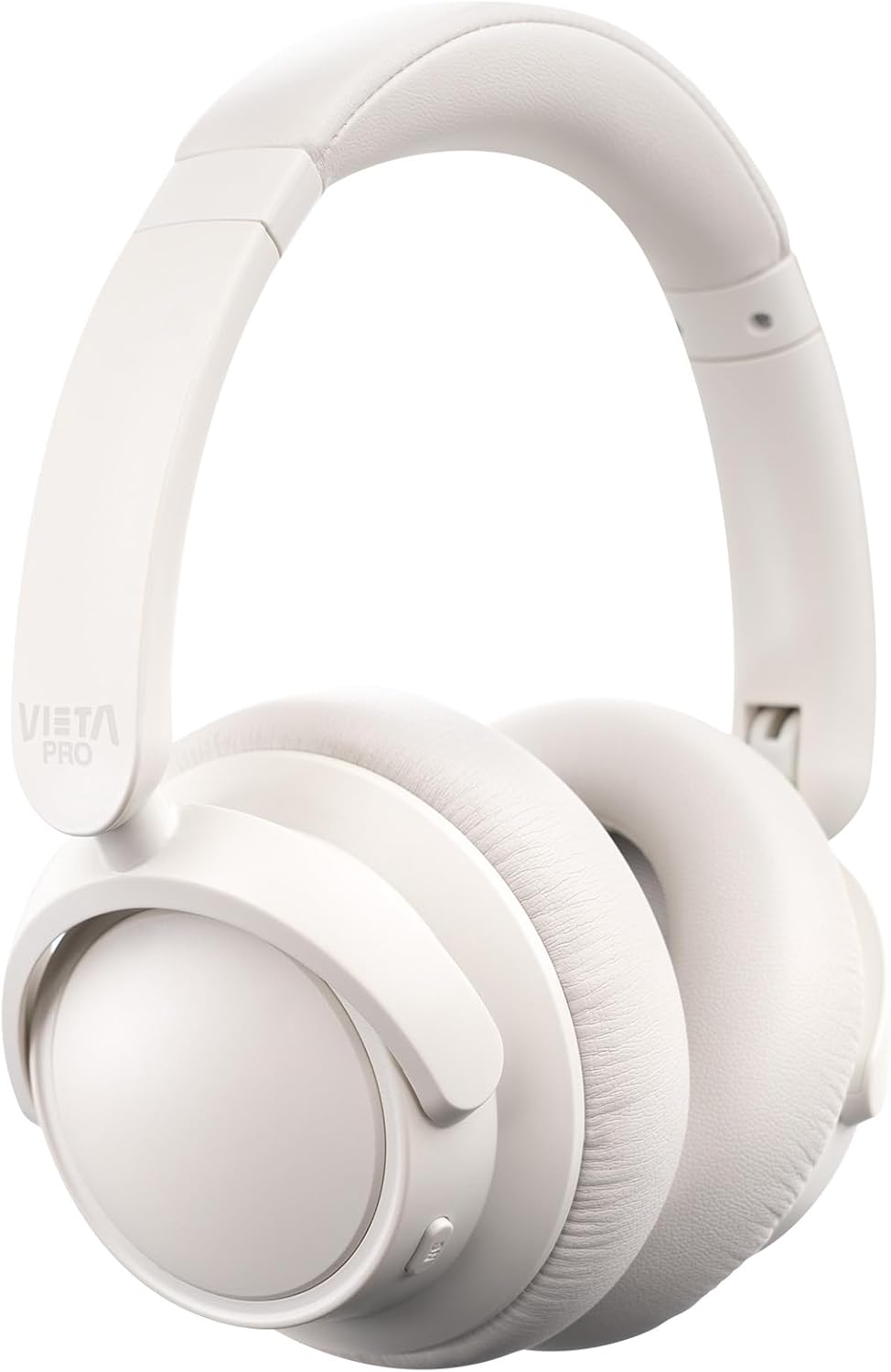
Image: Front view of the Vieta Pro Calm Headphones in white, showcasing the adjustable headband and earcups.
Setup
1. Charging the Headphones
Before first use, fully charge your headphones. Connect the supplied USB Type-C cable to the charging port on the headphones and the other end to a USB power source (e.g., computer USB port or wall adapter). The LED indicator will show charging status and turn off or change color when fully charged. A full charge provides up to 30 hours of playback.
2. Powering On/Off
To power on, press and hold the Power button until the LED indicator lights up. To power off, press and hold the Power button again until the LED indicator turns off.
3. Bluetooth Pairing
- Ensure the headphones are powered off.
- Press and hold the Power button for approximately 5 seconds until the LED indicator flashes blue and red, indicating pairing mode.
- On your device (smartphone, tablet, laptop), enable Bluetooth and search for available devices.
- Select "Vieta Pro Calm" from the list of found devices.
- Once connected, the LED indicator will turn solid blue or flash slowly.
4. Dual Pairing Function
The headphones support dual pairing, allowing simultaneous connection to two devices. After connecting to the first device, put the headphones back into pairing mode and connect to the second device. The headphones will intelligently switch between the two connected devices for audio playback or calls.
5. AUX-IN Connection
For wired audio playback or when Bluetooth is not available, use the supplied 3.5mm audio cable. Plug one end into the AUX-IN port on the headphones and the other end into the audio output jack of your device. The headphones will automatically switch to wired mode.
Operating the Headphones
Music Playback Controls
- Play/Pause: Press the Multi-function button once.
- Next Track: Press and hold the Volume Up (+) button.
- Previous Track: Press and hold the Volume Down (-) button.
- Volume Up: Short press the Volume Up (+) button.
- Volume Down: Short press the Volume Down (-) button.
Call Management
- Answer/End Call: Press the Multi-function button once.
- Reject Call: Press and hold the Multi-function button for 2 seconds.
- Voice Assistant: Double-press the Multi-function button to activate your device's voice assistant (Siri, Google Assistant, etc.).
Active Noise Cancellation (ANC) & Ambient Mode
The Vieta Pro Calm Headphones feature hybrid active noise cancellation to reduce ambient noise and an ambient mode to allow you to hear your surroundings.
- Activate ANC: Press the ANC button once. The LED indicator for ANC will light up.
- Activate Ambient Mode: Press the ANC button a second time. The LED indicator will change to indicate Ambient Mode.
- Deactivate ANC/Ambient Mode: Press the ANC button a third time to turn off both modes.

Image: The Vieta Pro Calm Headphones folded for storage, showing the control buttons and ports on the earcup.
Features Overview
- Bluetooth Connectivity & Dual Pairing: Enjoy wireless audio playback from compatible devices with freedom of movement. The dual-pairing function allows simultaneous connection to two devices, offering versatility to switch between them effortlessly.
- Hybrid Active Noise Cancellation & Ambient Mode: Advanced hybrid active noise cancellation technology effectively filters out unwanted noise for an immersive listening experience. The ambient mode allows you to adjust awareness of your surroundings, ideal for situations where you need to be aware of what's happening around you.
- AUX-IN & Integrated Microphone: The AUX-IN option provides a wired alternative for connecting to non-Bluetooth devices, offering flexibility in compatibility. Equipped with an integrated microphone for hands-free calls, facilitating communication while enjoying the comfort of the headphones.
- Extended Battery Life: An impressive battery life of up to 30 hours ensures long, uninterrupted playback, ideal for travel, long workdays, or extended listening sessions.
- Adjustable Headband Design: Designed to provide an immersive and comfortable listening experience with an adjustable headband, ensuring a secure and personalized fit for various head sizes.
Maintenance
To ensure the longevity and optimal performance of your Vieta Pro Calm Headphones, follow these maintenance guidelines:
- Cleaning: Use a soft, dry cloth to wipe the headphones. Do not use abrasive cleaners, solvents, or strong chemicals. For earcups, gently wipe with a slightly damp cloth if necessary, then dry thoroughly.
- Storage: When not in use, store the headphones in a cool, dry place, away from direct sunlight and extreme temperatures. If possible, use a protective case to prevent scratches and damage.
- Battery Care: Avoid fully discharging the battery frequently. For long-term storage, charge the headphones to about 50% to preserve battery health.
- Water Resistance: These headphones are not water-resistant. Avoid exposure to water, rain, or excessive moisture.
Troubleshooting
If you encounter issues with your headphones, refer to the following common solutions:
| Problem | Possible Solution |
|---|---|
| Headphones do not power on. | Ensure the headphones are charged. Connect to a power source using the USB Type-C cable. |
| Cannot pair with Bluetooth device. |
|
| No sound from headphones. |
|
| ANC is not working effectively. | Ensure the ANC button is pressed to activate the feature. Check that the earcups form a good seal around your ears. |
Specifications
| Feature | Detail |
|---|---|
| Model Name | Calm |
| Model Number | VHP-NC500BK |
| Brand | Vieta Pro |
| Connectivity Technology | Wireless (Bluetooth), Wired (3.5mm Jack) |
| Wireless Communication | Bluetooth |
| Noise Control | Hybrid Active Noise Cancellation |
| Ear Placement | Over-Ear |
| Form Factor | Circumaural |
| Impedance | 32 Ohm |
| Frequency Range | 20 Hz - 20,000 Hz |
| Battery Type | 1 Lithium-Ion Battery (included) |
| Battery Life | Up to 30 hours |
| Charging Port | USB Type-C |
| Audio Jack | 3.5 mm |
| Material | Plastic |
| Color | White |
| Item Weight | 200 g |
| Package Dimensions | 20 x 6 x 6 cm |
Warranty and Support
Vieta Pro products are designed and manufactured to the highest quality standards. For warranty information or technical support, please refer to the warranty card included with your product or visit the official Vieta Pro website. You can also contact customer service through the details provided on the product packaging or the brand's official channels.
For further assistance, please visit the Vieta Pro Store on Amazon.
Official Product Videos
No official product videos from the seller were found in the provided data for this product.