
1. Introduction
This manual provides essential information for the safe and optimal operation of your Toy Shock Jeep Gladiator 1:16 Scale R/C Vehicle. Please read it thoroughly before use and retain it for future reference.
The Toy Shock Jeep Gladiator is a 1:16 scale remote-controlled off-road vehicle designed for dynamic adventures. It features a vibrant red design, 2.4GHz frequency for stable control, durable tires, responsive suspension, and a powerful motor for conquering various terrains.
2. What's in the Box
- 1x RC Vehicle (Jeep Gladiator)
- 1x Remote Control Unit
- 1x Rechargeable Battery (for vehicle)
- 1x USB Charging Cable
- 1x Instruction Manual (this document)

Figure 2.1: The Toy Shock Jeep Gladiator RC Vehicle and its remote control, shown in original packaging.
3. Safety Information
- Adult Supervision: Always ensure adult supervision during operation, especially for younger users.
- Battery Safety:
- Do not mix old and new batteries.
- Do not mix alkaline, standard (carbon-zinc), or rechargeable (nickel-cadmium) batteries.
- Remove batteries from the vehicle and controller when not in use for extended periods.
- Dispose of used batteries responsibly according to local regulations.
- Use only the provided charging cable and follow charging instructions carefully.
- Operating Environment:
- Operate the vehicle in open areas, away from people, pets, and obstacles.
- Avoid operating near water, roads, or electrical hazards.
- Do not operate in extreme weather conditions (heavy rain, snow, strong winds).
- General Precautions:
- Do not touch moving parts during operation.
- Keep hair, loose clothing, and fingers away from wheels and gears.
- Do not modify the vehicle or its components.
4. Setup
4.1. Charging the Vehicle Battery
- Locate the battery compartment on the underside of the RC vehicle.
- Open the battery compartment cover.
- Connect the vehicle's rechargeable battery to the provided USB charging cable.
- Plug the USB charging cable into a standard USB power source (e.g., computer USB port, USB wall adapter).
- The indicator light on the USB cable will show charging status (e.g., red for charging, off/green for fully charged).
- Once fully charged, disconnect the battery from the charging cable and place it back into the vehicle's battery compartment. Secure the cover.
4.2. Installing Controller Batteries
- Locate the battery compartment on the back of the remote control unit.
- Open the battery compartment cover.
- Insert 2x AA batteries (not included) into the compartment, ensuring correct polarity (+/-).
- Close the battery compartment cover securely.
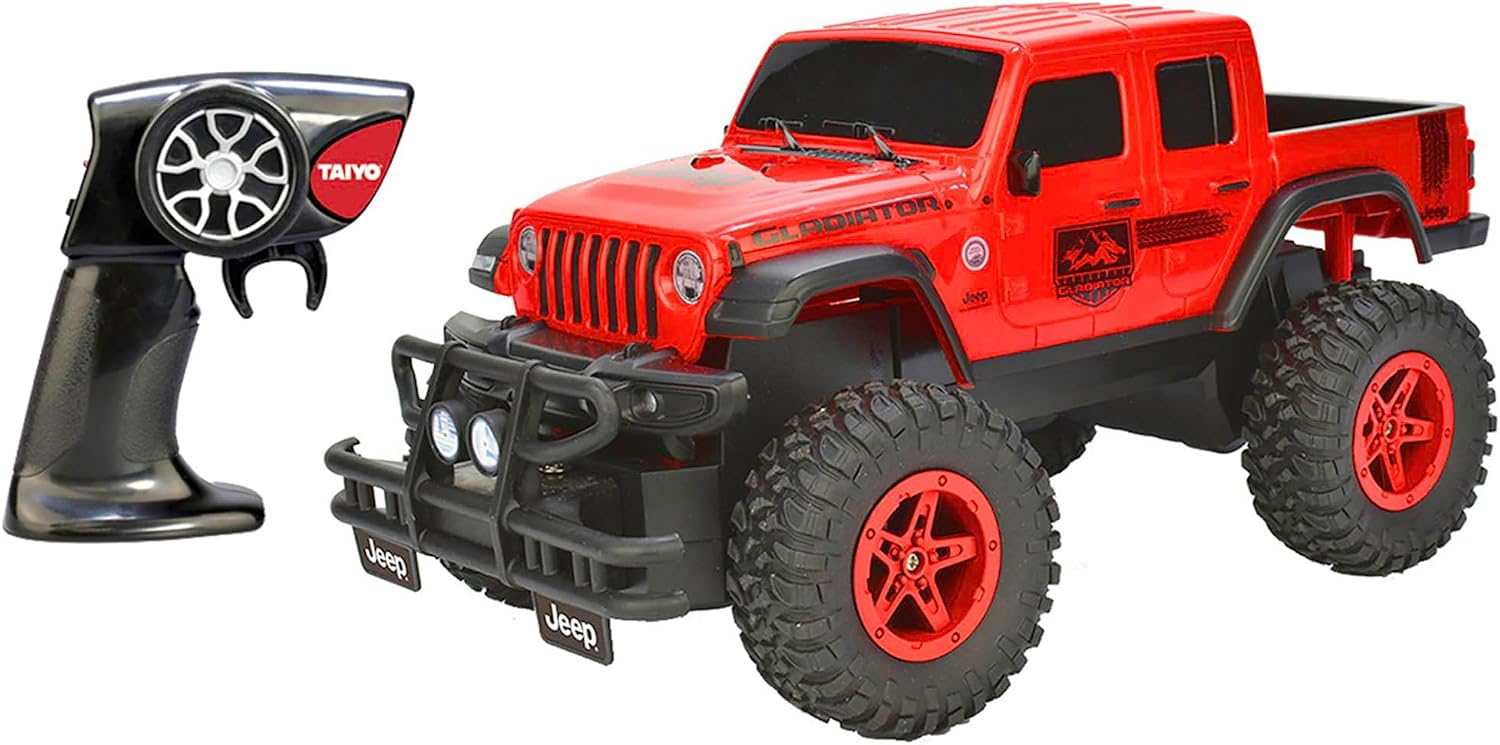
Figure 4.1: The RC Jeep Gladiator and its remote control unit. Ensure batteries are correctly installed in both devices before operation.
5. Operating Instructions
5.1. Powering On and Pairing
- Turn on the RC vehicle using the ON/OFF switch located on its underside.
- Turn on the remote control unit using its ON/OFF switch.
- The vehicle and controller should automatically pair. An indicator light on the controller may confirm successful pairing.
5.2. Driving the Vehicle
- Forward/Backward: Use the throttle trigger/joystick on the remote control to move the vehicle forward or backward.
- Steering: Use the steering wheel/joystick on the remote control to turn the vehicle left or right.
- Practice in an open area to familiarize yourself with the controls.
5.3. Optimal Performance Tips
- The 2.4GHz frequency provides stable and responsive control, minimizing interference.
- The durable tires and responsive suspension are designed for off-road dominance, allowing the vehicle to navigate various terrains.

Figure 5.1: The RC Jeep Gladiator is equipped with robust tires and suspension for navigating challenging terrains.
5.4. Product Overview Video
Video 5.1: A product overview demonstrating the features and capabilities of the Jeep Gladiator RC vehicle. This video shows a white version of the vehicle.
6. Maintenance
- Cleaning: After each use, especially after off-road driving, gently wipe down the vehicle with a soft, dry cloth to remove dirt and debris. Avoid using water or harsh chemicals.
- Storage: Store the vehicle and remote control in a cool, dry place away from direct sunlight and extreme temperatures. Remove batteries if storing for extended periods.
- Battery Care: Do not overcharge or completely drain the rechargeable battery. Follow charging guidelines.
7. Troubleshooting
| Problem | Possible Cause | Solution |
|---|---|---|
| Vehicle does not respond to controller. | Low battery in vehicle or controller; not paired. | Charge vehicle battery; replace controller batteries; re-pair vehicle and controller. |
| Short operating time. | Battery not fully charged; old battery. | Ensure battery is fully charged; consider replacing old batteries. |
| Poor control range or interference. | Obstacles blocking signal; other 2.4GHz devices nearby. | Operate in an open area; move away from other wireless devices. |
8. Specifications
- Model: 160105A
- Scale: 1:16
- Frequency: 2.4GHz
- Product Dimensions: 14.57 x 8.07 x 8.07 inches
- Item Weight: 2.14 pounds
- Manufacturer Recommended Age: 6 years and up
- Manufacturer: Toy Shock
9. Warranty and Support
For warranty information or technical support, please refer to the contact details provided on the product packaging or visit the official Toy Shock website. Keep your purchase receipt as proof of purchase.